Web Hosting
 Windows HostingBuilt for Windows apps and websites – stability, speed and flexibility
 Reseller HostingLaunch a hosting business without technical skills or expensive infrastructure
 Affiliate ProgramRefer customers and earn commissions from sales across our platform
 Domain SearchFind and secure a domain name in seconds with our quick lookup tool
 CO ZA Domains
 All DomainsExplore domain names from over 324 TLDs globally – all in one place
 Free Whois Lookup Tool South Africa
 VPS
VPS Website Builder
 Online ShopSet up a sleek eCommerce store with zero coding knowledge
 SSLs
SSLs SupportAccess help articles, how-tos, and everything about our services
 Blog
Blog Contact UsReach our team instantly via live chat or drop us an email
Moving your domain from Host Africa to Truehost is easier than you might think. In this guide, I’ll show you exactly how to do it, step by step.
But first, you need to know that if you bought or transferred your domain within the last 60 days, you’ll have to wait.
ICANN rules don’t allow transfers during that period; it’s a security measure to prevent domain theft. So mark your calendar for day 61.
You’re probably transferring your domain because your website loads too slowly or goes down at the worst times. Or perhaps you’ve outgrown your current hosting plan, or you’re simply paying more than you should.
At Truehost, we’ve built a solid reputation in South Africa, handling local extensions like .co.za, .org.za, and .joburg without any fuss.
The transfer process is straightforward, and once your domain is here, you get a clean dashboard to manage everything: DNS records, nameservers, emails, you name it.
Our servers are local too, which means faster loading times for South African visitors and better SEO for local searches. Plus, our support team is available around the clock.
When you transfer to Truehost, you get a free one-year extension on your registration period. That’s on top of whatever time you already have left.
You also get free DNS management and email forwarding tools.
And the cost? For a .com domain, it’s R150. For a .co.za domain, it’s completely free.
Either way, you’re essentially paying for an extra year of registration, which gets added to your existing time.
Table of Contents
Confirm this Before Transferring
Before you start the transfer process, there are a few things you absolutely need to check:
| What to confirm | Why It’s important |
| Domain age (must be over 60 days old) | ICANN rules prevent transfers within 60 days of registration or previous transfer |
| Registrar lock is disabled | Domains are locked by default to prevent unauthorized transfers. You must unlock it first |
| Registrant email is correct and accessible | The confirmation email goes here. If it’s outdated, you won’t receive it, and the transfer will fail |
| The domain isn’t expired | Expired domains can’t be transferred. Renew first if needed |
| WHOIS privacy is temporarily disabled | Privacy services can hide your real email, preventing transfer approval |
| EPP/Auth code is ready | You’ll need it to start the transfer |
6 Steps to Transfer a Domain from Host Africa to Truehost
1) Log in to Host Africa and go to “My Domains”
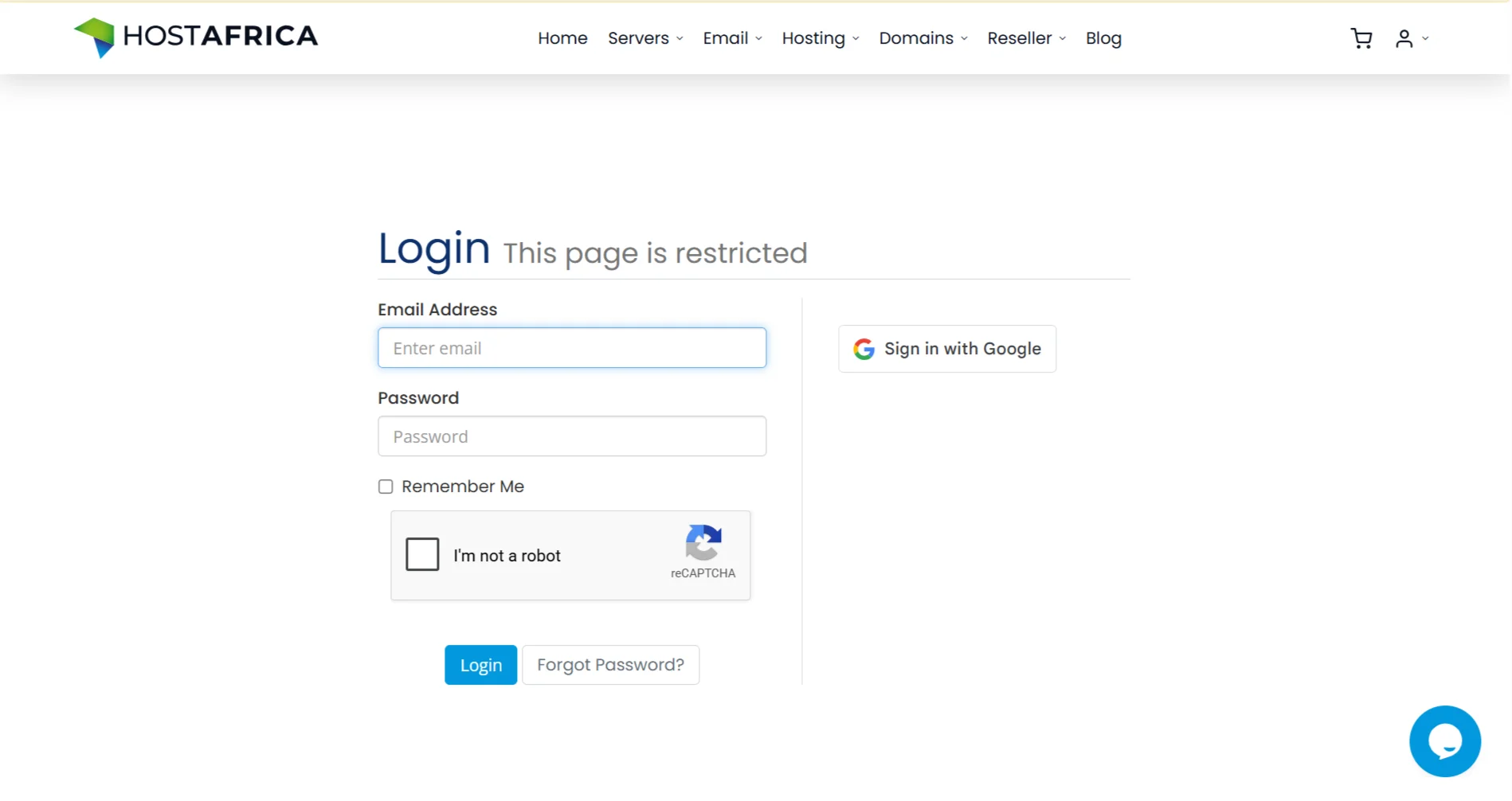
Log in to your Host Africa account. Navigate to the “My Domains” section and select the domain you want to transfer.
Before you proceed, unlock the domain. Look for a setting called “Registrar Lock” or “Domain Lock” in your domain management dashboard, and switch it to the unlocked position.
This tells Host Africa that you’re allowing the domain to be transferred out.
2) Get the EPP code
The EPP code, also called an Auth Code, is a unique string of characters that proves you have the right to move the domain. You can usually find it in your Host Africa client area.
Note: For .co.za domains, you don’t need an EPP code to proceed with the transfer. This is a specific characteristic of South African domains, so you can skip this step for .co.za extensions.
If you can’t find the EPP code in your dashboard, contact Host Africa support and request it.
Copy the code exactly as it appears, including any symbols or capital letters. It’s safest to paste it into a text file so you don’t lose it
3) Log in to Truehost
Now, you go to your new registrar, Truehost. If you already have a Truehost account, log in to your client area. If you’re new, register for an account first. It’s quick and simple.
4) Start Transfer
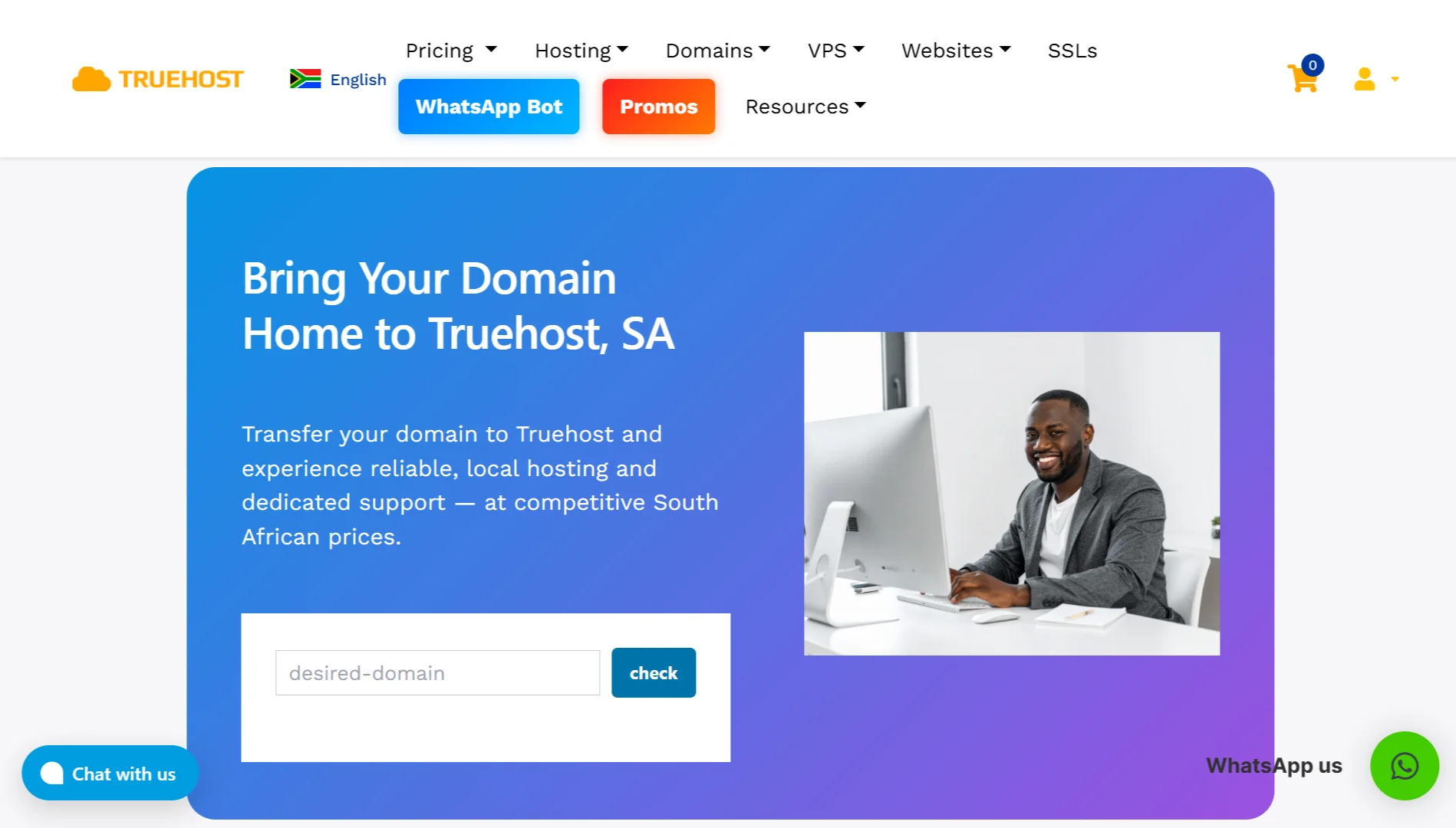
Once you’re logged in to Truehost, navigate to “Domain Transfer” > “Transfer Domain to Us.”
Enter the domain name you want to transfer, then click the transfer button.
When you transfer a domain, you pay for an additional year of registration, which is added to your existing registration period. You’re not losing any time you’ve already paid for at Host Africa.
5) Enter Details
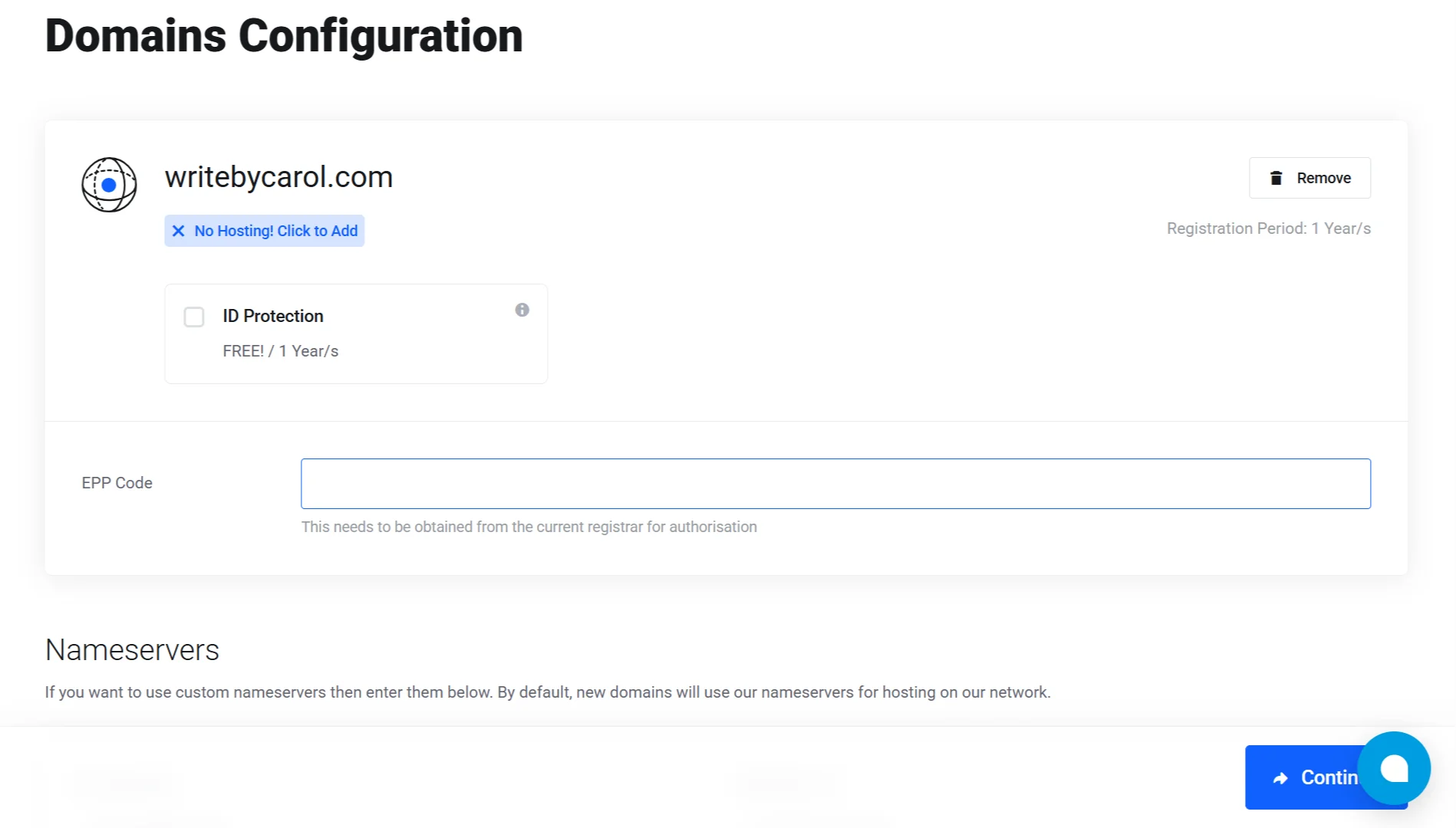
You’ll be prompted to provide the EPP code (unless it’s a .co.za domain). Enter it carefully; extra spaces can cause errors.
Add the transfer to your cart and proceed to checkout. If you’re only transferring the domain, just complete the domain transfer purchase.
If you’re also transferring your website hosting to Truehost, click “continue” to add web hosting to your cart. This way, you can handle both moves at once.
6) Confirm and Wait
After checkout, you’ll receive a confirmation email. You must click the approval link in this email within five days. If you don’t respond, the transfer will fail.
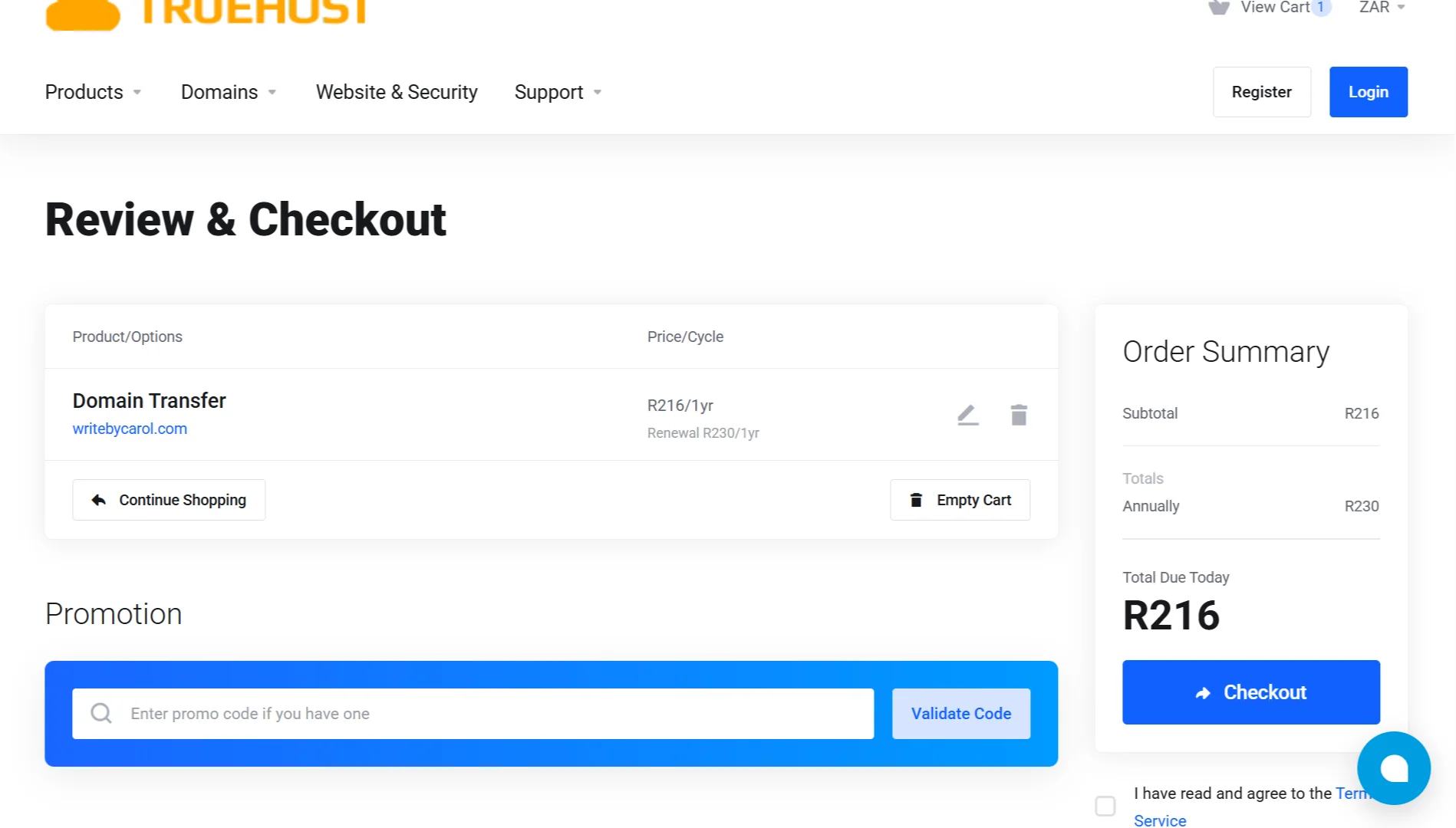
The transfer process takes 5 to 7 days to complete. This waiting period is a security measure that gives the original owner time to stop any unauthorized transfers.
During this time, you can check the transfer status in your Truehost dashboard. It will likely show as “Pending Transfer” or “Waiting for Release”.
Once the transfer is complete, you’ll receive a success email from Truehost.
Do this After Transfer
Once your domain has successfully moved to Truehost, there are a few important tasks to complete:
- Check domain status: Log in to Truehost and confirm your domain appears in your “My Domains” list.
- Configure DNS settings: Update your nameservers or DNS records to point to your hosting provider. If you’re hosting with Truehost, they’ll provide the correct nameservers.
- Set up email forwarding: Configure any email forwarding addresses you need. If you use professional email addresses like
[yourname]@yourdomain.com, set them up at Truehost before the move completes to avoid email disruption. - Renew or enable auto-renewal: Check your new renewal date (remember, you got an extra year added) and set up auto-renewal to avoid expiration.
- Update WHOIS information: review and update your contact details if needed. Accurate WHOIS information ensures you receive important transfer and renewal notifications.
Transfer a Domain from Host Africa to Truehost FAQs
Do I still have time if I transfer my domain 1 year before renewal?
Yes, when you transfer your domain, you pay for an extra year of registration, which is added to whatever time you already have left. So if you transfer a year before renewal, you’ll have two years of registration remaining after the transfer.
Will I lose my email if I transfer my domain?
You might experience temporary email disruption if you have email addresses tied to your domain. To avoid this, set up your email accounts at Truehost before the transfer completes. This way, the new inbox is ready to catch mail as soon as the domain arrives.
How long after I buy a domain can I transfer it?
You must wait 60 days after registration or after a previous transfer before you can move your domain. This is an ICANN security rule.
Will my website go down during a domain transfer?
The domain transfer itself happens in the background and doesn’t usually take your website offline.
However, if you’re also moving your hosting files, you need to plan carefully. Make a full backup before you start, and keep your old hosting active for a couple of days after the migration to prevent unexpected downtime.
Can I speed up the domain transfer?
You can speed things up by manually approving the transfer email from your old registrar instead of waiting for the automatic approval. This can shorten the process significantly. However, the full transfer still takes 5 to 7 days due to security protocols.
Ready to Transfer? Start Your Domain Move to Truehost Today
Moving your domain to Truehost is a smart move. We offer competitive South African pricing, reliable local infrastructure, and dedicated 24/7 support.
When you transfer to us, you get a free 1-year domain extension, free DNS management, and full control through our simple dashboard.
If you have a .co.za domain that transfers for free, or a .com domain at R150, you’re getting excellent value.
And if you ever run into issues, our friendly local support team is here to help.