Web Hosting
 Windows HostingBuilt for Windows apps and websites – stability, speed and flexibility
 Reseller HostingLaunch a hosting business without technical skills or expensive infrastructure
 Affiliate ProgramRefer customers and earn commissions from sales across our platform
 Domain SearchFind and secure a domain name in seconds with our quick lookup tool
 CO ZA Domains
 All DomainsExplore domain names from over 324 TLDs globally – all in one place
 Free Whois Lookup Tool South Africa
 VPS
VPS Website Builder
 Online ShopSet up a sleek eCommerce store with zero coding knowledge
 SSLs
SSLs SupportAccess help articles, how-tos, and everything about our services
 Blog
Blog Contact UsReach our team instantly via live chat or drop us an email
Managing a website involves more than simply owning a domain and paying for hosting.
Once those two pieces are in place, you still need a practical way to manage your files, your email, your databases and your overall server settings.
This is where cPanel comes in.
cPanel is a graphical control panel that simplifies common hosting management tasks.
Instead of typing commands into a terminal, you get a dashboard full of icons and menus that walk you through everything from uploading files to setting up email addresses.
It is worth being clear from the start that cPanel is a control panel, not a hosting service in itself.
Hosting providers offer cPanel as part of certain hosting plans, giving customers an easier way to manage the resources they are already paying for.
This article covers how cPanel hosting works, what you can actually manage through it, and whether it makes sense for your particular website or business.
Table of Contents
How Does cPanel Hosting Work?
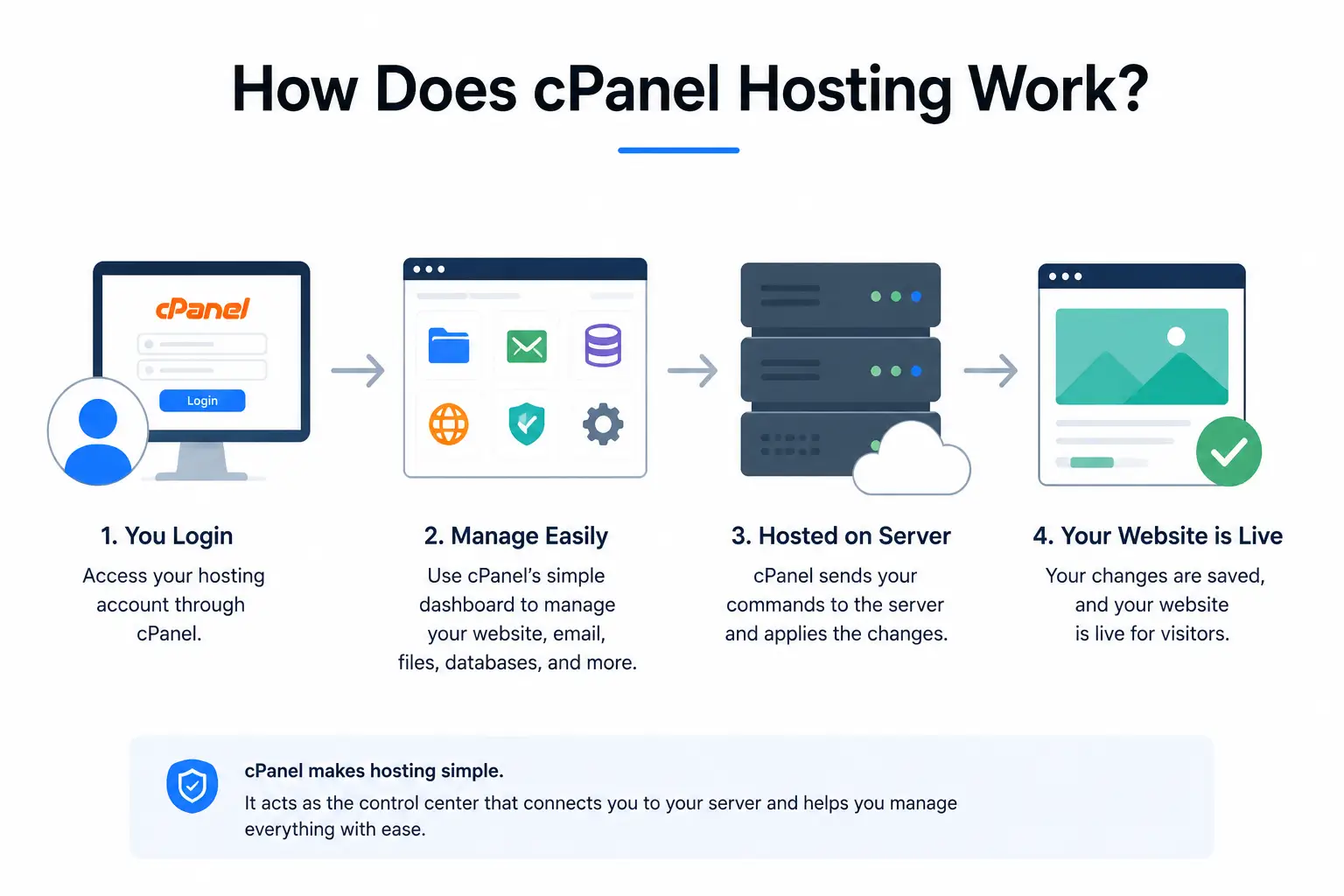
At a basic level, the process follows a simple flow.
You buy hosting, you receive access to cPanel, you connect and manage your domain, you manage your website files and databases, you configure email and security, and then you maintain the website going forward.
Let’s break down each of these stages.
1) Your Hosting Provider Allocates Server Resources
Every website needs somewhere to actually live, and that somewhere is a physical server owned and maintained by your hosting provider.
This server has storage space for your files, RAM to handle active processes, CPU power to process requests, and bandwidth to handle data moving in and out.
cPanel does not create these resources itself. Instead, it provides an interface that lets you manage them and the services connected to them, such as your website files, your email accounts and your databases, all from one place.
Think of your hosting provider as the landlord who owns the building, while cPanel acts as the management office inside it.
The landlord supplies the physical space, the electricity and the plumbing, while the management office gives you a practical way to handle day-to-day tasks like requesting repairs or checking your unit’s utility usage.
Neither one replaces the other, and both play a distinct role in keeping things running smoothly.
2) You Access Your cPanel Account
Once your hosting is set up, your provider gives you login credentials for cPanel, often available directly through your client area.
Logging in shows you a dashboard organized into sections, typically covering files, domains, databases, email, security and account statistics.
It is worth knowing that the exact features you see can vary depending on your specific hosting plan.
A basic plan might show a fairly limited dashboard, while a higher-tier plan could include additional tools and options.
3) You Connect and Manage Your Domain
Your domain is what visitors type into their browser to reach your website.
For this to actually work, your domain needs to point toward your hosting server, which typically involves setting nameservers or DNS records correctly.
Once connected, your domain, hosting account and website work together as a single unit.
cPanel gives you basic domain and DNS management tools, letting you handle subdomains, redirects and related settings without needing to go through a separate system each time.
This connection between domain and hosting is often the part beginners find most confusing, mainly because it happens behind the scenes rather than through anything visible on the website itself.
Once it is set up correctly, though, it generally runs quietly in the background, and most website owners rarely need to think about it again unless they are moving to a new host or making major changes to their setup.
4) You Upload and Manage Website Files
Once your domain is pointed correctly, you need a way to actually get your website files onto the server.
cPanel includes a tool called File Manager, which lets you upload, download, edit, move and organize files directly through your browser.
If you prefer, you can also manage files through FTP, which involves using a separate FTP client to transfer files between your computer and the server.
Both approaches achieve the same result, so the choice usually comes down to personal preference and how comfortable you are with each method.
5) You Create and Manage Databases
Many websites, particularly those built on WordPress, rely on a database to store their content, settings and user information.
cPanel typically works with MySQL or MariaDB, two widely used database systems that handle this storage in the background.
Through cPanel, you can create new databases, set up database users, and manage them using a visual tool called phpMyAdmin.
This keeps things fairly beginner-friendly, since you rarely need to type out complex database commands manually unless you specifically want to.
For most website owners running a standard WordPress site or similar platform, the database side of things happens almost entirely behind the scenes.
The software itself handles the ongoing communication with the database, so cPanel’s role is mainly limited to the initial setup and occasional maintenance tasks like backups or troubleshooting.
6) You Set Up Business and Website Email
cPanel also lets you create custom email addresses using your own domain, rather than relying on a generic email provider.
This includes setting up mailboxes, adjusting email-related settings, and accessing your inbox through a browser-based webmail tool.
It is worth noting that available email features depend on your specific hosting provider and plan.
Some hosts offer generous email storage and multiple mailboxes, while others place tighter limits depending on the tier you have chosen.
7) You Manage Website Security
Security is another area where cPanel plays a role.
This includes managing SSL certificates, which enable HTTPS and show visitors that your connection is encrypted.
cPanel setups commonly include additional security-related tools too, such as backup management and access controls like IP blocking.
That said, it is important to be honest about what cPanel does and does not guarantee.
cPanel itself does not automatically make a website completely secure.
Real security depends on how well the server is configured, how regularly software gets updated, and how carefully the website itself is maintained over time.
A website running outdated plugins or weak passwords remains vulnerable regardless of which security tools cPanel makes available.
The value here lies in having the tools within reach, not in assuming they work automatically without any ongoing attention from the website owner.
What Can You Do With cPanel?
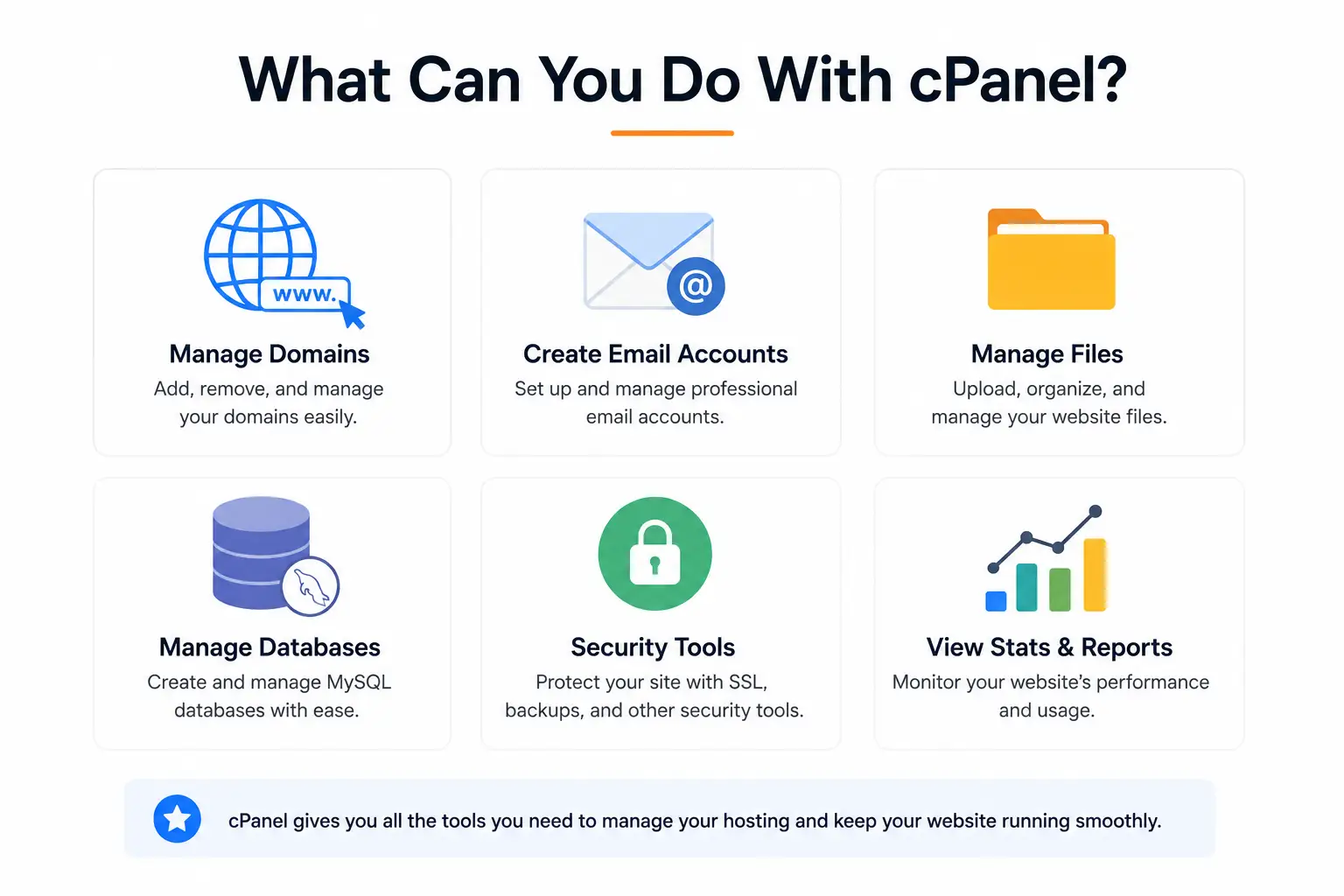
Rather than listing every individual feature on its own, it helps to group cPanel’s tools into a few broad categories.
a) Website Management
This covers the File Manager for handling your website files, tools for installing websites or applications, options for managing domains and subdomains, and the ability to set up redirects that send visitors from one URL to another.
b) Email Management
Under this category, you can create email accounts tied to your domain, set up forwarders that redirect messages to another address, configure autoresponders for automatic replies, and adjust spam-related controls to help manage unwanted email.
c) Database Management
Here you can create databases and their associated users, manage existing databases as your needs change, and use phpMyAdmin to view and edit database content through a visual interface rather than raw commands.
d) Security and Backups
This includes managing SSL certificates for your website, running backups of your account, controlling password and access settings, and using IP blocking tools where your hosting setup supports them.
e) Performance and Server Management
Finally, cPanel gives you visibility into storage usage, bandwidth monitoring, general resource usage, and the ability to set up cron jobs for tasks that need to run automatically on a schedule.
cPanel Hosting vs Hosting Without cPanel
It helps to see how cPanel hosting compares directly against hosting that does not include it.
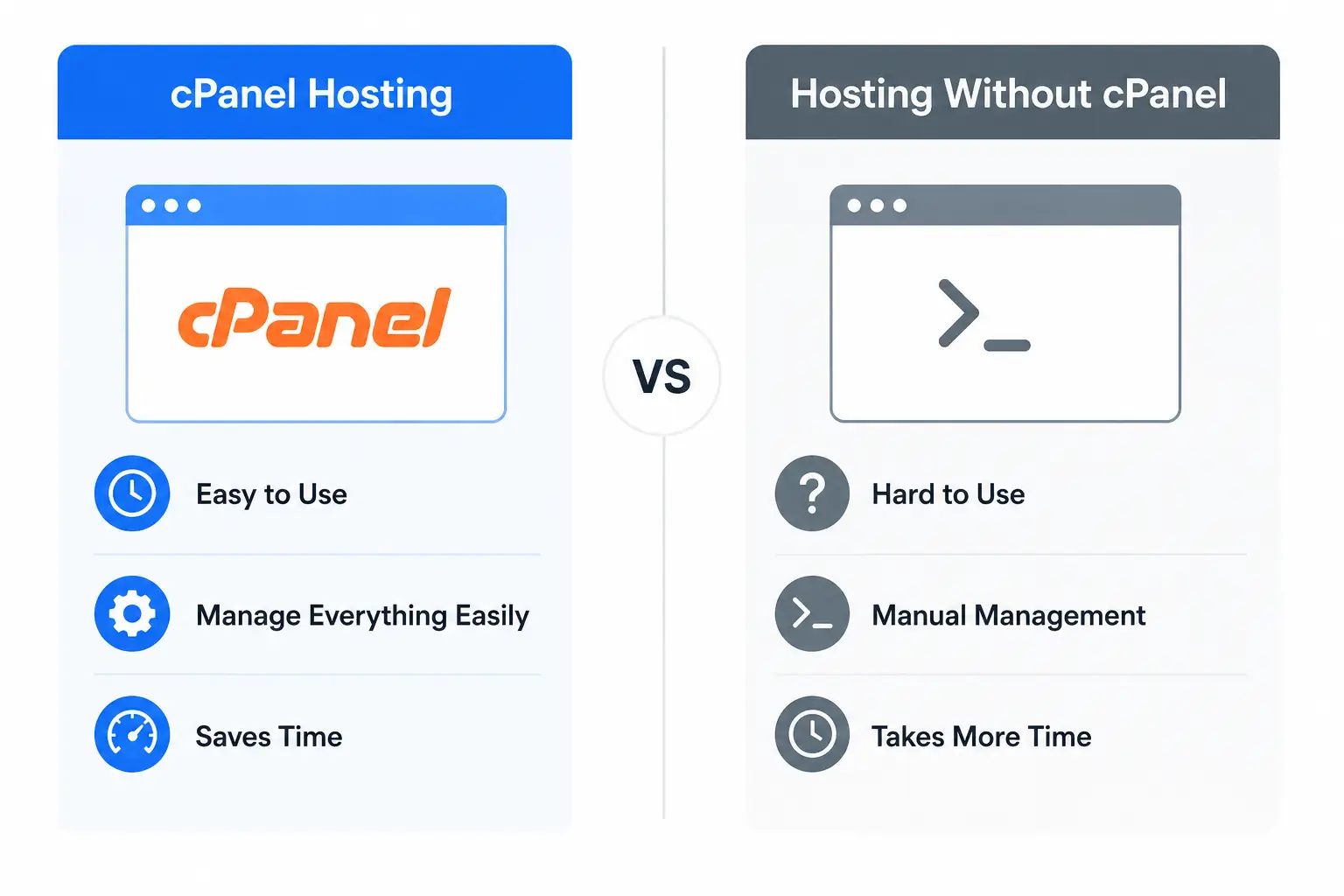
| Feature | cPanel Hosting | Hosting Without cPanel |
|---|---|---|
| Graphical interface | Yes | May not be included |
| File management | Easy through dashboard | Often requires FTP or command line |
| Email management | Usually centralized | Depends on the setup |
| Database management | GUI tools available | May require separate tools |
| Beginner friendly | Generally yes | Can be more technical |
| Server control | Limited on shared hosting | Can be greater depending on setup |
Looking at this comparison, cPanel is not automatically the better choice for everyone.
Whether it makes sense for you depends largely on your technical experience and what your specific hosting needs actually are.
Someone comfortable working directly through a command line might prefer the flexibility of a setup without cPanel, while someone who wants a simple, visual way to manage their site will likely find cPanel far more approachable.
Cost is another factor worth weighing here.
cPanel licensing typically adds a small amount to the overall hosting price, since providers pay a licensing fee that often gets passed along to customers.
For many users, the time saved through cPanel’s visual tools outweighs this modest added cost, though technically confident users managing very simple setups may decide the extra expense is not worth it for their particular situation.
How to Choose a cPanel Hosting Plan
If you have decided cPanel hosting fits your needs, a few factors are worth comparing before you commit to a specific plan.
Taking time on this stage upfront tends to save headaches later, since switching hosting providers midway through a project is rarely a quick or painless process.
- Start with storage and bandwidth, since these determine how much content your website can hold and how much traffic it can handle comfortably.
- Check how many websites or domains a plan allows, particularly if you manage more than one site.
- Look at how many email accounts are included, since business use often requires several addresses across a team.
- It also helps to think ahead a little, since a plan with room to add more accounts later can save you an awkward upgrade down the line.
- SSL certificates are worth confirming too, since some plans include them automatically while others charge extra.
- Backup policies are worth checking closely as well.
- Check how often backups run, how long they are retained, and whether restoring them is included in your plan or billed separately.
- A host with a clear, published backup policy generally gives you more confidence than one that stays vague about the details.
- Server performance and customer support are both worth considering, especially if you expect to need help troubleshooting issues along the way.
- Think about scalability too, since a plan that fits your needs today may not necessarily fit them in a year if your website grows. A hosting provider with a clear upgrade path saves you the hassle of migrating everything to a new provider later on.
- Finally, check whether cPanel licensing is included in the advertised price, or whether it gets added as a separate line item.
Pricing and billing cycles vary between providers as well, so comparing the total cost over a full year, rather than just the advertised monthly rate, usually gives a clearer picture of what you are actually paying.
Knowing how cPanel hosting works makes it much easier to know what to look for when comparing plans.
If you are looking for cPanel hosting in South Africa, Truehost’s hosting plans are worth exploring.
Take a look at the available packages and choose one that fits your website’s specific needs.