 Web Hosting
 Windows HostingBuilt for Windows apps and websites – stability, speed and flexibility
 Reseller HostingLaunch a hosting business without technical skills or expensive infrastructure
 Affiliate ProgramRefer customers and earn commissions from sales across our platform
 Domain SearchFind and secure a domain name in seconds with our quick lookup tool
 CO ZA Domains
 All DomainsExplore domain names from over 324 TLDs globally – all in one place
 Free Whois Lookup Tool South Africa
 VPS
 Website Builder
 Online ShopSet up a sleek eCommerce store with zero coding knowledge
 SSLs
 SupportAccess help articles, how-tos, and everything about our services
 Blog
 Contact UsReach our team instantly via live chat or drop us an email

A merchant emails to say a payout failed. At the same moment, one of your customers receives a message that looks like it came from you, asking them to confirm their banking details. That is the day you realise email hosting for South African fintechs and payment startups is a security decision, not an admin chore.
Pilots use checklists because memory fails under pressure. Your email setup deserves exactly the same careful treatment.
Below, you will find ten checks that cover security, compliance, and uptime. Work through them in order, and you will know which gaps to close first. Each one explains what to verify and why it matters to a payments business.
Table of Contents
Why Fintech Email Is a Bigger Target
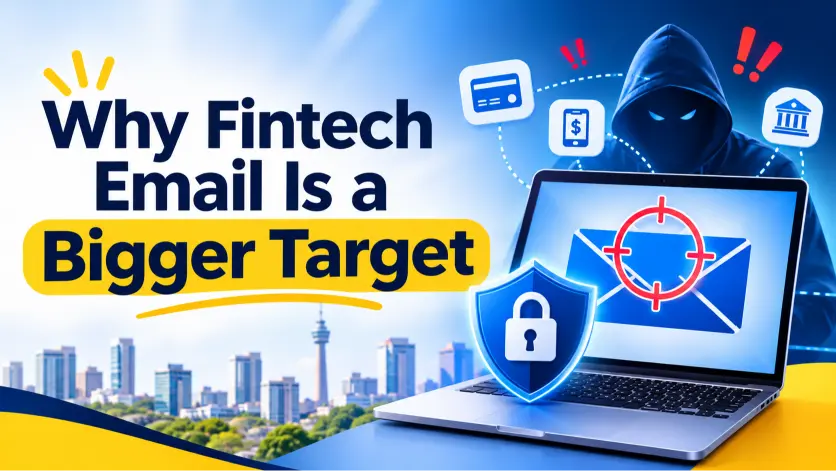
Email is where most attacks on small businesses start. A guide from Cyber Guard cites INTERPOL’s 2026 Africa report, which placed South Africa at roughly 70% of business email compromise detections on the continent. For a payments company, one hijacked mailbox can redirect a settlement or expose customer data.
The regulator takes these incidents seriously as well. The Information Regulator has stated that administrative fines can reach R10 million. In 2023, it issued its first POPIA fine of R5 million, according to a Mondaq legal summary.
What One Hijacked Mailbox Can Do
Picture a support agent who clicks a convincing login page on a Tuesday afternoon. By evening, an attacker is reading merchant emails, learning who approves payouts, and waiting for the right moment. A few days later, a polite message arrives from a real address, asking finance to update a settlement account.
Nothing in that story required any advanced hacking at all. It needed a missing MFA prompt, a weak filter, and no phone check on bank changes. Each check below closes one of those doors.
The Ten Checks at a Glance
| # | Check | What good looks like |
|---|---|---|
| 1 | Sign-in protection | MFA on every mailbox, with an app or key instead of SMS |
| 2 | SPF and DKIM | Both published, with every sending tool listed |
| 3 | DMARC | Monitoring first, then quarantine, then reject |
| 4 | Payment-change rule | Bank detail changes confirmed by phone |
| 5 | POPIA readiness | Audit logs and a breach plan ready before you need them |
| 6 | Card data policy | No card numbers in email, ever |
| 7 | Encryption and location | TLS everywhere and a known data location |
| 8 | Uptime guarantee | A written SLA that covers email servers |
| 9 | Backups | Daily, off-site, and restore-tested |
| 10 | Support and escalation | Human help at any hour and a one-page incident plan |
Lock the Door: Sign-In Security
1) Turn on MFA for every mailbox
Multi-factor authentication stops most takeovers that start with a stolen password. Use an authenticator app or a security key, and treat SMS codes as a last resort because SIM swaps can intercept them. The Cyber Guard guide notes that many businesses still leave MFA switched off.
Shared addresses like support@, disputes@, and compliance@ deserve special care. Give each person their own login with delegated access, so you can remove one person without resetting everything.
Ask your provider whether admins can enforce MFA for every user. A setting that people can skip is not much of a safeguard.
Stop Impersonation: Authentication and Fraud Rules
2) Publish SPF and DKIM
SPF lists the servers allowed to send mail for your domain, and DKIM signs each message so recipients know it was not altered. Google’s sender guidelines require SPF or DKIM from every sender, and all three records once you send 5,000 or more messages a day to Gmail addresses. Payment startups send receipts and alerts, so treat the bulk rules as your baseline.
3) Move DMARC to enforcement
Start your DMARC record at p=none to watch who sends mail as you. Then move to quarantine, and finally to reject, once legitimate tools are listed. Google explains the setup in its DMARC guide.
Send receipts and alerts from a subdomain such as mail.yourbrand.co.za. That way, a sending reputation problem never touches your team’s inboxes.
Ask your provider how to publish DNS records and who can edit them. Slow DNS access can delay a fix when you are under pressure.
4) Write a payment-change rule
Business email compromise usually ends with a fake message announcing new banking details. Make it a rule that any change to bank details gets confirmed by phone, on a number you already hold. Cyber Guard recommends this step, and it costs nothing to adopt.
Meet the Rules: Compliance Checks
5) Be ready for POPIA sections 19 and 22
Section 19 requires appropriate, reasonable technical and organisational measures. Section 22 requires you to notify the Regulator and affected people when someone unauthorised accesses personal information. A Werksmans analysis shows the Regulator treats even a misdirected email as a security compromise.
Ask your host what audit logs and access records you can see. Those records help you reconstruct an incident quickly and report it on time.
6) Keep card numbers out of email
If you handle card data, PCI DSS requirement 4.2.2 says card numbers must be secured with strong cryptography whenever they travel by email or chat. The safest policy is simple: never send card numbers by email, and give customers a secure link instead. KirkpatrickPrice explains how assessors check for this in practice.
If a card number arrives anyway, delete it and fix the channel that allowed it. Then remind staff that customers sometimes send card details unprompted.
7) Verify encryption and data location
Ask for TLS on sending, receiving, and webmail, and ask whether stored mail is encrypted at rest. TLS 1.3 is a welcome bonus, but one PCI DSS summary confirms it is recommended rather than strictly required.
Also ask where your mailboxes live, because POPIA places conditions on moving personal information abroad. Hosts based in South African data centres, such as Teraco in Johannesburg, make that conversation much simpler.
Ask for the encryption details in writing before you sign. A clear, confident answer usually signals a mature setup.
Stay Online: Uptime and Recovery
8) Get the uptime promise in writing
A 99.9% guarantee sounds strong, yet it still allows about 8.8 hours of downtime a year, or roughly 44 minutes a month. Ask whether the guarantee covers the mail servers specifically, and what remedy you receive when it fails.
Several South African hosts advertise 99.9% on their email plans. The remedy hides in the fine print, so request the SLA before you pay.
Ask how outages are announced to customers, too. A status page and prompt updates matter as much as the percentage itself.
9) Insist on daily, off-site, tested backups
Daily backups stored off-site are the minimum for a payments business. Two South African email hosts we checked use Acronis for this. A backup you have never restored is only a hope, so ask how restores work and test one every quarter.
Ask how long backups are kept and who can trigger a restore. Fast recovery after a mistaken deletion saves a long, stressful afternoon.
10) Plan for the midnight failure
When a payout alert fails at midnight, a ticket queue is not enough. Check for phone or chat support outside office hours, and save an escalation contact before you need it.
Then write a one-page incident plan for your whole team. Name who investigates, who notifies the Regulator through its online eServices portal, and who tells your merchants.
Who Owns What: You and Your Host
No single host can secure your email entirely alone. Your provider runs the servers, spam filtering, backups, and uptime. You own the settings and habits that sit around them.
That means MFA enforcement, your DNS records, staff training, and the payment-change rule all stay with you. Splitting responsibility clearly stops each side from assuming the other has it covered.
How Common Options Measure Up
Use this table as a starting point for your own questions. It lists only what each provider publishes on its own pages.
| Option | Security basics | Hosting and backups | Watch for |
|---|---|---|---|
| Truehost Workplace | Two-factor sign-in, antivirus, spam filtering | Confirm region, backups, and SLA in writing | Best for a few operational mailboxes |
| Microsoft 365 or Google Workspace | MFA available, with advanced filtering options | Global cloud, billed in dollars | MFA and DMARC are often left off by default |
| HostAfrica HMailPlus | Spam and virus filtering | Local support, no lock-in | Per-user pricing grows from R36 to R54 |
| Domains.co.za | SpamExperts filtering, free SSL | Teraco Johannesburg, daily Acronis backups, 99.9% uptime guarantee | Default 1 GB per mailbox until adjusted |
| WP Tech | SpamExperts, malware protection, firewalls | Teraco Johannesburg, daily Acronis backups, 99.9% uptime | Plans start at R96.60 for 10 accounts |
Where Truehost Workplace Fits
Truehost Workplace suits early-stage teams that need a few trusted operational mailboxes, such as support, disputes, and compliance. Two-factor sign-in, antivirus checks, and spam filtering come with every plan, and billing stays in rand. Plans start from R8 a month on the long-term rate.
Apply this checklist to us as you would to anyone. Ask for the server region, backup routine, and SLA in writing, and compare the answers with the table above. If you grow into hundreds of mailboxes, or need advanced threat protection, a larger suite with enforced DMARC may become your next step.
The Bottom Line
Remember that fake message sent in your name? Most of it is preventable with a few settings and a few honest questions. For a fintech, email is part of the product, so it deserves product-level care.
If you only have an afternoon, do four things. Switch on MFA, publish SPF and DKIM, start DMARC at p=none, and adopt the phone-confirmation rule for bank detail changes. Then put the SLA, backup, and data-location questions into your next vendor call.
Ready to set up trusted operational mailboxes for your team? Explore Truehost Workplace email and ask us the checklist questions today.