Web Hosting
 Windows HostingBuilt for Windows apps and websites – stability, speed and flexibility
 Reseller HostingLaunch a hosting business without technical skills or expensive infrastructure
 Affiliate ProgramRefer customers and earn commissions from sales across our platform
 Domain SearchFind and secure a domain name in seconds with our quick lookup tool
 CO ZA Domains
 All DomainsExplore domain names from over 324 TLDs globally – all in one place
 Free Whois Lookup Tool South Africa
 VPS
VPS Website Builder
 Online ShopSet up a sleek eCommerce store with zero coding knowledge
 SSLs
SSLs SupportAccess help articles, how-tos, and everything about our services
 Blog
Blog Contact UsReach our team instantly via live chat or drop us an email
Running a website involves a lot of moving parts.
You are managing domains, files, databases, email, security, backups and more, often all at once.
Doing this manually, through raw server commands, would be a steep learning curve for most people.
This is where cPanel comes in.
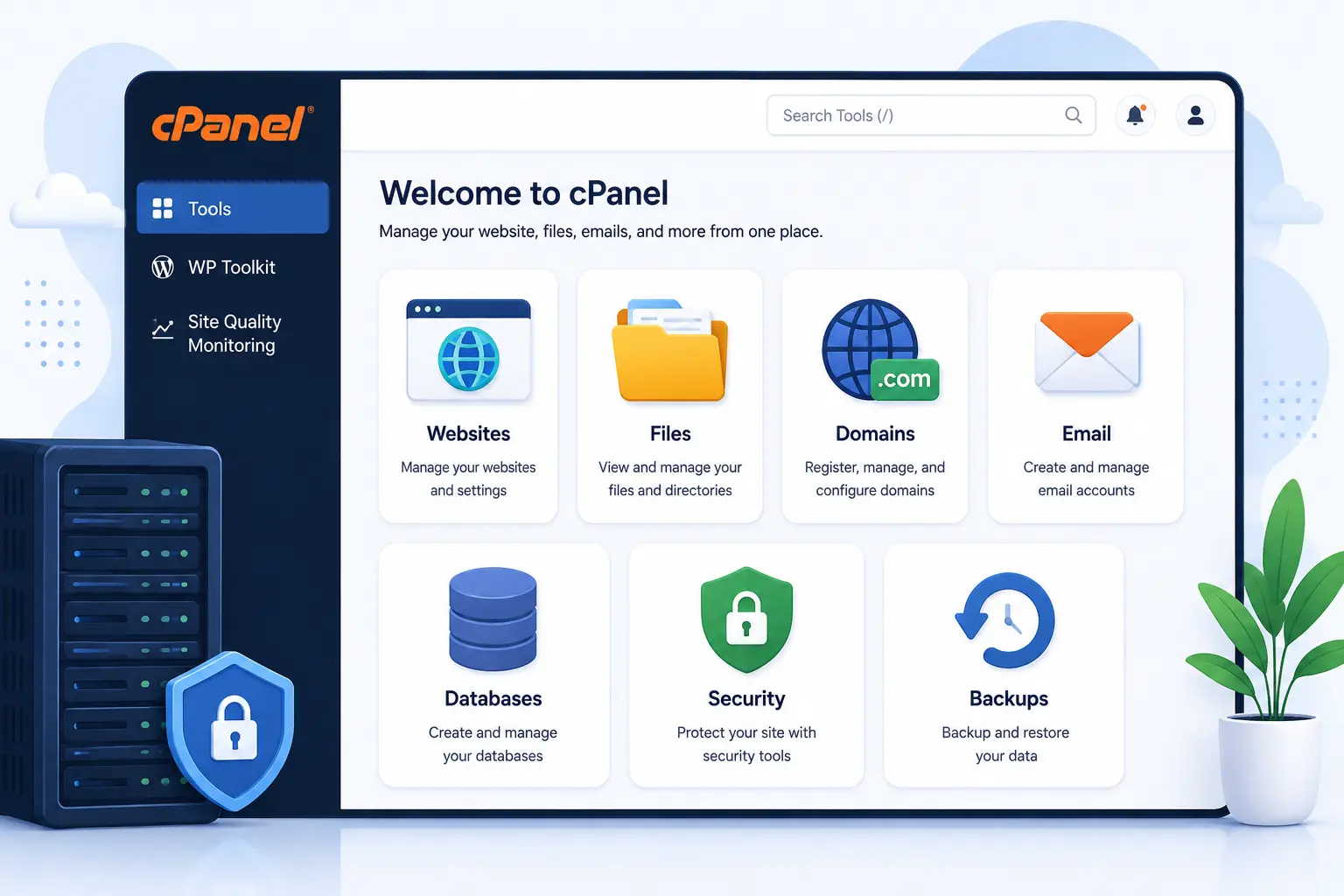
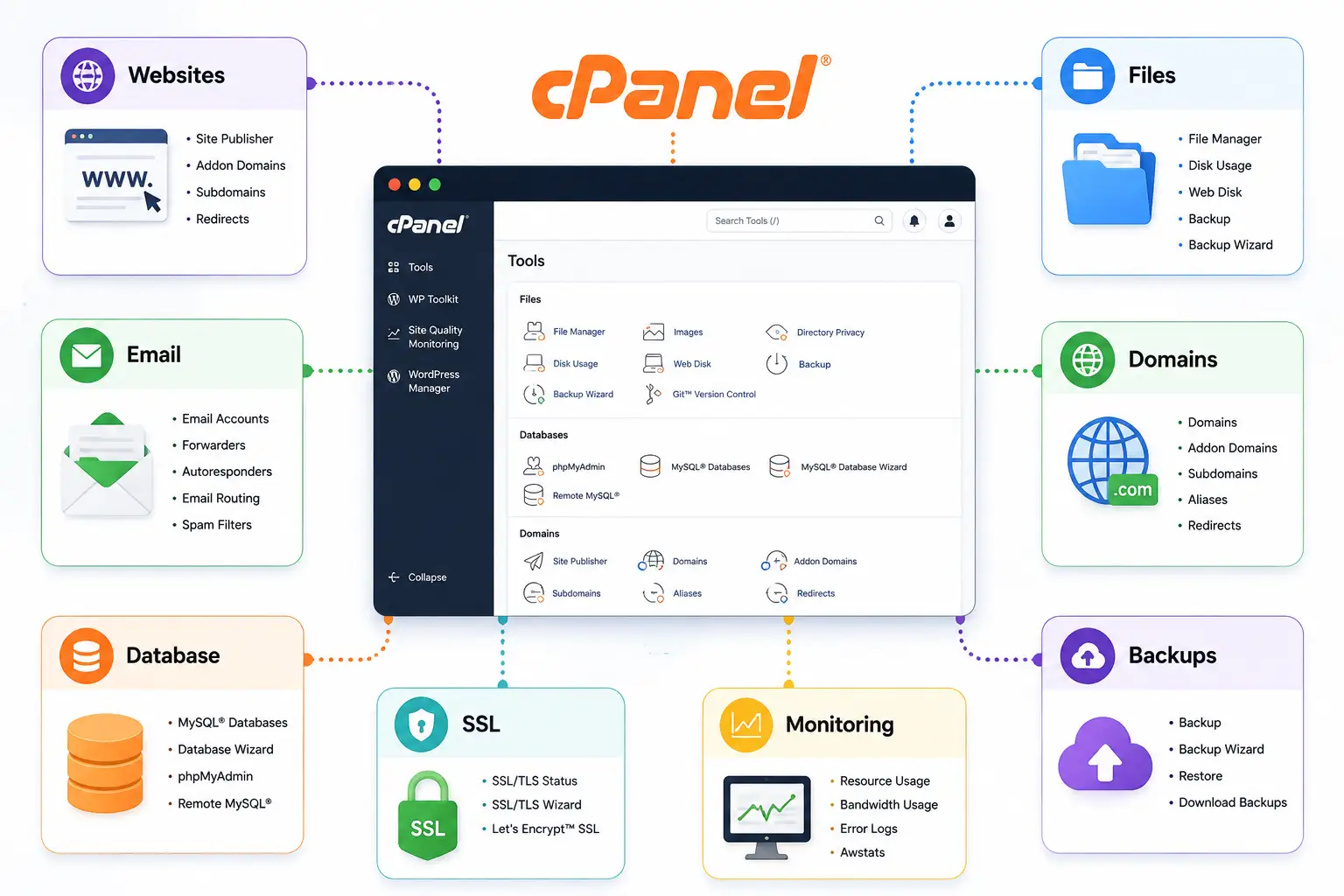
It is a web hosting control panel that brings many of these tasks into a single interface, letting you manage your website and hosting services without needing to perform every task through the command line.
Rather than learning a separate system for each individual task, cPanel groups everything into one dashboard you can access through a browser.
This approach has made it one of the most widely used hosting control panels available today, particularly for small business owners, bloggers and developers who want a practical balance of control and convenience.
In this guide, we will walk through more than 20 cPanel hosting features, grouped into categories so they are easier to follow.
Keep in mind that the exact features available to you depend on your hosting provider and the specific hosting package you choose.
Table of Contents
cPanel Hosting Features of 2026
A) File Management
1) File Manager
File Manager lets you access your website files directly from your browser.
You can upload files, download them, create folders, rename or move items, edit supported file types, delete what you no longer need, and extract compressed files like ZIP archives.
This is especially useful for website owners who would rather avoid relying entirely on FTP for everyday file tasks.
cPanel’s own documentation specifically identifies File Manager as a tool for uploading, editing and deleting files directly on the server.
B) Domain and DNS Tools
2) Domain Management
You can add and manage domains, handle domain aliases, create subdomains where supported, and configure domain-related settings.
Redirects and DNS management tools may also be available, depending on your provider’s configuration.
Having all of this inside one hosting dashboard makes website administration considerably simpler.
3) DNS Management
Through cPanel, you can manage DNS records including A records, CNAME records, MX records, TXT records, AAAA records and DMARC records where supported.
DNS changes should always be made carefully, since they directly affect how your domain and connected services communicate.
cPanel’s current Feature Manager documentation includes Zone Editor functionality covering several of these record types.
C) Email Tools
4) Email Account Management
cPanel lets you create professional email addresses using your own domain, rather than relying on a free consumer email provider.
You can create and remove mailboxes, manage email settings, access webmail, and set email quotas where supported.
A domain-based email address generally looks more credible to clients and customers than a generic free account.
5) Email Forwarders
Forwarders automatically send messages from one address to another.
This is useful for businesses managing multiple addresses, such as having [email protected] forward directly into a mailbox someone actually checks regularly.
6) Spam Filtering
Many hosting environments provide spam filtering tools, including Spam Filters and Apache SpamAssassin where enabled.
These tools help reduce unwanted messages reaching your inbox, though it is worth being realistic that no filtering system eliminates spam completely.
7) Email Autoresponders
Autoresponders automatically send replies to incoming messages.
Common uses include out-of-office notices, customer acknowledgements, holiday notices and general contact confirmations.
D) Database Tools
8) Database Management
cPanel lets you create databases, create database users, assign permissions, and manage database-related settings.
Databases are essential for CMS platforms such as WordPress, which rely on them to store content, settings and site data.
9) phpMyAdmin
phpMyAdmin gives you access to supported MySQL or MariaDB databases through a graphical interface.
You can view tables, import and export databases, and run SQL queries directly.
This tool is primarily useful for users who need more direct control over their database than the basic management screens provide.
E) Application and WordPress Tools
10) One-Click Application Installation
Hosting providers can integrate application installers into cPanel, making it possible to install WordPress and other supported applications with just a few clicks.
Available applications vary depending on your specific hosting provider.
11) WordPress Management
This one deserves extra attention, since it is one of the more commercially valuable cPanel hosting features for site owners.
You can install WordPress, manage existing installations, update WordPress core, and manage themes and plugins where the relevant toolkit is available.
Security hardening and staging features may also be available through WP Toolkit.
cPanel’s current WP Toolkit offering includes tools for installing, updating, staging, cloning, syncing, migrating and managing WordPress sites, though not every cPanel hosting plan automatically includes every WP Toolkit feature.
12) SSL/TLS Management
You can install and manage SSL certificates, enabling HTTPS on your website.
HTTPS is important because it encrypts data between your visitors and your server, and browsers increasingly flag non-HTTPS sites as insecure.
Certificates are managed through cPanel’s SSL/TLS interfaces, though available options depend on your hosting provider.
cPanel’s current documentation includes SSL/TLS and SSL/TLS Wizard functionality, with recent releases expanding certificate-management workflows further.
F) Backup Tools
13) Website Backups
Where your hosting provider enables backup functionality, you can create or manage backups covering your website files and databases.
Taking a backup before making major website changes is a simple habit that can save considerable trouble later.
14) Backup Restoration
Creating backups is only half the job. Restoration lets you recover files or website data after accidental deletion, a failed update, or other unexpected problems.
Backup and restore capabilities vary between hosting providers, so it is worth confirming exactly what your plan includes.
G) Redirects and Monitoring
15) Website Redirects
You can set up redirects sending visitors from one URL to another.
Common uses include moving a page, redirecting old URLs, sending visitors from HTTP to HTTPS, and consolidating multiple domains into one destination.
16) Resource Usage Monitoring
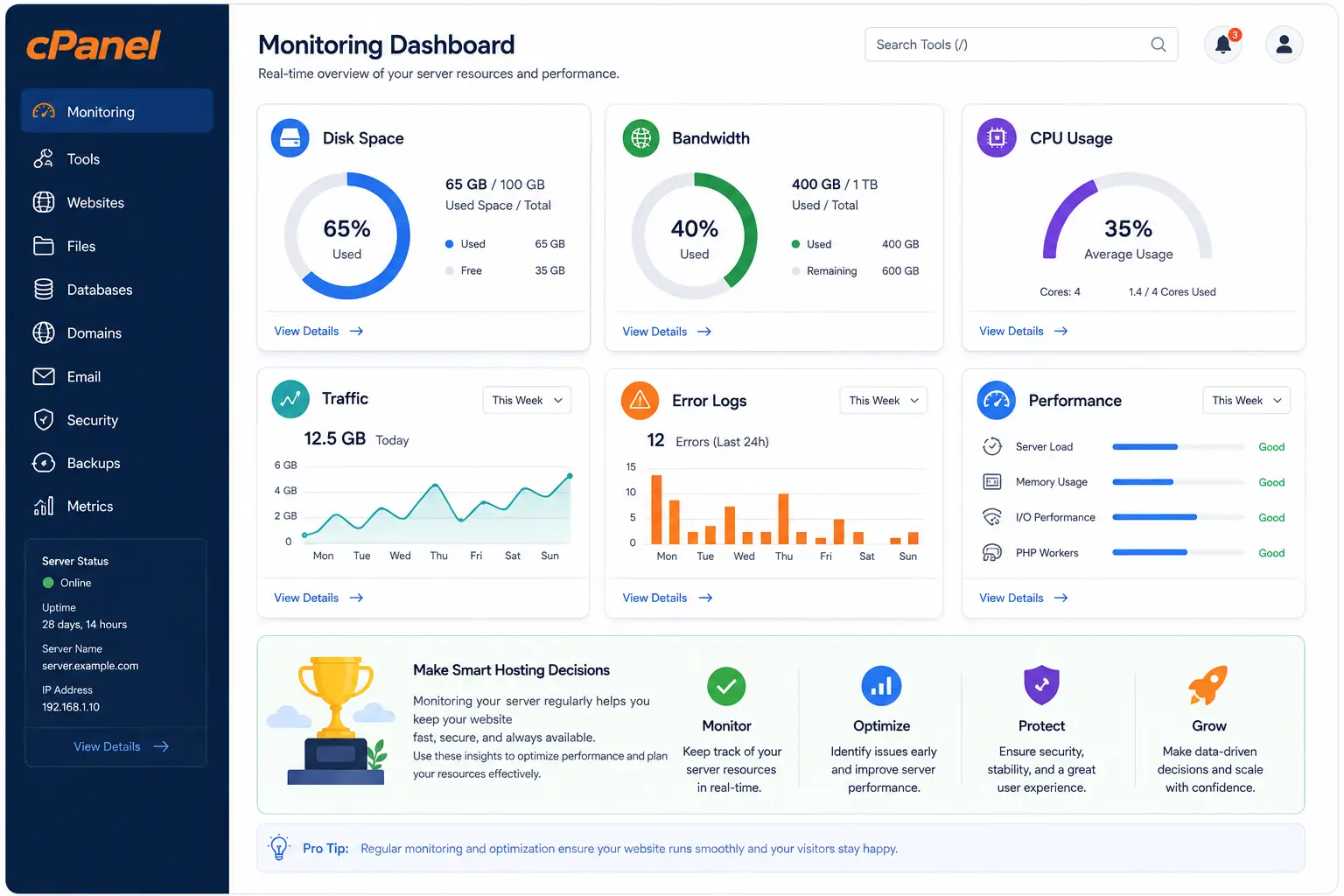
cPanel can help you monitor resource consumption where supported, covering storage usage, bandwidth usage and CPU or resource usage where your hosting environment exposes it.
Monitoring these figures helps you notice when your website is approaching its hosting limits before it becomes a real problem.
cPanel’s feature set includes resource and bandwidth monitoring capabilities, though the exact tools available depend on your server environment.
17) Disk Space Usage
You can see exactly how much storage your hosting account is using, and identify large directories or files that might be worth cleaning up.
This is a useful habit for general website maintenance.
18) Bandwidth Monitoring
Bandwidth monitoring tracks the data transferred by your website and connected services.
This becomes especially important when your site receives significant traffic or serves large files such as videos or downloads.
Bandwidth is distinct from storage.
Storage covers what your account holds, while bandwidth covers what moves in and out of it.
H) Developer Tools
19) Cron Jobs
Cron jobs let you schedule recurring tasks, such as running scripts, performing scheduled maintenance, or triggering other automated processes.
These tend to be more useful for technically advanced users comfortable working with scheduled commands.
20) Error Logs
Error logs let you view website or server-related errors where exposed through your hosting environment.
These logs are useful for troubleshooting failed scripts, configuration issues and application errors that might otherwise be difficult to diagnose.
21) Raw Access Logs
Access logs provide detailed information about the requests reaching your website, including visitor activity and server responses.
Availability varies depending on your specific cPanel configuration.
22) IP Address Management
Where your hosting environment permits it, you can manage or block specific IP addresses.
This supports basic security use cases, such as blocking a known problematic visitor, though it should not be treated as a complete security solution on its own.
23) Directory Privacy
Directory privacy lets you restrict access to selected folders using authentication, which is useful for protecting private sections of a website.
This is different from full website security, since it only protects specific directories rather than the site as a whole.
24) SSH and Terminal Access
Some cPanel hosting environments provide SSH and terminal access, giving developers and advanced users a way to interact with the server directly.
Hosting providers can restrict or disable this capability depending on their setup.
cPanel’s Feature Manager includes SSH Access and Terminal among its configurable features.
I) PHP and Application Management
25) PHP Version Management
PHP is the programming language many websites, including WordPress, depend on to function correctly.
Where supported, you can select which PHP version your website runs on.
Keeping your PHP version current and compatible is important for both security and performance, though the right version ultimately depends on your specific website or application’s requirements.
26) PHP Configuration
Some hosting environments expose PHP configuration options directly, such as upload limits and execution settings.
Available controls depend heavily on your hosting provider and server configuration.
27) Application Manager
cPanel can provide tools for managing supported web applications beyond WordPress, which is useful for certain development environments.
Application availability depends on how your specific server has been set up.
28) Git Version Control
Git-related tools can help developers deploy or manage code directly through their hosting environment.
This is particularly useful for websites and applications maintained through code repositories. Availability depends on server configuration.
29) Site Builder
Some current cPanel environments integrate website-building tools such as Sitejet, giving users a way to build a website without starting entirely from scratch.
Availability depends on your specific hosting provider.
cPanel’s current documentation lists Sitejet Builder among the tools that can be integrated into the cPanel interface.
30) Website Performance Tools
This category includes resource monitoring, bandwidth management, and caching or CDN integrations where available.
It is worth being clear that cPanel provides management tools, but actual website speed also depends on your hosting resources, your website’s code, image sizes, caching setup and several other factors beyond cPanel itself.
cPanel currently highlights resource monitoring alongside CDN and caching integrations as part of its broader performance capabilities.
J) Security and Account Tools
31) Security Tools
Rather than treating every security function as its own separate topic, it helps to group them together.
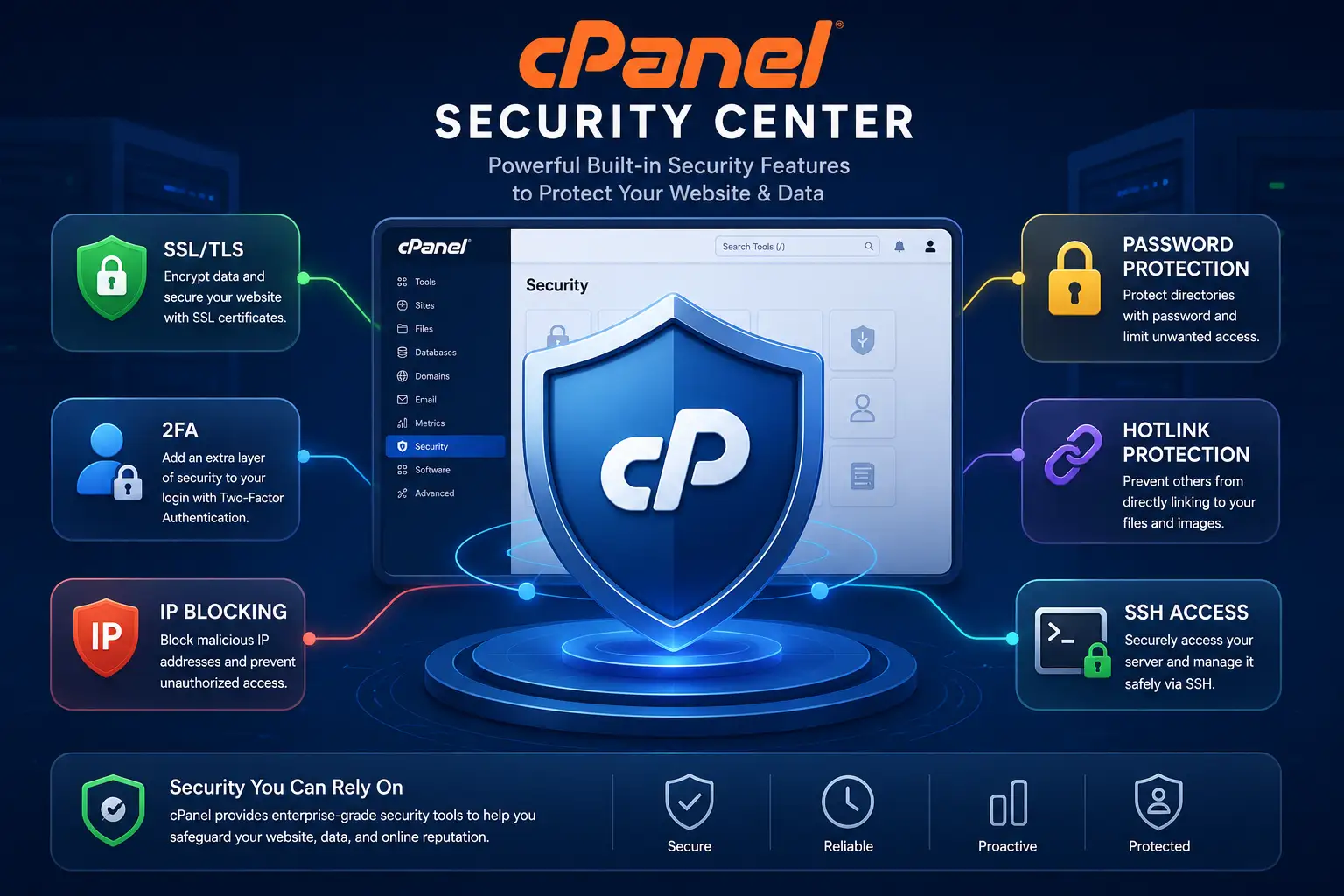
This includes SSL/TLS management, IP controls, directory privacy, Security Advisor where available, server-level firewall integrations, multi-factor authentication where enabled, and security-related notifications.
cPanel’s current feature documentation highlights SSL management, malware scanning, firewall capabilities and MFA among its security-related functionality.
32) Multi-Factor Authentication
MFA adds an extra verification step beyond just a password, which helps protect access to your hosting account even if your password is somehow compromised.
Availability depends on your hosting provider’s configuration.
33) Account and Password Management
You can manage your hosting account credentials, update passwords, and control access to certain hosting services directly through cPanel.
Strong, unique passwords remain one of the simplest and most effective ways to protect your hosting account from unauthorized access.
34) Website Analytics and Metrics
cPanel can expose website and server metrics, including traffic-related statistics where supported, resource usage figures and access logs.
It is worth distinguishing hosting-level metrics from dedicated tools such as Google Analytics, since the two serve different purposes and typically show different levels of detail.
What to Look for When Choosing cPanel Hosting
Not every plan advertised as cPanel hosting includes the same set of tools, so it is worth checking the specifics before signing up rather than assuming based on the name alone. When comparing plans, look for the following:
- cPanel access
- Number of websites allowed
- Storage
- Bandwidth
- Email accounts
- SSL certificates
- Backups
- Database support
- WordPress tools
- Security features
- Customer support
- Resource limits
- Renewal pricing
- Billing cycle
If you are looking for a hosting plan that combines website hosting with a genuinely useful set of cPanel hosting features, Truehost’s cPanel hosting plans are worth considering.
Their current plans are built around many of the tools covered in this guide, including domain and email management, SSL, backups and WordPress support, giving you a practical starting point rather than a bare-bones setup.
Explore Truehost cPanel Hosting Plans and see which package lines up best with what your website actually needs.