Web Hosting
 Windows HostingBuilt for Windows apps and websites – stability, speed and flexibility
 Reseller HostingLaunch a hosting business without technical skills or expensive infrastructure
 Affiliate ProgramRefer customers and earn commissions from sales across our platform
 Domain SearchFind and secure a domain name in seconds with our quick lookup tool
 CO ZA Domains
 All DomainsExplore domain names from over 324 TLDs globally – all in one place
 Free Whois Lookup Tool South Africa
 VPS
VPS Website Builder
 Online ShopSet up a sleek eCommerce store with zero coding knowledge
 SSLs
SSLs SupportAccess help articles, how-tos, and everything about our services
 Blog
Blog Contact UsReach our team instantly via live chat or drop us an email
cPanel vs DirectAdmin comes down to a fairly simple starting point.
cPanel is generally the easier choice for beginners and anyone who wants a familiar, feature-rich hosting dashboard.
The kind that shows up in tutorials, documentation, and most hosting providers’ own onboarding guides.
DirectAdmin is a lighter alternative that tends to appeal to users who want a simpler, more compact interface and considerably lower licensing costs.
Worth saying clearly before going any further: neither panel automatically makes a hosting service faster or better on its own.
The hosting provider’s actual server resources, how well everything’s configured.
And the quality of support behind it all still carry more weight in your day-to-day experience than which control panel sits on top.
This guide walks through exactly how cPanel vs DirectAdmin compares across the features that genuinely count when you’re choosing between them.
Table of Contents
cPanel vs DirectAdmin: Quick Comparison
| Feature | cPanel | DirectAdmin |
|---|---|---|
| Ease of use | Very beginner-friendly | Beginner-friendly |
| Interface | Feature-rich | Simpler |
| Website management | Yes | Yes |
| Domain management | Yes | Yes |
| Email management | Yes | Yes |
| Database management | Yes | Yes |
| File Manager | Yes | Yes |
| SSL management | Yes | Yes |
| Backups | Yes | Yes |
| App installation | Widely supported | Supported |
| Reseller hosting | Strong | Strong |
| Server management | WHM available | Admin-level controls |
| Resource usage | Generally heavier | Generally lighter |
| License cost | From $29.99/month (Solo) | From $5/month (Personal PLUS) |
cPanel vs DirectAdmin: 10 Key Differences
1) Ease of Use
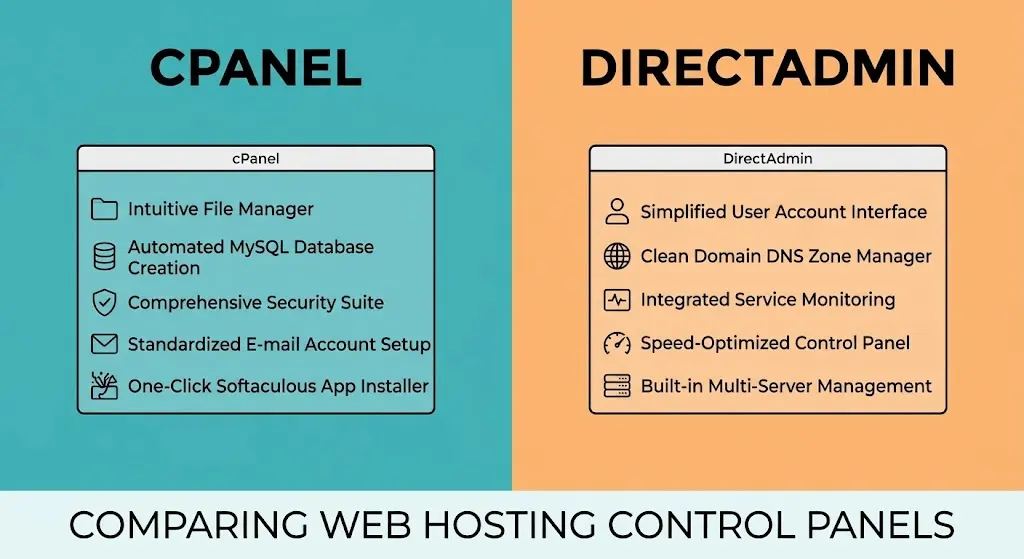
cPanel leans visual, with tools clearly separated into labeled sections and icons that make it fairly intuitive to find what you need, even on a first visit.
The dashboard groups related tools together, Files, Databases, Domains, Email, each with its own labeled section.
So a beginner can generally locate what they’re looking for without much hunting around.
DirectAdmin takes a more compact, streamlined approach, fewer visual flourishes, more condensed menus.
Which some users find faster to navigate once they’re familiar with where things live, even if it’s slightly less self-explanatory on day one.
The tradeoff is fairly clear: DirectAdmin asks a little more of you upfront to learn its layout.
But tends to reward that investment with quicker day-to-day navigation once you’re past the initial learning curve.
2) User Interface
Layout, navigation, search, and how tools are organized all differ meaningfully between the two.
cPanel’s interface spreads features across a searchable dashboard with icon-based navigation, generally easier for someone encountering a hosting control panel for the very first time.
DirectAdmin’s interface is more condensed, with a sidebar-driven layout that experienced users often describe as quicker to work through once the initial learning curve is behind them.
It’s worth avoiding the trap of calling one objectively better here.
cPanel suits someone who wants things laid out clearly and doesn’t mind a slightly busier screen.
DirectAdmin suits someone who wants speed and efficiency once they already know their way around, and doesn’t mind a less guided experience getting there.
3) Website and Domain Management
Both panels let you add domains, create subdomains, manage DNS records, set up redirects, and configure document roots.
The core domain management tasks are functionally present on both.
cPanel’s Domains section or the older Subdomains and Addon Domains menus on some installs, handles this through a fairly guided, form-based process, with clear fields for entering the subdomain name and selecting its document root.
DirectAdmin handles the same tasks through its own domain management area.
Generally with fewer intermediate steps, though the underlying DNS and redirect concepts work identically either way.
Someone running several websites or client sites from one account will find both panels fully capable here.
The practical difference comes down to how many clicks and screens it takes to get from add a new domain to domain is live, rather than any real gap in what’s actually possible.
4) File Management
Both panels include a browser-based File Manager for uploading files, creating folders, editing files directly, and adjusting permissions, alongside FTP access for anyone who prefers a dedicated FTP client.
cPanel’s File Manager has a more feature-rich toolbar with visible options for compression, extraction, and permission editing laid out directly in the interface, drag-and-drop uploads and a built-in code editor are also standard.
DirectAdmin’s file manager covers the same core functionality with a leaner, less visually dense layout, trading some of that visual polish for a faster, less cluttered screen.
Functionally, there’s very little daily-use difference between them for typical file management tasks, uploading a theme, editing a configuration file, or adjusting folder permissions works much the same way on either.
5) Email Management
Creating mailboxes, setting up forwarders, configuring autoresponders, adjusting spam controls, and accessing webmail are all standard on both panels.
cPanel typically offers a few more built-in webmail client options and a slightly more detailed spam filtering interface through tools like SpamAssassin, configurable directly from the dashboard.
DirectAdmin covers the same email fundamentals with a more condensed set of screens, generally just as functional, just presented with less visual separation between settings.
6) Database Management
Both panels support MySQL and MariaDB database creation, come with phpMyAdmin access for direct database work, and let you create database users with specific permissions.
The actual workflow for creating a database and assigning a user to it is very similar on both, click through a form, name the database, create a user, assign permissions, done.
Neither panel holds a meaningful advantage here since phpMyAdmin itself is the same underlying tool in both cases.
7) WordPress and App Installation
This is genuinely one of the more practical differences for everyday users.
Though it’s worth being precise about what’s actually responsible for it.
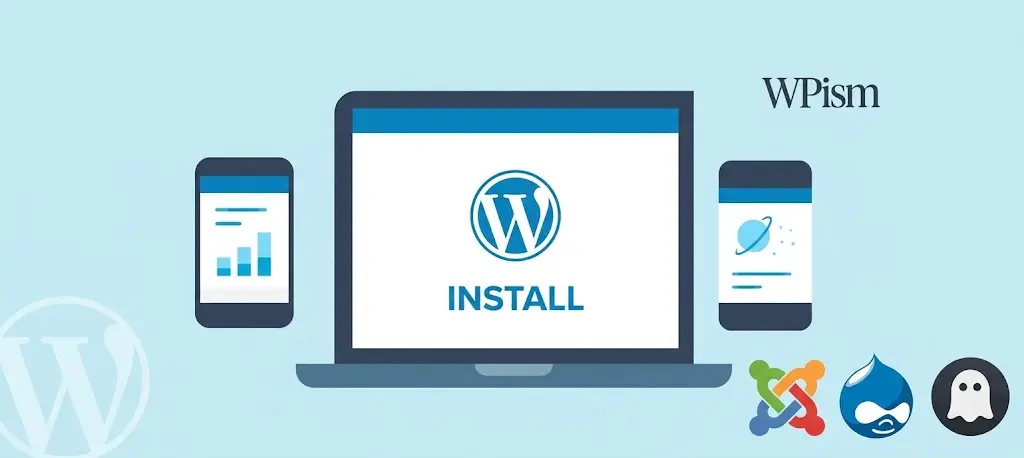
Both panels support one-click application installation through tools like Softaculous, which handles WordPress, Joomla, and dozens of other applications.
The exact installer available, and how smoothly it works, depends more on what the hosting provider has configured than on the control panel itself.
A cPanel hosting plan with Softaculous properly set up and a DirectAdmin plan with the same installer will feel very similar for installing WordPress specifically.
The provider’s configuration counts for just as much as which panel sits underneath it.
8) Backups and Restoration
Both panels include tools for account backups, file restoration, database backups, and in many cases backup scheduling and full-account restoration.
cPanel’s backup interface is generally more visible and guided, with a dedicated Backup Wizard that walks users through generating a full or partial backup.
DirectAdmin offers comparable backup functionality through its own admin tools, typically with a bit less hand-holding in the interface itself.
It’s worth being clear on an important distinction here: the control panel having backup functionality available doesn’t automatically mean your hosting provider includes automatic, scheduled backups as part of your plan.
Panel-level backup tools are there for you to use manually, or for the provider to configure as an automated service.
But whether that automation is actually switched on depends entirely on your specific hosting provider and plan, not on which panel you’re using.
This is exactly the kind of detail worth checking directly with a provider before assuming it’s covered.
cPanel hosting or DirectAdmin hosting tells you the tools are technically available on the server.
It says nothing about whether daily, weekly, or any automated backup schedule has actually been configured and switched on for your specific account.
9) Resource Usage
There’s a common perception that DirectAdmin runs lighter than cPanel, and there’s some truth to it, though it’s worth not overstating.
DirectAdmin generally uses less server memory and has lower baseline CPU overhead.
Partly because its interface and background processes are less extensive than cPanel’s considerably larger feature set.
On a server hosting a very high number of accounts, this efficiency gap can genuinely add up in terms of overall server load.
That said, it’s worth resisting the urge to conclude DirectAdmin is always faster as a blanket statement.
Actual website performance depends far more on the underlying server hardware, available RAM and CPU.
And how well the hosting provider has configured everything, than on which control panel happens to be installed.
A well-resourced cPanel server will comfortably outperform an under-resourced DirectAdmin server, and vice versa.
For most individual website owners on a shared hosting plan, this resource difference is largely invisible day to day.
Since the hosting provider has already accounted for it when sizing their servers and plans.
It becomes a genuinely relevant factor mainly for hosting providers themselves, or for anyone running a VPS and managing server resources directly.
Where every bit of overhead affects how many accounts or sites a given server can comfortably support.
10) Hosting and License Cost

This is where the two panels diverge most clearly, and it’s worth being specific with real numbers.
cPanel’s current direct licensing starts at $29.99 a month for a Solo Cloud license, covering a single account on a cloud or VPS server.
DirectAdmin’s current licensing starts considerably lower, from $5 a month for its Personal PLUS tier, with a Lite tier available from $15 a month covering more accounts and domains.
It’s worth being clear on what these figures actually represent.
These are software license prices paid by whoever’s running the server, not necessarily what you as an end customer pay for your hosting plan.
Hosting companies bundle the cost of whichever panel they use into their overall pricing in very different ways.
Some absorb the licensing cost entirely into a shared hosting plan’s price, others pass more of it along directly.
A hosting plan running cPanel isn’t automatically more expensive than one running DirectAdmin just because of the underlying license price difference, the provider’s own pricing strategy determines what actually shows up on your invoice.
Where this license cost genuinely counts for more directly is for anyone running their own VPS or server and managing the control panel license themselves, rather than buying a pre-packaged shared hosting plan from a provider.
In that scenario, the gap between a $29.99 Solo cPanel license and a $5 DirectAdmin Personal PLUS license is a real, ongoing cost difference that adds up meaningfully over a year.
For the average shared hosting customer though, this is mostly background cost the provider has already factored into their plan pricing.
Choose cPanel Hosting for Easier Website Management
Everything covered in this comparison points toward the same practical takeaway for most everyday users.
cPanel gives you a single, familiar dashboard for managing websites, domains, email, databases, SSL, and WordPress installations, all in one place.
With a visual, guided interface that doesn’t demand much prior hosting experience to use comfortably.
Truehost’s current hosting plans explicitly position cPanel as a genuine alternative to DirectAdmin, built specifically around that same ease-of-use advantage this comparison has walked through.
If having one familiar, well-documented dashboard for everything, rather than piecing together server management skills as you go.
Sounds like the better fit for your website, Truehost’s cPanel hosting plans are worth exploring as your next step.
Frequently Asked Questions
Is cPanel easier to use than DirectAdmin?
Generally, yes, for beginners specifically. cPanel’s more visual, icon-driven interface tends to be more intuitive on a first encounter, while DirectAdmin’s more compact layout can feel faster once you already know where things are.
Is DirectAdmin cheaper than cPanel?
Yes, considerably. DirectAdmin’s licensing starts at $5 a month for Personal PLUS, compared to cPanel’s $29.99 a month for its Solo Cloud license, though what you actually pay as a hosting customer depends on how your specific provider structures its pricing.
Does DirectAdmin support WordPress installation?
Yes, most DirectAdmin hosting plans include a one-click installer like Softaculous, the same tool widely used on cPanel plans, so WordPress installation works similarly on both.
Which control panel uses fewer server resources?
DirectAdmin generally has a lighter resource footprint than cPanel, though actual website performance depends far more on the server’s underlying hardware and configuration than on the control panel alone.
Can I switch from DirectAdmin to cPanel hosting later?
Yes, migrating between control panels is possible, though it typically involves moving your files, databases, and email over to the new hosting environment rather than a direct, automatic conversion between panels.