Web Hosting
 Windows HostingBuilt for Windows apps and websites – stability, speed and flexibility
 Reseller HostingLaunch a hosting business without technical skills or expensive infrastructure
 Affiliate ProgramRefer customers and earn commissions from sales across our platform
 Domain SearchFind and secure a domain name in seconds with our quick lookup tool
 CO ZA Domains
 All DomainsExplore domain names from over 324 TLDs globally – all in one place
 Free Whois Lookup Tool South Africa
 VPS
VPS Website Builder
 Online ShopSet up a sleek eCommerce store with zero coding knowledge
 SSLs
SSLs SupportAccess help articles, how-tos, and everything about our services
 Blog
Blog Contact UsReach our team instantly via live chat or drop us an email
So you’re thinking about moving your domain from Sadomain to Truehost. That’s the best decision you can make for your domain.
When you transfer a domain, you’re just changing who manages the registration. Your website stays right where it is. Your emails keep working.
All your DNS settings remain exactly the same, nothing goes down, and your visitors won’t even notice anything happened.
Now, let’s talk money.
At Truehost, transferring a .co.za domain costs you nothing; it’s completely free. A .com will set you back R150, and a .org is R180.
The thing about transfer fees is you’re not just paying to move your domain. That payment extends your registration by another year.
So if your domain was set to expire in 6 months, after the transfer, you’ll have 1 year and 6 months left. You don’t lose a single day of the time you’ve already paid for.
Table of Contents
Quick Checklist Before You Transfer
| What’s required | Why you need it |
| Domain unlocked | Sadomain keeps your domain locked by default to prevent unauthorised transfers. You need to turn this off before moving your domain |
| Admin email access | Your domain’s administrative email address must be active and accessible to receive the transfer approval link |
| WHOIS privacy disabled | Privacy services often redirect verification emails to a proxy address, meaning the transfer approval email might never reach you |
| Domain at least 60 days old | ICANN rules state that domains must be at least 60 days old before they can be transferred |
| DNS records backed up | While your DNS settings should remain intact, it’s smart to back them up just in case. Take screenshots or note down your A, CNAME, MX, and TXT records |
Transfer Domain from Sadomain to Truehost in 8 Steps
Step 1: Log in to Sadomain and Find your Domain
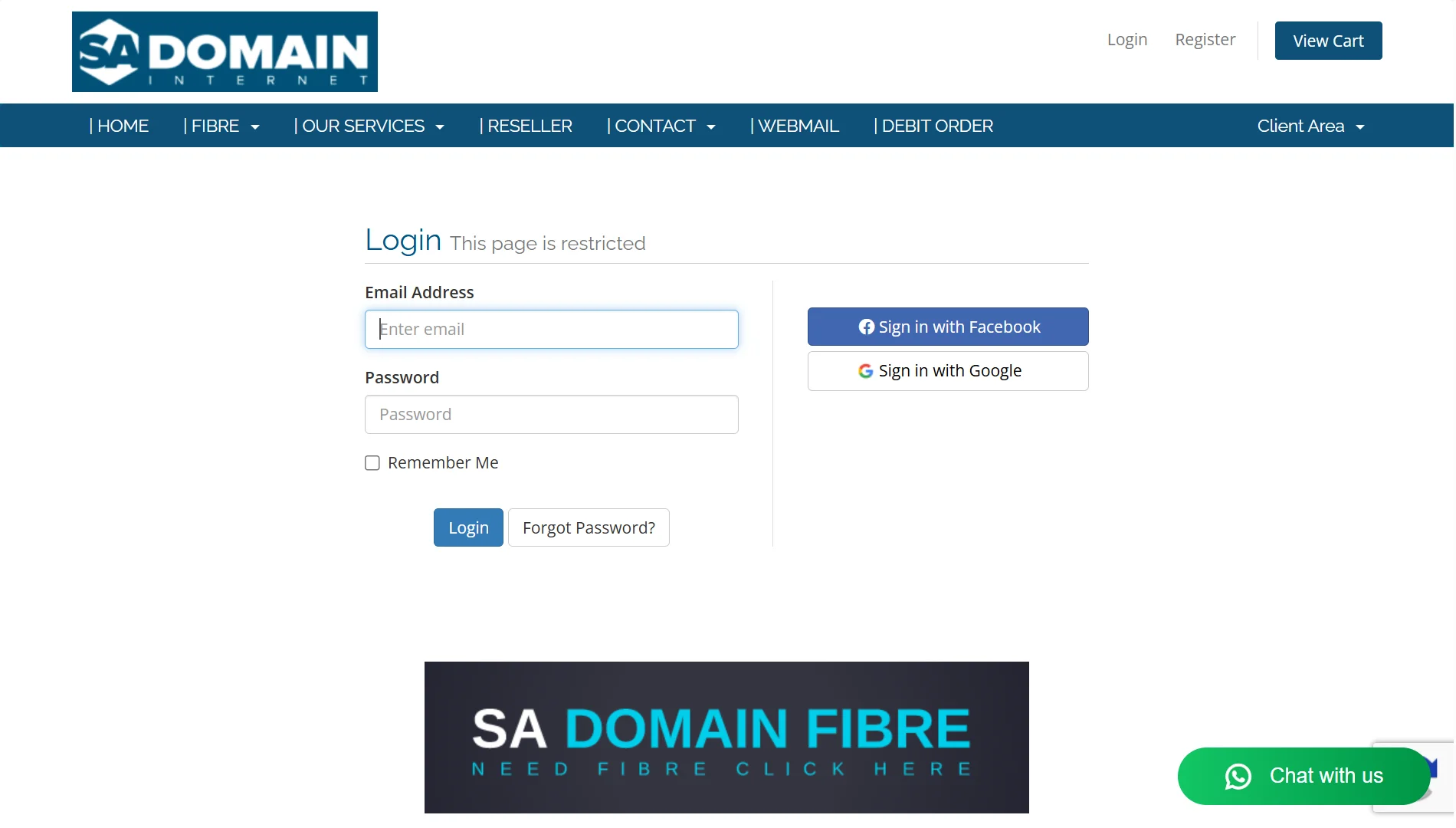
Head to the Sadomain website and log in to your client area. Once you’re in, navigate to the “My Domains” section.
You’ll see a list of all the domains you have registered with them. Select the specific domain you want to transfer
Step 2: Get Your EPP Code
Look for the option labeled Get EPP or Get Auth Code. This is your domain’s authorisation code that proves you’re the legitimate owner.
Click it, and Sadomain will either display the code on-screen or send it to your registered email address.
Copy the code carefully. Even one wrong character or an extra space can cause the transfer to fail.
If you’re transferring a .co.za, .org.za, or any other .za domain, you don’t need an EPP code. The ZA Central Registry doesn’t use EPP keys, so you can skip this step for local South African extensions
Step 3: Log in to Truehost
Now go over to Truehost. If you already have an account, log in to your Truehost client area.
If you’re new to Truehost, you’ll need to sign up for an account first. It takes just a few minutes, and you’ll use it to manage your domain after the transfer
Step 4: Start the Transfer
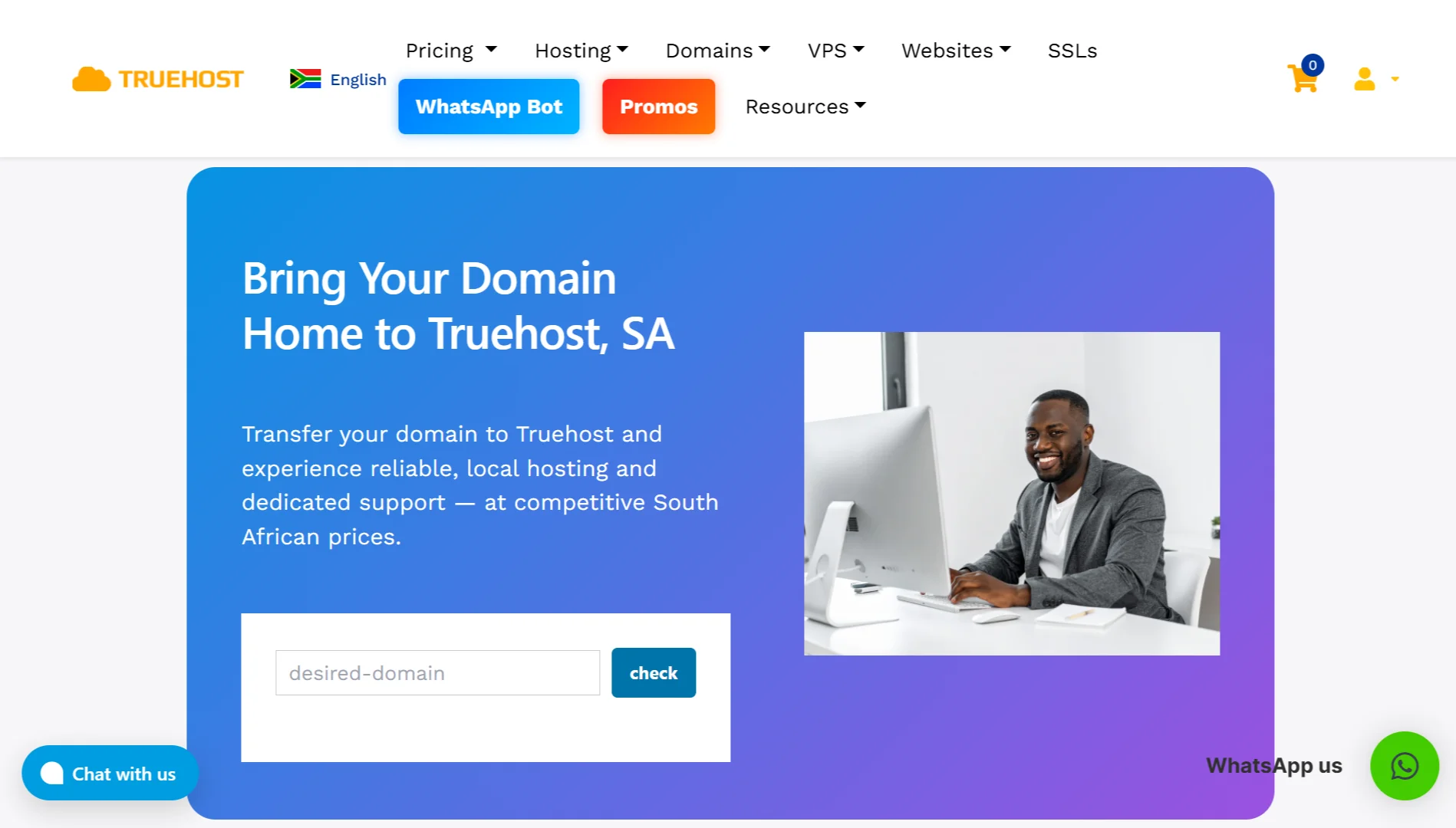
From your Truehost dashboard, locate the Domain Transfer page. Enter the domain you want to transfer in the search tool on the transfer page.
Once the tool confirms that your domain is registered, click “Transfer Now.”
Remember, transferring a domain means you pay for a year of registration on top of the time you had left before the domain’s expiration.
Step 5: Enter Domain Details
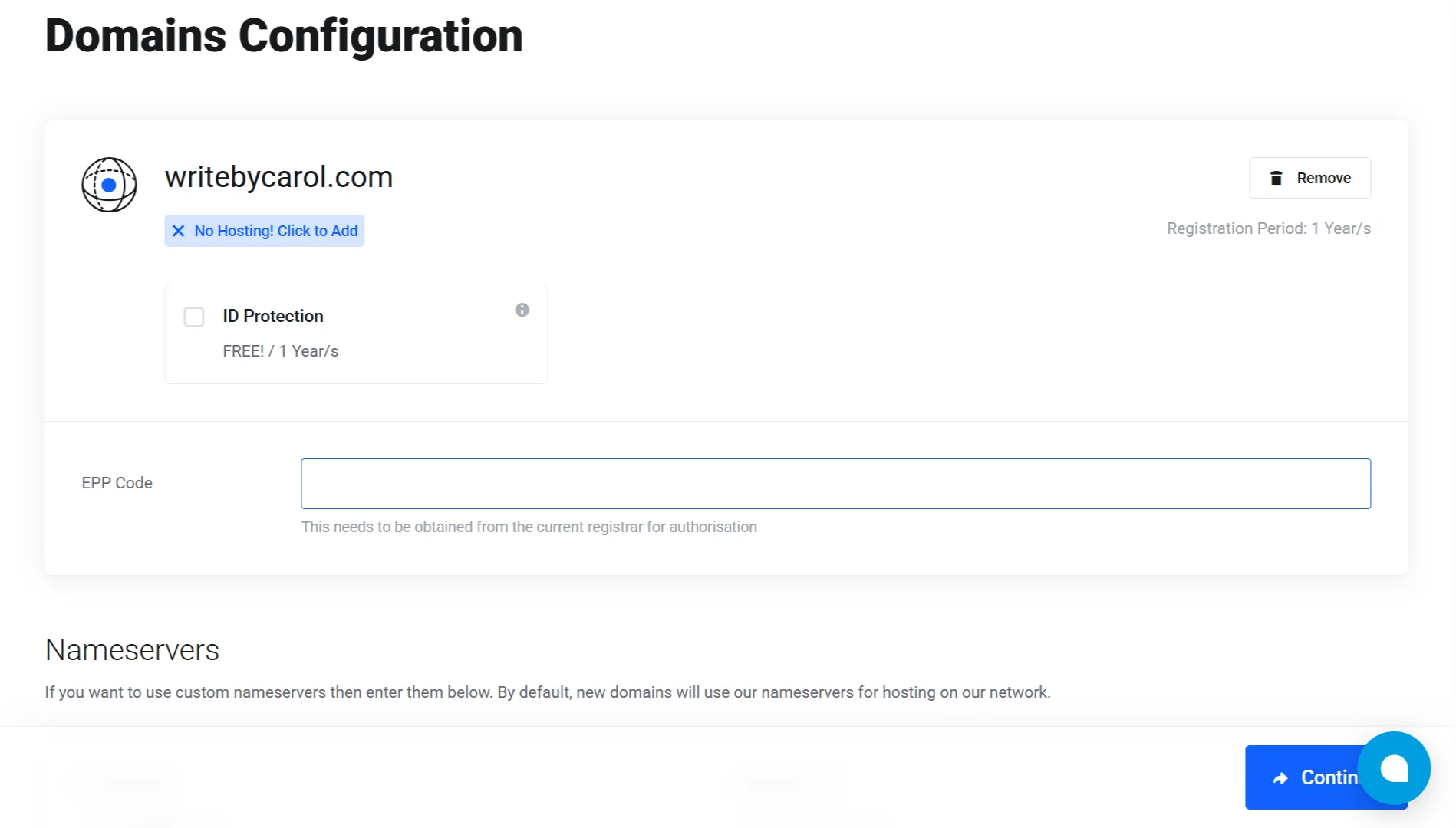
Enter the EPP code and domain details here. Make sure all the details are accurate. You can also add optional add-ons, such as ID protection (WHOIS privacy), to keep your personal information hidden.
Then click continue so you can complete the order
Step 6: Place Your Order
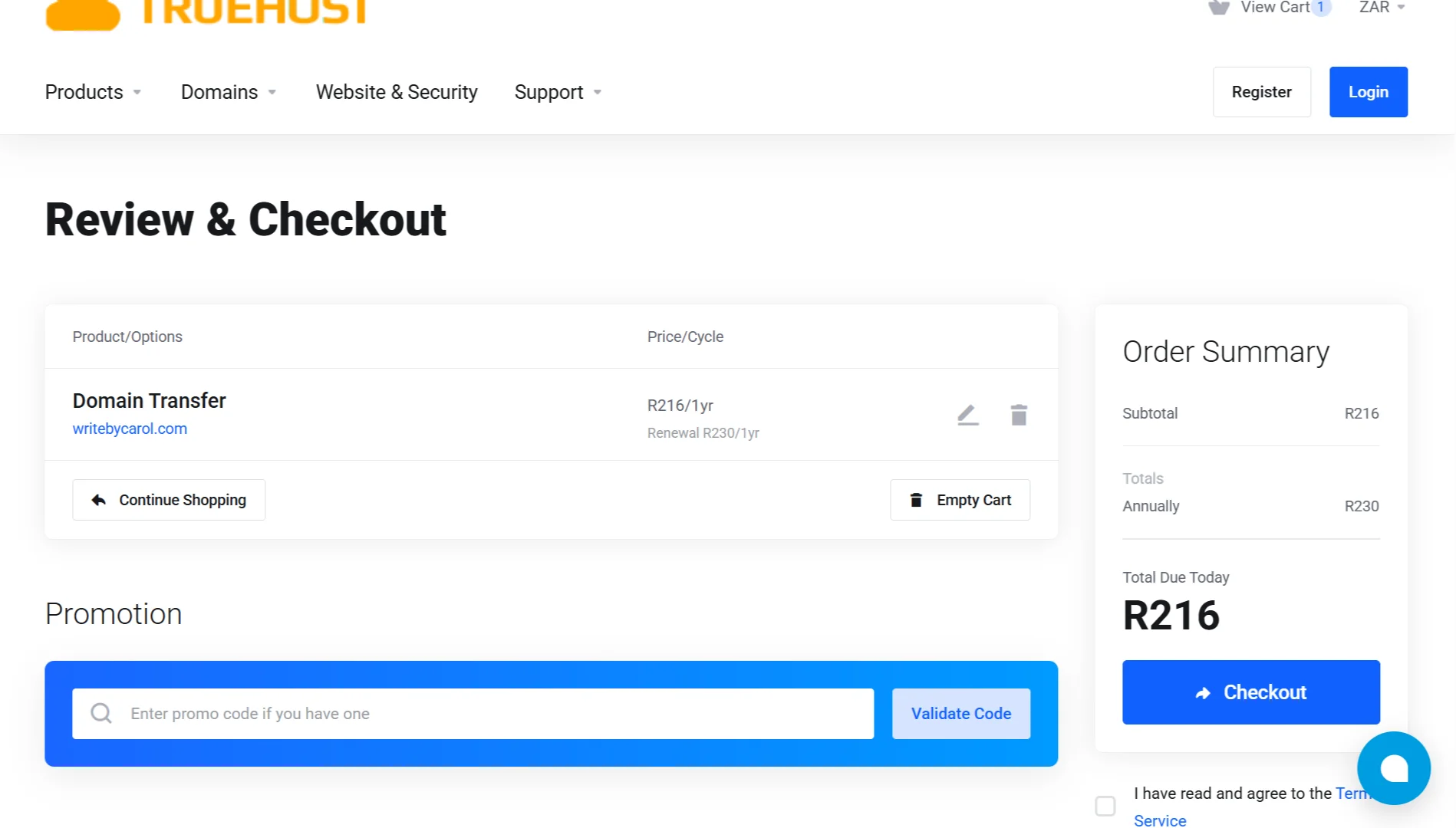
This is where you’ll see your billing details. You’ll need to fill in:
- Personal information
- Billing address
- Some additional information
- Payment method
- Payment details
When done, complete your order and submit the transfer request.
Step 8: Confirm and Wait
After you initiate the transfer, check your email (the administrative email address for your domain).
You’ll receive a transfer confirmation or approval email; you must click the link in it to authorise the transfer.
If you don’t respond within five days, the transfer will automatically fail, and you’ll have to start over.
Sadomain might also send you a separate email asking you to confirm the transfer out, and approve that one too if you receive it.
Once you’ve approved everything, the transfer process officially begins. For international domains like .com, .net, and .org, expect it to take 5-7 days to complete. .co.za domains typically complete much faster.
Transfer a Domain from Sadomain to Truehost Africa FAQs
Can you transfer a domain to another hosting site?
Yes, you can transfer your domain to a new registrar without changing your hosting provider. The domain transfer only affects who manages your domain registration. Your hosting can stay where it is, or you can move both together.
Is it free to transfer domains?
Some domains are free to transfer. At Truehost, transferring a .co.za domain is free. Other extensions, like .com and .org, have a transfer fee, but it adds an extra year to your registration.
Will my website become slow during a domain transfer?
No, your website won’t slow down during a domain transfer. The transfer only changes who manages your domain registration. Your DNS settings, website, and email remain exactly as they are throughout the process.
How to move a domain without losing its SEO value?
Back up your DNS records before starting the transfer, and ensure your nameservers stay the same after the transfer completes. If you need to change nameservers, do it before starting the transfer. This way, your site continues to resolve correctly, and search engines see no change.
Why does it take 60 days to transfer a domain name?
ICANN enforces a 60-day transfer lock after domain registration, after a previous transfer, or after a registrant contact change. This is a security measure to prevent domain theft and fraud, and you simply have to wait.
Do I still have time if I transfer my domain 1 year before renewal?
Yes. If you transfer your domain a year before renewal, the transfer adds another year to your registration. You’re effectively renewing early, so you’ll have 2 years of registration remaining. It’s best to start the transfer at least 15 days before expiry to avoid issues
Ready for a Stress-free Domain Transfer?
Moving your domain doesn’t have to be complicated. When you transfer to Truehost, we make the whole process swift.
Also, we handle all the popular extensions: .co.za, .org.za, .joburg, .com, .org, .net, and over 300 more. Whatever domain you have, we’ve got you covered.
This is what you get when you move your domain to us:
- Local servers, better performance. Our infrastructure is right here in South Africa. That means faster load times for your visitors and better local search rankings.
- Support that actually helps. Our team is available 24/7.
- A free year on us. When you transfer, we add an extra year to your registration at no extra cost.
- Full control, simple dashboard. Manage your DNS records, nameservers, email forwarding, and more from a single, clean, easy-to-use interface.
- No hidden fees. What you see is what you pay. No surprise charges, no fine print tricks.
- Thousands of South African businesses and website owners have already made the switch. They trust us to keep their domains secure and their websites running smoothly. You can too.
- Moving your domain is quick, secure, and hassle-free.