Web Hosting
 Windows HostingBuilt for Windows apps and websites – stability, speed and flexibility
 Reseller HostingLaunch a hosting business without technical skills or expensive infrastructure
 Affiliate ProgramRefer customers and earn commissions from sales across our platform
 Domain SearchFind and secure a domain name in seconds with our quick lookup tool
 CO ZA Domains
 All DomainsExplore domain names from over 324 TLDs globally – all in one place
 Free Whois Lookup Tool South Africa
 VPS
VPS Website Builder
 Online ShopSet up a sleek eCommerce store with zero coding knowledge
 SSLs
SSLs SupportAccess help articles, how-tos, and everything about our services
 Blog
Blog Contact UsReach our team instantly via live chat or drop us an email
Choosing between OpenClaw vs Google Assistant isn’t much about which one is better. They do completely different things.
If you’ve used Google Assistant before, you know it lives on your phone and speakers, waiting for you to give a command. You ask it to set timers, check the weather, or control your lights, and it responds, and that’s it. It’s reactive.
OpenClaw is different. It runs complex workflows on its own, monitoring your email, researching topics, and managing tasks across multiple apps without you having to prompt it at every step.
OpenClaw runs on your computer with system access, can interact with files, run code, and handle real work.
So basically, Google Assistant answers questions (reacting), and OpenClaw gets things done (takes the lead).
Table of Contents
Openclaw vs Google Assistant: Detailed Comparison
1) Features
Let’s take a glance at some of the features for each:
| Feature | OpenClaw | Google Assistant |
| Primary function | Autonomous AI agent for executing complex workflows | Reactive voice assistant for quick queries and commands |
| Core action | Proactive: executes multi-step tasks without constant prompting | Reactive: responds to single voice commands |
| Privacy | Self-hosted; your data stays on your device or server | Cloud-first; all interactions processed on Google’s servers |
| Intergration | Connects to WhatsApp, Telegram, Slack, Discord, iMessage, and more | Natively integrates with Gmail, Calendar, Drive, and Google Home |
| Smart home | Requires manual setup and custom API integrations | Out-of-the-box compatibility with thousands of IoT devices |
| Voice commands | Not the primary interface; better suited for text-based workflows | Best-in-class voice recognition and hands-free operation |
| AI model | Model-agnostic: choose your own LLM (Claude, GPT-4, Gemini, etc.) | Uses Google’s proprietary Gemini model |
OpenClaw Features
With OpenClaw, you tell it what you need, and it figures out the steps to make it happen. The cool part? You control it right from WhatsApp, Telegram, or Discord.
Also, the community keeps adding new abilities too. There are over 4,000 skills available, so it can connect to work tools like Jira or even track health data.
And you can combine these skills to build pretty sophisticated workflows without touching any code.
Google Assistant Features
Google Assistant is your go-to for quick voice tasks. Ask it to set a timer, send a text, or play a song, and it’s done in seconds. It works really well with Gmail, Calendar, Drive, and pretty much any smart home device you can think of.
But here’s the catch: it only responds when you ask. It can’t run background tasks or handle multi-step tasks on its own.
2) Daily Use
With Google Assistant, your day is full of quick voice commands. You wake up and ask for the weather. Or while cooking, you set a timer with your voice.
You can also call people, send texts, and get driving directions without touching your phone. It’s all about convenience and doing things hands-free.
OpenClaw works differently. You might not talk to it for hours. It just runs quietly in the background.
You send it a message on WhatsApp telling it to clean up your downloads folder. It goes through every file, opens them, pulls out what’s needed, and organizes everything.
Or you ask it to watch your inbox for flight confirmation emails, extract the details, add them to your calendar, and set a reminder.
OpenClaw can also run tasks automatically on a schedule. Its Heartbeat feature checks for pending jobs at set intervals and runs them automatically.
Using OpenClaw feels like giving instructions to a reliable assistant who goes off and handles everything while you focus on other things.
3) Set Up
Google Assistant has zero setup. It works out of the box on any Android device. You don’t need to configure, install, or manage any infrastructure.
OpenClaw requires a technical setup. The open-source version is free, but you need to install it, which can be done on a server or a local machine.
The project warns that you should plan time for networking, permissions (like macOS screen recording), OAuth for channels, and monitoring. However, there is an alternative.
Hosted OpenClaw
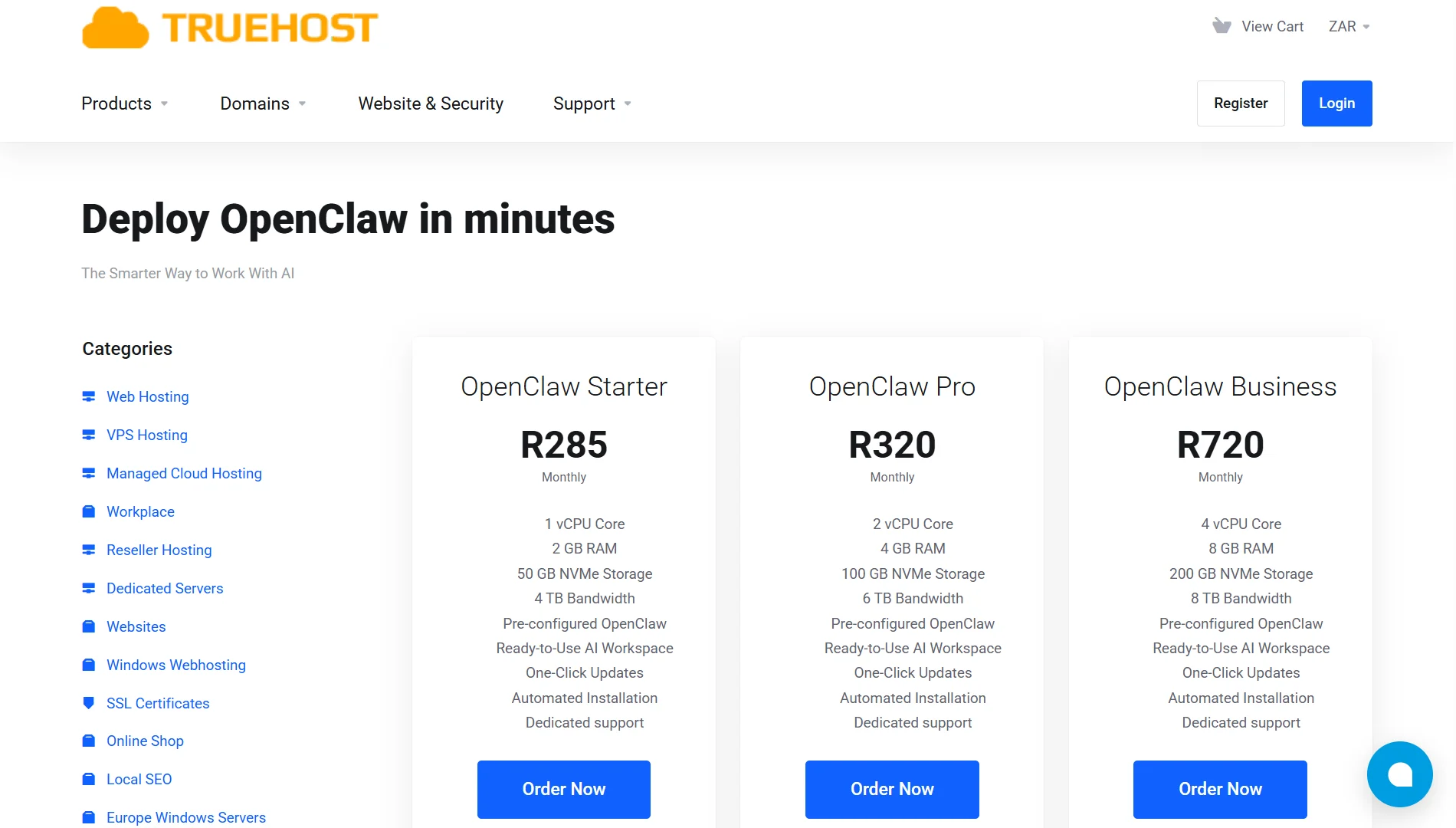
At Truehost, we offer managed OpenClaw VPS hosting that eliminates the setup barrier entirely.
Our plans include a pre-configured environment with one-click AI automations, full root SSH access, and no server management required.
With our hosting, you can skip the technical friction and get straight to using OpenClaw’s capabilities.
4) Cost
Google Assistant is free. It’s bundled with your device and services. There’s no separate subscription for the assistant itself.
While you might pay for premium tiers like Google One, the standard assistant functionality is free.
OpenClaw has a different cost model. The software is open source and free to use. Your monthly spend depends on two main things: hosting costs and API usage.
Hosting is your infrastructure cost. If you self-host on your own hardware, there’s no hosting fee. However, if you use a VPS, you can expect to pay around R285 for a basic plan on TrueHost.
API costs are the variable and potentially biggest expense. OpenClaw doesn’t have its own AI brain; it connects to external models like Claude, GPT-4, or Gemini.
And, every action it takes consumes tokens, the units of currency for AI providers. This cost can range depending on usage.
Light users might spend $5-$30 per month, while heavy, unmonitored use can lead to bills of $800+.
Our OpenClaw hosting plans at Truehost provide predictable, transparent pricing for the infrastructure and setup:
| Plan | Price | Resources |
| OpenClaw Starter | R285/month | 1 vCPU Core2 GB RAM50 GB NVMe Storage4 TB Bandwidth |
| OpenClaw Pro | R320/month | 2 vCPU Core4 GB RAM100 GB NVMe Storage6 TB Bandwidth |
| OpenClaw Business | R720/month | 4 vCPU Core8 GB RAM200 GB NVMe Storage8 TB Bandwidth |
5) Privacy
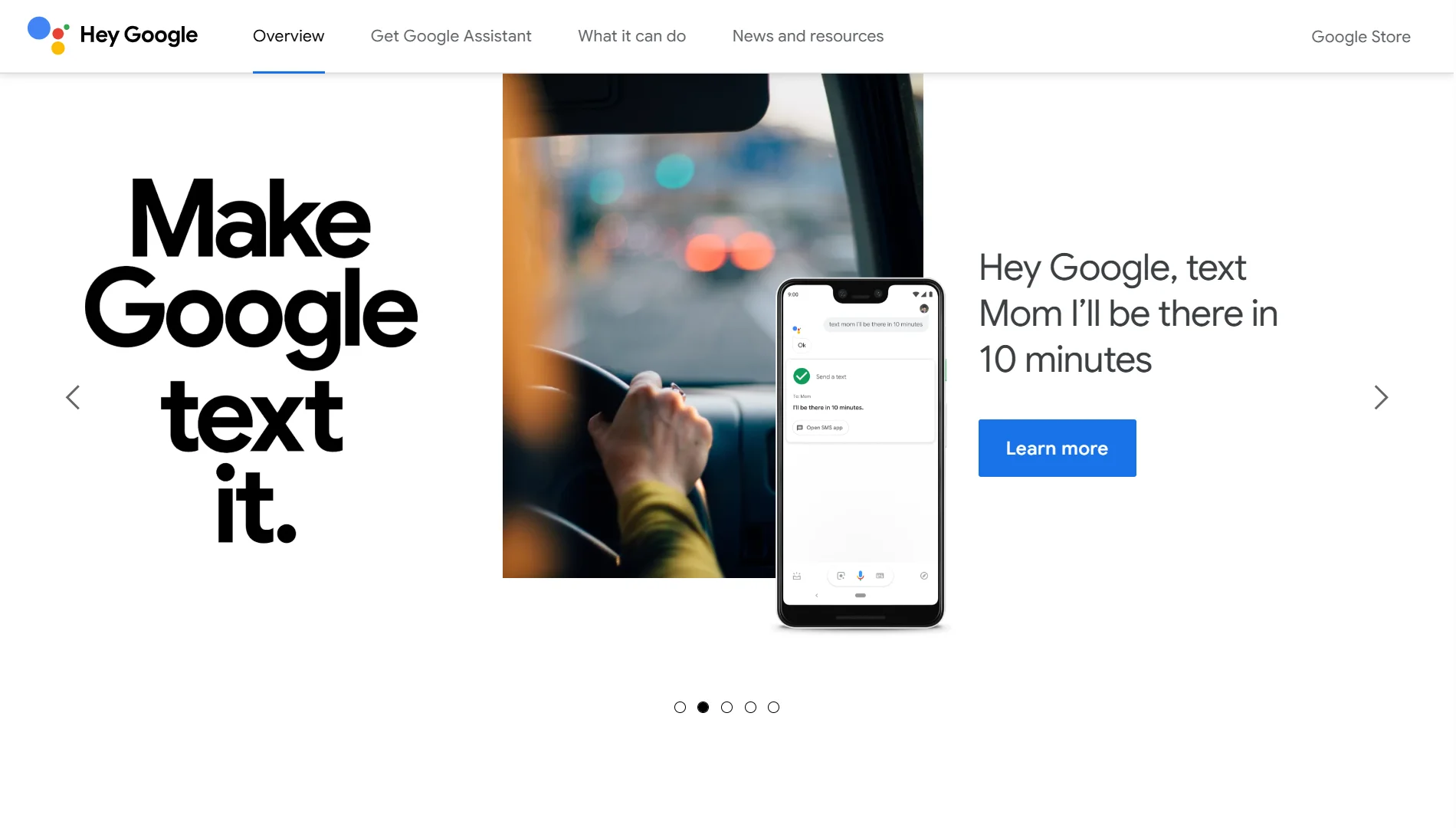
Google Assistant is cloud-first. So, every “Hey Google” is recorded and processed on Google’s servers.
Your voice, your queries, your calendar data, and your email access all route through Google’s infrastructure and contribute to your data profile.
For personal convenience tasks, this trade-off is usually fine. For businesses handling sensitive client data, financial records, or competitive information, it deserves a second look.
OpenClaw is self-hosted. Your data stays on your device or your preferred server.
The only data that leaves your environment is your API call to your chosen AI provider, and even that can be routed through privacy-focused options.
With our SA hosting at Truehost, your OpenClaw instance runs on local infrastructure, adding another layer of control and data residency for South African businesses
6) AI Model
Your choice of AI model determines the brain powering the assistant.
Google Assistant uses Google’s proprietary Gemini model. You get the model Google decides to give you, and you’re limited to its capabilities and updates.
For OpenClaw, you bring your own keys and choose whichever LLM you prefer: Claude, GPT-4, Gemini, or a self-hosted model like Ollama or llama.cpp.
This gives you the freedom to pick the best model for your task and switch whenever a better model arrives, without waiting for a vendor to push an update.
7) Messaging Platform integration
Google Assistant is deeply integrated with Google’s own ecosystem (Gmail, Calendar, Drive) and Google Home devices.
If your business runs on Outlook, stores files in Notion, or primarily communicates on WhatsApp, the Google Assistant is not ideal.
OpenClaw connects to virtually any tool you already use. It integrates natively with WhatsApp, Telegram, Discord, Slack, Notion, Outlook, and many more.
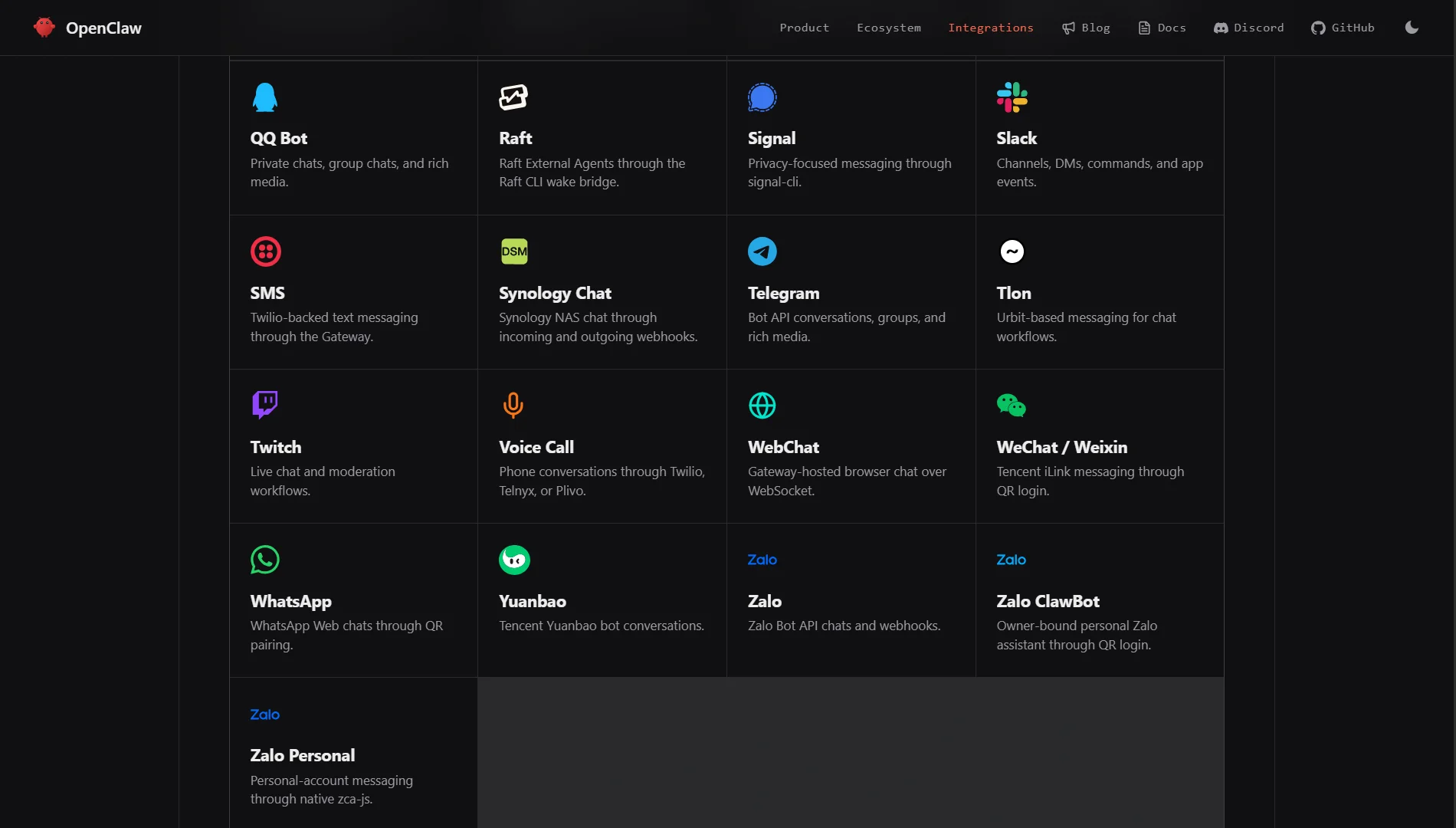
The fact that OpenClaw operates inside WhatsApp, where professionals and SMEs do much of their business, is a practical advantage that Google Assistant cannot match.
You can give instructions and receive results directly in the same threads where your work already happens.
OpenClaw also supports a wide array of channels, including iMessage, Signal, Microsoft Teams, Matrix, and more, making it a truly cross-platform tool.
When to Use Openclaw
Use OpenClaw if:
- You need an AI that does more than just answer questions
- You want tasks handled autonomously while you focus on other work
- You’re comfortable with the technical side or want to bring your own AI model
- You want full control over your infrastructure
- Data privacy is a serious concern for you
- Your business needs automation across multiple apps without hiring extra staff
When to Use Google Assistant
Use Google Assistant if:
- You want zero setup and fast, hands-free voice commands
- You need quick convenience tasks like timers, calls, and weather updates
- You want to control smart home devices with your voice
- You live fully inside the Google ecosystem (Gmail, Drive, Google Home)
- You want a tool that works seamlessly with Google services
Can You Use Both Openclaw and Google Assistant?
Absolutely. These aren’t competing products that force you to choose one over the other. Many people use them together.
Google Assistant handles the little moments; you’re driving and need directions, cooking and need a timer, or just want to control your smart lights without getting up.
Then, OpenClaw comes in for the heavier stuff. It manages your inbox, automates repetitive tasks, researches topics in depth, and handles workflows that span different apps.
Using both gives you the best of both worlds. Quick voice commands for the small stuff, and a tireless autonomous agent for the work that actually takes time.
Together, they cover a lot more ground than either one could on its own.
Openclaw vs Google Assistant FAQs
Is Google discontinuing Google Assistant?
Google has shifted its focus to its Gemini AI model for its products, and there have been changes to the classic Google Assistant. The core functionality lives on, but the company is moving toward Gemini as its next-generation assistant. For the latest status, always check Google’s official announcements.
Does OpenClaw have an Android app?
Yes. OpenClaw offers companion apps for both iOS and Android. The Android node provides features like pairing, chat, voice, Canvas, camera, and device commands.
What is replacing Google Assistant?
Google is transitioning its assistant experiences to its Gemini AI model. Gemini is designed to be a more capable and conversational assistant that can handle a wider range of tasks. However, for many users, Google Assistant in its current form continues to work.
Can OpenClaw be used offline?
Yes, to a degree. Since OpenClaw is self-hosted, the core agent can run on your own infrastructure without an internet connection.
However, its intelligence comes from the AI models it connects to. If you want full offline functionality, you would need to connect it to a local, self-hosted model like Ollama or Llama.cpp, which can run without an internet connection.
What are free models in OpenClaw?
Free models typically refer to self-hosted models like Llama or Mistral that you can run locally on your own hardware. You can also use models from providers that offer free tiers, but these often come with limitations. With OpenClaw, you have the freedom to choose whichever provider you want.
Ready to Get Started with Openclaw Assistant?
You have a good sense of what OpenClaw can do and how it compares to a more traditional assistant like Google’s.
It’s simple: if you want an AI that works for you in the background, handles complex tasks, and respects your privacy, OpenClaw is worth serious consideration.
The biggest barrier for most people is the technical setup, and that’s exactly where we come in.
With Truehost’s managed OpenClaw hosting, you don’t have to worry about infrastructure and installation. You get a pre-configured OpenClaw environment ready to use from day one.
Our plans start at R285 per month and are specifically built for the South African market with local pricing and support.
You get full root SSH access, a ready-to-use AI workspace, one-click updates, and dedicated support.
You just bring your own LLM keys, choose the AI provider you trust, and start automating your workflows.
Take the next step. Check out our OpenClaw hosting plans and get started today.