Web Hosting
 Windows HostingBuilt for Windows apps and websites – stability, speed and flexibility
 Reseller HostingLaunch a hosting business without technical skills or expensive infrastructure
 Affiliate ProgramRefer customers and earn commissions from sales across our platform
 Domain SearchFind and secure a domain name in seconds with our quick lookup tool
 CO ZA Domains
 All DomainsExplore domain names from over 324 TLDs globally – all in one place
 Free Whois Lookup Tool South Africa
 VPS
VPS Website Builder
 Online ShopSet up a sleek eCommerce store with zero coding knowledge
 SSLs
SSLs SupportAccess help articles, how-tos, and everything about our services
 Blog
Blog Contact UsReach our team instantly via live chat or drop us an email
In April 2026, cPanel & WHM had a pre-authentication bypass rated 9.8 out of 10 on the CVSS scale. It is tracked as CVE-2026-41940. Many admins pay for a license and assume it buys safety. That month proved otherwise.
Free panels carry risks of their own, though, and some have a troubling history. Either way, the patch cycle is yours once you run a panel on your own VPS.
A license fee does not change that, so the real task is picking a free panel you can maintain.
This guide ranks the best open source control panels for a self-managed VPS with root access.
Each entry lists the supported OS, web server, footprint, and security record. You will also see which panels to skip. Shared hosting dashboards and managed hosting portals are out of scope.
Table of Contents
How We Ranked These Panels
We scored every panel on four criteria.
- Maintenance: Does the project still ship releases and security fixes?
- Security record: Which public vulnerabilities and exploit reports exist, and how quickly did fixes arrive?
- Footprint: How much memory does the panel use on a small VPS?
- Fit: Which OS and web server stack does it support?
We read each project’s documentation, release history, and public vulnerability reports. Then we compared the results side by side.
Only open-source panels made the list. If a panel keeps core features behind a paid plan, we say so.
Open Source VPS Control Panels at a Glance
| Panel | Best for | Web server | Supported OS | Footprint |
|---|---|---|---|---|
| HestiaCP | Best all-round pick | Nginx + PHP-FPM | Debian, Ubuntu | Light |
| CloudPanel | PHP and WordPress sites | Nginx | Debian, Ubuntu | Light |
| CyberPanel | Speed on a LiteSpeed stack | OpenLiteSpeed | Check install docs | Heavy |
| Webmin + Virtualmin | Experienced sysadmins | Apache or Nginx | Most Linux and Unix-like systems | Light core, grows with Virtualmin |
| ISPConfig | Multiple servers and resellers | Apache or Nginx | Debian, Ubuntu | Higher with a full mail stack |
The footprint reflects typical idle memory usage on a small VPS. Each panel has its own section below.
Quick picks:
- Best all-round: HestiaCP
- Best for PHP and WordPress on Nginx: CloudPanel
- Best for LiteSpeed speed: CyberPanel
- Best for experienced sysadmins: Webmin + Virtualmin
- Best for multiple servers and resellers: ISPConfig
1) HestiaCP: Best All-Round Free Control Panel
HestiaCP is the best starting point for most people. It began in 2019 as a community fork of VestaCP after that project stalled.
It runs Nginx with PHP-FPM and supports only Debian and Ubuntu. If you need AlmaLinux or Rocky Linux, look elsewhere.
What you get
- Web, mail, DNS, databases, and backups in one interface.
- A built-in firewall and automatic free SSL certificates.
- Active development on GitHub, so fixes keep arriving.
Limits
- No support for RHEL-family systems.
- The interface is plain and functional rather than polished.
Admins often describe it as stable and predictable. It also runs comfortably on small servers.
Best for: a single VPS hosting several sites and requiring email.
2)CloudPanel: Best for PHP and WordPress Sites on Nginx
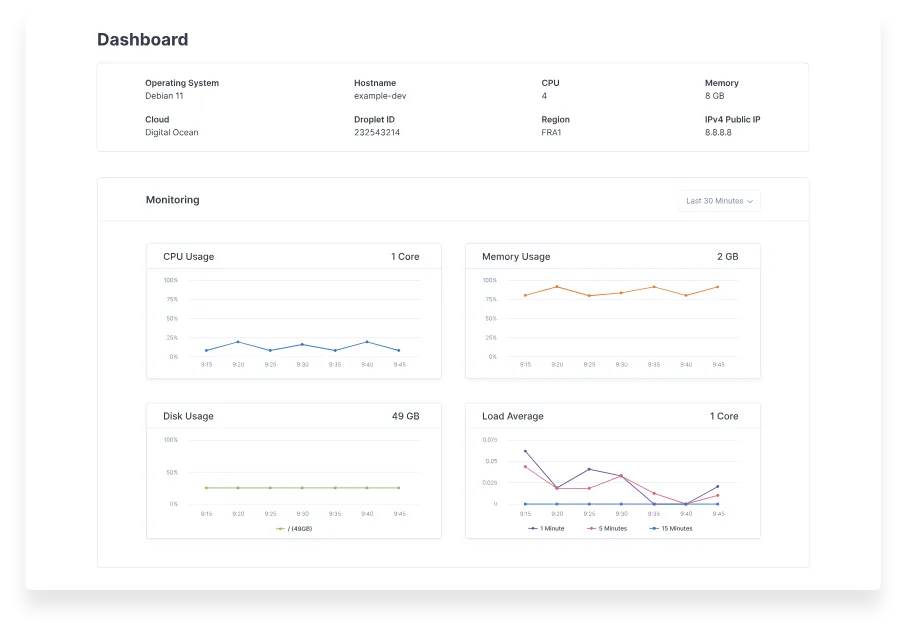
CloudPanel is a lightweight panel built for PHP workloads on Nginx. It handles WordPress and other PHP apps. It also supports Node.js and static sites.
It runs on Debian and Ubuntu. Installation takes a single script on a clean server.
We found no major security disclosures in the sources we reviewed. Still, a short record is not a clean bill of health. Keep it patched like any other panel.
The main gap is email. CloudPanel does not include a mail server, so pair it with an outside email provider.
Best for: freelancers and agencies that run PHP and WordPress sites on one or more VPSs.
3) CyberPanel: Best LiteSpeed Performance, With a Security Catch
CyberPanel is built on OpenLiteSpeed. It suits dynamic WordPress sites that need high concurrency.
It also adds ModSecurity WAF integration. Incremental backups can go to SFTP or S3 storage. The footprint is heavier than HestiaCP or CloudPanel.
The security record is the catch. Severe vulnerabilities in its API and authentication surfaced in late 2024 and 2025. Attackers then exploited unpatched servers at scale. One security analysis reports that a ransomware campaign hit tens of thousands of servers.
If you still choose CyberPanel, harden it from day one.
- Install every security update the day it ships.
- Restrict the panel port to your own IP address.
- Run a firewall in front of the panel.
- Subscribe to the project’s security advisories.
Also, check which features are free. One 2026 comparison notes that CyberPanel now leans toward a freemium model.
Skip CyberPanel on multi-tenant servers. A panel compromise would expose every customer at once.
HestiaCP vs CyberPanel
| Feature | HestiaCP | CyberPanel |
|---|---|---|
| Web server | Nginx + PHP-FPM | OpenLiteSpeed |
| Footprint | Light | Heavy |
| Stability | Predictable | Reports of post-update problems |
| Security record | No major incidents found | Severe CVEs and mass exploitation |
| Best for | Balanced, low-maintenance servers | High-concurrency WordPress |
Pick HestiaCP for balance. Pick CyberPanel only if LiteSpeed speed outweighs the patching burden.
4) Webmin and Virtualmin: Best for Experienced Sysadmins
Webmin is a free, open source, web-based configuration tool for Unix-like systems. It manages users, services, networking, cron jobs, and files. You get deep control over the whole server.
Virtualmin sits on top of Webmin and adds hosting features. These include virtual hosts, domains, mail, and databases.
What’s the Difference Between Webmin and Virtualmin?
Webmin administers the server itself. Virtualmin turns that server into a hosting platform for multiple sites and users. Most people who want a cPanel-style experience install both.
The trade-off is flexibility versus a steeper learning curve. Webmin exposes a huge number of settings. A wrong change can break a service. Virtualmin also sells a Pro tier, so check which features are free.
Webmin and Virtualmin support a wide range of Linux distributions, including RHEL-family systems. Confirm your exact version in the install docs.
Best for: admins who want full control and are comfortable on the command line.
5) ISPConfig: Best for Multi-Server and Reseller Setups
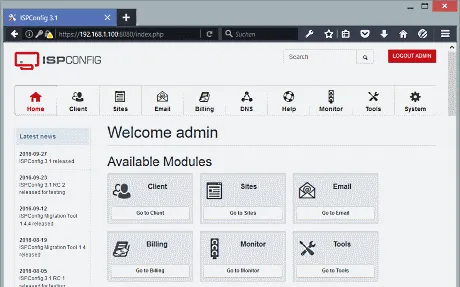
ISPConfig is a free, open source panel that manages one or more servers from a single web interface. That makes it the strongest pick if you run several VPS instances.
It includes client and reseller account management. It also covers domains, DNS, mail, and FTP. Resellers can create their own customers without touching the server.
Setup takes more effort than HestiaCP. The full stack involves several services, so plan time for configuration. In return, you get a single place to manage all your servers.
Best for: hosting providers, resellers, and anyone with a multi-server fleet.
Other Open Source Panels Worth a Look
Froxlor is lightweight and effective for basic VPS setups. It suits small projects that need simple domain and user management. Check its release history before you commit.
Coolify is a different kind of tool. It is open-source, Docker-based, and built for deploying apps using CI/CD pipelines. It is free when you host it on your own VPS. Choose Coolify if you deploy apps from Git, not if you host client websites.
Panels to Skip (and Why)
VestaCP still appears in many “best free panel” lists. It has had no stable release since 2022. The repository still receives commits, but reports indicate that security fixes remain unreleased on the master branch. Install HestiaCP instead, since it started as a fork of VestaCP.
Old listicles keep recommending stalled projects. Check a project’s health before you install it.
- Look at the date of the latest release on the GitHub releases page.
- Scan recent commits for real activity.
- Search for open security issues and published advisories.
- Check whether the project supports your OS version.
How to Choose the Right Panel for Your Server
| Your situation | Best pick |
|---|---|
| One VPS, several sites, email included | HestiaCP |
| PHP or WordPress on Nginx, outside email provider | CloudPanel |
| High-traffic WordPress on LiteSpeed, strict patching | CyberPanel |
| Experienced admin who wants full control | Webmin + Virtualmin |
| Several servers or reseller accounts | ISPConfig |
| App deployment from Git | Coolify |
| AlmaLinux or Rocky Linux is required | Webmin + Virtualmin (verify your version) |
Sometimes a free panel is the wrong call. Managed cPanel hosting makes more sense if you do not want to patch servers.
It also fits if mail deliverability worries you, or if you lack sysadmin skills. In that case, you pay for someone else to own the patch cycle.
Securing Whichever Panel You Pick
A control panel gives attackers one more target. These habits cut the risk for every panel on this list.
- Patch quickly. Turn on automatic security updates for the OS. Subscribe to your panel’s advisories and apply fixes the same day.
- Use a firewall and fail2ban. Block everything you do not need. Ban repeated failed logins.
- Close the panel port. Restrict it to your own IP or a VPN. Default ports include 8083 for HestiaCP and 10000 for Webmin.
- Lock down access. Use SSH keys, disable root password login, and enable two-factor authentication on the panel.
- Back up and test restores. Keep copies off the server. A backup you never restored is only a guess.
Before You Install: A Short Checklist
- Start with a fresh server on a supported OS. Panels expect to control the web stack.
- Check the minimum RAM and disk space in the official docs.
- Take a snapshot or backup before you run the installer.
- Follow the project’s official install guide for your OS version.
FAQs
Is there a free alternative to cPanel?
Yes. HestiaCP, CloudPanel, Webmin with Virtualmin, and ISPConfig are all free and open source. They replace the panel, not the support. You get community help instead of a vendor, and you handle updates and migration yourself.
Do I need a control panel to manage a VPS?
No. SSH and the command line work well for managing a server, especially for a single app. A panel pays off when you host several sites, email, or give clients their own accounts. It also increases memory usage and the attack surface, so skip it if you do not need it.
Can I email from an open source control panel?
Yes, with some panels. HestiaCP, Webmin with Virtualmin, and ISPConfig include mail stacks. CloudPanel does not. Good deliverability still needs SPF, DKIM, DMARC, and reverse DNS records. Some VPS providers also block port 25 by default. For that reason, many admins send mail through an outside provider.
Pick a Panel, Then Put It on a Server You Control
Choose HestiaCP if you want a balance on a single server. Choose CloudPanel for PHP and WordPress on Nginx. Choose Webmin with Virtualmin if you want full control.
Choose ISPConfig if you manage several servers. Treat CyberPanel as a specialist tool that demands same-day patching.
Whichever panel you pick, patching is your job. Set up updates, a firewall, and tested backups on day one.
Ready to try one? Launch a Truehost VPS, choose a clean supported OS image, and install your panel in minutes. Start with HestiaCP if you are unsure.