Web Hosting
 Windows HostingBuilt for Windows apps and websites – stability, speed and flexibility
 Reseller HostingLaunch a hosting business without technical skills or expensive infrastructure
 Affiliate ProgramRefer customers and earn commissions from sales across our platform
 Domain SearchFind and secure a domain name in seconds with our quick lookup tool
 CO ZA Domains
 All DomainsExplore domain names from over 324 TLDs globally – all in one place
 Free Whois Lookup Tool South Africa
 VPS
VPS Website Builder
 Online ShopSet up a sleek eCommerce store with zero coding knowledge
 SSLs
SSLs SupportAccess help articles, how-tos, and everything about our services
 Blog
Blog Contact UsReach our team instantly via live chat or drop us an email
Running OpenClaw is relatively straightforward, but keeping it secure, reliable, and performing at its best requires ongoing maintenance.
If you choose to self-host, you’ll be responsible for setting up the server, installing and updating OpenClaw, applying security patches, monitoring uptime, managing backups, and scaling resources as your workloads grow. While this level of control appeals to experienced developers, it can quickly become time-consuming for businesses, agencies, and creators who simply want to build AI automations.
That’s where managed OpenClaw hosting makes a difference.
A managed hosting provider takes care of the infrastructure, maintenance, and security, allowing you to focus on building and deploying AI agents instead of managing servers. Depending on the provider, managed hosting may include one-click deployment, automatic updates, security monitoring, backups, SSL certificates, resource scaling, and technical support.
The right managed host can save time, improve reliability, and reduce the operational burden of running OpenClaw. However, providers vary in pricing, features, and performance. Some focus on affordability, while others offer dedicated infrastructure, advanced security, or enterprise-grade capabilities.
We’ve compared the leading managed OpenClaw hosting providers based on pricing, performance, features, and overall value, making it easier to choose the right platform for your needs.
Quick Comparison Table
| Provider | Starting Price | vCPUs | RAM | Storage |
| Truehost | R285/mo | 1 vCPU core | 2 GB | 50 GB NVMe d |
| GetClaw Hosting | $24/mo | 2 cores | 4 GB | 40 GB NVMe |
| xCloud | $9.99/mo | 4 cores | 6 GB | 100 GB NVMe |
| Hostinger | $5.52/mo | 1 core | 4 GB | 50 GB NVMe |
| ClawHost | $15/mo | 2 CPU | 4 GB | 40 GB SSD |
Table of Contents
1) Truehost
We built our OpenClaw hosting for South African users who want a fast, local way to run an AI assistant, no offshore pricing, no overseas data centers. We pre-load OpenClaw onto a managed server, so your assistant is live within minutes of signing up.
We also solve a problem that the other providers here don’t: load shedding. Your OpenClaw instance runs in our data center, not on your own machine, so it stays online through power outages at home, a real concern for South African users who need their assistant available 24/7.
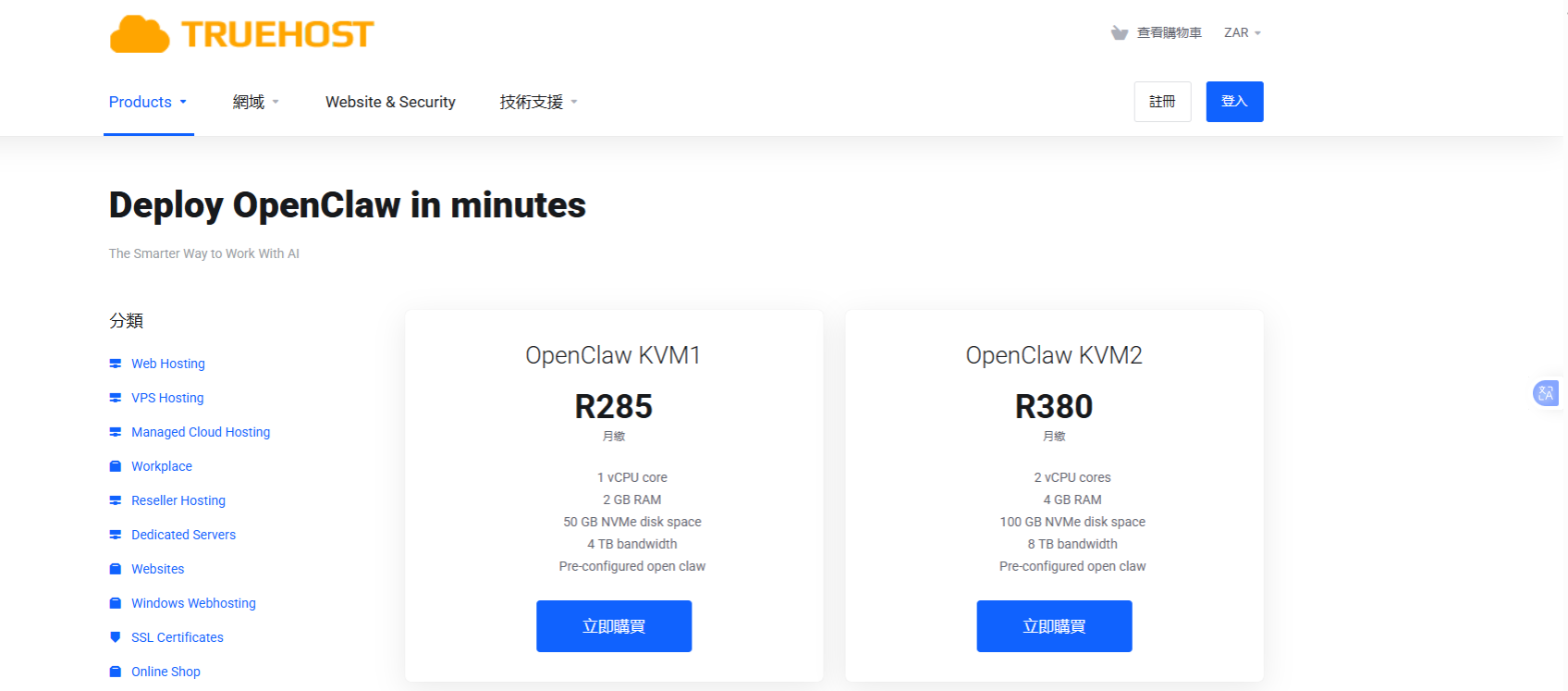
Pricing
- KVM1: R285/month
- KVM2 tier: R380/month
- We also offer an unmanaged VPS 2 option for developers who want full root access instead of the managed path
Features
- One-click OpenClaw deployment, pre-configured out of the box
- We handle server maintenance so you don’t have to
- ZAR-denominated billing, no surprise USD/forex charges
- Local South African support and SA-optimized servers
- Bring-your-own-key model, so you connect your own LLM provider (OpenAI, Anthropic, Groq, and others)
- Fast provisioning, typically under a minute
- An optional unmanaged VPS tier if you want full root access
Pros
- We bill in local currency, so there’s no exchange-rate guesswork for SA users
- Our load-shedding resilience is a genuine advantage for the region
- We’ve made the setup quick, no Docker or terminal work required
- Our local support team can typically respond faster to SA-based customers
- We offer both a fully managed path and a self-managed VPS path on the same platform
Cons
- The entry-tier plan is suitable for basic OpenClaw workflows, but larger projects may need more resources.
Best for: South African users who want local billing and support, anyone who needs load-shedding resilience for a self-hosted assistant, and beginners who want the simplest route to a working OpenClaw instance without offshore pricing or data centers.
2) GetClaw Hosting
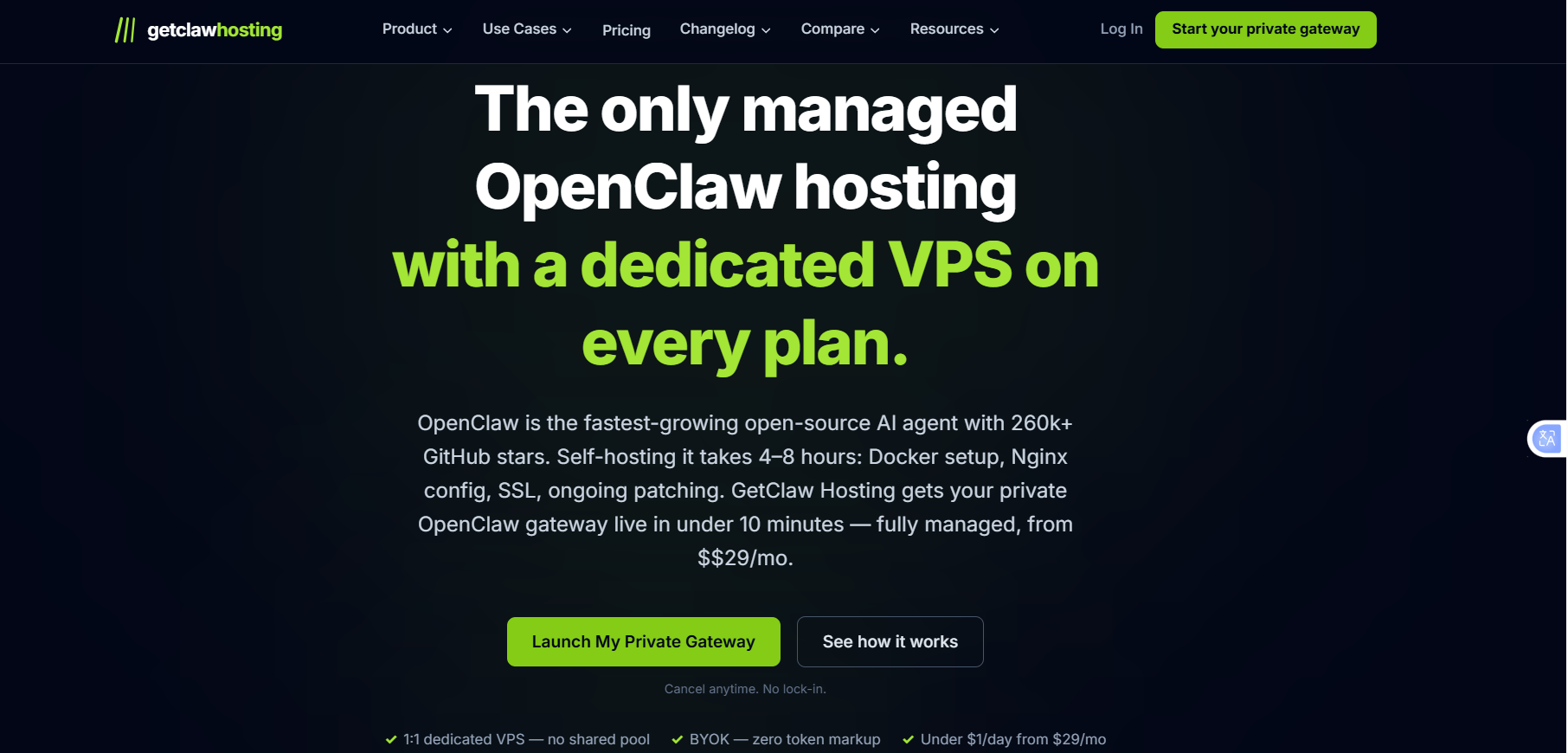
GetClaw Hosting is built around the idea of fully dedicated infrastructure for OpenClaw deployments, rather than shared or heavily abstracted environments. Every deployment runs on isolated VPS resources, giving users more consistent performance and stronger control over their environment than a shared-tenancy setup can offer.
The platform leans heavily into security, speed, and operational reliability, with fast provisioning, frequent security patching, and automated backups built into the hosting experience by default.
It also supports Bring Your Own Key (BYOK), letting users connect their preferred AI model provider, Claude, GPT-4, Gemini, or a local model, directly, without a markup layer sitting between them and the model provider’s own pricing.
Pricing
- Starter: $24/month
- Team: $66/month
- Managed Plus: $124/month
Features
- Dedicated VPS infrastructure per deployment
- Fast provisioning for quick OpenClaw setup
- Daily restorable backups
- Encrypted storage for secure data handling
- No token markup on AI usage (BYOK model)
- CVE security patching delivered in under six hours
- 30-day free trial, no credit card required
Pros
- Strong focus on security and rapid vulnerability patching
- Dedicated resources improve stability and performance
- Transparent BYOK approach avoids hidden AI usage costs
- A free trial lowers the barrier to entry
- Suitable for production-grade OpenClaw deployments
Cons
- Higher pricing compared to entry-level managed hosting options
- More than what beginners or casual users typically need
- Less cost-efficient for very small, lightweight workloads
Best for: Teams running production OpenClaw workflows, security-conscious developers and organizations, users who want dedicated infrastructure instead of shared environments, businesses that need predictable performance and uptime, and anyone who prefers BYOK control over AI model costs.
3) xCloud
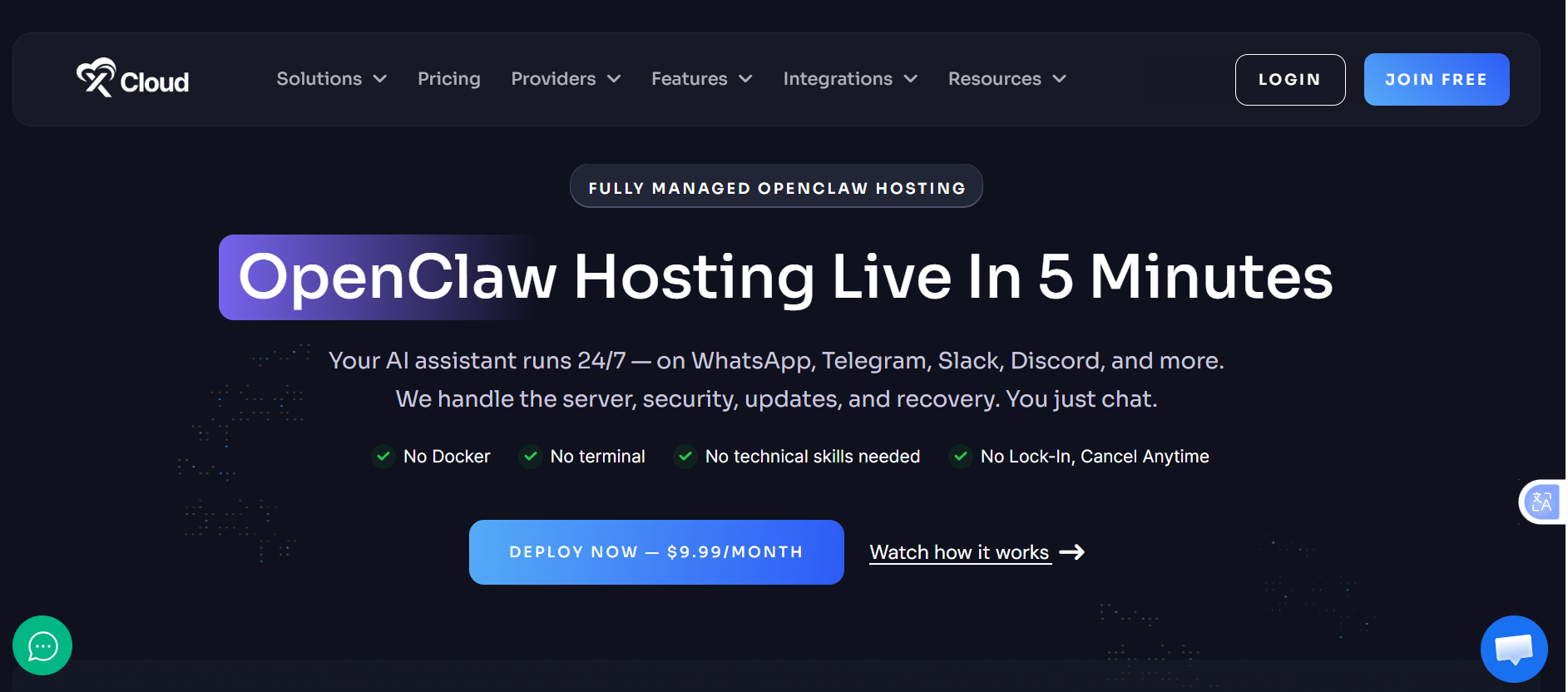
xCloud is built around global accessibility and simplicity. It offers a wide network of data centers, making it easy to deploy OpenClaw close to your users no matter where they’re located, a real advantage for teams serving international audiences that need consistent response times across regions.
The platform also emphasizes ease of use, with a simplified one-click deployment system that gets OpenClaw running without touching complex server setup or configuration files.
Pricing: Starting from $9.99/month
Features
- 30+ global server locations across the US, EU, and APAC
- One-click OpenClaw deployment
- Pre-configured OpenClaw hosting environment
- Telegram integration support
- WhatsApp integration support
- Managed server maintenance included
- Infrastructure optimized for global latency performance
Pros
- Very affordable entry-level pricing
- Large global server footprint improves latency options
- Simple setup process suitable for beginners
- Built-in messaging platform integrations
- Good balance between cost and performance
Cons
- Less specialized OpenClaw focus compared to dedicated providers
- Advanced customization may be limited for power users
- Feature depth varies by selected region and plan tier
Best for: Users serving global audiences across multiple regions, beginners who want fast OpenClaw deployment, teams building chat-based AI assistants on Telegram or WhatsApp, budget-conscious users needing decent performance worldwide, and startups testing multi-region AI automation workflows.
4) Hostinger
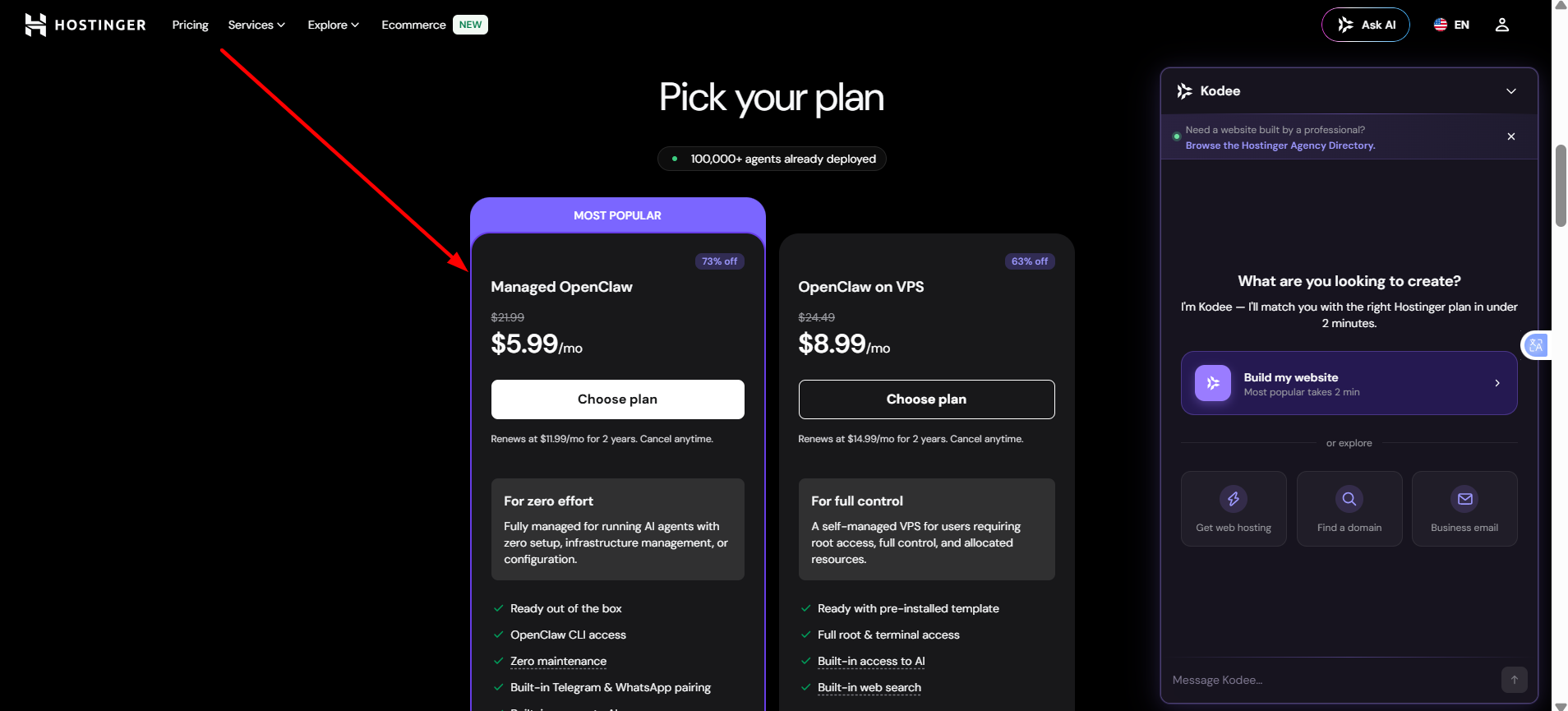
Hostinger provides a simple, beginner-friendly way to deploy OpenClaw without dealing with server configuration. Through its application hosting environment, users can install OpenClaw in a few clicks and get a fully managed setup that removes the need for manual Docker installation or ongoing server maintenance.
It also stands out for offering a smooth path from managed hosting into full VPS hosting, which makes it a solid long-term option for anyone who expects their OpenClaw deployment to outgrow a basic plan over time.
Pricing: Starting from $5.52/month (varies by plan and billing cycle)
Features
- One-click OpenClaw application deployment
- Fully managed hosting environment
- 99.98% uptime guarantee
- Built-in security and automatic updates
- Free SSL certificates included
- Scalable infrastructure with upgrade options
- Easy migration path to VPS hosting
- Global data center network for improved performance
Pros
- Very affordable entry pricing
- Extremely easy setup for beginners
- Stable uptime performance
- No technical knowledge required to get started
- Smooth upgrade path to VPS when needed
- A managed environment reduces maintenance overhead
Cons
- Not OpenClaw-exclusive, a general-purpose hosting platform, not a specialized provider
- Advanced OpenClaw tuning options may be more limited than niche providers offer
- Performance depends heavily on the shared or VPS tier you select
Best for: Beginners launching their first OpenClaw assistant, users who want a fully managed, hands-off setup, small businesses and solo founders, users who may later upgrade to VPS hosting, and budget-conscious users who still want reliable entry-level infrastructure.
5) ClawHost
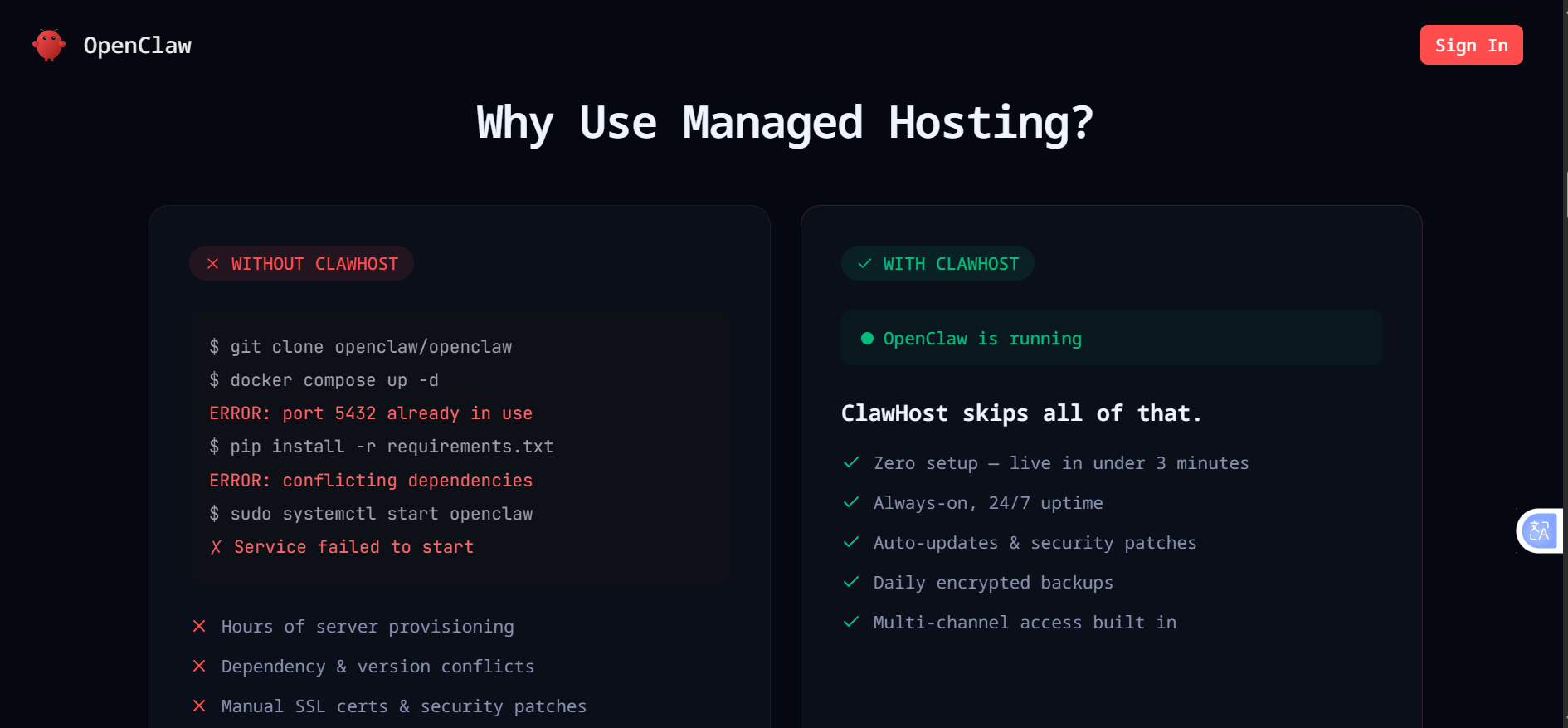
ClawHost is a managed OpenClaw hosting platform designed to remove the complexity of server setup while still giving users meaningful control over their AI agents. It focuses on fast deployment, automation, and fully managed infrastructure, so users can run OpenClaw without touching Docker, dependencies, or system configuration directly. The platform is built around the premise that anyone should be able to launch an OpenClaw agent in minutes, with or without a technical background.
Why it stands out: ClawHost combines simplicity with strong agent-control features. Rather than requiring manual installation or DevOps knowledge, it offers a guided deployment flow that gets an OpenClaw instance running quickly, backed by:
- No technical expertise required to deploy OpenClaw
- Fully managed hosting with automatic setup
- Private, isolated instances for each user
- Always-on infrastructure with high uptime reliability
- Built-in support for multi-channel AI agents
Pricing
| Plan | Monthly | Billed Annually | AI Credits Included |
| Lite | $15/mo | $180/yr | $60 |
| Pro | $39/mo | $468/yr | $180 |
| Max | $79/mo | $948/yr | $720 |
Features
- One-click OpenClaw deployment in minutes
- Private isolated container per user
- 24/7 always-on agent availability
- Automatic updates and security patches
- Daily encrypted backups
- Built-in long-term memory support
- Multi-channel integrations (Telegram, Discord, WhatsApp, Slack, and more)
- Browser-based dashboard for managing agents
- AI model switching without downtime
- Built-in workflow automation capabilities
- Support for APIs, apps, and third-party integrations
Pros
- Extremely fast setup live in minutes
- No DevOps or server management required
- Fully managed infrastructure with backups and updates included
- Strong multi-channel support for messaging platforms
- Flexible AI model switching without downtime
- Suitable for both individuals and teams
Cons
- Pricing runs higher than basic VPS hosting
- Less control than a raw, self-hosted environment
- Usage-based AI credits can add extra cost depending on workload
- Not ideal for users who want full server-level customization
Best for: Users who want a zero-setup OpenClaw deployment, freelancers and agencies managing multiple AI agents, businesses that need multi-channel AI assistants, non-technical users who want a plug-and-play experience, and teams that prefer managed infrastructure over self-hosting.
How to Choose the Best OpenClaw Hosting Provider
i) Start With Your Technical Skill Level
- Beginner: You want a one-click deploy, no terminal, no Docker. Look at Hostinger or ClawHost.
- Intermediate: You’re comfortable with basic configuration and want more flexibility than a fully packaged app, but still don’t want to babysit a raw server. xCloud fits well here.
- Developer: You want dedicated resources, full control over patching cadence, and BYOK pricing transparency. GetClaw Hosting is built for this profile.
ii) Managed vs. Self-Managed Hosting
Managed hosting
- Server maintenance handled for you
- Easier, faster setup
- Lower learning curve
Self-managed hosting
- Greater flexibility
- More granular control
- Requires ongoing maintenance and security vigilance
Given that OpenClaw agents can execute shell commands and hold live API credentials, the maintenance burden of self-managed hosting isn’t just inconvenient; it’s a genuine security consideration. That’s the trade-off managed hosting is designed to remove.
iii) How Much RAM Does OpenClaw Need?
4 GB RAM: Suitable for personal assistants, basic automations, and one or two messaging channels.
8 GB RAM: Recommended for browser automation, multiple messaging platforms running simultaneously, and more advanced multi-step workflows.
16 GB RAM or more: Recommended if you’re running local LLM inference (e.g., via Ollama), since the model itself competes with the agent runtime for memory.
iv) CPU, Storage, and Performance
CPU requirements: For most OpenClaw deployments, CPU counts are less than RAM. The gateway itself is lightweight; the heavy lifting happens either on the remote LLM provider’s infrastructure or, if you’re running models locally, on GPU/inference hardware rather than general-purpose vCPUs.
NVMe vs. SSD storage: NVMe storage translates into faster container deployment, faster workspace read/write operations (file access, logs, memory storage), and generally snappier day-to-day responsiveness from the agent.
v) Why Server Location Counts
- API latency: the physical distance between your server and your LLM provider’s API endpoint adds round-trip time to every response.
- Messaging platform responsiveness: a server closer to your primary user base reduces lag when messages come in over WhatsApp, Telegram, or Slack.
- User experience: for team or customer-facing agents, consistent low latency matters more than raw compute power.
vi) Choose a Provider That Can Grow With You
Look for easy upgrade paths, straightforward resource scaling, and a clear migration route (to a bigger plan or to full VPS control), so you’re not forced to rebuild your agent from scratch if your usage outgrows your starting plan.
Which OpenClaw Managed Hosting Provider Should You Choose?
The best managed OpenClaw hosting provider ultimately depends on your workload, budget, and the level of support you expect. Some providers focus on affordability, while others prioritize enterprise-grade infrastructure, simplified deployment, or fully managed AI environments.
As you compare your options, look beyond the monthly price. Consider factors such as performance, uptime, security, scalability, automated updates, backups, and the quality of technical support. The right hosting provider should make it easier to build, deploy, and scale your OpenClaw workflows without adding unnecessary server management.
If you’re looking for a reliable platform to host OpenClaw with managed infrastructure, fast deployment, and dedicated support, Truehost is an excellent place to start. Get started with Truehost OpenClaw Hosting to see the available plans and get your AI applications running quickly and securely.
OpenClaw Managed Hosting Providers FAQs
Do I need technical skills to use managed OpenClaw hosting?
No. Providers like Hostinger and ClawHost are built specifically for one-click deployment with no Docker or server configuration required. More developer-oriented providers like GetClaw Hosting still simplify setup considerably compared to a raw VPS, but assume slightly more comfort with configuration.
Do I need to pay for AI model access separately?
It depends on the provider and plan. Some, like GetClaw Hosting, use a Bring Your Own Key model where you pay your LLM provider (Anthropic, OpenAI, etc.) directly with no markup. Others, like ClawHost, bundle AI credits into the subscription price, which simplifies billing but may cost more if your usage is high.
Can I bring my own API key?
Most managed OpenClaw providers support BYOK. Since OpenClaw itself is model-agnostic by design, it can route requests to Claude, GPT-4, Gemini, or locally hosted models. Check each provider’s plan details, as BYOK support and any associated fees vary.
What is the minimum VPS requirement for OpenClaw?
In practice, 4 GB of RAM and 1-2 vCPUs are enough for light personal use with one or two messaging channels. Heavier use, multiple channels, browser automation, or local model inference pushes that requirement up to 8-16+ GB of RAM.
Can I migrate from self-hosting to managed hosting?
Yes, in most cases. Since OpenClaw’s configuration and workspace data are portable, providers with a managed-to-VPS (or VPS-to-managed) migration path, such as Hostinger, make this transition relatively straightforward.
Which OpenClaw provider offers a free trial?
GetClaw Hosting offers a 30-day free trial with no credit card required, making it the easiest option to test before committing.