Web Hosting
 Windows HostingBuilt for Windows apps and websites – stability, speed and flexibility
 Reseller HostingLaunch a hosting business without technical skills or expensive infrastructure
 Affiliate ProgramRefer customers and earn commissions from sales across our platform
 Domain SearchFind and secure a domain name in seconds with our quick lookup tool
 CO ZA Domains
 All DomainsExplore domain names from over 324 TLDs globally – all in one place
 Free Whois Lookup Tool South Africa
 VPS
VPS Website Builder
 Online ShopSet up a sleek eCommerce store with zero coding knowledge
 SSLs
SSLs SupportAccess help articles, how-tos, and everything about our services
 Blog
Blog Contact UsReach our team instantly via live chat or drop us an email
For a long time, using OpenClaw with OpenAI models meant dealing with API keys, usage-based billing, and the constant worry of unexpectedly high token costs. Every prompt, every agent action, and every workflow consumes API credits, making it difficult to predict monthly expenses, especially for autonomous agents that can execute hundreds or even thousands of actions.
That changed in May 2026.
OpenAI introduced a new way for ChatGPT subscribers to connect their accounts directly to OpenClaw. Instead of generating and managing API keys, users with eligible ChatGPT subscriptions can simply sign in with their OpenAI account. OpenClaw authenticates through OAuth, allowing supported models to run under the same subscription you already use for ChatGPT.
In practical terms, if you’re already paying for ChatGPT Plus, Pro, or Team, you no longer need to purchase separate OpenAI API credits just to run compatible OpenClaw agents. The setup is simpler, billing is more predictable, and getting started takes only a few minutes.
However, there are some important limitations. This integration doesn’t replace the OpenAI API entirely, doesn’t provide unlimited usage, and doesn’t cover every OpenAI feature. Understanding what is and isn’t included will help you choose the right setup and avoid surprises later.
Here, we’ll explain exactly how the OpenAI subscription integration works, how to set it up, what it costs, its limitations, and whether it’s the right choice for your OpenClaw deployment.
Table of Contents
How the OpenAI Subscription Integration Works
The integration is simple once you understand the role of each component.
OpenClaw is the platform that manages your agents, memory, tools, workflows, and connected channels. It handles the automation but doesn’t generate responses on its own.
OpenAI’s Codex is the intelligence behind your agent. Whenever your agent needs to answer a question, complete a task, or make a decision, OpenClaw sends that request to Codex for processing.
Your ChatGPT subscription connects the two. Instead of using a separate API key and paying per token, you sign in with your ChatGPT Plus, Pro, or Team account through OAuth. OpenClaw receives a secure access token, not your password, and uses it to authenticate supported agent requests.
OpenClaw uses OAuth to connect to your ChatGPT account, so it never sees or stores your password. Instead, OpenAI securely issues an access token, which OpenClaw saves and refreshes automatically when needed.
It’s also important to know that this is different from the standard OpenAI API. The ChatGPT subscription only covers supported Codex-powered agent tasks. Features like image generation, embeddings, and other API services still require a separate OpenAI API key and are billed on a pay-as-you-go basis.
Setup Process: Step by Step
Setting up the integration usually takes less than ten minutes.
What You’ll Need
Before you begin, make sure you have:
- an active ChatGPT Plus, Pro, or Team subscription
- OpenClaw installed
- the OpenClaw daemon running
- terminal access
- SSH access if you’re configuring a remote server
Step 1: Start the Onboarding Wizard
Open your terminal and launch the OpenClaw onboarding wizard.
When prompted to choose a model provider, select the OpenAI/Codex subscription option.
Step 2: Open the Authorization URL
The wizard generates a unique authorization link.
Open this link in your regular web browser, not inside your terminal.
Step 3: Sign In
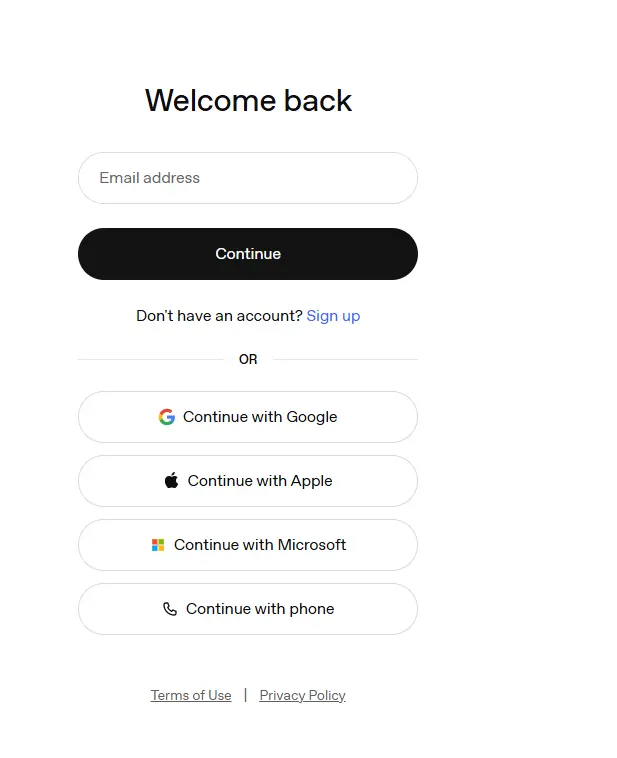
Log in with the same OpenAI account that owns your ChatGPT subscription.
Review the permissions.
Click Continue.
Step 4: Complete Authorization
After approval, your browser redirects to another page.
It may appear blank or display an error.
This is completely normal.
Do not close the page.
Step 5: Copy the Redirect URL
Copy the entire URL from your browser’s address bar.
Be sure to include everything after code=.
Paste it back into the terminal.
Step 6: Finish Authentication
OpenClaw exchanges the authorization code for an OAuth token and stores your authenticated profile automatically.
The setup is now complete.
Confirming Everything Works
Before creating production agents, it’s worth verifying that authentication completed successfully.
Run the OpenClaw model listing command.
You should see:
- Your authenticated model
- OAuth authorization
- available quota
- provider status
Next, send a simple message to one of your connected channels, such as Telegram or Discord.
If the response succeeds, your subscription is active.
Should anything fail, OpenClaw includes a diagnostic command that checks common configuration problems and attempts automatic repairs.
Pricing Breakdown
One of the biggest advantages of the subscription integration is predictable pricing.
Instead of unpredictable API charges, you pay a fixed monthly subscription.
For many individual users, the typical monthly cost looks like this:
| Service | Monthly Cost |
| ChatGPT Plus | $20 |
| Total | $23/month |
For roughly $23 per month, users can run supported GPT-powered OpenClaw agents without paying separately for every token consumed during compatible agent workloads.
Organizations or heavier users may instead choose ChatGPT Pro or Team for higher usage allowances.
Subscription Tiers That Qualify
Currently, OpenClaw supports OAuth authentication with:
- ChatGPT Plus
- ChatGPT Pro
- ChatGPT Team
Each subscription provides access to supported Codex-powered models.
The primary differences involve usage limits and capacity rather than model quality.
| Feature | Plus | Pro |
| Monthly Cost | $20 | $200 |
| Usage Capacity | Standard | Significantly Higher |
| Best For | Personal Projects | Production Workloads |
| Recommended Users | Individuals | Teams & Power Users |
If you’re experimenting or building a personal assistant, Plus is usually sufficient.
If you’re operating multiple agents around the clock, Pro offers considerably more headroom before reaching platform limits.
What You’re Actually Getting Per Tier
A common misconception is that paying for ChatGPT automatically means unlimited OpenAI usage.
That’s not how the subscription works.
Each subscription includes a quota that governs how much Codex-backed work can be performed.
For example:
- ChatGPT Plus includes a limited Codex usage allowance that resets periodically.
- ChatGPT Pro offers substantially higher capacity.
- Team subscriptions provide shared organizational access with larger allowances.
These limits come from OpenAI, not OpenClaw.
Once your subscription quota is exhausted, your agents cannot continue using subscription-backed models unless fallback providers are configured.
The Hidden Costs and Limitations You Need to Know
The new integration is excellent, but it’s important to understand its boundaries.
i) A Subscription Doesn’t Mean Unlimited Usage
Your ChatGPT subscription replaces API billing for supported workloads.
It does not remove OpenAI’s usage policies or capacity limits.
Heavy agent activity can still consume your available quota.
ii) Autonomous Agents Use More Computing Than Chat
Interactive conversations typically involve one request at a time.
Autonomous agents are different.
A single workflow may:
- search the web
- summarize documents
- call multiple tools
- write files
- verify results
- Repeat reasoning several times
Each step counts toward your available usage.
This is why agents can consume resources much faster than normal ChatGPT conversations.
iii) OAuth Has Different Rate Limits
OAuth-authenticated requests follow different limits from API keys.
If OpenAI temporarily rate-limits your subscription, OpenClaw places that provider into a cooldown period before retrying.
Unless you’ve configured fallbacks, it won’t automatically switch providers.
iv) Known Compatibility Issues
Some OpenClaw releases have experienced routing issues with certain Codex model versions.
Keeping OpenClaw updated and selecting officially supported models helps avoid most authentication problems.
v) Configure Fallback Models
One of the smartest things you can do is configure fallback providers.
If your ChatGPT quota is exhausted, OpenClaw can automatically switch to another supported model instead of failing your workflows.
Alternatives If You Don’t Have a ChatGPT Subscription
Not everyone wants a monthly subscription.
Fortunately, OpenClaw supports several alternatives.
i) OpenAI API
You can continue using the traditional OpenAI API.
You’ll pay only for what you use, but costs can become unpredictable under heavy workloads.
ii) Other AI Providers
OpenClaw also supports numerous third-party providers, allowing you to mix models based on price, speed, or capability.
iii) Free Community Models
Community-supported providers can reduce costs dramatically for lightweight workflows.
They’re often ideal as fallback models.
iv) Local Models
If privacy is your priority, OpenClaw can run compatible local language models entirely on your own hardware.
This eliminates recurring API costs while keeping data under your control.
Troubleshooting Common Issues
If something isn’t working correctly, check the following:
- Confirm your ChatGPT subscription is active.
- Verify you’re signed into the correct OpenAI account.
- Ensure your OpenClaw installation is up to date.
- Check that your selected model is supported by your subscription tier.
- Re-authenticate if your OAuth token has expired.
- Configure fallback providers to avoid interruptions caused by quota limits.
- Restart the OpenClaw daemon after major configuration changes.
Most authentication problems are resolved by repeating the OAuth authorization process.
Best Practices for Getting the Most Out of It
To maximize your subscription:
- Reserve powerful reasoning models for complex tasks.
- Use lighter models whenever possible.
- Write concise prompts to reduce unnecessary reasoning steps.
- Monitor your quota regularly.
- Configure fallback providers before you need them.
- Self-host OpenClaw if data privacy is important.
- Start with a few workflows before scaling to dozens of autonomous agents.
- Keep OpenClaw updated to benefit from the latest compatibility improvements.
A little planning goes a long way toward making your subscription last longer while keeping workflows reliable.
OpenClaw OpenAI Subscription: FAQs
What is included in an OpenAI subscription?
Eligible ChatGPT subscriptions provide access to supported OpenAI models, including Codex-backed agent functionality through OpenClaw’s OAuth integration. However, some services, such as image generation through the API or embeddings, may still require separate API billing.
Is OpenAI a good fit for OpenClaw?
Yes. OpenAI’s models are among the most capable options for reasoning, coding, planning, and general-purpose AI tasks, making them an excellent choice for many OpenClaw deployments.
Do you need a subscription to use OpenClaw?
No. OpenClaw supports multiple AI providers, API keys, community-hosted models, and even local language models. A ChatGPT subscription simply offers a more convenient way to access supported OpenAI models.
How much does an OpenAI subscription cost per month?
ChatGPT Plus starts at $20 per month, while higher-tier plans such as Pro and Team provide additional usage capacity at higher monthly prices.
Is the OpenAI Subscription Right for You?
The OpenAI subscription integration removes much of the complexity from using OpenClaw with GPT models. If you already have ChatGPT Plus, Pro, or Team, you can start building AI agents without managing API keys for supported tasks while benefiting from more predictable monthly costs.
Keep in mind that subscription access is still subject to usage limits, and certain capabilities, such as image generation and embeddings, continue to require an OpenAI API key.
If you’re ready to unlock everything OpenClaw can do, look at Truehost’s OpenClaw AI Capabilities to see how the platform can help you build, automate, and scale intelligent AI workflows for your business.