 Web Hosting
 Windows HostingBuilt for Windows apps and websites – stability, speed and flexibility
 Reseller HostingLaunch a hosting business without technical skills or expensive infrastructure
 Affiliate ProgramRefer customers and earn commissions from sales across our platform
 Domain SearchFind and secure a domain name in seconds with our quick lookup tool
 CO ZA Domains
 All DomainsExplore domain names from over 324 TLDs globally – all in one place
 Free Whois Lookup Tool South Africa
 VPS
 Website Builder
 Online ShopSet up a sleek eCommerce store with zero coding knowledge
 SSLs
 SupportAccess help articles, how-tos, and everything about our services
 Blog
 Contact UsReach our team instantly via live chat or drop us an email

If you have ever searched for a simple monthly price for hosting a website on Google, you probably came away a little confused.
That is because Google does not sell one standard web hosting package with a fixed fee.
Instead, it offers several different services that can all host a website, and each one is billed in its own way.
So, what does it actually cost? The honest answer is that it depends.
The price you pay is shaped by the Google service you choose, the type of website you run and the resources your site consumes every month.
A small personal page might cost you nothing at all, while a busy web application could produce a bill that changes from one month to the next.
For that reason, it helps to look at each option separately before deciding.
In this guide, we will walk through the main ways to host a website on Google, including:
- Google Sites for simple websites.
- Firebase Hosting for static websites and web applications.
- Google Cloud Run for dynamic applications.
- Google Compute Engine for websites running on virtual machines.
- WordPress hosting on Google Cloud.
After that, we will compare Google’s usage-based approach with traditional shared hosting.
Finally, we will look at a more predictable alternative for people who simply want a website online without managing cloud infrastructure.
By the end, you should know which route fits your project and your budget.
Table of Contents
Google Web Hosting Pricing: How Much Does Each Option Cost?
Let us start with the big picture.
Google does not have one fixed web hosting plan, so there is no single price tag to quote.
Instead, costs depend on the hosting service you select, the resources you use and the amount of traffic your site receives each month.
Because of this, the same website could cost very different amounts depending on where and how it is set up.
To make things easier, the table below brings every Google hosting option together in one place.
| Google hosting option | Pricing | What you get |
| Google Sites | No separate traditional hosting fee | Website builder and hosting for basic websites |
| Firebase Hosting | 10 GB storage and 10 GB/month data transfer free; additional storage costs $0.026/GB and additional data transfer costs $0.15/GB | Static website and web app hosting |
| Google Cloud Run | Pay-as-you-go, based on CPU, memory, requests and network usage | Hosting for containerized applications |
| Google Compute Engine | Pay-as-you-go, based on VM configuration, storage and network usage | Virtual machine hosting with server-level control |
| WordPress on Google Cloud | No single fixed price; infrastructure and related services are billed separately | WordPress hosting using Google Cloud resources |
Of course, a table can only tell you so much.
Therefore, let us go through each option in more detail so you can see what sits behind those short descriptions.
1) Google Sites pricing
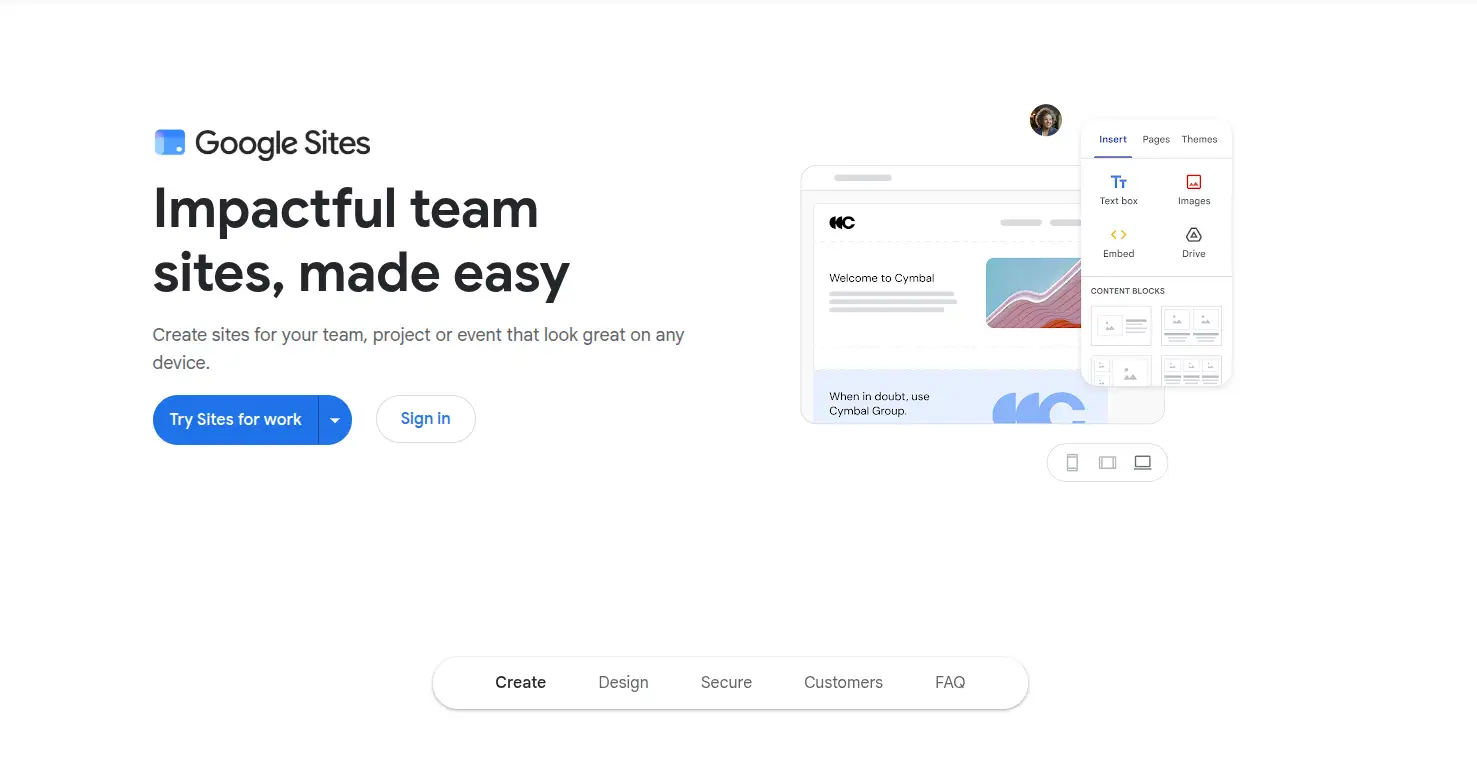
Google Sites is the simplest route on this list.
It works as a website builder and a host at the same time, which means you can create and publish a basic website without buying a separate conventional hosting package.
You design your pages in a visual editor, press publish and your site goes live.
For a school project, a small team page, an internal company portal or a simple portfolio, that can be more than enough.
That said, free is not always the full story.
If you want your site to appear on your own web address instead of a default Google address, you will need a custom domain, and domains are normally paid for separately each year.
In addition, some people use Google Sites as part of a Google Workspace subscription, which carries its own monthly or annual cost per user.
Even so, the hosting itself does not come with a separate traditional fee.
The trade-off is flexibility. Google Sites is built for simplicity, so you cannot install custom server software, run your own database or build a complex online store on it.
If your needs are modest, it is a very affordable choice.
However, if you expect your website to grow into something more advanced, you may outgrow it fairly quickly.
2) Firebase Hosting pricing

Firebase Hosting is aimed at static websites and web applications.
Think of sites built with HTML, CSS and JavaScript, or modern front-end frameworks that produce files ready to be served to visitors.
It is popular with developers because it is fast to deploy and comes with a generous starting allowance.
As for the numbers, you get 10 GB of storage and 10 GB of data transfer per month at no cost.
Once you go past those limits, additional storage costs $0.026 per GB, and additional data transfer costs $0.15 per GB.
For a small website with modest traffic, you may never cross the free line.
On the other hand, a site with large images, videos or heavy downloads can use up the free transfer allowance surprisingly fast.
It is also worth remembering that Firebase Hosting rarely works alone.
If your website uses other Firebase features or Google Cloud services, such as databases, authentication or cloud functions, those services can generate their own separate charges.
In other words, the hosting line on your bill may stay small while the rest of the project adds up.
Because of this, it is wise to check the pricing page for every service you plan to use, not only the hosting component.
3) Google Cloud Run pricing
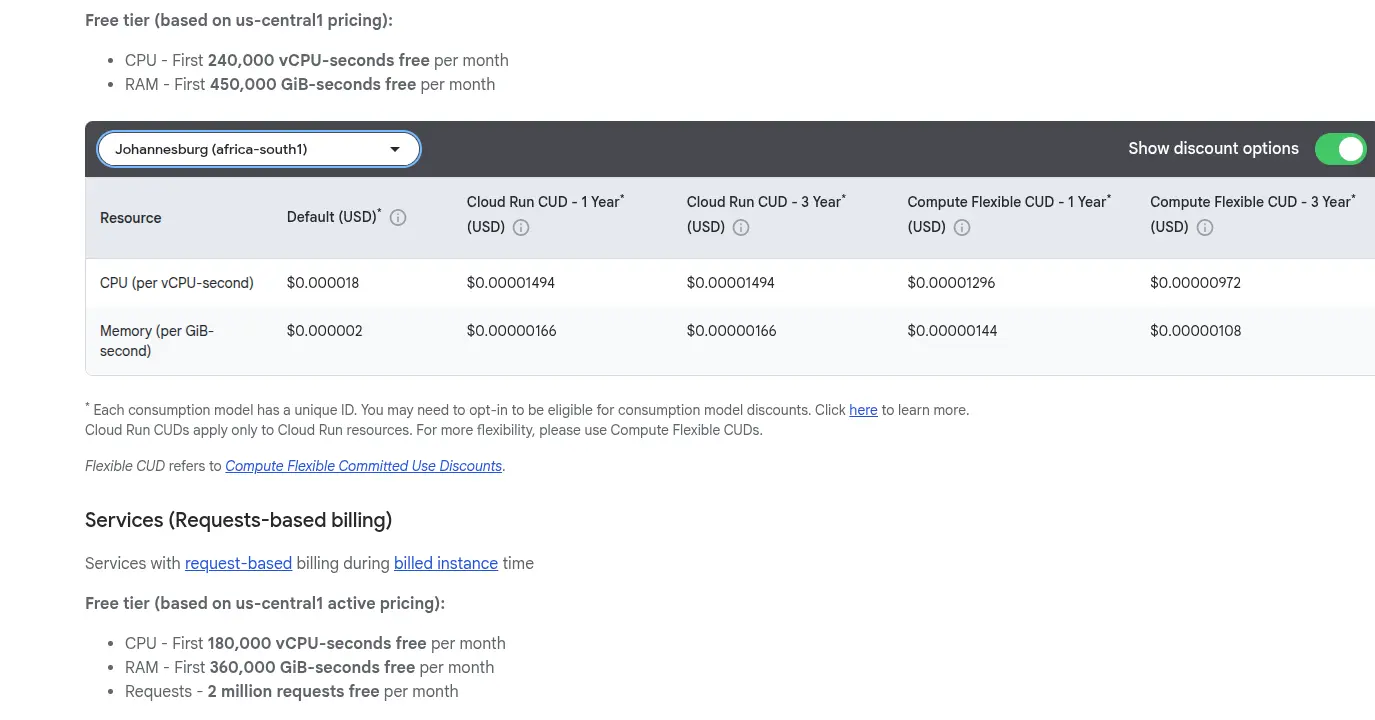
Google Cloud Run is designed for containerized applications.
If your website is a dynamic application that runs in a container, for example a custom web app with a backend, Cloud Run can run it for you without making you manage a server directly.
It scales up when visitors arrive and can scale back down when things are quiet.
Pricing follows a pay-as-you-go model.
Your final bill depends on how your application is used, including the CPU and memory it consumes, the number of requests it handles and the network traffic it sends out.
Because all of these factors move with your visitors, two applications that look similar on paper can produce quite different monthly costs.
For this reason, we are not going to give you an invented monthly estimate here.
A made-up figure would only mislead you.
Instead, the better approach is to use Google’s official pricing calculator, enter your expected usage and see a realistic projection for your own case.
You can find it here: Google Cloud Pricing Calculator.
4) Google Compute Engine pricing
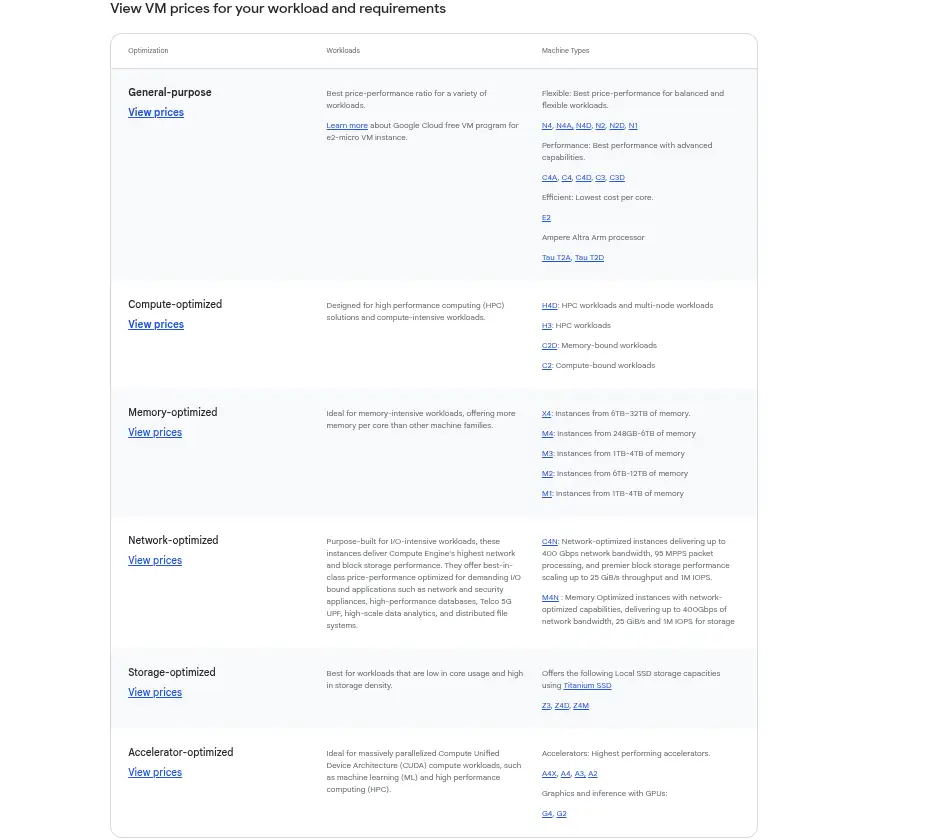
Google Compute Engine gives you virtual machines running on Google’s infrastructure.
In practical terms, you get a server of your own, with control over the operating system, the software and the configuration.
This is the option people choose when they need full flexibility or want to run something that other, simpler services cannot handle.
With that control comes a more detailed bill.
You pay for the virtual machine you select, the persistent storage attached to it and the network usage your site generates.
On top of that, you may pay for additional services, such as backups or load balancing, if your setup calls for them.
Each of these items is priced separately, so the total depends on how you build your environment.
Also, remember that a virtual machine does not manage itself.
Updates, security patches, firewall rules and monitoring become your responsibility unless you arrange otherwise.
Consequently, Compute Engine is a strong fit for people with technical skills, while it can feel heavy for someone who only wants a simple website online.
5) WordPress on Google Cloud pricing
Many people want to run WordPress on Google Cloud, so this deserves a clear explanation. WordPress itself is free software.
You can download it and use it without paying a license fee.
However, WordPress cannot run on thin air. It needs a server, a database, storage space and enough bandwidth to serve your visitors, and all of those pieces are chargeable on Google Cloud.
There is no single fixed price for this setup.
The infrastructure and any related services are billed separately, based on what you actually use.
As a result, a small WordPress blog might stay inexpensive, while a busy site with many plugins, large media files and steady traffic will need more resources and cost more.
You should also think about the work involved.
Installing WordPress on a cloud server, securing it, keeping it updated and handling backups takes time and some technical comfort.
For developers, that freedom is a benefit.
For everyone else, it can become a distraction from the real goal, which is publishing content and growing the website.
6) Google Cloud free credits
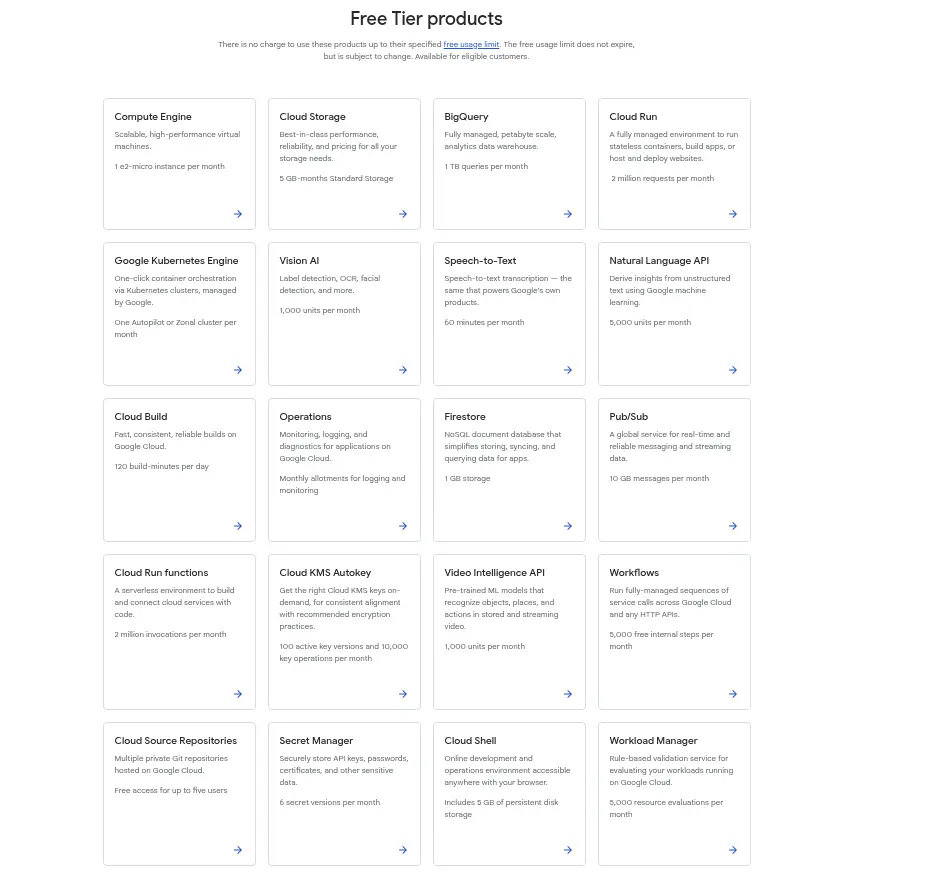
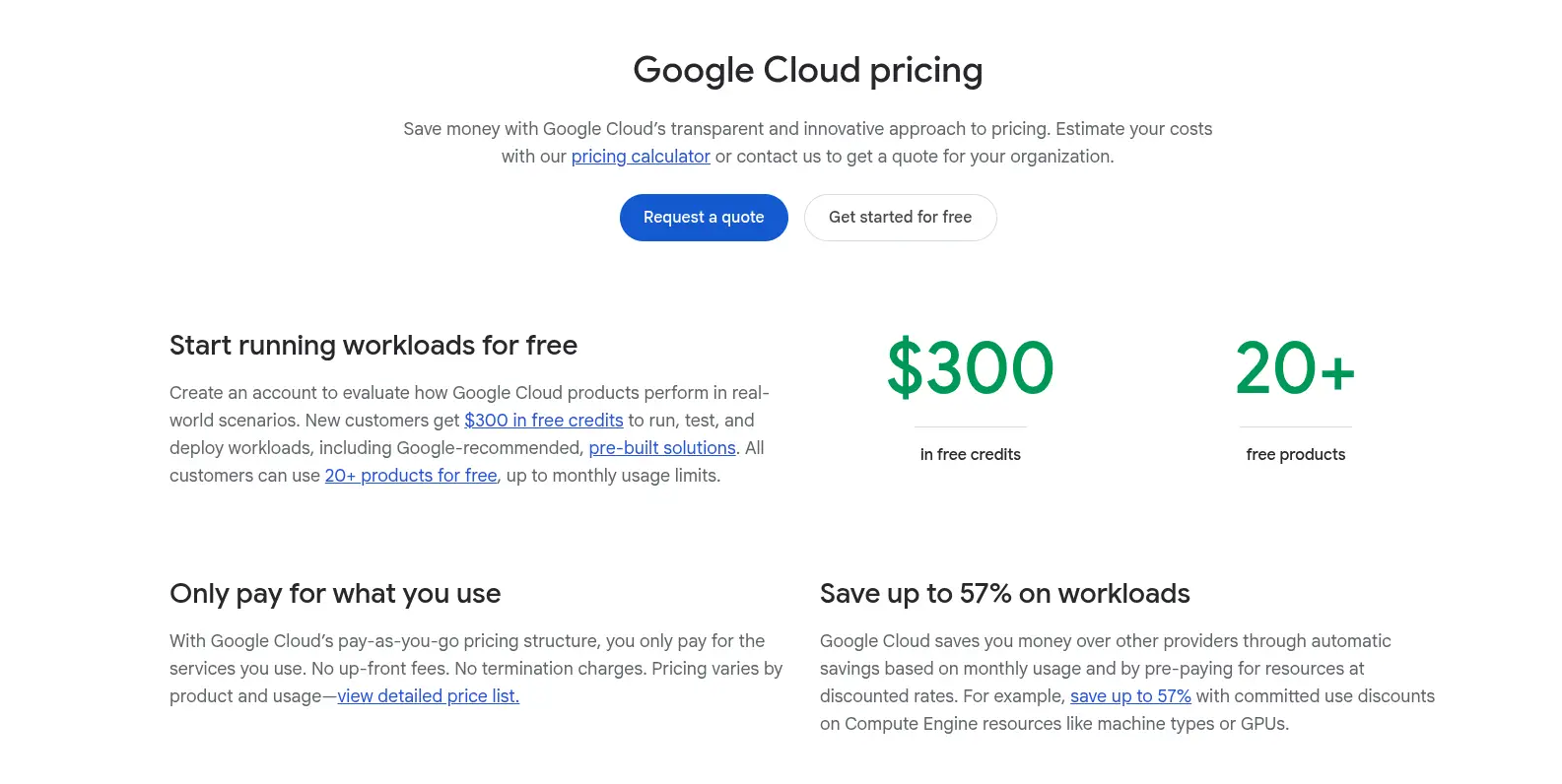
Now for some welcome news. Eligible new customers can receive $300 in free credits when they sign up for Google Cloud.
In addition, Google offers a selection of free-tier products that let you use certain services at no charge up to specific monthly limits.
Together, these can let you test your project, learn the platform and even run a small site for a while without spending money.
However, there are a few conditions to keep in mind.
Credits and free-tier benefits are subject to eligibility, and they come with usage limits and time limits.
Once the credits expire or the limits are passed, normal charges begin.
Therefore, treat the free credits as a generous trial period instead of a permanent hosting plan, and check Google’s current terms before you rely on them.
A quick note on prices: All prices in this article are shown in USD. Google Cloud charges can vary with usage, and applicable taxes may be added to your bill. For the most accurate projection, use the official Google Cloud Pricing Calculator with your own numbers.
Google Web Hosting Pricing vs Traditional Web Hosting
At this point, you might be wondering how all of this compares with ordinary web hosting.
This is a key comparison, because it shows why some website owners are happy on Google Cloud while others prefer something more straightforward.
In simple terms, Google Cloud offers configurable infrastructure with usage-based pricing.
You choose the building blocks, you decide how much of each to use and you pay according to consumption.
Traditional shared hosting works differently.
It usually gives you a hosting package with a published price and a set of predefined resources, so you know what you are buying before you pay.
The table below sets the two approaches side by side.
| Feature | Google Cloud hosting | Traditional shared hosting |
| Pricing | Usage and resource-based | Fixed package pricing |
| Setup | May require technical configuration | Usually ready-to-use |
| Server management | Depends on selected service | Provider manages the hosting server |
| Scaling | Flexible infrastructure options | Upgrade to a larger package |
| Control panel | Depends on setup | Often includes cPanel |
| Billing | Usage can vary | More predictable billing |
| Best suited for | Developers and custom applications | Blogs, business websites and smaller websites |
Looking at the table, a few differences stand out. First, pricing and billing are the biggest contrast.
With Google Cloud, your bill follows your usage, so a traffic spike can raise your costs.
With shared hosting, you pay a fixed amount for a package, so the number on your invoice is easy to predict.
Second, setup and server management differ a lot.
Some Google services ask you to configure things yourself, and others, such as Google Sites, are very simple.
Shared hosting, by contrast, usually arrives ready to use, and the provider looks after the server behind the scenes.
As a result, you can focus on building your site instead of maintaining the machine it sits on.
Third, scaling works in different ways.
Google Cloud offers flexible infrastructure that can grow with demand, which is a real advantage for large or fast-changing applications.
Shared hosting scales in steps, since you upgrade to a larger package when your site outgrows the current one.
For most blogs and business websites, that step-by-step approach is perfectly adequate.
It would be wrong to say that Google Cloud is automatically more expensive or automatically cheaper.
A lightly used site on a free tier can cost almost nothing, whereas a poorly planned setup can become costly very quickly.
Likewise, a shared hosting plan can look expensive at first glance, yet it may turn out cheaper once you add up the cloud services, storage and traffic a comparable project would need.
Ultimately, the cost depends on the configuration and on how the services are used.
So, who should choose what?
Google Cloud generally suits developers and teams building custom applications, since they gain the control and flexibility they need.
Traditional shared hosting generally suits blogs, business websites and smaller websites, since those projects benefit from simple setup and steady monthly costs.
A More Predictable Hosting Alternative
If your goal is simply to put a website online without configuring cloud infrastructure, there is a simpler path.
Truehost offers shared web hosting for people who want a ready-to-use account and a clear price. Instead of calculating CPU, memory and bandwidth, you pick a package and get started.
Truehost provides traditional cPanel hosting with predefined packages.
Because each plan has a published price and clear limits, it is easy to see what your hosting will cost before you buy.
That is a refreshing change if you have ever tried to estimate a cloud bill in advance.
Here are the three web hosting packages available, all shown on an annual billing cycle:
| Plan | Annual price | Storage | Websites |
| WebHosting Starter | R 400.00 | 30 GB SSD | 10 |
| WebHosting Pro | R 180.00” cycle=”annually” display=”per_year”] | 50 GB SSD | 30 |
| WebHosting Unlimited | R 600.00” cycle=”annually” display=”per_year”] | Unmetered SSD | Unlimited |
Each of these plans is built for ordinary website needs.
WebHosting Starter works well for individuals and small projects, since it offers 30 GB of SSD storage and room for 10 websites.
WebHosting Pro steps up to 50 GB of SSD storage and 30 websites, which suits people managing several sites for themselves or for clients.
WebHosting Unlimited removes the limits on websites and offers unmetered SSD storage, so it is a sensible pick for growing portfolios.
What does Truehost include? Here is a summary of the main features:
- A cPanel control panel for managing files, domains, email and databases from one familiar dashboard.
- SSD storage for fast loading times.
- One-click application installation, so you can set up popular tools without typing a single command.
- Free SSL, which keeps your visitors’ connection secure and helps your site look trustworthy.
- Free website migration, so moving an existing site over does not have to be a headache.
- Daily backups, which add a safety net if something goes wrong.
- Email hosting, so you can use professional addresses with your own domain.
- Support for WordPress and other supported applications.
To be clear, this is shared hosting, not Google Cloud infrastructure.
You will not be configuring your own virtual machines, choosing server specifications or piecing together cloud services.
Instead, you receive a predefined hosting package where the provider handles the server side.
For many website owners, that is exactly the point.
You get a working hosting account, a control panel you can learn quickly and a price that stays the same.
This also helps with budgeting.
A fixed annual price makes planning easy, since you know the cost for the year when you sign up.
With usage-based cloud billing, by contrast, you often have to wait for the invoice to see the final number.
If you prefer to avoid surprises, a published package price is a comfortable way to host.
Ready to choose? Compare Truehost web hosting plans and choose a package that fits your website.