Web Hosting
 Windows HostingBuilt for Windows apps and websites – stability, speed and flexibility
 Reseller HostingLaunch a hosting business without technical skills or expensive infrastructure
 Affiliate ProgramRefer customers and earn commissions from sales across our platform
 Domain SearchFind and secure a domain name in seconds with our quick lookup tool
 CO ZA Domains
 All DomainsExplore domain names from over 324 TLDs globally – all in one place
 Free Whois Lookup Tool South Africa
 VPS
VPS Website Builder
 Online ShopSet up a sleek eCommerce store with zero coding knowledge
 SSLs
SSLs SupportAccess help articles, how-tos, and everything about our services
 Blog
Blog Contact UsReach our team instantly via live chat or drop us an email
Free hosting and paid hosting are the two main ways to get a website online.
And the free hosting vs paid hosting decision is one nearly everyone building a website faces at some point.
Free hosting can be genuinely appealing when you’re just starting out, there’s no hosting bill to worry about.
But it often comes with real limitations that show up once your site starts to count for something.
Paid hosting costs money, but it generally provides more resources, more features, more control, better support, and considerably more room to grow.
It’s worth being clear upfront: free hosting isn’t automatically bad, and paid hosting isn’t automatically necessary for every single website.
The right choice depends entirely on what the website is actually being used for.
This comparison looks at the things that genuinely count when weighing free hosting vs paid hosting, so you can make that call with a clear picture rather than a guess.
Table of Contents
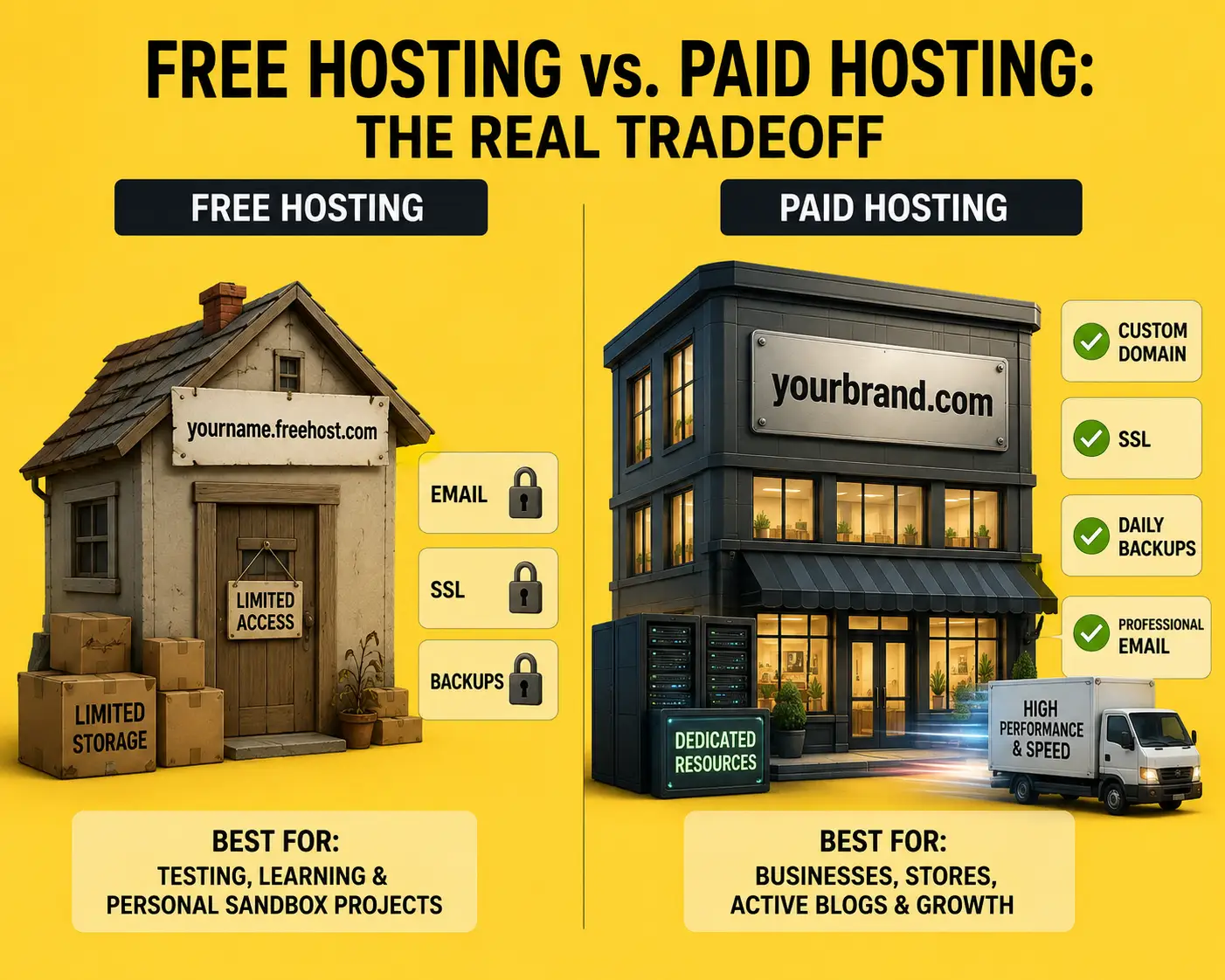
Free Hosting vs Paid Hosting at a Glance
| Feature | Free Hosting | Paid Hosting |
|---|---|---|
| Hosting cost | Free | Monthly/annual fee |
| Storage | Limited | More generous |
| Bandwidth | Usually limited | Higher limits |
| Websites | Often limited | More websites depending on plan |
| SSL | May be included | Usually included |
| Custom domain | May be restricted | Yes |
| Email hosting | Limited/unavailable | Usually available |
| Backups | May not be included | Often included |
| Customer support | Limited | Better support options |
| Control | Limited | Greater control |
| Performance | Basic | Generally better |
| Scalability | Limited | Easier to upgrade |
| Best for | Experiments and learning | Businesses, blogs, stores and growing websites |
1) Cost
This is the most obvious difference between the two, so it’s worth starting here.
Free hosting means no hosting subscription at all, which is genuinely useful for anyone with zero budget to spend on a website right now.
It’s a fine option for testing an idea before you’re ready to commit money.
That said, it’s worth being aware of the trade-offs hiding behind that free price.
Some free providers use their free plans specifically to encourage an eventual upgrade, restricting just enough that a growing site feels pressure to move to a paid tier anyway.
Paid hosting comes with a monthly or annual subscription, with different pricing tiers offering more features as you move up.
What you actually get for your money varies a lot between hosting providers, so it’s worth comparing tiers carefully rather than just picking the cheapest one.
It’s also worth checking renewal pricing against the introductory rate, since a low first-year price sometimes climbs considerably once that promotional period ends.
Here’s the point worth remembering: free hosting isn’t necessarily cheaper in the long run if its limitations eventually force you to move to a paid host anyway, or worse, force an urgent migration once your site has already grown and depends on being online.
2) Storage
Storage determines how much website content you can realistically keep on your account.
This covers overall storage capacity, whether the provider uses SSD or NVMe storage (both considerably faster than older spinning drives), file limits, database storage for dynamic sites, room for images, videos, and other media, and whether the plan supports more than one website.
A simple text-based website might need very little storage to run comfortably.
An image-heavy site, an active blog, or an online store can need considerably more, and this is exactly where free hosting’s limits tend to show up fastest.
Paid hosting generally offers a meaningfully larger storage allocation even at its entry tier, giving a growing site more room before storage becomes a problem.
3) Bandwidth and Traffic
Bandwidth determines how much traffic your hosting can actually handle.
This covers bandwidth limits, expected monthly traffic, how the plan handles visitor growth over time, fair-use policies, and broader resource restrictions tied to the account.
Here’s an important distinction worth being clear on: unlimited bandwidth doesn’t mean unlimited server resources.
Bandwidth is only one part of hosting capacity. CPU, RAM, storage, and other account-level limits can all still affect how much traffic a website can genuinely handle, regardless of how generous the bandwidth allowance looks on paper.
Free hosting plans typically cap bandwidth more tightly, and even where it’s advertised generously, shared free infrastructure tends to strain faster under real traffic.
Paid hosting generally offers higher bandwidth allowances alongside stronger underlying resources, which counts for more toward actual performance than the bandwidth number alone.
4) Website Performance
Performance depends on a combination of factors: server resources, storage technology, server hardware, network infrastructure, caching, how resources are allocated per account, and how congested the server is with other accounts competing for the same capacity.
Free hosting can genuinely struggle here, since free platforms often pack a large number of websites onto shared, limited resources, with everyone competing for the same slice of CPU and RAM.
Paid hosting generally provides access to better infrastructure and more predictable resource allocation, since you’re paying specifically for that capacity rather than sharing an oversubscribed free tier.
It’s worth being careful not to overstate this though.
Not all paid hosting is automatically fast.
A cheap paid plan can still come with real limitations, so price alone doesn’t guarantee performance, it just generally correlates with better resources than a free equivalent.
5) Number of Websites
Free hosting often restricts how many websites, domains, subdomains, and databases you can run on one account, sometimes limiting you to just a single site.
Paid hosting plans commonly allow multiple websites under one account, depending on the specific package chosen.
This is particularly useful for freelancers managing client projects, small businesses running more than one site, agencies juggling several client properties at once, people managing personal side projects alongside a main site, and anyone with a handful of small websites who’d rather not pay for a separate account for each one.
6) Custom Domains
This deserves its own section, since it’s one of the biggest practical differences between free and paid hosting in everyday use.
This covers whether you’re stuck using the provider’s own subdomain, whether you can connect your own domain, how domain management and DNS access work, and how all of this affects your site’s professional branding.
A domain like yourbusiness.com generally gives a website far more control and a considerably more professional identity than a provider-branded subdomain like yourbusiness.freehostprovider.com.
Paid hosting plans commonly make it much easier to connect and manage a custom domain, often including one for free in the first year.
While free hosting frequently restricts custom domain use entirely or makes it considerably more complicated to set up.
7) WordPress and Other Applications
This covers what you can actually install and run on your hosting account: WordPress installation itself, other content management systems, plugins and themes, databases, PHP version support, general application compatibility, and WooCommerce specifically for anyone planning an online store.
Free hosting can be genuinely fine for learning WordPress or experimenting with a CMS for the first time.
But limitations around resources, database allowances, outdated software versions, or restricted plugin support tend to become frustrating fast once you’re building something you actually intend to use seriously.
8) Email Hosting
This covers whether you can create professional email addresses tied to your own domain: custom domain email, the number of mailboxes allowed, mailbox storage, webmail access, spam protection, and sending limits.
An address like [email protected] looks considerably more credible to customers than a generic free email address, and this is one of the more concrete, everyday reasons businesses lean toward paid hosting specifically.
Free hosting often skips domain-based email entirely, or offers it in a very limited form, while paid hosting usually includes it as standard.
9) SSL and Website Security
This covers whether free SSL certificates are included, whether renewal happens automatically, security monitoring, malware protection, general account security, and backup-related protection.
It’s worth being clear about one thing: having SSL doesn’t mean a website is completely secure.
SSL primarily protects the data exchanged between a visitor and your website during transit, it doesn’t protect against every other kind of security risk, like malware, weak passwords, or outdated software.
Both free and paid hosting can include SSL these days, but paid hosting tends to bundle in broader security monitoring and protection alongside it.
10) Backups
This covers whether backups are included at all, how often they run, how long they’re retained, whether restoration is actually included or sold separately, whether manual backups are possible, and ultimately who’s responsible for keeping copies of your site safe.
This is a genuinely important difference.
Losing a website’s files or database becomes a much bigger problem once that site contains valuable content, customer data, or represents real business activity.
Free hosting frequently skips backups entirely, leaving that responsibility entirely on you.
Paid hosting more commonly includes regular, automated backups as a standard feature.
11) Control and Customization
Free hosting commonly restricts file access, database access, what software you can install, server configuration options, DNS control, plugin availability, and general application flexibility.
Paid hosting generally provides considerably more control and management tools, with the exact level depending on the specific type of hosting purchased, shared, VPS, or dedicated.
12) Customer Support
This covers support availability, ticket support, live chat, knowledge base quality, general technical assistance, and response times where that information is actually published.
Support becomes considerably more important once a website is used for business purposes or generates real revenue, since downtime or a technical problem left unresolved can have direct financial consequences.
It’s worth being cautious about unsupported claims regarding response times from any provider, free or paid, and instead checking recent user reviews for a realistic picture.
Generally speaking though, paid hosting tends to offer more support channels and more consistent availability than free hosting, which often relies purely on community forums or limited ticket systems.
13) Scalability
This covers what happens once a website genuinely outgrows its current hosting setup.
Free hosting tends to make scaling difficult, since strict resource and feature limits leave little room to grow without hitting a wall quickly.
Paid hosting typically offers a clearer upgrade path, moving from shared hosting to VPS, and eventually to dedicated or cloud hosting as needs increase further.
Not every website needs to make that full jump, plenty stay comfortably on shared hosting indefinitely, but paid hosting generally gives you considerably more options as your needs change over time.
When Should You Move From Free to Paid Hosting?
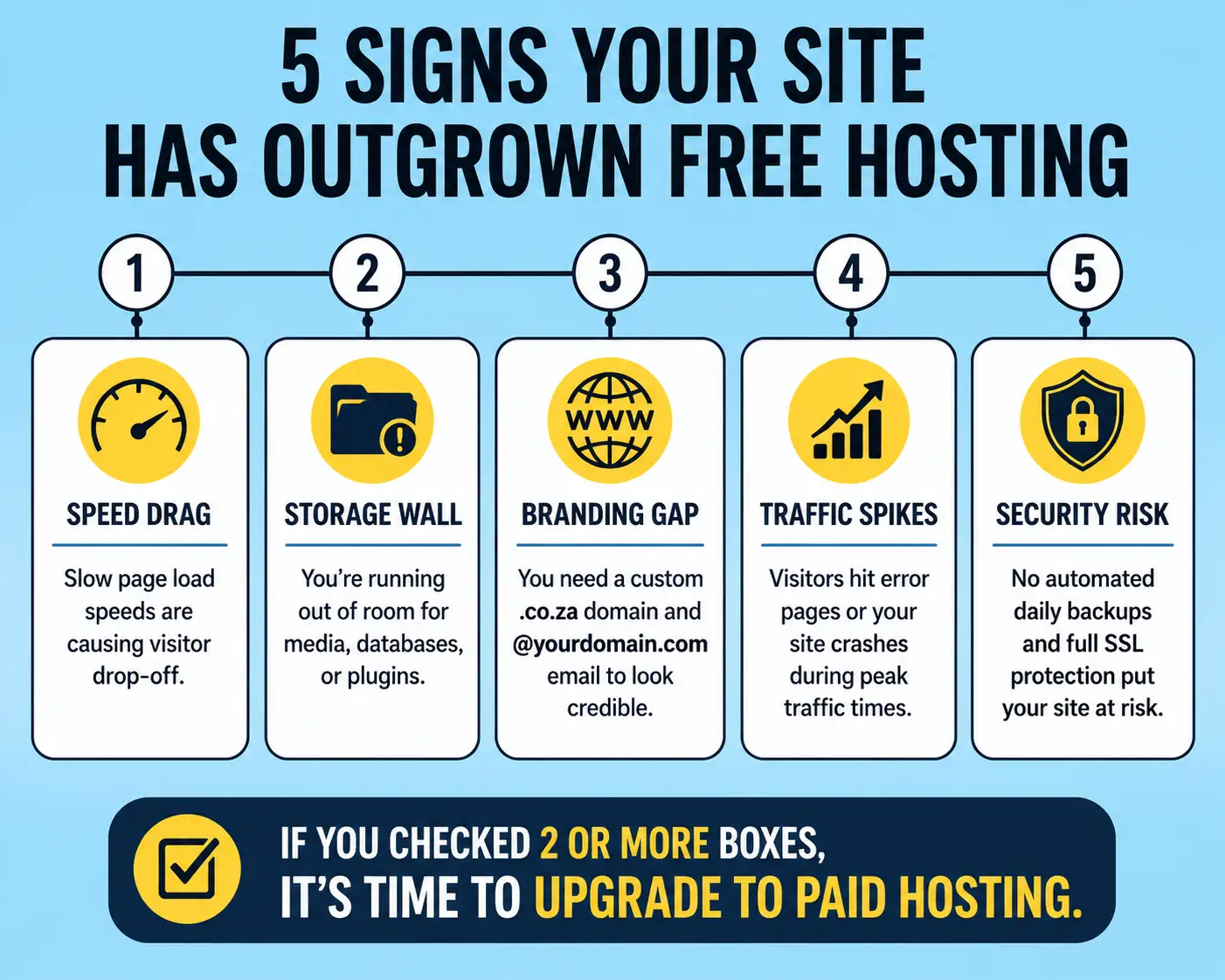
A few warning signs tend to signal it’s time to make the switch.
- Your website is becoming noticeably slower.
- You’re consistently hitting storage limits.
- Traffic is increasing steadily.
- You need a custom domain for branding.
- You need professional email tied to your own domain.
- You need better, more responsive support.
- You need stronger security or reliable backups.
- You want to install applications or plugins your current free host doesn’t support.
Or your website has simply become genuinely important to your business, at which point the limitations of free hosting start costing more than a paid plan would.
Which Hosting Option Is Right for You?
Free hosting makes sense if you’re learning, experimenting with a new platform, testing a project idea, or running something genuinely temporary that doesn’t need to be reliable long-term.
Paid hosting makes more sense if you’re building something serious, running an actual business, expecting real traffic, need professional email tied to your domain, or want meaningfully more control and room to grow as your site develops.
Ultimately, the free hosting vs paid hosting decision comes down to what your website actually needs right now, and where it’s headed next.
If you’ve decided that paid hosting is the better fit for where your website is going, Truehost South Africa’s hosting plans are worth exploring, with options built around the storage, support, and room to grow that a serious website eventually needs.
Choose a plan based on what your website actually needs today, and where you expect it to be in a year.