Web Hosting
 Windows HostingBuilt for Windows apps and websites – stability, speed and flexibility
 Reseller HostingLaunch a hosting business without technical skills or expensive infrastructure
 Affiliate ProgramRefer customers and earn commissions from sales across our platform
 Domain SearchFind and secure a domain name in seconds with our quick lookup tool
 CO ZA Domains
 All DomainsExplore domain names from over 324 TLDs globally – all in one place
 Free Whois Lookup Tool South Africa
 VPS
VPS Website Builder
 Online ShopSet up a sleek eCommerce store with zero coding knowledge
 SSLs
SSLs SupportAccess help articles, how-tos, and everything about our services
 Blog
Blog Contact UsReach our team instantly via live chat or drop us an email
Registering a domain name means claiming your address on the internet, the place where customers, clients, and partners will find your business. It’s your online identity and one of the first things people associate with your brand.
It’s a good thing registering one is quick, affordable, and effortless. In fact, it usually takes just a few minutes and often costs less than a lunch out.
Even so, many South African businesses either delay registering their domain or choose one without much planning.
So, why do you need to register domain name in South Africa?
Well, registering your own domain gives your business a strong foundation online. It helps you:
- Build trust and present a more professional image.
- Improve your visibility in local search results, especially with a .co.za domain.
- Protect your business or brand name before someone else registers it.
- Create a professional website, business email addresses, and room to grow your online presence.
For the quickest path to getting online, register your domain together with web hosting. That way, you’ll have everything you need to launch your website and start building your presence from day one.
Now, let me walk you through the entire process.
Table of Contents
Steps to Register a Domain Name in SA
Step 1: Choose the Perfect Domain Name
Before you open a search tool, spend five minutes on the name itself. This part is worth doing properly, because a clumsy domain name is hard to walk back once you’ve built a business around it.
1. Keep it short and easy to spell. If you have to repeat it twice over the phone, it’s too complicated.
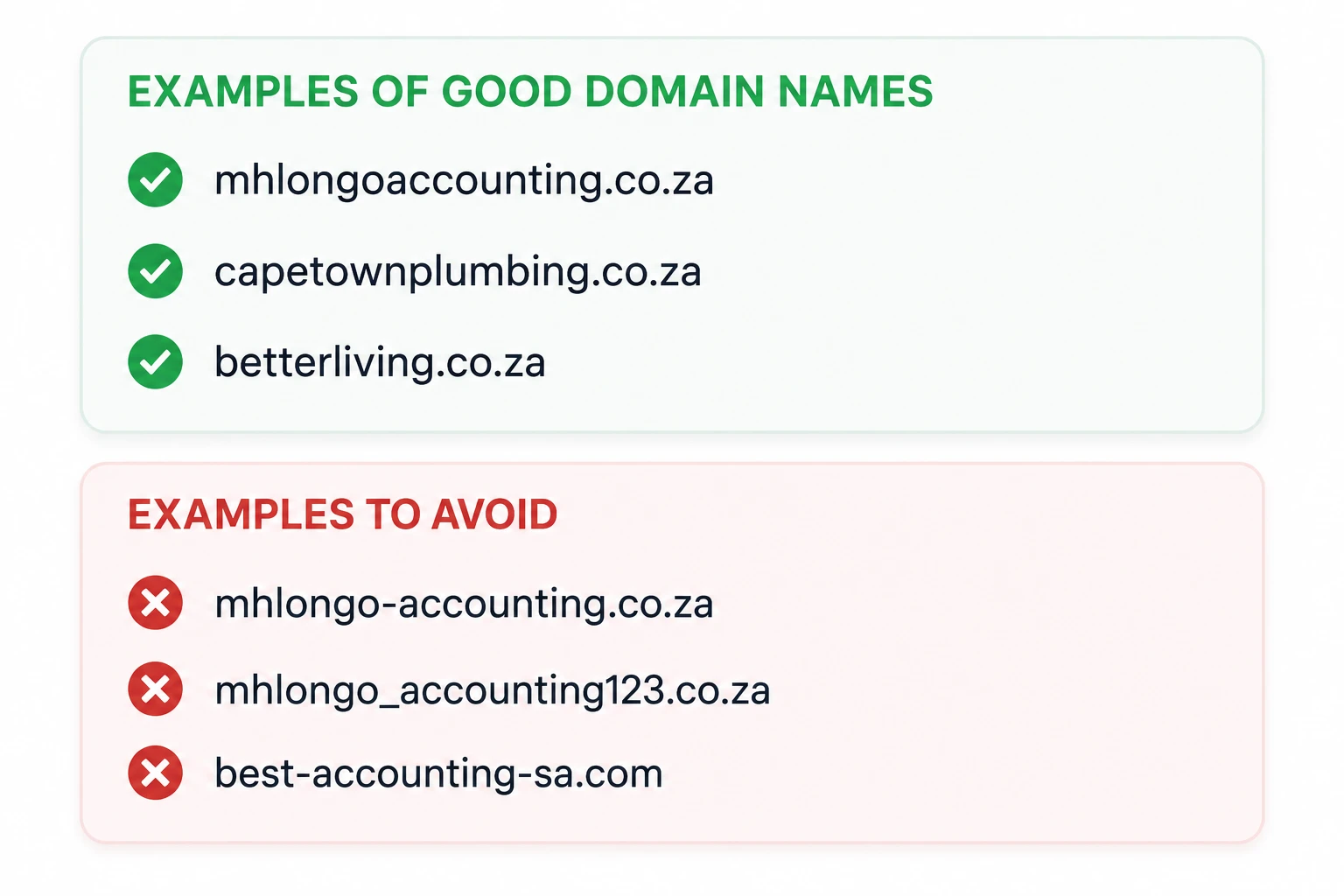
2. Make it match your brand or business name as closely as possible. This is not the place to get creative with abbreviations. If your business is Mhlongo Accounting, your domain should be mhlongoaccounting.co.za, not a shortened, misspelled version of it.
3. Avoid hyphens and numbers wherever you can. They clutter the name in print, get lost when spoken aloud, and give the impression of a second-choice domain.
4. Check that your preferred name isn’t already trademarked. A quick search on the CIPC database or a plain Google check will tell you what you need to know.
5. And once you find a name you like, move on it. Good names go quickly, and there’s no way to reserve one without registering it.
If you’re stuck, use the AI Suggest tool on our domain search page. Describe your business and your audience, and it will hand you available options you probably wouldn’t have landed on yourself.
Which Domain Extension (TLD) Should You Choose?
| Extension | Best for |
|---|---|
| .co.za | SA businesses and individuals — most trusted locally |
| .com | Global reach, universally recognised |
| .africa | Pan-African brands or a continental audience |
| .org.za / .org | Non-profits, community organisations |
| .net.za, .web.za | Tech-oriented or supplementary use |
| .shop, .store, .site | eCommerce-first branding |
If you’re operating in South Africa, .co.za is usually the right call. It signals a local presence, and it tends to rank better for searches made from within the country. At Truehost, .co.za registration starts at R45, with renewal at R85.
Step 2: Select a Reliable Registrar
Once you’ve chosen your domain name, the next step is selecting a registrar. A registrar is the company that registers your domain and manages it on your behalf.
While every accredited registrar can register a domain, the experience you get after registration can be very different. That’s why it’s worth comparing more than just the headline price.
Pay close attention to:
- The quality of customer support when you need assistance.
- The registration price.
- The renewal price, as this is often higher than the first-year cost.
- Included features such as free DNS management and hosting options.
| Registrar | .co.za Registration | .co.za Renewal | Free DNS | Hosting Bundle |
|---|---|---|---|---|
| Truehost | R45 | R85 | Yes | Yes |
| HOSTAFRICA | R49 | R109 | Yes | Yes |
| xneelo | R105 | R105 | Yes | Yes |
| Namhost | R150 | R150 | Yes | Yes |
| Afrihost | R197 | R99 | Yes | Yes |
Truehost combines affordable pricing with features that make domain management simple.
You get free DNS management, free ID protection, reliable local support, flexible hosting bundles, and domain activation that’s typically completed within 24 to 48 hours – often much sooner.
Step 3: Search for Domain Availability
Now it’s time to see if your preferred domain name is available.
Visit the Truehost domain search page and enter the name you’d like to register, along with your preferred extension, such as “mybusiness.co.za”.
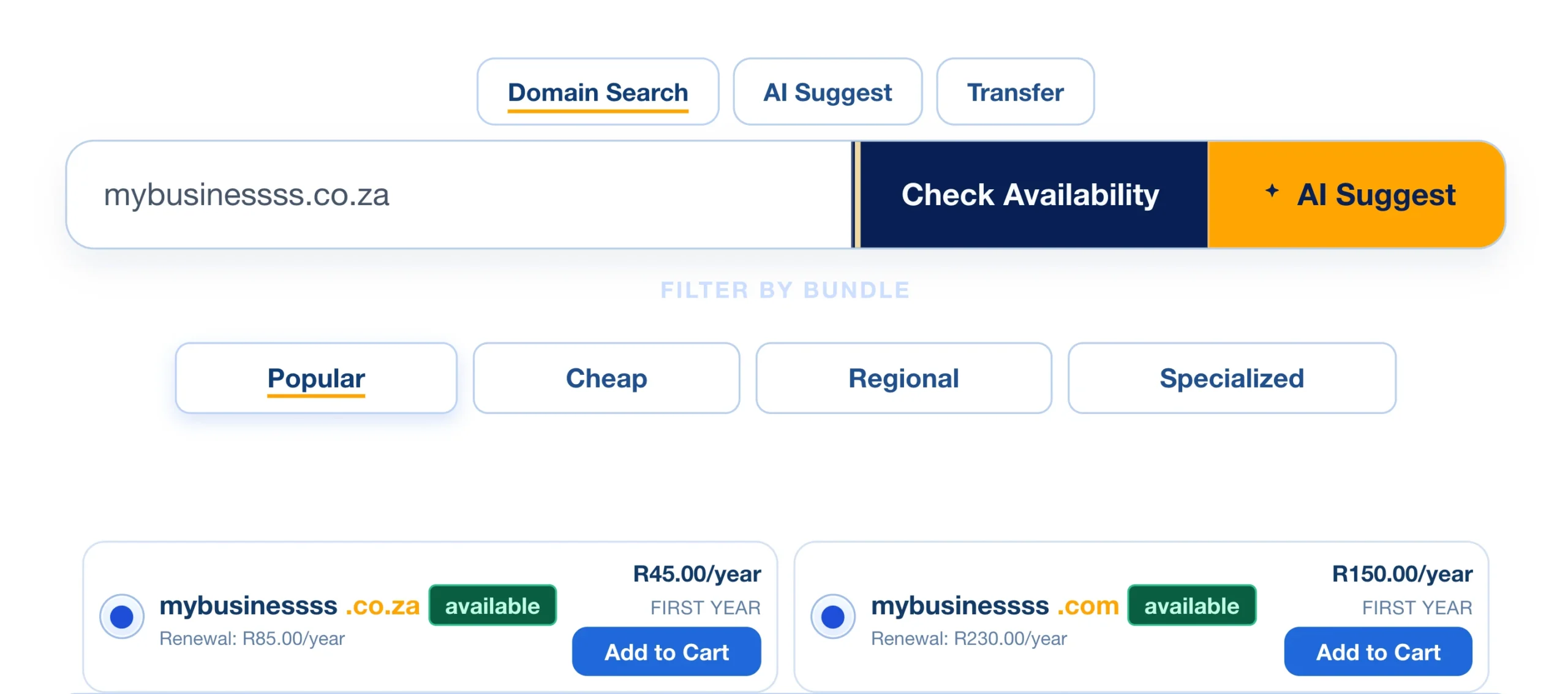
Within seconds, you’ll see whether it’s available, along with other extensions you can register for the same name.
If your first choice has already been taken, don’t worry. Use the AI Domain Name Suggestion tool on the same page. Enter a short description of your business and your target audience, and it will recommend available domain names you can register immediately.
Once you’ve found the right domain, click “Add to Cart”. A summary of your order will appear. Review the price, then click “Proceed to Checkout” to continue to the domain configuration page.
Step 4: Domain Configuration
There are two important settings to review before moving on.
The first is ID Protection. Simply tick the checkbox to keep your personal information, including your name, address, phone number, and email address, private instead of displaying it in the public WHOIS database.
Truehost includes ID Protection at no extra cost, so it’s worth enabling it.
Next, review the Nameservers. If you’re using custom nameservers from another hosting provider, you can enter them here. Otherwise, leave the default nameservers in place. They’re suitable for most websites and can always be updated later if needed.
When you’re happy with the settings, click “Continue.”
Step 5: Review & Checkout
This page is your last check before payment.
Confirm that you’ve selected the correct domain name, check any add-ons you’ve included, such as ID Protection, and verify the total amount you’ll be paying.
If you have a promo code, apply it before proceeding.
Next, complete the billing section by entering your contact information, billing address, and a password for your Truehost account. If you’re registering the domain for a client, employer, or another organisation, you can also provide the registrant’s details during this step.
Finally, choose your preferred payment method: Stripe using Mastercard, Visa, debit or credit card, or ATM-supported cards, or PayPal.
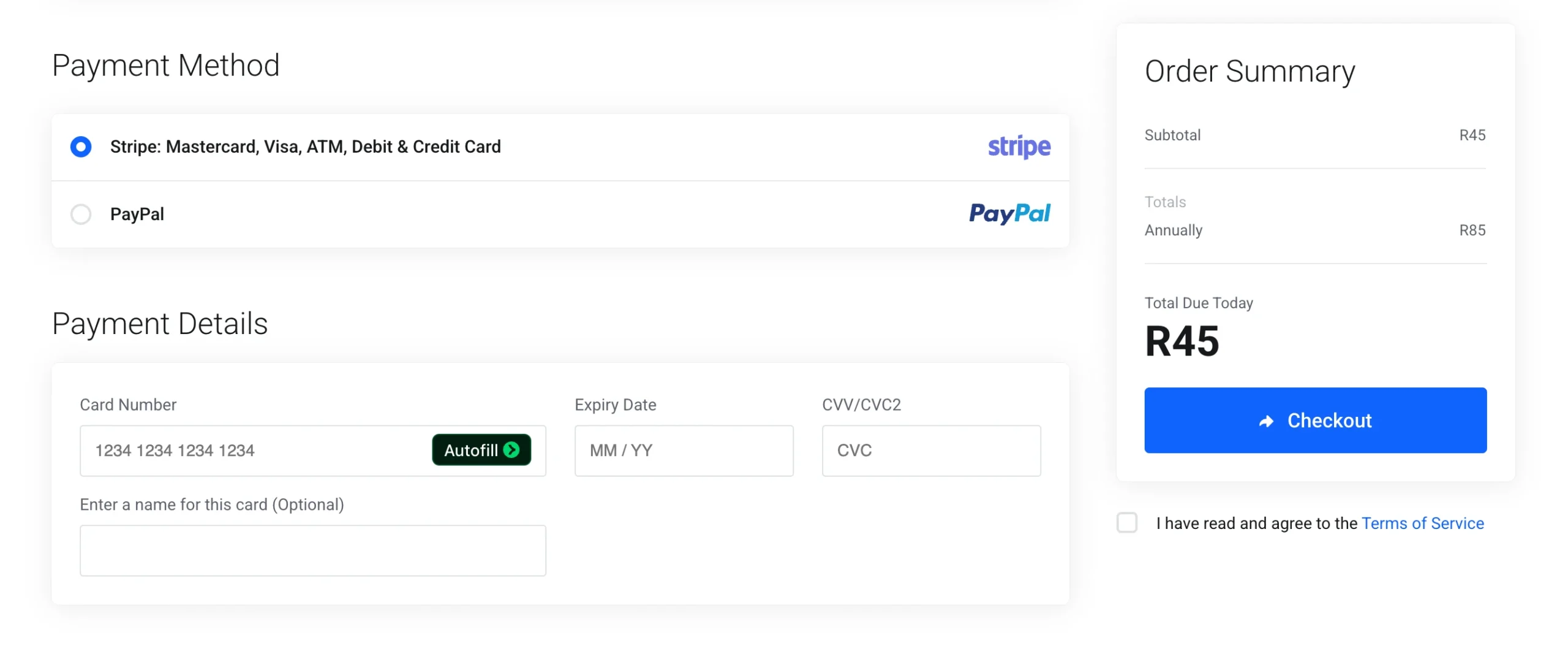
After entering your payment details, read the Terms of Service, accept the agreement, and click “Checkout” to complete your order.
Step 6: Payments
Complete your payment using the method you’ve selected. As soon as the transaction is successful, you’ll receive a confirmation that your domain has been registered.
Truehost will automatically configure your domain’s DNS at no additional cost, so there’s nothing extra you need to set up.
You can then sign in to your Truehost client area using the password you created during checkout to manage your domain, update its settings, and add services whenever you’re ready.
After Registration: Next Steps
Once your registration is complete, your domain will usually become active within 24 to 48 hours as it propagates across the internet.
After that, you can log in to your registrar’s control panel to connect your domain to web hosting, create professional email addresses, or manage your DNS settings.
If you’re planning to build a website, adding hosting at this stage is the quickest way to get everything online.
From the same client area, you’ll also be able to renew your domain, update contact information, and manage your services whenever you need to.
Common Mistakes to Avoid + Pro Tips
A few simple mistakes can cause unnecessary headaches later. Here are the most common ones:
- Registering a domain with spelling mistakes or typing errors.
- Waiting too long to register a great domain name, only to find someone else has taken it.
- Leaving personal contact information visible by skipping ID protection.
- Missing renewal reminders and allowing the domain to expire.
A few smart habits can save you time and protect your brand in the long run.
If your budget allows, register a few close variations of your domain name, such as common misspellings or alternative extensions. This helps prevent competitors or opportunists from registering similar names.
It’s also worth registering your domain and hosting together. Besides simplifying setup, bundled services often provide better value than purchasing each one separately.
Register a Domain Name FAQs
How much does it cost to register a domain?
The price depends on the extension you choose. At Truehost, .co.za domains start from R45 for the first year, with renewals from R85.
Do I need special documents?
No. Most .co.za and .com domain registrations only require the personal or business details you provide during checkout. Some specialized domain extensions have additional eligibility requirements, so it’s always worth checking the registration rules for those TLDs.
How long does it take for a domain to become active?
Most domains are active within 24 to 48 hours. During that time, the domain propagates across the internet, so some people may be able to access it before others.
Can I buy hosting together with my domain?
Yes. Truehost allows you to add web hosting during checkout, making it easy to launch your website as soon as your domain becomes active.
Ready to Register?
Registering a domain takes less than ten minutes from start to finish.
Search for your preferred domain name, follow the steps in this guide, and complete your registration. If you’d like to compare extensions or check current pricing, you can also browse our full list of available TLDs before placing your order.
The best domain names don’t stay available forever. If you’ve found one that’s right for your business, register it today before someone else does.