Web Hosting
 Windows HostingBuilt for Windows apps and websites – stability, speed and flexibility
 Reseller HostingLaunch a hosting business without technical skills or expensive infrastructure
 Affiliate ProgramRefer customers and earn commissions from sales across our platform
 Domain SearchFind and secure a domain name in seconds with our quick lookup tool
 CO ZA Domains
 All DomainsExplore domain names from over 324 TLDs globally – all in one place
 Free Whois Lookup Tool South Africa
 VPS
VPS Website Builder
 Online ShopSet up a sleek eCommerce store with zero coding knowledge
 SSLs
SSLs SupportAccess help articles, how-tos, and everything about our services
 Blog
Blog Contact UsReach our team instantly via live chat or drop us an email
Your website used to load fast. Now it stutters during checkout, drops during a marketing push, and locks up when traffic spikes.
Shared hosting and VPS plans can only stretch so far before they buckle under real demand. That strain costs sales, and it costs trust. A dedicated server fixes this, but only if you choose the right one.
Pick blindly, and you either overpay for power you never use or underbuy and end up back in the same bottleneck within a year.
This guide walks through exactly what to check before you sign, built around the South African hosting market and its pricing, providers, and rules.
Table of Contents
Step 1: Start With Your Workload, Not the Spec Sheet
Most buyers open a pricing page and compare CPU cores, RAM, and storage side by side. That approach skips the one question that actually decides which server fits: what does your application do all day?
- Four workload dimensions drive the right choice: CPU intensity, memory depth, storage I/O speed, and monthly bandwidth.
- An ecommerce database needs fast storage I/O and steady bandwidth to handle checkout traffic without lag.
- A SaaS platform typically relies on memory depth to store active user sessions and cached data.
- High-traffic WordPress sites need a mix of CPU headroom and bandwidth for media-heavy pages.
- Dev and staging environments rarely need top-tier specs since they run lighter, less frequent loads.
Before you shop, pull your current CPU and RAM usage from your hosting dashboard.
Compare that against where your traffic sits now versus where it will likely sit in twelve months.
Add headroom for growth, but skip paying for capacity you won’t touch for years. A server sized for your actual workload beats one sized for a spec sheet every time.
Step 2: Compare Managed vs Unmanaged Dedicated Hosting

This decision shapes your monthly bill and your daily workload just as much as the hardware does.
- Managed hosting covers OS patching, security updates, server monitoring, backups, and direct support from the provider’s team.
- Unmanaged hosting hands you full root access, but also hands you full responsibility for every patch and fix
- The cost gap between managed and unmanaged tiers in South Africa often runs a few hundred rand a month.
- Managed plans suit small teams without an in-house sysadmin who can’t afford server downtime while learning on the job.
- Unmanaged plans suit teams with existing Linux or Windows Server admin experience who want full control over configuration
If your business doesn’t have someone dedicated to server maintenance, managed hosting removes a risk you can’t easily see coming. A misconfigured firewall or a missed patch can take your site down for hours. That cost usually outweighs the monthly savings of going unmanaged.
Step 3: Decide on True Dedicated vs vCPU
Some South African providers now sell entry-level “dedicated” plans running on virtual CPUs instead of physical cores. That shift matters for anyone comparing listings by price alone.
- A true dedicated server gives your application exclusive access to physical CPU cores with no other tenant sharing them.
- A vCPU allocation splits physical hardware across multiple customers, even on a listing labeled “dedicated“
- Ask the provider directly whether the plan uses a hypervisor and how many physical cores back the listed vCPU count.
- Ask whether other customers share the same physical chassis, since that raises the risk of noisy-neighbor slowdowns.
- This distinction matters most for database-heavy or performance-sensitive workloads that need consistent, predictable CPU access.
Two listings can carry the same “dedicated server” label and deliver very different real-world performance.
A five-minute question to the provider’s sales team before you sign saves you from a mismatch later.
Step 5: Come up with a Budget for Dedicated Server Pricing in South Africa
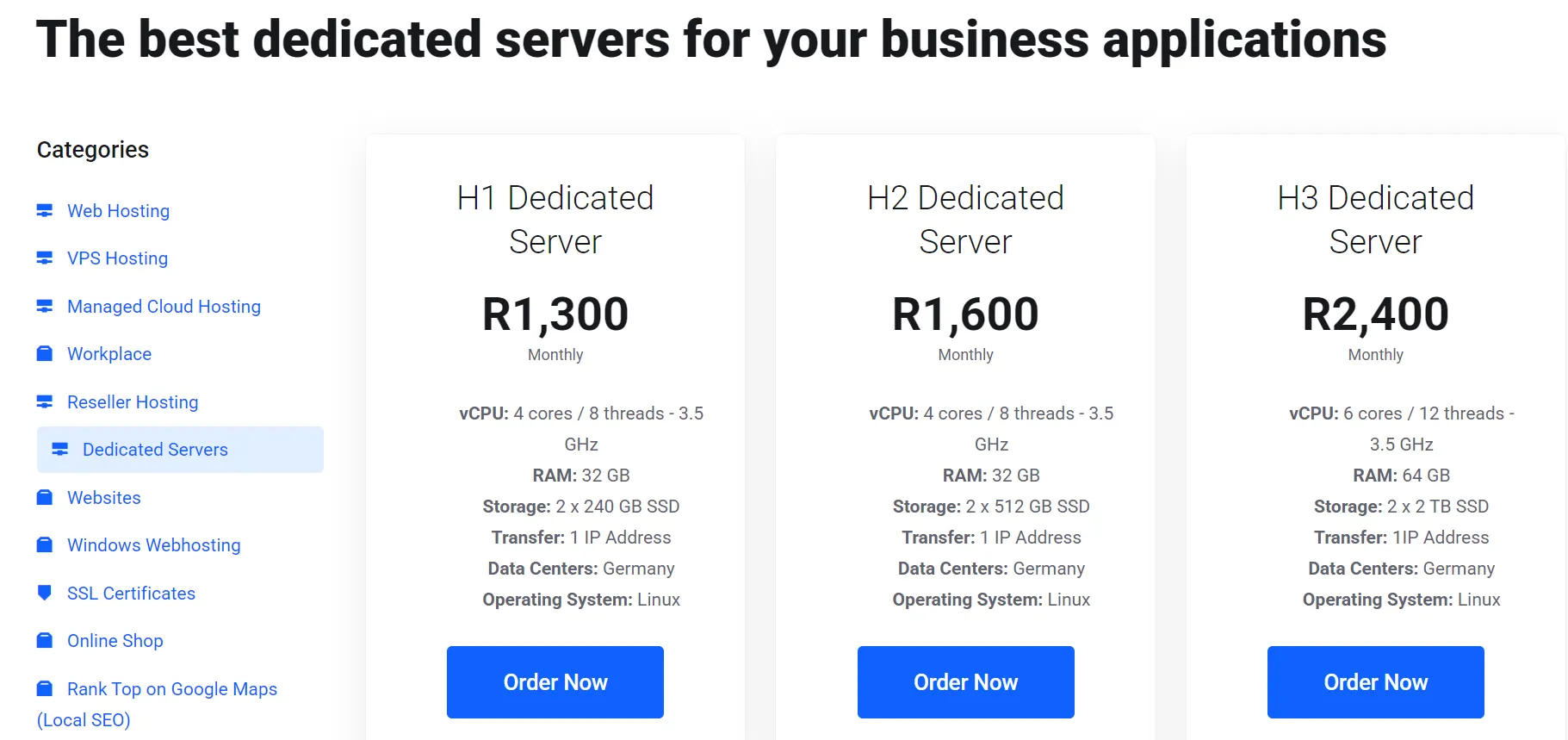
South African pricing varies more than the marketing pages suggest, and the gaps often come down to what’s left off the listing.
- Entry-level managed dedicated servers in South Africa typically start somewhere between R1,500 and R2,500 a month.
- Watch for once-off setup fees, which can add several hundred rand to your real first-month cost.
- Compare providers on spec per rand rather than the headline monthly price alone, since specs vary widely at similar prices.
- Support quality and uptime commitments carry real cost, even when they don’t show up on the price list.
- The cheapest listed plan isn’t always the best choice once downtime, support delays, and hidden fees come into play.
Pull three or four quotes side by side before deciding. Line up CPU cores, RAM, storage type, bandwidth cap, and setup fees in one table. That single step exposes which plan actually gives you the best value.
Step 6: Evaluate Server Location and POPIA
Where your server physically sits affects both your site speed and your legal exposure.
- A server hosted in Cape Town or Johannesburg significantly reduces latency for South African visitors compared to overseas hosting.
- POPIA sets rules around how South African businesses store and process customer personal data
- Hosting locally simplifies POPIA compliance for businesses that collect and store data from South African customers.
- International hosting can still make sense if your audience sits mostly outside South Africa or spans multiple continents.
- Ask providers about their data center tier rating and whether they run redundant upstream connectivity.
If most of your customers browse from South Africa, a local data center gives them a faster, smoother experience. It also keeps your data closer to home, which simplifies your compliance conversations.
Step 7: Security, Redundancy, and Uptime Guarantees to Verify Before You Sign
A dedicated server gives you full control, but that control only pays off if the underlying infrastructure holds up under pressure.
- RAID configurations protect your data if a single drive fails, so ask which RAID level the provider uses by default
- Redundant power supplies, backup cooling, and DDoS mitigation should come standard, not as a paid add-on
- IPMI or KVM remote access lets you manage the server at the hardware level, even if the OS won’t boot
- Look for an uptime SLA of 99.9% or higher, and read what the provider actually credits you if they miss it.
- Confirm whether backups run automatically and how far back you can restore if something goes wrong.
Ask each provider these questions directly before you compare prices. A cheaper plan that skips redundant power or automated backups can cost you far more the day something fails.
Step 8: Scalability: Planning for Growth Without Overpaying Today
Your traffic and storage needs today won’t match where your business sits in two years, so plan for that shift now.
- Look for upgrade paths that let you add RAM, storage, or CPU without a full server migration.
- Check contract lock-in periods, since many South African providers require a minimum term before you can upgrade or cancel
- Ask about hybrid setups that pair a dedicated server with VPS burst capacity for unpredictable traffic spikes.
- A provider with a clear upgrade path saves you the cost and downtime of switching hosts later.
Buying for today’s traffic while confirming an easy upgrade path gives you room to grow without a second migration.
FAQs
What is a dedicated server used for?
A dedicated server runs a single business’s applications, website, or workload on hardware that no other customer shares. Businesses use it for ecommerce platforms, SaaS applications, high-traffic websites, and workloads that need consistent, predictable performance.
What’s the difference between a dedicated server and a VPS?
A VPS splits one physical server across multiple customers using virtualization, so you share hardware resources with others. A dedicated server gives you the entire physical machine, with no other tenant competing for CPU, RAM, or storage.
Is a dedicated server better than cloud hosting for a South African business?
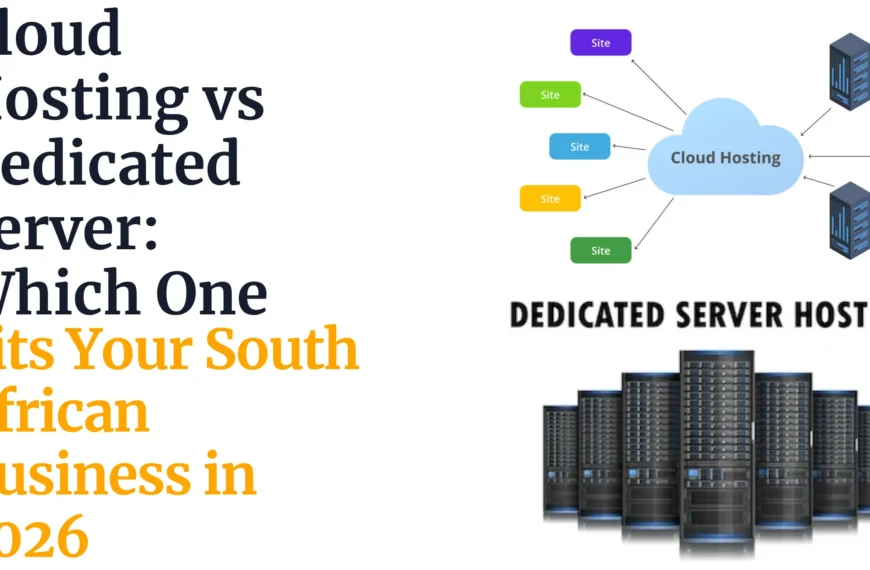
It depends on your workload and traffic pattern. Cloud hosting flexes up and down with demand and suits unpredictable traffic. A dedicated server suits businesses with steady, high, or performance-sensitive workloads that need consistent hardware access.
Do I actually need a dedicated server for my website?
If your site handles heavy traffic, runs a resource-intensive database, or has outgrown shared hosting or VPS limits, a dedicated server is likely a good fit. Smaller sites with light, steady traffic often do fine on cheaper hosting tiers.
How do I migrate my site to a dedicated server without downtime?
Set up and fully test the new server before pointing your domain to it. Migrate your database and files first, verify everything works on the new server, then switch your DNS during low-traffic hours.
Choosing With Confidence
Run through this checklist before you commit to any provider or plan. Confirm your workload fits the CPU, RAM, storage, and bandwidth on offer.
Decide whether managed or unmanaged fits your team’s skills and time. Verify the plan runs on real physical cores, not shared vCPUs. Check the full cost, including setup fees, against what similar providers charge.
Confirm the data center location and how it supports compliance with POPIA. Ask about redundancy, backups, and the uptime SLA in writing. Check the upgrade path before you sign a longer contract.
Run your own workload against this checklist, then compare it side by side with Truehost’s South African dedicated server plans.
A quick chat with the Truehost South Africa team can help you match a plan to your exact numbers before you commit to anything.