 Web Hosting
 Windows HostingBuilt for Windows apps and websites – stability, speed and flexibility
 Reseller HostingLaunch a hosting business without technical skills or expensive infrastructure
 Affiliate ProgramRefer customers and earn commissions from sales across our platform
 Domain SearchFind and secure a domain name in seconds with our quick lookup tool
 CO ZA Domains
 All DomainsExplore domain names from over 324 TLDs globally – all in one place
 Free Whois Lookup Tool South Africa
 VPS
 Website Builder
 Online ShopSet up a sleek eCommerce store with zero coding knowledge
 SSLs
 SupportAccess help articles, how-tos, and everything about our services
 Blog
 Contact UsReach our team instantly via live chat or drop us an email

KVM is a feature built into the Linux kernel. It turns one physical server into a host for many virtual machines. Each virtual machine runs its own operating system with its own dedicated resources.
KVM stands for Kernel-based Virtual Machine. It is a module in the Linux kernel, so that any modern Linux server can use it. Developers announced KVM in 2006, and it was added to the mainline kernel soon after.
A hypervisor is software that creates and runs virtual machines. It divides the server’s CPU, memory, and storage into separate slices. As a result, one physical machine can behave like many.
KVM is open source, so that anyone can inspect and change its code. It runs Windows, Linux, and BSD guests. The host, however, must run Linux.
This article shows how the pieces fit together, where people use KVM, and where it falls short. By the end, you will know exactly what a KVM server gives you.
Table of Contents
Is KVM a Type 1 or Type 2 Hypervisor?
The short answer is Type 1. KVM acts as a bare-metal hypervisor because it runs in the kernel and communicates directly with the hardware. Red Hat and AWS both describe it this way.
Some sources call KVM a type 2 hypervisor, which is confusing. The reasoning sounds fair at first. KVM lives inside a general-purpose operating system, and type 2 hypervisors run on top of one.
That comparison misses a key detail. Once the module loads, the Linux kernel itself becomes the hypervisor. Guest code then runs directly on the CPU. No extra software layer sits between the guest and the hardware.
| Feature | Type 1 (bare metal) | Type 2 (hosted) |
|---|---|---|
| Runs on | The hardware directly | A host operating system |
| Examples | VMware ESXi, KVM | VirtualBox, VMware Workstation |
| Typical use | Servers and data centers | Desktops and testing |
Many engineers call KVM a hybrid. That description is fair. The tooling feels like type 2, but the execution path behaves like type 1.
How Does KVM Work?
Hardware Virtualization Extensions
KVM relies on the CPU’s help. Intel calls its version VT-x, and AMD calls its version AMD-V. These extensions give the processor two modes, one for the host and one for the guest. As a result, guest code runs at near-native speed instead of being translated line by line.
Linux reports these features as vmx on Intel and svm on AMD. Both must be present and switched on in the BIOS. If they are missing, KVM cannot start.
Memory gets similar hardware help. Intel’s EPT and AMD’s NPT translate guest memory addresses in hardware. This step removes a large source of overhead from older virtualization methods.
The KVM Kernel Modules
KVM ships as loadable modules. The main module is kvm.ko, which contains the shared virtualization logic. A second module handles the processor itself. That is kvm-intel.ko on Intel or kvm-amd.ko on AMD.
Together, the modules expose a device file called /dev/kvm. Programs in user space open that file to create and control virtual machines. The kernel then schedules each virtual CPU as an ordinary thread. For that reason, admins can watch guests with familiar Linux tools.
What Happens When a KVM Virtual Machine Starts
The full sequence has five steps:
- Launch. A management tool starts QEMU. QEMU opens /dev/kvm and asks the kernel to create a new virtual machine.
- Allocate memory. QEMU reserves a block of host memory and maps it as the guest’s RAM.
- Enter guest mode. KVM tells the CPU to run guest code. The guest operating system boots as if it owned the whole machine.
- Handle exits. Sometimes the guest needs something it cannot do on its own, such as disk or network access. The CPU pauses the guest at that moment, and this pause is called a VM exit. KVM handles simple cases itself. Otherwise, it passes the request to QEMU.
- Return to the guest. Once the request is done, the CPU resumes the guest. This loop repeats thousands of times per second.
KVM Components: QEMU, libvirt, and VirtIO
KVM vs QEMU: What Is the Difference?
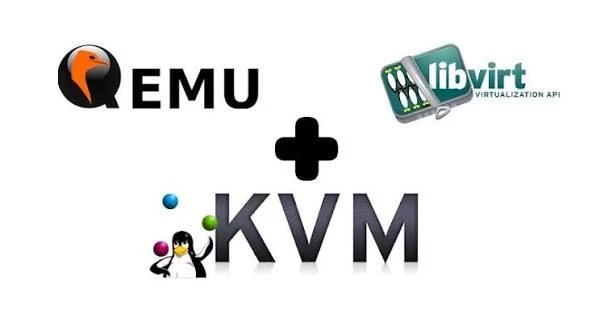
KVM and QEMU split the work. KVM handles CPU and memory virtualization inside the kernel. QEMU emulates the devices a guest expects, such as disks, network cards, and a display. It also launches the virtual machine.
A simple comparison helps here. KVM is the engine, and QEMU is the vehicle built around it. You need both to get anywhere.
QEMU can run without KVM. In that case, it emulates the CPU in software, resulting in much slower performance.
libvirt and Management Tools
Running QEMU by hand means typing long command lines. libvirt solves that problem. It offers one consistent interface for creating, starting, and monitoring virtual machines.
Tools such as virsh and virt-manager sit on top of libvirt. Hosting providers rely on this layer to automate server creation. Customers never see it, but they benefit from it.
VirtIO Drivers and Why They Matter
Emulating real hardware is slow. VirtIO takes a different route. It defines simple virtual disk and network devices that guests can drive efficiently. The result is much quicker storage and networking.
Linux guests include VirtIO drivers already. Windows guests, however, need them installed separately. Skipping that step leaves a Windows guest with sluggish disk and network performance.
What Is KVM Virtualization Used For?

KVM shows up in four main places:
- VPS hosting. Providers carve one server into many isolated virtual servers. Each customer gets root access and a free choice of operating system.
- Private and public clouds. Large cloud platforms build on KVM. OpenStack also uses it as a common hypervisor.
- Development and testing. Teams spin up disposable machines to test software on different systems.
- Windows workloads. KVM runs Windows guests well. Install the VirtIO drivers for the best disk and network results.
Providers also use thin provisioning. A virtual machine receives storage and memory as it needs them. As a result, one server can host many guests without wasting capacity.
KVM vs VMware and Hyper-V
KVM is not the only way to virtualize a server. Here is how it compares with the usual alternatives:
- Cost. KVM is free and open source. VMware ESXi uses commercial licenses.
- Support. KVM relies on its open-source community and on vendors such as Red Hat. VMware sells direct support.
- Host system. KVM needs Linux. Hyper-V belongs to Windows Server. ESXi installs its own minimal system.
- Containers. Containers share the host kernel, while KVM guests run separate kernels. Containers start quicker and use less memory. However, KVM gives stronger isolation and lets you run any operating system.
Benefits and Limits of KVM Virtualization
Benefits
- Near-native speed. Hardware extensions let guests run directly on the CPU.
- Strong isolation. Each guest has its own kernel and memory space.
- No license fee. The software is free and open source.
- Broad hardware support. New hardware works with KVM once the Linux kernel supports it.
Limits
- Linux host required. You cannot run KVM on a Windows host.
- CPU requirement. The processor needs virtualization extensions, and they must be enabled.
- More overhead than containers. Every guest carries a full operating system.
- Skills required. Self-managing KVM demands real Linux administration experience.
Self-hosting suits teams with Linux skills and spare hardware. Everyone else usually does better with a hosted KVM server.
FAQs
How Do I Check Whether My Server Supports KVM?
Two quick commands give you the answer. First, check the CPU flags:
grep -E -c '(vmx|svm)' /proc/cpuinfoA result above zero means the CPU supports hardware virtualization. Next, check whether the modules are loaded:
lsmod | grep kvmSeeing kvm_intel or kvm_amd in the output confirms that KVM is active.
If the flag count is zero, enter the BIOS and enable Intel VT-x or AMD-V. On a VPS, the provider must also allow nested virtualization.
What Is a KVM VPS?
A KVM VPS is a virtual server that runs on a KVM host. It has its own kernel, dedicated resources, and full root access.
Some cheaper VPS plans use container technology instead. Those plans share the host kernel. Therefore, you cannot change the kernel or run a different operating system family. A KVM VPS usually has no such limit, so you can install your own kernel or choose another system.
Is KVM Secure?
KVM has a strong isolation model. Each guest runs as a separate process with its own memory space. SELinux and sVirt add another layer by labeling each virtual machine. A compromised guest then has a hard time reaching its neighbors.
Still, security depends on the host. Patch the kernel, keep QEMU up to date, and limit who can log in.
Compared with containers, KVM provides stronger isolation since each guest has its own kernel. Containers, however, start quicker and use fewer resources.
Put KVM to Work Without Managing the Hardware
KVM turns the Linux kernel into a hypervisor. CPU extensions then let each guest run at near-native speed. QEMU, libvirt, and VirtIO handle the rest.
Want those results without racking servers? A KVM VPS gives you a dedicated kernel, full root access, and room to grow. Choose a Truehost KVM VPS plan, pick your operating system, and launch your server.
Prefer to test first? Run the two checks above on a spare Linux machine. If both pass, you already own a KVM host.