 Web Hosting
 Windows HostingBuilt for Windows apps and websites – stability, speed and flexibility
 Reseller HostingLaunch a hosting business without technical skills or expensive infrastructure
 Affiliate ProgramRefer customers and earn commissions from sales across our platform
 Domain SearchFind and secure a domain name in seconds with our quick lookup tool
 CO ZA Domains
 All DomainsExplore domain names from over 324 TLDs globally – all in one place
 Free Whois Lookup Tool South Africa
 VPS
 Website Builder
 Online ShopSet up a sleek eCommerce store with zero coding knowledge
 SSLs
 SupportAccess help articles, how-tos, and everything about our services
 Blog
 Contact UsReach our team instantly via live chat or drop us an email

Check three things before you pay: outbound port 25, reverse DNS control, and your IP address’s reputation. Specs come next. A server with plenty of RAM is useless for email if it cannot send.
This guide is for South African businesses that have already decided to host their own mail. Use the checklist table near the end to compare providers side by side.
Table of Contents
Step 1: Check That Outbound Port 25 Is Open Before You Pay
Port 25 is how mail servers communicate with each other. Spammers use it too. Therefore, many hosts block outbound traffic on it by default.
The result is a strange failure. Your server can receive mail, but it cannot send any. Staff see inbound messages arrive. Then replies bounce or vanish, and new admins lose days chasing the wrong fault.
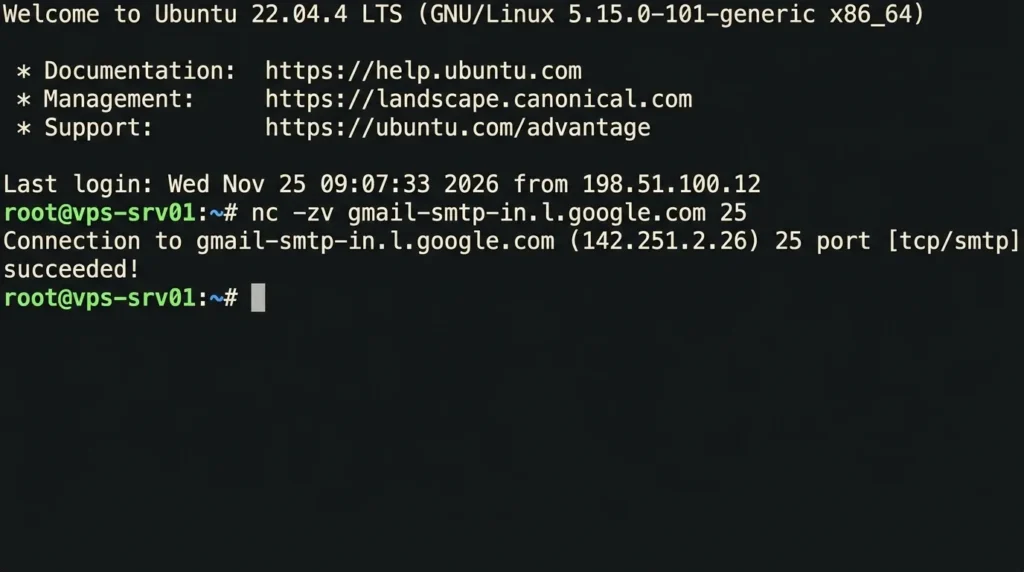
Test the port before you migrate anything. From the server, try a connection to a large mail provider on port 25. For example:
nc -zv gmail-smtp-in.l.google.com 25If the command times out, the port is blocked.
What to Ask Your Provider About Unblocking
Unblock policies differ a lot. One host only accepts requests 31 days after your first paid order. Another requires a reverse DNS entry before it acts.
So ask four questions up front:
- Is port 25 open by default, or only on request?
- What waiting period or verification applies?
- Do I need a PTR record in place first?
- What behavior causes the port to be blocked again?
Step 2: Get Reverse DNS Control and a Clean Dedicated IP
Match Your PTR Record to Your Mail Hostname
A PTR record maps your IP address back to a hostname. Receiving servers check it. For example, if your server announces itself as mail.yourcompany.co.za, the PTR should return that same name.
A missing or mismatched PTR record is among the most common reasons mail is rejected. That makes it a buying criterion, not a setup detail.
Ask whether you can set the PTR yourself in the client area. Some hosts only change it through a support ticket. That slows you down when a delivery problem hits.
Also check IPv6. If your server sends over IPv6, that address needs its own PTR record.
Check the IP’s Reputation Before You Commit
Your IP carries a history before you send a single message. A previous tenant may have sent spam from it.
Therefore, look the address up on the main blocklists on day one. Several free lookup tools do this in seconds. If the IP is listed, ask the host for a new one. A good provider swaps it without a fight.
A dedicated IP also means nobody else’s sending habits affect your reputation. Shared setups cannot offer that.
Step 3: Size Your VPS for Email: RAM, CPU and Storage
How Much RAM a Mail Server Needs
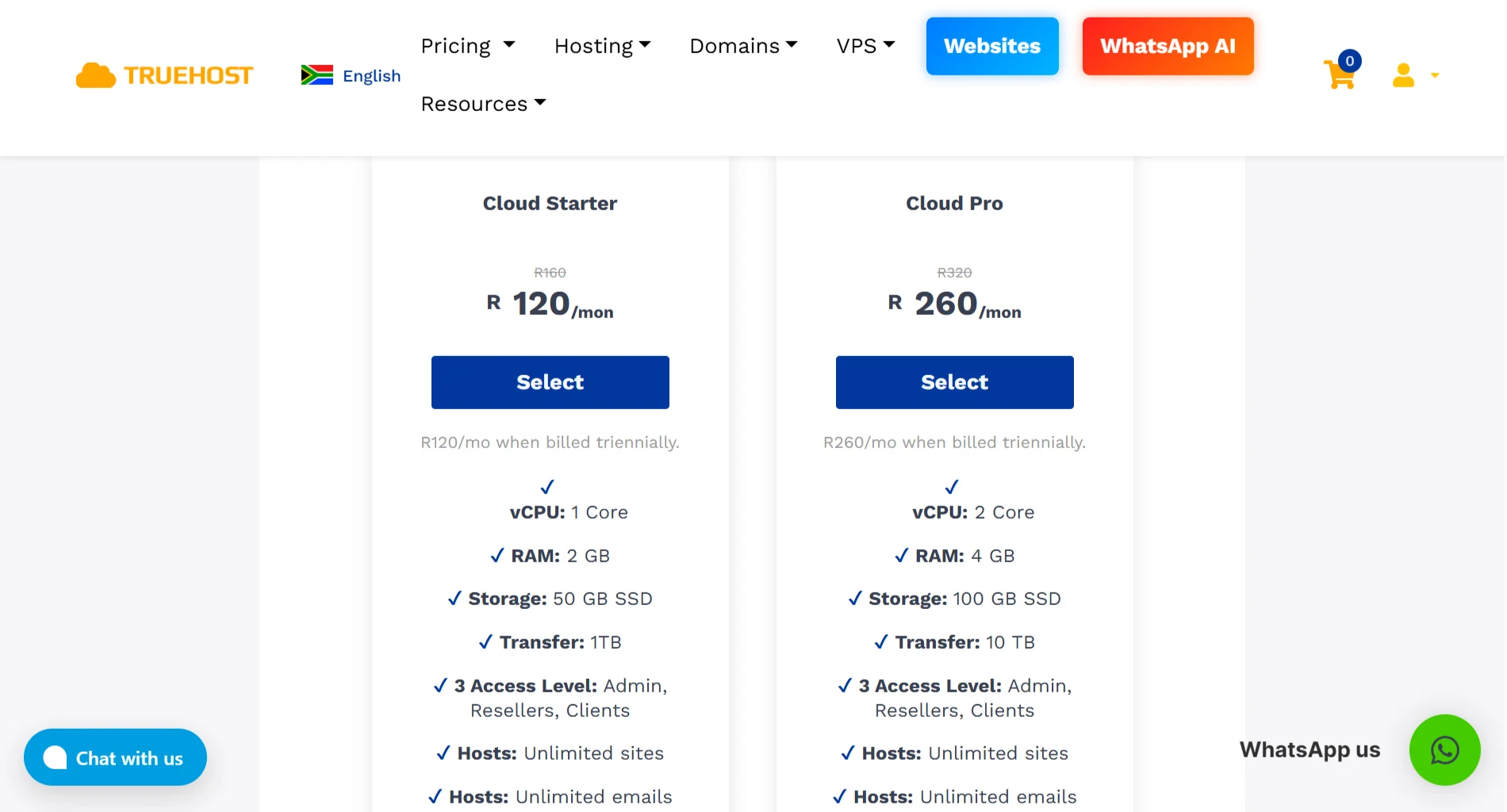
RAM needs depend on the software you run. InMotion sets a floor of 2GB of RAM, a 40GB SSD, and two CPU cores for reliable email hosting.
A full mail suite asks for more. One Mailcow guide lists 4GB as the minimum and 6GB as the recommended amount, with two vCPUs.
| Setup | RAM guide | Notes |
|---|---|---|
| Lean mail stack | 2GB floor | Based on InMotion’s minimum spec |
| Full suite (for example, Mailcow) | 4GB minimum, 6GB recommended | Based on one published setup guide |
Spam filtering, antivirus scanning, and webmail usually use the most memory. Therefore, switching them on can push you up a tier.
Test on a trial server first. Watch memory under real load before you commit to a year.
Storage, Backups and Mailbox Growth
Use a simple formula: mailboxes times quota times a growth buffer. A team of 20, each with a 10GB quota, needs 200GB if everyone fills it. Few will, but plan for your busiest inboxes.
Choose NVMe or SSD storage. IMAP searches on slow disks feel sluggish, and staff notice quickly.
Keep backups on separate storage from the mail volume. A backup on the same disk fails as well.
Step 4: Pick a South African Data Center for Speed and POPIA
Local Latency for Webmail, IMAP and Outlook Sync
A server in Johannesburg or Cape Town responds quicker to your staff than one in Europe. Webmail, Outlook sync and phone apps all feel the difference.
Ask where the data center physically sits. A local billing entity does not guarantee a local server.
However, this gain is about user experience. It does not change where your mail lands.
What POPIA Section 72 Means for Email Hosting
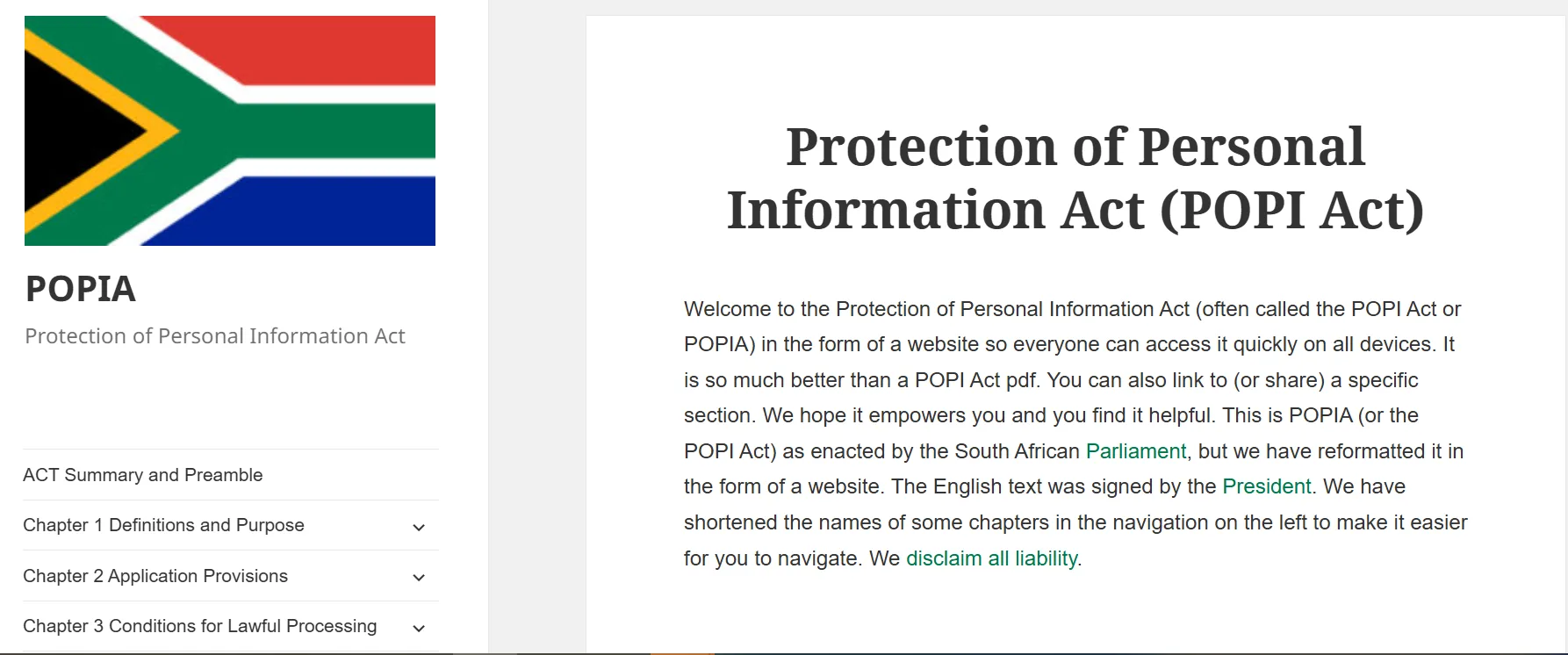
POPIA does not ban hosting abroad. Section 72 allows transfers outside South Africa when set conditions are met. Examples include adequate protection in the destination country, consent from the data subject, or a contract that requires the transfer.
Hosting locally avoids the cross-border question for that data. Still, read your provider’s data processing terms.
Talk to a lawyer or your information officer about your own case. This article is not legal advice.
Myth Check: A Local Server Will Not Fix Deliverability
Gmail and Outlook judge your IP reputation and your authentication. They do not judge your postcode.
Therefore, a clean IP in Frankfurt can beat a listed IP in Johannesburg for delivery. The Johannesburg server still wins for staff speed. Check both factors, and do not let one stand in for the other.
Step 5: Verify Uptime, Electricity and Network Redundancy
Read the SLA Like a Buyer
Read what the uptime percentage covers. Some SLAs exclude maintenance windows. Others pay small credits and nothing for lost work.
Ask how the host announces planned maintenance. Planned downtime hurts as much as a surprise outage. Until you see the terms, treat a bare 99.9 percent claim with caution.
Electricity and Failover Questions
Load shedding worries many South African owners. For a hosted server, however, your office electricity is irrelevant. The data centre’s supply decides uptime.
Large operators such as Teraco run on the grid with diesel generators as backup. So ask your host for documented backup electricity and network redundancy. Also ask whether the data center has more than one upstream network link.
Short outages rarely lose mail. Sending servers retry delivery for a while, so messages arrive late instead. A secondary MX record adds a safety net if you want one.
Step 6: Match the VPS to the 2026 Authentication Rules
What Gmail and Outlook Reject in 2026
Mailbox providers once sent doubtful mail to spam. Now they reject it outright.
Outlook.com began rejecting non-compliant high-volume mail in May 2025, with a 550 5.7.515 error. Gmail moved to permanent rejections in November 2025.
The strictest rules target senders who send more than 5,000 messages a day. Small businesses face a lighter bar, and Google accepts SPF or DKIM for smaller senders. Still, set up all three records. They cost little and protect your domain from spoofing.
| Record | What it does |
|---|---|
| SPF | Lists the servers allowed to send for your domain |
| DKIM | Signs each message so receivers can verify it |
| DMARC | Tells receivers what to do when checks fail |
What Your Provider Must Let You Control
Your host has to give you these controls:
- Full DNS access for SPF, DKIM, and DMARC records
- PTR record access for your IP
- TLS support on SMTP and IMAP
- Clear rules on sending limits
After setup, send a test message to a Gmail address. Open the original headers and look for spf=pass, dkim=pass, and dmarc=pass.
Step 7: Decide Between Managed and Unmanaged VPS
Who Patches, Monitors, and Answers at 2 a.m.
An unmanaged VPS gives you root access and full responsibility. You patch the system, watch blocklists,s and fix queue problems. A managed VPS shifts those jobs to the host.
For mail, “managed” should include security updates, monitoring, and help with delivery issues. Confirm that in writing.
Unmanaged suits teams with a Linux administrator. Without one, a managed plan is usually the safer route.
Control Panels and Mail Stacks
Panels such as cPanel handle accounts, aliases, forwarders, and autoresponders with a few clicks. Self-built stacks offer greater control but require more skill.
Check that the panel manages spam filtering natively. Also check what it costs, since licenses are often an add-on.
Step 8: Compare Security, Backups and Support
Security Basics for a Mail Server
Mail servers attract attackers. Automated scans can find weak servers within hours of going online. Look for these basics:
- A firewall you can configure
- SSH key login instead of passwords
- DDoS protection
- Two-factor login on the admin panel and on mailboxes
Support That Can Fix Mail Problems
When email stops, response time decides the damage. Check which channels are available: chat, phone, or tickets. Then look for South African business hours and local-language support.
Test them before you buy. Ask a pre-sales question about PTR or port 25. A vague answer is a warning sign.
Step 9: Count the Real Cost in Rand
Introductory Price Versus Renewal Price
Introductory prices end. Compare the year-two price before you sign. Then list the add-ons and ask the provider about each one.
| Cost line | Ask the provider |
|---|---|
| Backups | Is it included, and how many restore points are there? |
| Control panel licence | Is it free, or billed monthly? |
| Extra IP address | What does it cost per month? |
| Managed support | What does it add to the base price? |
Add them up. The honest monthly figure is usually higher than the headline.
Rand Billing and Currency Exposure
Some global hosts bill in dollars or euros. Your cost then moves with the exchange rate. A plan billed in rand stays predictable.
Also check whether the listed price includes VAT. That detail changes the real monthly figure.
Your Pre-Purchase Checklist
Copy this table and send the questions to every provider you shortlist.
| Question | Good answer | Red flag |
|---|---|---|
| Is outbound port 25 open? | Open, or unblocked quickly after simple checks | Blocked with no unblock route |
| Can I set reverse DNS (PTR)? | Yes, self-service or fast ticket | Not possible |
| What is the IP’s reputation? | Clean on major blocklists; swap offered if listed | Listed, and no swap policy |
| How much RAM do I get? | 2GB for a lean stack, 4GB or more for a full suite | Under 2GB |
| Where is the data center? | Named site in Johannesburg or Cape Town | Vague “African region” |
| What does the SLA cover? | Written terms, credits and maintenance rules | A percentage with no terms |
| How are backups handled? | Separate storage, tested restores | Same disk as mail |
| Is it managed? | Written list of what the host handles | Unclear split of duties |
| What is the renewal price? | Stated upfront | Hidden until checkout |
FAQs
Can I Host Business Email on a VPS?
Yes, and many small businesses do. You need a provider that allows port 25 and reverse DNS changes. You also need someone to maintain the server.
Is a VPS Better Than Google Workspace or Microsoft 365 for a Small Business?
It depends on your team. A VPS gives you control and a fixed monthly cost. Hosted suites remove the maintenance work. If nobody on your team can administer a server, choose a hosted suite.
Run the Checklist, Then Test Before You Migrate
Send your five questions to the provider before you pay. Cover port 25, PTR access, IP reputation, backup electricity, and renewal price.
Then spin up the server and run three tests on day one: port 25, PTR, and a blocklist check. Point your MX records at it only after all three pass.
Start with a VPS from Truehost South Africa and run those checks straight away. Message the team with your five questions first. If this feels like more than your team wants to run, ask about hosted business email instead.