Web Hosting
 Windows HostingBuilt for Windows apps and websites – stability, speed and flexibility
 Reseller HostingLaunch a hosting business without technical skills or expensive infrastructure
 Affiliate ProgramRefer customers and earn commissions from sales across our platform
 Domain SearchFind and secure a domain name in seconds with our quick lookup tool
 CO ZA Domains
 All DomainsExplore domain names from over 324 TLDs globally – all in one place
 Free Whois Lookup Tool South Africa
 VPS
VPS Website Builder
 Online ShopSet up a sleek eCommerce store with zero coding knowledge
 SSLs
SSLs SupportAccess help articles, how-tos, and everything about our services
 Blog
Blog Contact UsReach our team instantly via live chat or drop us an email
The biggest discount on a Black Friday VPS page can hide the worst deal in the range column.
A banner that says 70% off sounds great. However, it says nothing about the starting price. It also hides the renewal rate, the server location, and the disk type.
This guide shows you how to choose VPS hosting in South Africa without guessing. You’ll learn to judge any offer in a random, spot the traps, and finish with a six-point scorecard.
Black Friday falls on 27 November 2026, so use the weeks before it to shortlist providers.
Table of Contents
What Makes a Black Friday VPS Deal Actually Good
A good deal is the lowest total cost across the full term. The monthly price on the banner is only one input.
Hosting reviewers point out that some providers sell Black Friday bundles that never appear at other times. Those plans have no regular list price, so the discount has nothing real to compare against.
So is Black Friday a good time to buy a VPS? Yes, if you buy a plan you’d choose anyway. Providers cut prices on VPS plans that rarely go on sale the rest of the year.
Still, a big discount on the wrong plan wastes money. Judge every offer on six points:
- Rand price and billing currency
- Renewal price
- Server location and data rules
- CPU, RAM, and storage type
- Management level
- Contract terms and refunds
The sections below cover each point in order.
Step 1: Compare Black Friday VPS Prices in Rand, Not Percentages
A percentage tells you the size of the cut. It doesn’t tell you the final price. So start by finding the real monthly cost in rand.
Here are some reference prices at the time of writing. Check each provider’s page again before you buy.
- Domains.co.za lists VPS hosting from about R209 a month.
- Afrihost lists self-managed VPS plans from around R460 a month.
- Afrihost lists managed VPS plans from around R1,600 a month.
Treat these as a rough range. Genuinely cheap VPS South Africa deals should sit near the low end of it.
A discount that pushes the price far below that range deserves a closer look. Extremely low prices can mean thin specs or heavy overselling.
So, how much does a VPS cost in South Africa? Self-managed plans start in the low hundreds of rand a month. Managed plans cost more, and Afrihost’s start at R1,600.
Pay in Rand or Dollars?
Rand billing keeps the amount on your invoice steady. Dollar billing exposes you to currency swings. If the rand weakens, your hosting bill rises while your plan stays the same.
Choose VPS hosting in South Africa with rand pricing if you earn in rand. That keeps your costs predictable.
Also,o check whether the displayed price includes VAT. A price that adds 15% VAT at checkout is not the price you saw.
Step 2: Check the Renewal Price Before You Click Buy
A low first-term price often ends at renewal. Many hosts raise the rate to the full price once the promo term finishes.
Here is a simple example. Say a plan costs R150 a month for the first year, then renews at R300. Over 24 months, you pay R5,400 in total. That works out to R225 a month, not R150.
Use this formula before you buy:
((first-term price × first-term months) + (renewal price × remaining months)) ÷ total months
Next, check what kind of discount you’re getting. Some South African hosts have advertised a launch discount plus a separate recurring discount. A recurring discount keeps working at renewal. A first-term discount doesn’t.
So do Black Friday VPS prices go up at renewal? Often, yes. If the plan page hides the renewal price, treat that as a warning. Ask the provider for the figure in writing.
Step 3: Match Server Location and POPIA to Your Audience
Location sets your latency. Latency is the delay between your visitor and your server.
A VPS hosted in Johannesburg or Cape Town responds quicker for South African visitors. So if your customers live here, pick VPS hosting in Johannesburg or Cape Town.
Overseas providers can offer more specs for the same money. However, they usually need a CDN such as Cloudflare to serve South African visitors well. Without one, pages load slower, and your rankings can suffer.
What POPIA Means for Your Hosting
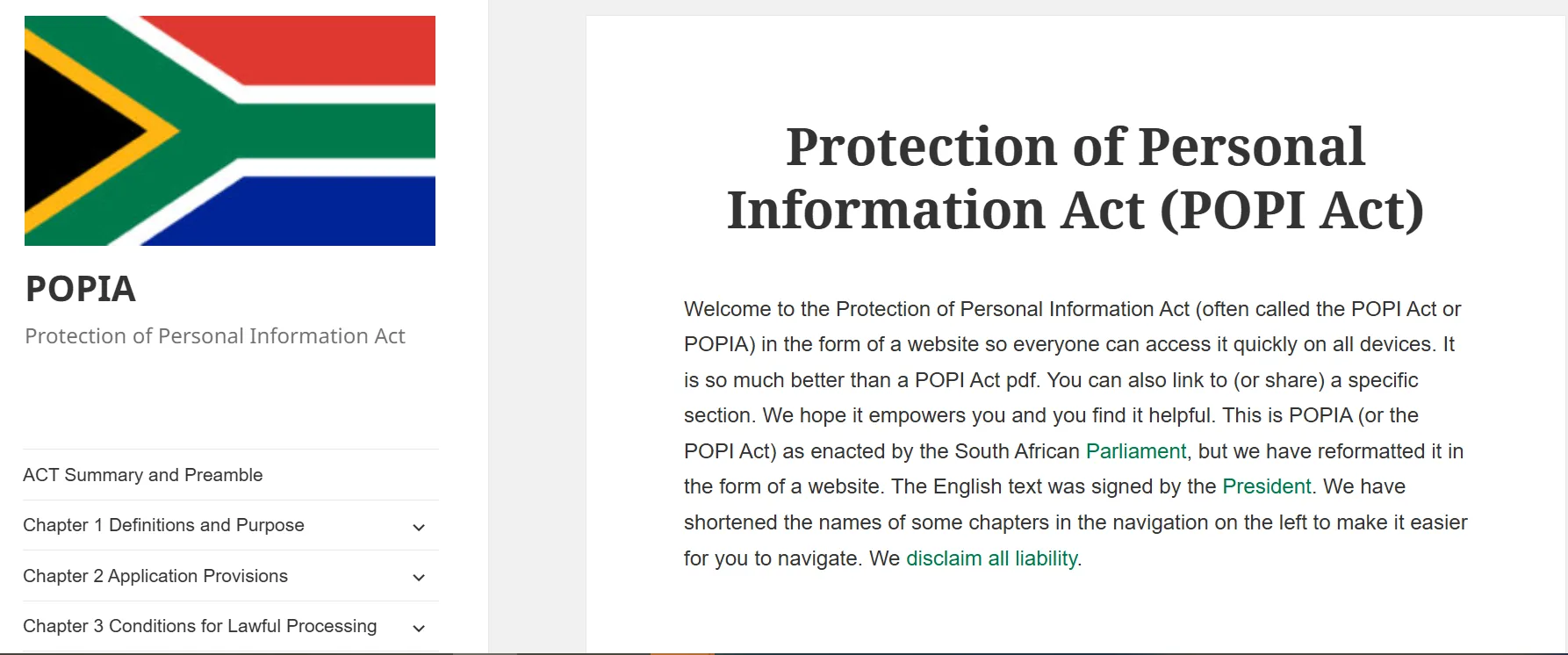
The Protection of Personal Information Act (POPIA) also affects where you host. Section 72 sets conditions for sending personal information outside South Africa.
If you store customer data, check those conditions before you choose an overseas server. A local VPS keeps that question simple. For your own case, speak to a legal adviser. This section is general information, not legal advice.
Ask About Reliability
South African businesses deal with load shedding and the occasional fibre cut. Reputable data centres use backup generators and batteries. Ask the provider what coverage it has and what uptime it guarantees.
Step 4: Size the VPS: CPU, RAM, and Storage Type
Buy for the workload you have today, plus a little room to grow. These are rough starting points. Test them against your real traffic.
| Workload | Starting point |
|---|---|
| Small WordPress or brochure site | 1 to 2 vCPU, 2 GB RAM |
| WooCommerce store | 2 vCPU, 4 GB RAM |
| Web app or API | 2 to 4 vCPU, 4 to 8 GB RAM |
| Trading bot (such as MetaTrader) | 1 to 2 vCPU, 2 to 4 GB RAM, Windows |
Windows plans usually cost more, since the licence adds to the price.
Check the Storage Type
NVMe drives read and write data more quickly than standard SSDs. Both beat spinning disks for databases and busy sites.
Some local plans use hard disk arrays. Those suit backups and archives, but they struggle with database work. So always check the storage type on the plan page.
Don’t pay for specs you won’t use. Still, check whether a promo plan can be upgraded mid-term. Rules differ between providers.
Step 5: Managed vs Unmanaged VPS Deals
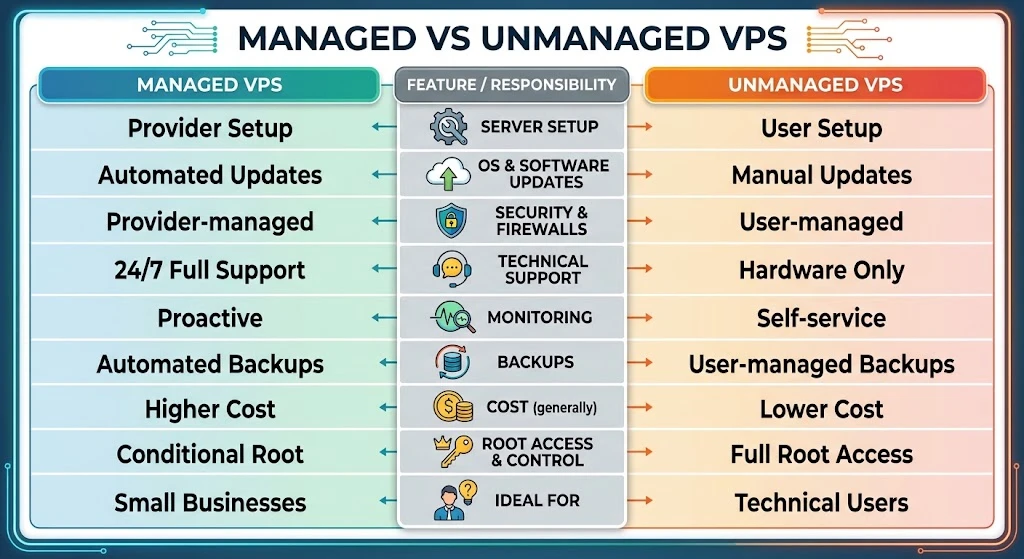
On a managed VPS, the provider handles updates, security patches, and backups. On an unmanaged plan, you handle all of that yourself.
Unmanaged plans look cheaper. However, your time has a price too. If nobody on your team knows a Linux server admin, buy managed. If you have a developer who enjoys server work, unmanaged saves money.
Before you buy, ask these questions:
- Is support available 24/7, or only in office hours?
- Which channels can you use: chat, phone, or tickets?
- How quickly do they reply to urgent issues?
- Do backups come with the plan, or do they cost extra?
Step 6: Read the Fine Print Before Black Friday Ends
The terms decide whether a deal stays good after the sale. Read these five items first.
- Contract length: A three-year lock-in saves money only if you stay three years.
- Refund window: Look for a money-back guarantee, then check what it covers.
- Bandwidth limits: “Unlimited” plans often carry fair-use rules. Read them.
- Extras: Check whether backups, snapshots, and a control panel cost more.
- Upgrade rules: Confirm whether you can move to a bigger plan at the same discount.
Step 7: The Black Friday VPS Scorecard
Score each offer against the table below. Give one point for every check it passes.
| Check | Good sign | Red flag |
|---|---|---|
| Rand price | Clear the Rand price with VAT shown | Dollar-only billing or hidden VAT |
| Renewal price | Listed on the plan page | Not shown anywhere |
| Location | Johannesburg or Cape Town data centre, or a clear CDN plan | Location not stated |
| Specs and storage | NVMe or SSD, exact vCPU, and RAM | Vague specs or “unlimited” claims |
| Management | Clear managed or unmanaged label, stated support hours | Vague support terms |
| Terms | Money-back window and upgrade rules stated | Long lock-in with no refund |
A plan that passes five or six checks is worth buying. A plan that passes three or fewer isn’t. Screenshot this table and keep it open on sale day.
Step 8: Prepare Before the Sale Starts
A little prep makes the sale day calm. Here is what to do now.
- Shortlist two or three providers and note their regular prices today. That helps you spot a fake discount.
- Write down the CPU, RAM, and storage you need. Then you can buy in minutes.
- Back up your current site and list what you must migrate. Ask each provider about free migration.
- Use the money-back window as a trial where the provider offers one.
FAQs
When do Black Friday VPS deals start and end in South Africa?
Black Friday falls on 27 November 2026, and Cyber Monday follows on 30 November. Many providers start early and run their sales for days or weeks. Some end on Cyber Monday. Check each provider’s promo page for exact dates.
Do I need a VPS, or is shared hosting enough?
Shared hosting suits small sites with modest traffic. A VPS gives you dedicated resources and root access. Move to a VPS when your site slows down, hits resource limits, or needs custom software. If none of that applies, shared hosting costs less, and a VPS deal isn’t worth it.
Pick the Deal You’d Still Want in 12 Months
Don’t chase the biggest discount. Choose the plan whose renewal price you’d still accept.
Run every offer through the scorecard, and trust the numbers in rand. Do that, and you’ll avoid the traps that catch most Black Friday buyers.
Ready to compare? Check Truehost’s Black Friday VPS plans for South Africa and score them with the table above.