Web Hosting
 Windows HostingBuilt for Windows apps and websites – stability, speed and flexibility
 Reseller HostingLaunch a hosting business without technical skills or expensive infrastructure
 Affiliate ProgramRefer customers and earn commissions from sales across our platform
 Domain SearchFind and secure a domain name in seconds with our quick lookup tool
 CO ZA Domains
 All DomainsExplore domain names from over 324 TLDs globally – all in one place
 Free Whois Lookup Tool South Africa
 VPS
VPS Website Builder
 Online ShopSet up a sleek eCommerce store with zero coding knowledge
 SSLs
SSLs SupportAccess help articles, how-tos, and everything about our services
 Blog
Blog Contact UsReach our team instantly via live chat or drop us an email
If you are running a website, online store, or any digital service in South Africa, you have probably come across VPS hosting.
With shared hosting, your website shares resources like CPU and RAM with many other sites. When one site gets a traffic spike, everyone slows down. A VPS changes that.
It uses virtualization to split a physical server into multiple isolated virtual servers.
So each VPS gets its own guaranteed resources, so your site stays fast even when others on the same machine get busy.
This makes VPS hosting in South Africa a great option. Local data centres mean faster load times for your visitors. You also get full administrative control, better security, and the ability to scale as your business grows.
VPS hosting gives you the performance and reliability you need to handle more traffic, run complex applications, and keep your customers happy with a fast, responsive website.
Table of Contents
Basic Concepts of VPS Hosting In South Africa
1) Virtualized private server within a shared physical machine
A VPS is created by dividing a physical server into multiple virtual compartments using a hypervisor. This software allocates the server’s CPU, RAM, and storage to each VPS.
There are two common virtualization technologies:
- Hardware virtualization – KVM and Hyper-V are examples. Each VPS runs its own operating system directly on the hardware, offering excellent isolation.
- Software virtualization– OpenVZ runs on a single Linux kernel. It is lightweight but offers less isolation because all VPS instances share the same kernel.
2) Guaranteed dedicated CPU, RAM, and storage resources
The main advantage of a VPS is that you get guaranteed resources. You are allocated a specific amount of CPU cores, RAM, and storage, and those resources are yours alone.
3) Full root access and complete administrative control
You have complete administrative control over your server. You can install any software you need, configure security settings, and tweak the server environment as you want.
And you can manage your VPS through the server management panel provided by your host, or you can install your own control panel, such as cPanel, CyberPanel, or Webmin, to make things easier.
4) Scalable resources that grow with your needs
If your needs change, you can scale your resources. Need more RAM or extra storage? You can usually upgrade your plan in just a few clicks with minimal to no downtime.
5) Local data centers ensure faster speeds and POPI Act compliance
Choosing a provider with local data centers means lower latency and faster load times for South African visitors.
It also helps you stay compliant with local data protection regulations, such as the POPI Act, because your data can remain within South African jurisdiction.
What Can You Host on a VPS Server?
A VPS is so versatile. Here is what you can run on it:
- Hosting multiple websites: You can host several different websites on a single VPS, each with its own domains and configurations.
- Email servers: Run your own dedicated email server for better control and deliverability.
- Game servers: Host multiplayer games for you and your friends or a larger community.
- Application development and testing: Create a sandbox environment to develop and test new applications without affecting your live site.
- Database hosting: Run a powerful database server that can handle high volumes of queries.
- VPN and proxy servers: Set up your own VPN for secure browsing or a proxy server for various applications.
Managed VPS vs Unmanaged VPS
When you decide to get a VPS, you’ll have to choose between a managed and an unmanaged VPS.
With a managed VPS, your hosting provider handles the technical aspects. They handle server setup, security updates, monitoring, and issue resolution when things go wrong.
If you get an unmanaged VPS, you get the server, and that is it. You are responsible for everything: installing the operating system, configuring security, applying updates, setting up backups, and troubleshooting problems.
Take a quick look at how they compare:
| Feature | Managed VPS | Unmanaged VPS |
| Technical Skills | Beginner to intermediate | Advanced |
| Control | High | Absolute (Full Root Access) |
| Security Updates | Handled by the provider | You are responsible |
| Cost | Higher | Lower |
| Best For | Business owners, agencies, and anyone who wants a hassle-free experience | Developers, system administrators, and tech-savvy users |
Who Should Use VPS Hosting In South Africa
a) Growing E-commerce Stores
If you run an online store, downtime or slow loading times directly cost you sales. Customers expect pages to load instantly and checkout processes to be smooth. When your site lags, they abandon their carts to shop elsewhere.
A VPS ensures your site stays fast and available, even during peak shopping seasons like Black Friday or the December holidays.
You get dedicated resources that keep your store running at full speed regardless of how many people are browsing and buying at the same time.
b) Websites with Medium to High Traffic
If your site is growing too large for shared hosting and you are experiencing slowdowns, a VPS gives you the dedicated resources you need.
Shared hosting works well for small sites, but once you start getting consistent traffic, the performance drops. A VPS handles load smoothly because your CPU, RAM, and storage are reserved for your site alone.
c) Businesses Requiring Custom Software Installations
Need to install a specific software stack or a custom application? A VPS gives you full root access to install and configure anything you need.
With shared hosting, you are limited to what the provider offers, but with a VPS, you can run the exact software versions and configurations your business requires.
d) Developers
If you need a testing environment or you are deploying web apps for clients, a VPS gives you the control and flexibility you need.
You can spin up multiple environments, test new features without affecting live sites, and configure the server to match your development workflow.
e) Companies Handling Sensitive Customer Data
Isolating a VPS offers better security than shared hosting. Your data and applications run in their own separate space, reducing the risk of breaches from other users.
If you handle customer payment details, medical records, or any other sensitive information, the added security layer of a VPS makes it a safer option.
f) Users Looking to Automate Tasks
Some providers offer VPS packages preconfigured for automation tools such as Truehost’s Openclaw VPS, making it easier to get started with AI-driven automation.
If you want to automate repetitive tasks, run bots, or set up scheduled processes, a VPS gives you the freedom and resources to do it without restrictions.
Benefits and Downsides of VPS Hosting
Benefits:
- Enhanced performance with dedicated resources – Your website gets the full benefit of the resources allocated to it.
- Cost-effective alternative to dedicated servers – You get dedicated-like performance at a fraction of the cost.
- Full root access for custom configurations – You have complete control to install and configure software.
- Scalability to match business growth – Easily upgrade your resources as your needs grow.
- Improved security through isolation from other users – Your data and applications are separated from other users on the same physical server.
- Better load times for local visitors – With local data centers, your site will load faster for visitors in South Africa.
- Reliable uptime with minimal downtime risks – Dedicated resources and better isolation lead to more stable performance.
- Freedom to choose your operating system (Linux or Windows) – You can pick the OS that best supports your applications.
Downsides:
- Higher cost than shared hosting; a VPS is more expensive because you get a lot more than a shared hosting plan.
- Technical skills required for an unmanaged VPS: If you choose an unmanaged VPS, you need to be comfortable with server administration.
- Maintenance and updates for unmanaged VPS: You are responsible for keeping the server secure and up to date, which requires time and expertise.
How Much Is VPS Hosting In South Africa?
VPS prices in South Africa vary depending on the provider, the resources you get, and whether it’s a managed or unmanaged plan.
Let us look at a few examples from different providers.
Truehost Pricing
We offer some very affordable VPS plans. The prices listed below are for a 3-year billing period.
- Cloud Starter: R120/month – 1 vCPU, 2 GB RAM, 50 GB SSD, 1TB transfer
- Cloud Pro: R260/month – 2 vCPU, 4 GB RAM, 100 GB SSD, 10TB transfer
- Cloud Business: R640/month – 4 vCPU, 8 GB RAM, 200 GB SSD, 25TB transfer
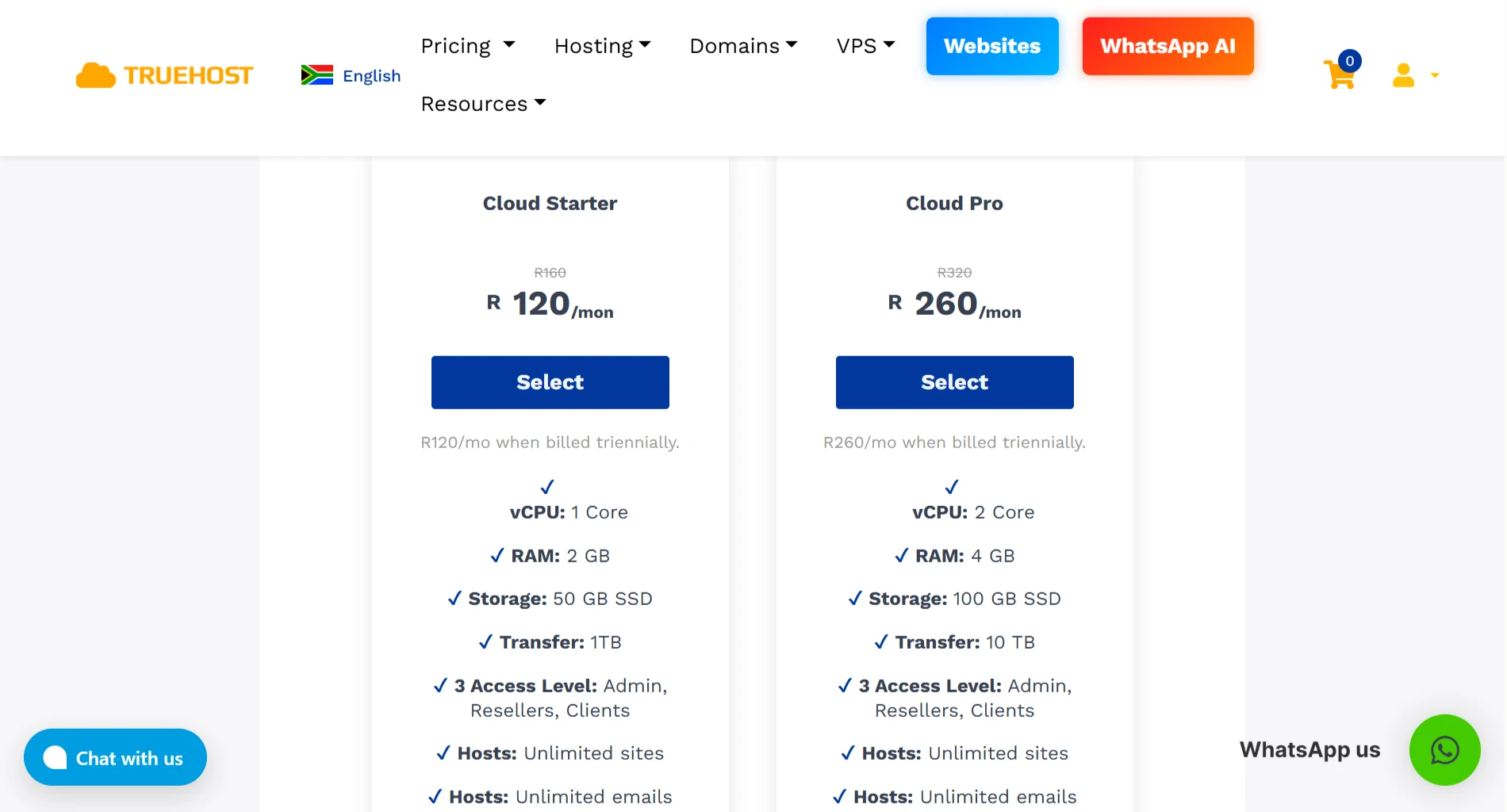
All Truehost plans include a free dedicated IP address, KVM virtualization, and unlimited websites and email accounts. You can also choose between managed and unmanaged options.
HostAfrica Pricing
HostAfrica’s entry-level Linux Cloud Server starts at R130 per month, with 1 core, 1GB RAM, and 20GB SSD storage as of July 2026. Prices may change, so it’s good to confirm on their official website.
Afrihost Pricing
Afrihost offers self-managed VPS plans starting at R460 per month for the Bronze package, which includes 1 vCPU, 2GB RAM, and 100GB HDD storage, as of July 2026.
A quick comparison of the entry-level VPS prices:
| Provider | Starting Price | Resources |
| Truehost | R120/month (Triennula) | 1vCPU, 2GB RAM, 50GB SSD |
| HostAfrica | R130/month | 1vCPU, 1GB RAM, 20GB SSD |
| Afrihost | R460/month | 1vCPU, 2GB RAM, 100GB HDD |
From the comparison, Truehost’s combination of features, NVMe SSD performance, and competitive entry-level pricing makes it a compelling option for many South African businesses.
How to Get the Best VPS Hosting In South Africa
A Quick Checklist to help you choose the right VPS provider:
- Look for NVMe or SSD storage and avoid providers that still use old HDD storage for their VPS plans.
- For most applications, 2GB of RAM is a good minimum starting point.
- To ensure the best performance for your South African audience, choose a provider with a data centre in South Africa.
- Check which support options are available and when, and whether they offer 24/7 support or WhatsApp support.
- If the price is in US Dollars or Euros, factor in the exchange rate and bank fees, and prefer providers that bill in Rands.
When looking for the best VPS hosting in South Africa, Truehost is a great place to start. We are affordable, reliable, and offer local server presence, resulting in lower latency and faster speeds for your South African users.
Truehost has become a go-to choice for South Africans because we offer local support and use fast NVMe SSD storage.
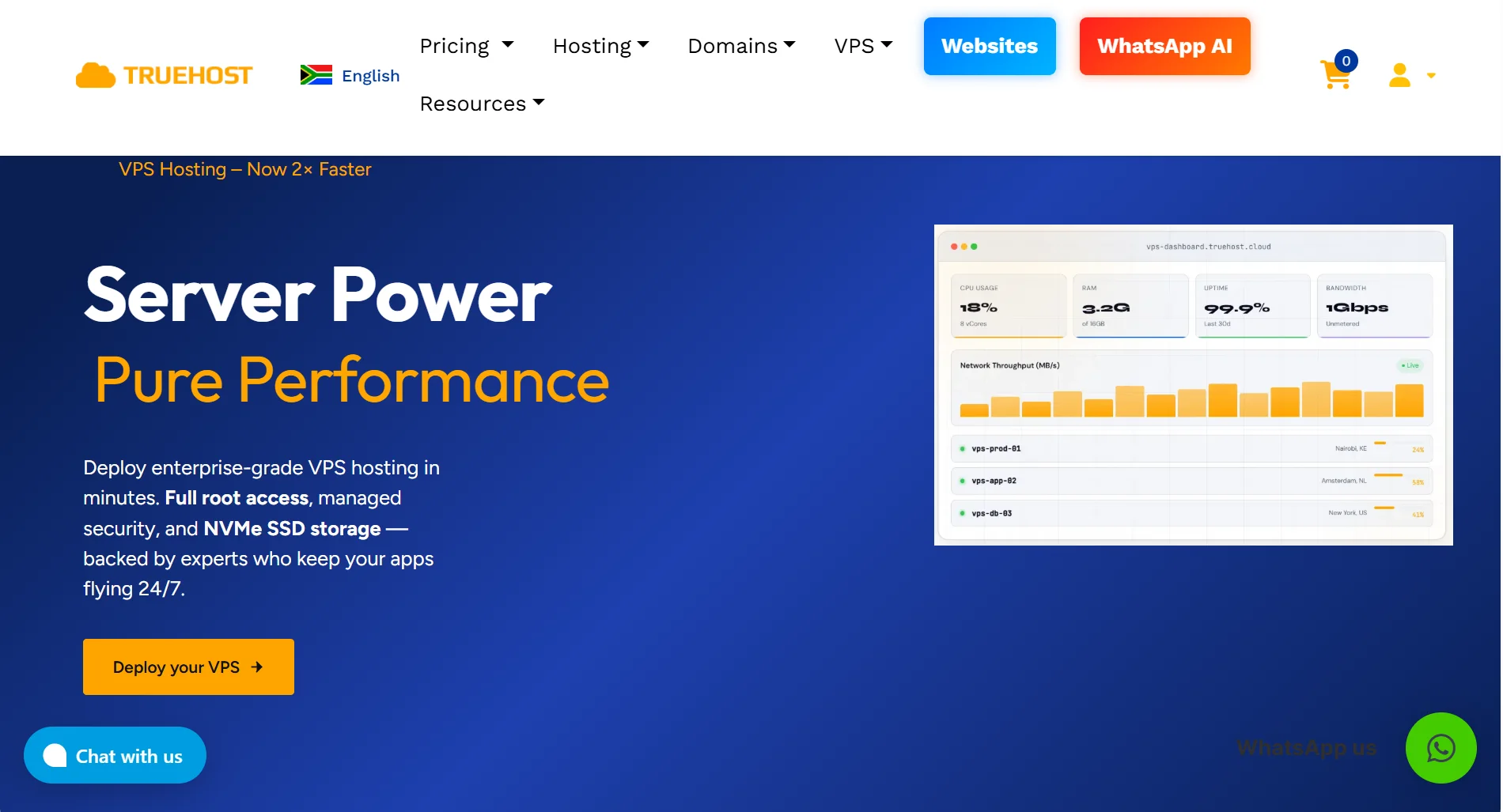
With Truehost VPS, you get a server that is built for speed and reliability in Africa.