Web Hosting
 Windows HostingBuilt for Windows apps and websites – stability, speed and flexibility
 Reseller HostingLaunch a hosting business without technical skills or expensive infrastructure
 Affiliate ProgramRefer customers and earn commissions from sales across our platform
 Domain SearchFind and secure a domain name in seconds with our quick lookup tool
 CO ZA Domains
 All DomainsExplore domain names from over 324 TLDs globally – all in one place
 Free Whois Lookup Tool South Africa
 VPS
VPS Website Builder
 Online ShopSet up a sleek eCommerce store with zero coding knowledge
 SSLs
SSLs SupportAccess help articles, how-tos, and everything about our services
 Blog
Blog Contact UsReach our team instantly via live chat or drop us an email
You wake up one morning and your website is offline. Your business emails bounce back, and your customers start wondering if you closed down.
It’s a sinking feeling, and it almost always comes down to one thing: a domain renewal that slipped through the cracks. The good news is that fixing it takes a few minutes, and avoiding it in the first place takes even less.
Here’s exactly how to renew .co.za domain, plus what really happens if the date comes and goes without you noticing.
Table of Contents
Step-by-Step: How to Renew Your .co.za Domain
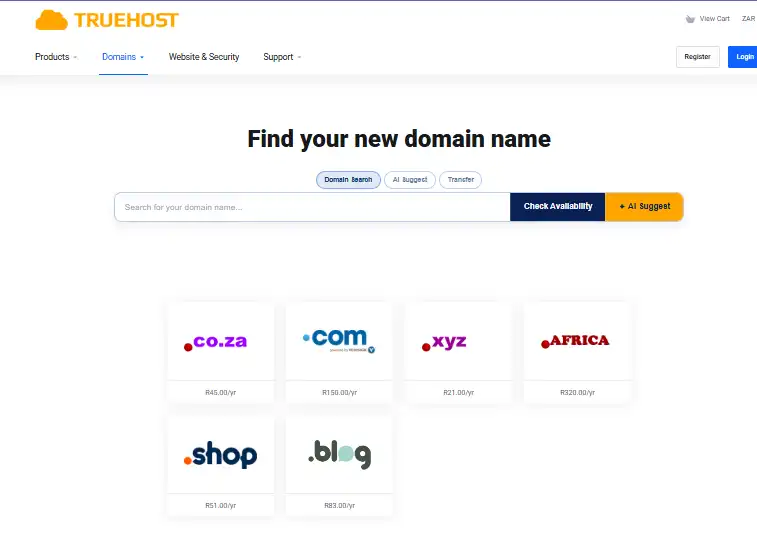
Renewing is quicker than most people expect. Here’s how it works in your Truehost Client Area.
Step 1: Open the renewal email.
Look for the invoice email from Truehost in your inbox and click the payment link inside it. That link takes you straight to your invoice, skipping a few steps.
Step 2: Or log in to the Client Area yourself.
If you can’t find the email, go to truehost.co.za and click Client Area at the top of the page. Log in with the email address and password tied to your account.
Step 3: Find your invoice.
Once you’re in, click Billing, then My Invoices. Your renewal fee will be sitting there, marked as unpaid until you settle it.
Step 4: Choose how to pay.
Click the invoice, hit Pay Now, and pick whichever payment option suits you best.
| Payment Method | Details |
|---|---|
| PayFast | Instant EFT from FNB, Standard Bank, ABSA, Nedbank, or Capitec |
| Debit or credit card | Visa or Mastercard |
| Ozow | Pay straight from your banking app |
| EFT | Manual bank transfer, takes 1 to 2 days to clear |
Step 5: Confirm and let us handle the rest.
Once your payment clears, the renewal happens on our end automatically. There’s no technical setting for you to touch and nothing else for you to configure.
If you paid by card or PayFast, your site and email usually come back online within minutes. Manual EFT takes a day or two to clear, so it’s worth choosing a faster method if your site is already down and people are trying to reach you. A confirmation email lands in your inbox once everything is sorted, so keep that one for your records.
Why Domains Need Renewing Every Year
It surprises a lot of new website owners to learn that buying a domain isn’t a once-off purchase. A domain name works more like a yearly lease than a sale, and once that lease ends, you have to renew it to keep your name.
Think of it like renting a small shop in a busy mall. You don’t own the shop, you just pay every year to keep your spot, and the moment you stop paying, someone else can move in. Domains work the same way, except the “shop” is your website’s home address on the internet.
This trips up plenty of people, and honestly, it’s an easy thing to miss until that first renewal invoice shows up. Once you know it’s just a normal yearly cost of running a website, the whole thing stops feeling like a trap and starts feeling like a routine bill, similar to paying for electricity or insurance.
How Renewal Works at Truehost
When you register a .co.za domain with us, you get full use of it for a year. Before that year is up, we send a renewal invoice by email, and we send it 60 days before your domain actually expires, so there’s plenty of warning.
We don’t stop at one email either. You’ll get a reminder 30 days out, another at 10 days, and a final notice on the day your domain expires. That’s four separate warnings before anything actually breaks, so missing a renewal usually means the emails went unnoticed rather than unsent.
Pricing stays simple too. A .co.za domain renews at R89 a year, the same rate most people pay the first time around, with no sneaky price jump waiting for you in year two. If your domain came bundled free with a hosting plan in year one, the standard R89 renewal kicks in from year two onward, billed in rands with no currency conversion to worry about.
We also keep things like WHOIS privacy, DNS management, and email forwarding included at no extra cost, so they won’t show up as a surprise line item when your invoice arrives. And if you ever want to move your domain elsewhere, we won’t stand in your way. Renewing with us stays a choice you make every year, not something you’re locked into.
What Happens If You Forget to Renew
Missing the date doesn’t mean your domain is gone for good. There’s a process built in, and most of it still gives you room to put things right.
Take a small online bakery that missed its renewal date by accident. The owner was travelling, the invoice sat unread, and the site went dark for about a week before anyone noticed. Once she did notice, one login and one payment brought the bakery’s website and inbox back online before most of her customers had even clocked that something was wrong.
That quick recovery was possible because she acted early. Here’s the timeline that gives you the same window.
| Stage | When It Happens | What It Means |
|---|---|---|
| Expiry day | Day 0 | Website and email stop working. Domain is not lost yet. |
| Grace period | Roughly days 0 to 5 | Renew at the normal R89 price, with no penalty added. |
| Suspension | Roughly days 5 to 10 | Still renewable at the normal price, but it can’t be moved to another registrar yet. |
| Closed redemption | Roughly days 10 to 30 | The registry locks the domain. It’s still recoverable, but a redemption fee gets added on top of the renewal price. |
| Deletion and release | Around day 30 to 45 | The domain is wiped from the registry and opened up for anyone to register. |
On expiry day, your site goes dark and your inbox stops receiving mail, but nothing is permanently lost yet. The grace period that follows is the easiest stage to fix, since you can renew at the regular price with no extra cost added on.
Once you slide past that into suspension, renewal still works at the standard rate, though the domain can’t be transferred to a different registrar while it sits in this stage. Miss that window too, and the domain moves into closed redemption, where the registry locks it down more tightly and an extra fee gets tacked onto your usual renewal cost to get it back.
If nothing happens after that, the registry deletes the domain completely and releases it back into the public pool, where anyone, including a competitor, can register it fresh. The pattern across every stage is the same: the sooner you act, the cheaper and easier the fix.
Why Acting Fast Actually Pays Off
A lapsed domain costs more than just the renewal fee. Every day your site sits offline, search engines see a broken link instead of your business, and that can quietly chip away at rankings you worked hard to build.
Your customers notice too, since a dead website or a bouncing email address sends the message that you’ve closed down, even though nothing of the sort happened. And there’s always a small risk that someone else grabs your name once it becomes available, since domain squatters keep an eye out for expired names tied to active brands and aren’t shy about reselling them at a steep markup.
Acting within the first few days of expiry sidesteps all of that. Your rankings stay intact, your customers see no gap in service, and your name stays yours.
Pro Tips to Keep Your Domain Safe
A handful of small habits make domain loss nearly impossible.
Turning on auto-renew in your Truehost billing settings is the single biggest one, since it charges your saved card or PayFast details automatically before expiry and takes the whole thing off your plate. It only works, though, if your card details are still current, so it’s worth checking those once a year, especially after switching banks or getting a replacement card.
Keeping your contact email up to date is just as important, because renewal notices only help if you actually see them. If your Truehost account still lists an old address you never check, that’s worth fixing today rather than waiting for the next invoice to disappear into a forgotten inbox.
If you’d rather not think about it at all, you can renew for two or three years in one go, which costs more upfront but buys years of peace of mind. And even with auto-renew switched on, a quick calendar reminder a week before your domain’s expiry date is a smart backup, since cards decline and emails land in spam more often than anyone would like.
Common Renewal Questions
Can I renew my domain before it expires?
Yes, and it’s actually the smartest move you can make. Renewing early just adds another year on top of your current term, so there’s no downside to paying ahead.
Will I lose my website files if my domain expires?
No, your hosting account and its files stay exactly as they are. Only the domain name itself stops pointing to your site until it’s renewed.
Does a missed renewal affect my email too?
Yes, any email address using that domain stops sending and receiving the moment it expires. This is usually the first sign clients notice something is wrong.
Can someone else register my domain the moment it expires?
No, not immediately. The domain has to pass through the grace, suspension, and redemption stages first, which usually gives you a full month or more to act before it’s truly gone.
What if my domain already got registered by someone else?
Once a domain is fully deleted and re-registered, it can’t be reclaimed through a normal renewal. At that point, your options come down to negotiating directly with the new owner or picking a fresh domain name and moving forward.
Wrapping Up
Renewing a .co.za domain is a normal part of running a website, not a crisis. It takes a few minutes once a year, and paying that invoice keeps your site exactly where your customers expect to find it.
Got a renewal notice sitting in your inbox right now? Log in to your Truehost Client Area, settle it through PayFast or card, and get back to running your business without missing a beat.