Web Hosting
 Windows HostingBuilt for Windows apps and websites – stability, speed and flexibility
 Reseller HostingLaunch a hosting business without technical skills or expensive infrastructure
 Affiliate ProgramRefer customers and earn commissions from sales across our platform
 Domain SearchFind and secure a domain name in seconds with our quick lookup tool
 CO ZA Domains
 All DomainsExplore domain names from over 324 TLDs globally – all in one place
 Free Whois Lookup Tool South Africa
 VPS
VPS Website Builder
 Online ShopSet up a sleek eCommerce store with zero coding knowledge
 SSLs
SSLs SupportAccess help articles, how-tos, and everything about our services
 Blog
Blog Contact UsReach our team instantly via live chat or drop us an email
You searched for Google Workspace providers in South Africa. Then the quotes arrived. One said R135, another said $7, and a third said “contact us.”
Nobody explains why the numbers differ. This guide does. You will learn who sells what, and what each price really includes.
Buying Google Workspace works like buying a car through a dealer. The car stays the same, but the paperwork, warranty, and payment terms change. Those extras decide how you feel a year later.
Here is the short answer. Cozan fits rand billing and local help. Truehost Workplace fits cheaper email without the full suite.
Want one telecom invoice? Ask Vodacom Business. Need enterprise payment terms? Talk to Deimos.
Table of Contents
Quick Comparison
This guide compares published prices, billing currency, support, and migration terms. It does not test uptime or support speed. Treat it as buying guidance, not lab results.
| Provider | Starting Price | Billing | Best For |
| Truehost | Workplace from R8/mailbox/month (triennial); Google Workspace on the SA store | Rand on the SA store | Low-cost email, or Google through a local account |
| Cozan | R135/user/month annual; R170 flexible (excl. VAT) | Rand | Small teams wanting local support |
| Vodacom Business | Quote only | One consolidated bill | Firms already on Vodacom |
| Deimos | Quote only | Monthly invoice, up to 25-day terms | Larger or technical teams |
| Nindohost | $7/user/month | US dollars | Free migration and 24/7 help |
| UnivaHost | $6.99/user/month (1-year term) | US dollars | A 30-day refund window |
| Google direct | $7/user/month annual; $8.40 flexible | US dollars | Confident self-service admins |
| Partner directories | Custom quotes | Varies | Boutique local consultants |
1. Truehost

Truehost gives South African buyers two routes. You can buy Google Workspace through its store. Or you can skip Google’s per-user model with Truehost Workplace.
Workplace bundles business email, documents, and calendars in one plan. Prices stay in rands on the South African store. The mail sits at the Teraco data centre in Johannesburg.
Think about what Google Workspace gives you each month. You get email, documents, and storage, billed for every person. Workplace delivers that core trio in one flat package.
Pricing: Workplace starts at R8 per mailbox monthly on triennial billing. Business costs R21 and Pro costs R37. On Truehost.com, Starter costs $4.80 a year. Check the store for current Google Workspace prices.
Features
- Choose your route. Buy Google Workspace, or pick Workplace for lighter needs.
- Pay in rands. The South African store prices Workplace in local currency.
- Keep mail local. Workplace data lives in Johannesburg. This applies to Workplace, not Google’s own service.
- Get quick help. Truehost offers WhatsApp support and free migration for new Workplace customers.
- Try it safely. Workplace carries a 30-day money-back guarantee.
Pros
- Lowest entry price on this list
- Rand pricing on the South African store
- Local hosting for Workplace mail
Cons
- The R8 rate needs triennial billing
- Workplace does not replace Google’s Gemini AI features
- Google Workspace prices need a store check
Best For: Small teams that want low-cost business email, or a local route into Google Workspace.
Ready to check prices? Compare plans on the Truehost Workplace store, or see Google Workspace on the Truehost store.
2. Cozan
Cozan is a family-run IT partner based in Cape Town. It has served South African businesses since 1999. It also holds Google Cloud partner status.
You buy Google Workspace from Cozan in rands. One invoice covers every user. Cozan also sets up your domain and moves your data.
Cozan suits teams that want a named contact, not a ticket queue. Its published tiers make budgeting simple. The R47 support add-on lets you hand over admin work later.
Pricing: Starter costs R135 per user monthly on a 12-month plan, excluding VAT. Flexible monthly billing costs R170. Standard costs R275 and Plus costs R425 on annual terms.
Features
- Get help for every user. Every licence includes a help desk for all staff, not just your admin.
- Hand over the admin work. Enhanced Support adds priority help for R47 per user monthly.
- Migrate from other platforms. Cozan moves mail, calendars, contacts, and files from Microsoft 365 or Exchange.
- Lock down security. Cozan configures two-step verification and sharing rules to Google’s best practice.
Pros
- Published rand prices
- Help desk access for every user
- Support in English and Afrikaans
Cons
- Prices exclude VAT
- Flexible billing costs about 26% more than annual
- Enhanced Support adds a monthly fee
Best For: Small and mid-sized South African teams that want local help and rand invoices.
3. Vodacom Business
Vodacom Business sells Google Workspace beside its mobile and fixed connectivity. You get one bill, one provider, and one support network. That suits firms that already buy Vodacom services.
Its Google Workspace page lists no prices. You request a call back instead. The team then guides your service choice and migration.
This route rewards convenience over price hunting. You trade a public price for a familiar supplier. Ask for a written quote that lists every licence and fee.
Pricing: Quote only. Vodacom asks you to request a call back.
Features
- Get one invoice. Google Workspace joins your mobile and fixed services on a single bill.
- Call one number. Support covers Google Workspace and your other Vodacom services.
- Control your devices. Endpoint management lets you set policies and wipe lost devices remotely.
- Archive your email. Vodacom lists Vault among its features for storing and exporting messages.
Pros
- Single bill and single contract
- Support through a large national provider
- Migration guidance included
Cons
- No public pricing
- No plan comparison on the page
- The call-back process slows quick decisions
Best For: Companies that already bundle mobile and fixed lines with Vodacom.
4. Deimos
Deimos is a Google Premier Partner focused on cloud engineering. It calls itself one of the top Google partners in Africa. Its approach favours larger or technical teams.
Deimos bills monthly and offers payment terms up to 25 days. It also accepts rand for its dollar cloud bills. Migration and training come as part of the service.
Deimos works best when your rollout has moving parts. Think many users, several departments, or strict change control. Smaller teams should ask whether a lighter package exists.
Pricing: Quote only. Deimos invoices monthly, with cash-on-delivery or up to 25-day terms.
Features
- Pay on flexible terms. Deimos pays your licences in advance and gives you 25 days to settle.
- Pay in rands. It accepts rand and other local currencies for its dollar bills.
- Follow a change plan. Deimos runs planning, provisioning, migration, and go-live phases.
- Train your team. Orientation and intermediate training come with deployment.
Pros
- Premier Partner status
- Structured migration and training
- Help with discounts and cost optimisation
Cons
- No public price list
- Its bills start in dollars, so confirm how conversion works
- The large-scale process may feel heavy for five people
Best For: Larger or technical teams that want expert deployment and flexible payment terms.
5. Nindohost
Nindohost is an authorised Google Workspace partner with a South African site. It prices in US dollars. Its company operates from Morocco and the United States.
You get setup help and a free startup guide. Nindohost also migrates your email at no charge. Support runs around the clock.
Nindohost keeps things simple with three clear tiers. The free migration removes one common cost. Just remember that you still pay in dollars.
Pricing: Starter costs $7 per user monthly. Standard costs $14 and Plus costs $22.
Features
- Migrate for free. Nindohost transfers your email system without an extra fee.
- Reach support anytime. It advertises 24/7 technical help through WhatsApp and tickets.
- Compare three tiers. Starter, Standard, and Plus appear side by side with storage limits.
- Start with a guide. A complimentary startup guide helps new admins.
Pros
- Free email migration
- 24/7 support
- Clear published prices
Cons
- Billing happens in US dollars
- The team is not based in South Africa
- Prices match Google’s own list, so you save nothing
Best For: Buyers who want free migration and round-the-clock support.
6. UnivaHost
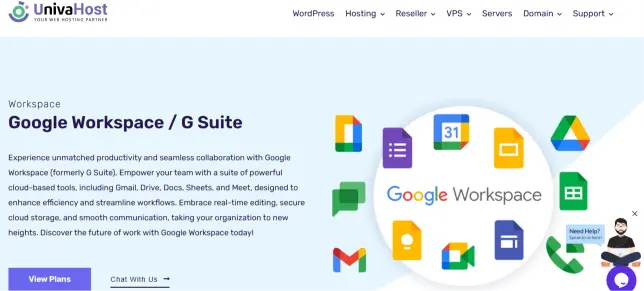
UnivaHost is a hosting brand that sells Google Workspace through a South African page. Plans need a one-year commitment. A 30-day money-back guarantee softens that.
Prices sit slightly below Google’s list. They stay in US dollars. Its sales phone lines sit outside South Africa.
UnivaHost appeals to bargain hunters who accept a yearly term. The refund window reduces your risk on day one. Read the terms of service before you pay.
Pricing: Starter costs $6.99 per user monthly. Standard costs $13.99 and Plus costs $20.99. Enterprise costs $29.99.
Features
- Test with a refund window. Every plan carries a 30-day money-back guarantee.
- Get help anytime. UnivaHost lists 24/7 support by ticket, chat, and phone.
- Scale up later. Four tiers run from Starter to Enterprise.
- Adjust your users. You can add or remove users as your team changes.
Pros
- Slightly below Google’s list price
- Four tiers to choose from
- A money-back window
Cons
- One-year commitment required
- Billing happens in US dollars
- Meeting sizes on its Plus plan differ from other listings, so verify them
Best For: Budget buyers who want a refund window and dollar pricing.
7. Buy Direct from Google

You can also skip resellers and buy from Google. You get list pricing and Google’s own billing. You also manage everything yourself.
Direct buyers pay in dollars. Starter costs $7 per user monthly on an annual plan. Flexible monthly billing costs more.
Direct buying makes sense when someone on your team knows admin work. You control every setting from day one. You also carry every mistake.
Pricing: Starter, Standard, and Plus cost $7, $14, and $22 per user monthly on annual plans. Flexible plans cost $8.40, $16.80, and $26.40.
Features
- Sign up in minutes. Self-service setup needs only a domain and a payment card.
- Choose your billing. Annual plans cost less, and flexible plans give you room to change.
- Access every tier. Starter includes 30 GB pooled storage per user. Standard adds 2 TB, and Plus adds 5 TB.
Pros
- Official pricing with no middleman
- Full choice of tiers
- Fast self-service signup
Cons
- Dollar billing and possible card fees
- Only your administrator can log support tickets, according to Cozan
- No local setup or migration help
Best For: Confident admins who are comfortable with dollar billing.
8. Independent Partners from Directories
Many small consultancies also resell Google Workspace. Directories such as Elio Plus list eleven South African partners. They include Cloud Trainer SA, GooPERTS, Blue Jaguar, and Linuxweb.
These firms often combine licences with training and consulting. Quality varies, and prices rarely appear online. Ask for a written quote before you commit.
A boutique partner can shine when your setup is unusual. Perhaps you run several domains or a special workflow. Ask for references from similar clients.
Pricing: Varies. Expect a custom quote.
Features
- Find local experts. Filter by city, including Cape Town, Johannesburg, Pretoria, Durban, and Mbombela.
- Compare quotes. Request several quotes and compare terms side by side.
- Learn as you go. Some partners focus on Google Workspace training.
- Bundle other IT. Several also offer backup, security, and website services.
Pros
- Personal, hands-on service
- Niche expertise
- Room to negotiate
Cons
- Prices rarely appear online
- Quality varies by firm
- A directory listing does not prove partner status
Best For: Buyers who want a boutique consultant.
What to Check Before You Buy
Prices grab your attention first. Terms decide your real bill. Check these seven items in this order.
- Currency and VAT. Ask whether the quote uses rand or dollars. Ask whether VAT is included. Cozan lists prices excluding VAT, so R135 becomes about R155 after 15% VAT.
- Exchange-rate risk. Dollar bills move with the rand. Here is an illustration. A $7 licence costs R126 at R18 per dollar. It costs R140 at R20.
- Commitment length. Annual plans cost less than flexible ones. Cozan charges R135 annually and R170 flexibly. UnivaHost requires one full year.
- Support access. Ask who can log tickets and when help is available. Get the hours in writing. Check whether priority support costs extra.
- Migration terms. Ask what moves across, such as mail, calendars, contacts, and files. Ask who changes your DNS records. Confirm whether the service is free.
- Licence tier. Starter gives 30 GB pooled storage per user. Standard gives 2 TB and Plus gives 5 TB. Plus also adds Vault for records and larger meetings.
- Admin ownership. Keep the master admin login in your company’s name. Some managed plans give the partner that login. You need a clear exit route.
- Privacy and POPIA. South Africa’s POPIA law makes you responsible for personal information. Ask each provider for a data processing agreement. Truehost offers one for Workplace on request.
Reseller or Direct? What You Actually Pay For
Google Workspace is the same product wherever you buy it. Gmail, Drive, and Meet do not change. The wrapper around them does.
A reseller adds billing, setup, and support to Google’s licence. Some charge a premium for that wrapper. Others match Google’s list price and compete on service.
So ask what the wrapper includes. A help desk for every user has value. A free migration saves real hours. A vague partner badge saves nothing.
Cozan makes one sharp point on its own page. If you sign up directly with Google, only your administrator can log a support ticket. Whether that matters depends on your team. Ask who will fix problems at 5 pm on a Friday.
Red Flags to Walk Away From
Most deals are fine. A few contain traps. Watch for these signs.
- No VAT statement. A quote that never mentions VAT hides 15% of your cost.
- Vague partner claims. Ask for the provider’s Google partner status in writing.
- Unclear migration scope. Get a written list of what moves and what stays behind.
- Admin login held back. Never accept a setup where you cannot reach the owner login.
- Long lock-ins with no exit. A yearly term needs a clear cancellation policy.
Any one flag deserves a question. Two flags deserve another quote.
Seven Questions to Ask Every Provider
Send these questions to every shortlisted provider. Compare the answers, not just the prices. Quick, clear replies signal good service.
- Is the price in rand or dollars? Get the currency in writing.
- Does the quote include VAT? Ask for the total you will actually pay.
- Which tier does this price cover? Match it to your storage and meeting needs.
- What does migration include? List mail, calendars, contacts, and Drive files.
- Who holds the master admin login? It should be you.
- What are your support hours? Ask about weekday and after-hours cover.
- How do I cancel? Ask about notice periods and refunds.
What Ten Users Cost Each Year
Monthly prices hide the real total. Here is the yearly math for a ten-person team. It uses each provider’s entry plan.
| Provider and Plan | Basis | Yearly Cost, 10 Users |
| Truehost Workplace Starter | R8 per mailbox monthly, triennial | R960 (confirm VAT at checkout) |
| Cozan Starter, annual plan | R135 per user, excl. VAT | R16,200 (R18,630 with VAT) |
| Cozan Starter, flexible | R170 per user, excl. VAT | R20,400 (R23,460 with VAT) |
| Nindohost Starter | $7 per user | $840 |
| UnivaHost Starter | $6.99 per user | $838.80 |
| Google direct Starter | $7 per user, annual | $840 |
Notice the Cozan gap between annual and flexible billing. Ten users pay R4,200 more each year for that flexibility, before VAT. Flexibility has value, but only if you truly need it.
Read this table with care. Truehost Workplace is not Google Workspace. It gives you 10 GB per mailbox, documents, and calendars instead of Meet and Gemini.
Ask yourself which tools your team opens daily. If the answer is email and documents, a lighter plan may cover you. If your team lives in Meet and Drive, pay for Google.
Which Provider Fits Your Team?
Still stuck? Match your situation below and decide in a minute.
- Small team, local help, rand invoices: Cozan.
- Already on Vodacom services: Vodacom Business.
- Large rollout with payment terms: Deimos.
- Dollar pricing with free migration: Nindohost.
- A refund window on a yearly term: UnivaHost.
- Only email and documents: Truehost Workplace.
- Confident with self-service admin: Google direct.
Common Questions
Is Google Workspace cheaper through a South African reseller?
Not always. Nindohost matches Google’s $7 list price. At R18 per dollar, that equals R126, while Cozan charges R135 before VAT. You pay for rand billing and a help desk.
Can I keep my existing domain?
Yes. Your domain stays registered where it is. You only add Google’s verification and mail records.
Can I switch providers later?
Usually yes. Ask first, because transfers depend on who holds your admin login. Keep that login under your control.
Do I need the full suite?
Not always. Many small teams use only email and documents. Compare a lighter plan before you pay per user.
Does the reseller change the product?
No. Gmail, Drive, and Meet work the same everywhere. Only billing, setup, and support change.
What is a Google partner?
A partner is a company that Google approves to sell or support Workspace. Some resell licences, while others only consult. Ask which role your provider plays.
The Bottom Line
You now know where to buy Google Workspace in South Africa. Price is only the start. Terms, currency, and support shape your real cost.
Choose Cozan for rand billing and local help. Choose Vodacom Business for one telecom invoice. Choose Deimos for enterprise terms. Choose Nindohost or UnivaHost for dollar pricing with migration or refund perks.
Not sure you need the full suite? Truehost Workplace covers email, documents, and calendars from R8 per mailbox monthly. Test it against Google before you pay per user.
Ready to compare? Browse Truehost Workplace plans, or check Google Workspace on the Truehost store. For a head-to-head view, read our Truehost vs Google Workspace guide. Confirm every price on the provider’s own page, since these figures come from listings checked on 30 September 2026.