Web Hosting
 Windows HostingBuilt for Windows apps and websites – stability, speed and flexibility
 Reseller HostingLaunch a hosting business without technical skills or expensive infrastructure
 Affiliate ProgramRefer customers and earn commissions from sales across our platform
 Domain SearchFind and secure a domain name in seconds with our quick lookup tool
 CO ZA Domains
 All DomainsExplore domain names from over 324 TLDs globally – all in one place
 Free Whois Lookup Tool South Africa
 VPS
VPS Website Builder
 Online ShopSet up a sleek eCommerce store with zero coding knowledge
 SSLs
SSLs SupportAccess help articles, how-tos, and everything about our services
 Blog
Blog Contact UsReach our team instantly via live chat or drop us an email
Moving your website to a new home can feel a little scary, especially if you are new to owning a domain. The good news is that when you transfer a domain to Truehost, the whole process is a lot simpler once you know the steps.
A domain is the web address people type to find your site, and moving it only changes who looks after that address behind the scenes. Your website, your emails, and your content all stay the same.
In this guide, you will learn exactly how to transfer your domain from RegisterDomain.co.za to Truehost smoothly and safely.
Table of Contents
Step 1: Check If Your Domain Is Ready For The Move
Before you transfer your domain name from RegisterDomain.co.za to Truehost, you need to make sure your domain can actually be moved. Think of a domain like a house address. You cannot just pick it up and carry it somewhere else if there are rules stopping you.
a) First, your domain needs to be at least sixty days old. If you bought it recently or moved it recently, you will need to wait a little before the switch can happen.
b) Next, check that your domain has not expired. An expired domain cannot be transferred until it is renewed first.
c) Lastly, make sure the contact details on your domain are correct and up to date, since the registry will send important messages to that email during the move.
Once you have ticked all these boxes, you are ready to begin the real work of moving your domain from RegisterDomain.co.za to Truehost.
Step 2: Unlock Your Domain at RegisterDomain.co.za
Most domains come with a lock. This lock is a safety feature that stops anyone from stealing or moving your domain without your permission. It is a good thing to have, but it also means you have to turn it off before you can begin to transfer your domain from RegisterDomain.co.za to Truehost.Africa.
Log in to your account at RegisterDomain.co.za and look for a setting called domain lock, transfer lock, or registrar lock. Switch it off. If you cannot find this setting on your own, do not worry. Just send a message to their support team and ask them to unlock the domain for you. They deal with this request often, so it should not take long.
Keep in mind that this step is required no matter which registrar you are moving away from. Without unlocking first, your domain cannot travel anywhere, and the move from TheRegisterDomain. co. za to Truehost will be stuck before it even starts.
Step 3: Get Your Authorization Information
Here is where South African domains work a little differently from domains like .com or .net. For most international domains like .com, .net, or .org, you would need something called an EPP code, which is like a secret password for your domain. However, .co.za domains do not use an EPP code at all.
Instead, to complete the RegisterDomain.co.za to Truehost transfer for a .co.za domain, you simply need to give your permission through an authorization email. RegisterDomain.co.za will usually send this email once you request the transfer, or you can ask their support team to confirm they are ready to release the domain. Some registrars also ask you to reply to a confirmation message before letting the domain go.
So instead of hunting for a code, your main job here is making sure your email address is correct and that you keep an eye on your inbox. This small difference makes the switch a bit simpler than moving other types of domains.
Step 4: Create Your Free Truehost Account
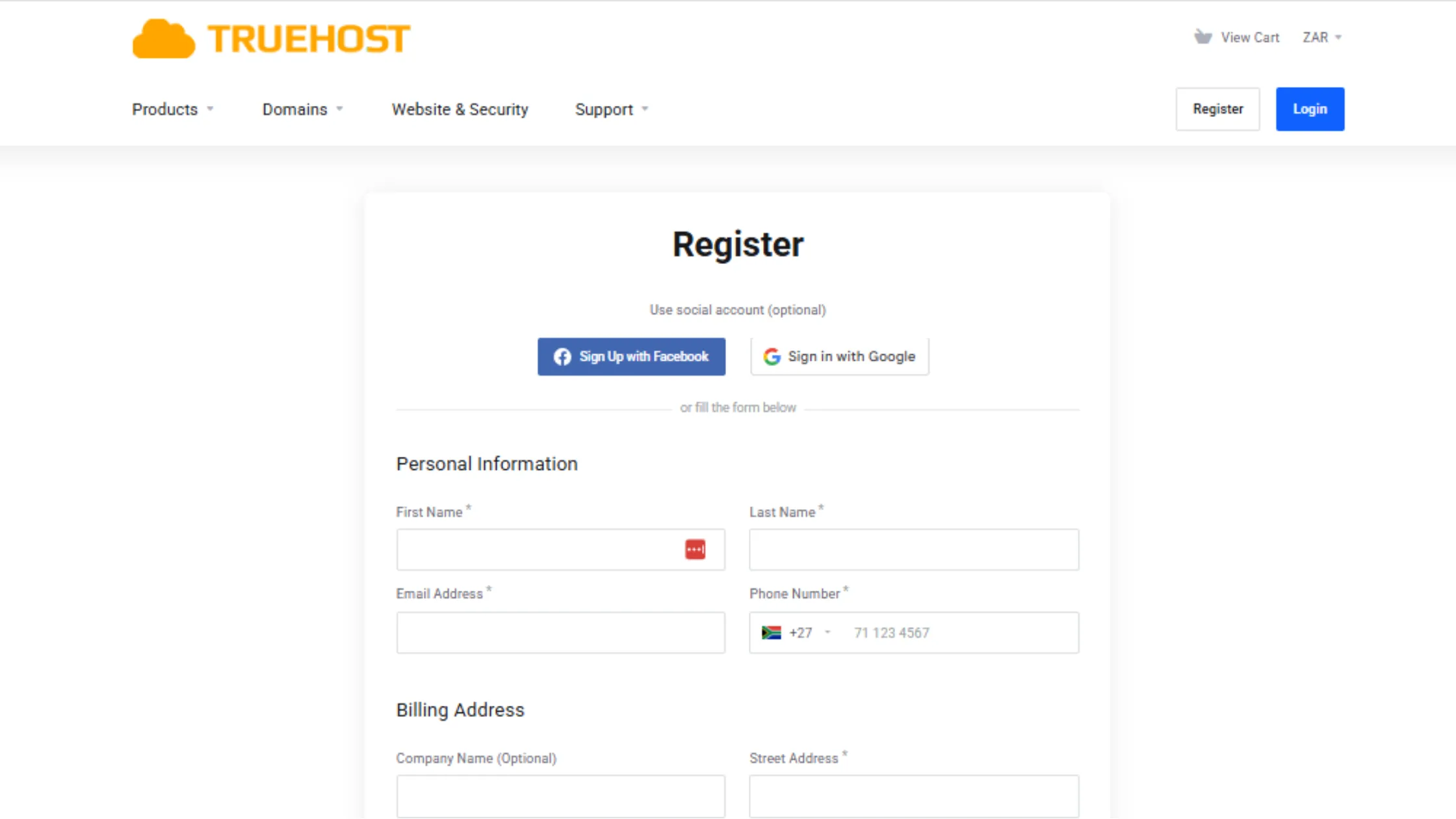
Before you can bring your domain over, you need a home for it to land in. This means setting up an account on Truehost if you do not already have one.
- Head over to the Truehost website and click on the sign up button.
- Fill in your name, email address, and a strong password.
It only takes a couple of minutes, and it will not cost you anything just to open the account. Once you confirm your email, you will be able to log in to your new Truehost dashboard, which is where the rest of your journey to transfer your domain name from RegisterDomain.co.za to Truehost.Africa will take place.
If you already have a Truehost account from before, you can skip this step and simply log in. Either way, having your account ready means you are one big step closer to finishing the move.
Step 5: Start The Transfer Request On Truehost
Now for the exciting part.
- Log into your Truehost dashboard and look for the domain transfer section on the menu.
- Click on it, and you will see a box where you can type in your domain name.
- Enter your domain name exactly as it appears, then click the transfer button to begin.
The system will check your domain and let you know if it is eligible to move. Since you already unlocked it back in Step 2, this part of the process should go smoothly.
You do not need to buy hosting just to transfer a domain to Truehost. Hosting is only needed if you also want your website files and emails stored with Truehost. It is completely optional, and you can always add it later once your domain has safely landed in your account. If you do want it now, you can simply add a hosting plan to your cart at this point too.
Step 6: Approve The Transfer Request
Once your request has been started, you are not quite finished yet. You will get a confirmation email asking you to approve the transfer. This is a safety check to make sure you are really the one asking for the domain to move, and not someone else pretending to be you.
Open that email and follow the link or button inside to approve the request. In some cases, RegisterDomain.co.za may also send you a separate email asking you to confirm you are happy to let the domain go. If that happens, approve that one too.
Take your time here and read everything before you click.
Once you approve a domain transfer and the move gets underway, it usually cannot be reversed or cancelled, so this is your last chance to make sure everything is correct. Skipping this step, or rushing through it, is one of the most common reasons a transfer gets delayed, so check your inbox and even your spam folder to make sure you do not miss it.
Step 7: Complete Payment For Your Transfer
When you transfer a domain to Truehost using a country-level extension, such as .co.za, .co.ke, or .com.ng, the move itself is free. There is no charge, and you do not need to purchase a hosting plan just to complete it.
This is different from international domains, like .com or .net, where Truehost’s general policy is that a transfer fee applies, equal to a one-year renewal for the domain. That fee does not apply to a .co.za domain, so your cart summary should reflect this at checkout.
Once your approval has gone through, you will be taken to a cart summary showing exactly what you are paying for, if anything at all. Review the details carefully so you know what you are agreeing to. Choose your payment method if one is needed, then finish the checkout process. You will receive an invoice by email as a record of your order, confirming that your request has been placed and is now moving toward completion.
Do not worry if this feels like a lot of clicking. Every registrar works this way, and Truehost keeps checkout simple so first-time website owners do not get lost along the way.
Step 8: Wait For The Transfer To Complete
With everything approved, all that is left to do now is wait. Domain transfers are not instant for every extension, and .co.za domains can take a short while to finish moving between registrars.
During this waiting period, try not to change any domain settings, since doing so could pause or restart the process. Just sit tight and check your email now and then for updates. Once the move is complete, Truehost will send you a message confirming that you have successfully transferred a domain to Truehost.
Step 9: Confirm Everything Is Working On Truehost
The last thing to do is double-check that everything landed safely. Log into your Truehost dashboard and look for your domain in the list. It should now show Truehost as the registrar instead of RegisterDomain.co.za.
Take a moment to check your nameservers and DNS settings, since these sometimes reset during a move. If you also transferred hosting, make sure your website and any email addresses tied to the domain are working the way they should.
Once you have checked everything, your job here is done.
Transfer Your Domain From RegisterDomain.co.za to Truehost Now
Transferring your domain from RegisterDomain.co.za to Truehost does not need to be stressful. Once it is unlocked and you have the right authorization from RegisterDomain.co.za, the rest of the process only takes a few clicks on your end. Your website, your emails, and your content stay untouched the whole way through, and Truehost handles the technical side for you.
Ready to make the move?
Start your free journey to transfer a domain to Truehost today. For a .co.za domain, it costs nothing to switch, and their local support team is on hand to help you every step of the way.
Domain Transfer From RegisterDomain.co.za to Truehost.Africa FAQs
Your website going offline during the move is unlikely. It stays online as long as your DNS settings remain unchanged during the transfer. Downtime only happens if nameservers are altered or hosting gets misconfigured along the way.
A .co.za transfer usually finishing quickly is one of its biggest perks. These moves are often faster than international domains, completing within a few hours to a couple of days, depending on how fast approvals happen.
Your emails continuing to work is the goal throughout the move. They will keep working as long as your DNS, especially your MX records, stays the same. It is always smart to double-check email settings once the transfer is done.
Missing the approval email is usually fixable in a couple of quick steps. First, check your spam or junk folder. If it is not there, confirm your domain contact email is correct, and request the email again from your registrar if needed.
Someone transferring your domain without asking you first is not possible. Transfers require explicit approval through email confirmation. This security step makes sure only the true domain owner can allow the move to happen.
Timing your transfer well can save you a headache later. It is best to move your domain well before it expires, since starting close to the expiry date can lead to delays or failed requests.
Your SEO rankings staying safe depends on a few small things. A transfer will not affect them as long as your website content stays the same, your DNS settings remain consistent, and there is no downtime along the way.
A rejected transfer request usually comes down to one of three things: the domain still being locked, incorrect contact details, or a missed approval email. You can fix the issue and simply start the request again.
Moving several domains together is completely possible. You can transfer multiple domains at once, but each one still needs to go through its own separate approval process, one at a time.
An outdated or different email on your domain can slow things down a little. You will need to update your contact details with your current registrar first, since approval and authorization messages are only sent to the email on file.