 Web Hosting
 Windows HostingBuilt for Windows apps and websites – stability, speed and flexibility
 Reseller HostingLaunch a hosting business without technical skills or expensive infrastructure
 Affiliate ProgramRefer customers and earn commissions from sales across our platform
 Domain SearchFind and secure a domain name in seconds with our quick lookup tool
 CO ZA Domains
 All DomainsExplore domain names from over 324 TLDs globally – all in one place
 Free Whois Lookup Tool South Africa
 VPS
 Website Builder
 Online ShopSet up a sleek eCommerce store with zero coding knowledge
 SSLs
 SupportAccess help articles, how-tos, and everything about our services
 Blog
 Contact UsReach our team instantly via live chat or drop us an email

The new school year starts in January, and your to-do list already looks heavy. Forty teachers need email, hundreds of learners need logins, and the IT budget line says almost nothing. Finding email hosting for South African schools should not eat your whole holiday.
Choosing school email is a lot like buying school desks. You need the right number, they must survive daily use, and nobody wants a surprise invoice halfway through the term.
Below, you will find eight options that really work for schools, from free education suites to low-cost local hosts. Each one is judged on what a principal or school administrator actually cares about: mailbox counts, storage, setup effort, and what happens next year.
Table of Contents
Quick Comparison
Prices are monthly and come from each provider’s own page. Confirm VAT and current rates before you order.
| Provider | Price | Mailboxes | Storage | Best for |
|---|---|---|---|---|
| Truehost Workplace | From R8 a month, long-term rate | 1 to 3 per plan | 3 GB to 10 GB per mailbox | Staff and office addresses |
| Google Workspace for Education | Free for eligible schools | 2,500 licences to start | Pooled across the school | Learner email and classroom tools |
| Microsoft 365 Education A1 | Free for eligible schools | Per user licences | 50 GB mailbox per user | Schools on Windows |
| Domains.co.za | R69 to R1,249 a month, VAT included | 10 to 600 accounts | 10 GB to 600 GB pool | Large pools with real storage |
| 123media | R25 to R189 a month | 20 to 200 accounts | 5 GB to 50 GB pool | Lowest local monthly cost |
| Hostking | R39.50 a month in year one | 25 to unlimited accounts | Shared disk | Schools adding a website |
| xneelo | R99 to R439 a month, VAT included | 100 to 1,000 mailboxes | 15 GB to 100 GB shared | Website plus 24/7 support |
| Afrihost | From R59 a month | 10 to 250 addresses | 1 GB to 10 GB pool | No-contract, light mail |
1) Truehost Workplace

Truehost Workplace gives your school’s leadership and office team professional addresses on your own domain. Think principal@, admissions@, and accounts@ instead of free Gmail accounts. Parents notice that difference the first time they email the school.
Pricing: Workplace Starter from R8 a month, Pro from R21, and Business from R37, at the long-term billing rate
Features
- Pay in rand, always. Your invoice stays predictable, which makes governing body budgets easier.
- Cover the front office. Pro bundles three mailboxes with 5 GB each for your busiest administrators.
- Handle heavy attachments. Business offers 10 GB per mailbox for newsletters, reports, and scanned forms.
- Stay protected by default. Two-factor sign-in, antivirus checks, and spam filtering come with every plan.
Pros
- Lowest monthly rand price on this list
- Docs, Sheets, and Presentations included for office work
Cons
- Built for staff and office addresses, not hundreds of learner mailboxes
- Support reviews are mixed, so test with one mailbox and confirm the server region first
Best For: Principals and school offices who want trusted staff addresses without a large bill
2) Google Workspace for Education Fundamentals
Google Workspace for Education Fundamentals is free for qualified institutions. It gives learners and teachers Gmail, Classroom, Meet, Docs, Sheets, and Drive on your school domain. Most schools that start here never look back.
Pricing: Free for eligible schools, with new Fundamentals domains starting at 2,500 licences and more available on request
Features
- Teach in one place. Classroom, Docs, and Meet sit beside every learner’s inbox.
- Add learners in bulk. Admins create accounts in groups and manage them by year or class.
- Grow without new invoices. Extra licences can be requested when your enrolment grows.
Pros
- Free for qualifying schools
- The strongest classroom tools on this list
Cons
- Google must confirm your eligibility, and the school needs its own working website
- Data sits on Google’s global servers, so check your POPIA obligations for children’s information
Best For: Schools ready to run teaching and learner email on one free platform
3) Microsoft 365 Education A1
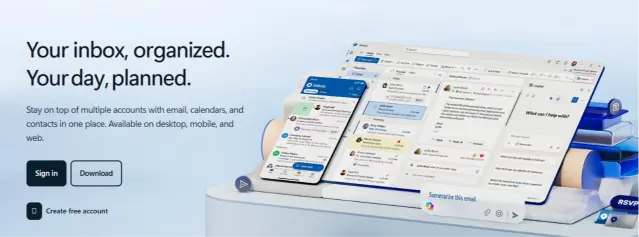
Microsoft 365 Education A1 is a free plan for qualifying institutions. It includes a 50 GB Exchange mailbox, Teams, 1 TB of OneDrive, and web versions of Word, Excel, and PowerPoint. If your staff already live in Windows, it will feel familiar.
Pricing: Free for schools that pass Microsoft’s academic verification
Features
- Get big mailboxes free. Each user receives a 50 GB Exchange Online mailbox.
- Meet and collaborate. Teams handles virtual lessons, staff meetings, and chat.
- Store work safely. OneDrive gives each user 1 TB for coursework and records.
Pros
- Very generous mailbox and file storage at no cost
- Familiar tools for Windows-based administration
Cons
- A1 offers web and mobile Office apps only, with desktop apps on paid tiers
- Verification can take longer than expected for some schools
Best For: Schools already using Windows who want free, roomy mailboxes
4) Domains.co.za
Domains.co.za sells email on its own, and its plans scale to school-sized numbers. You can start at 10 accounts and climb to 600. Every price includes VAT, so your finance officer sees the real figure.
Pricing: Email Only 10 costs R69 a month, Email Only 100 costs R209, and Email Only 600 costs R1,249, all including VAT
Features
- Get storage that matches the headcount. The 100-account plan includes 100 GB, and the 600-account plan includes 600 GB.
- Keep mail local. Servers sit in the Teraco data centre in Isando, Johannesburg.
- Recover from disasters. Daily off-site backups run through Acronis.
- Move over for free. Free email migration helps you leave your old provider.
Pros
- Real storage per learner, not a token pool
- VAT-inclusive pricing and local hosting
Cons
- Mailboxes default to 1 GB each, so someone must adjust sizes in cPanel
- No classroom or document tools
Best For: Schools wanting local hosting with proper storage for many mailboxes
5) 123media
123media offers the lowest monthly prices among the local hosts here. Its plans run month to month, so you can start small and change your mind. Its servers sit in South Africa for fast local delivery.
Pricing: Micro costs R25 a month for 20 accounts, Pro costs R89 for 100 accounts, and Master costs R189 for 200 accounts
Features
- Pay only as you grow. Month-to-month plans carry no contract, and annual payment earns two months free.
- Restore deleted mail. Daily, weekly, and monthly backups go to a secure location.
- Reach support anytime. Round-the-clock support runs by email, with a 30-day money-back guarantee.
Pros
- The cheapest route to 100 local accounts
- No long-term contract
Cons
- Pro shares 20 GB across 100 accounts, so a few heavy senders can fill the pool
- Support runs through email rather than phone
Best For: Small schools wanting the lowest local monthly cost
6) Hostking
Hostking bundles email with web hosting and shows its renewal price upfront. That helps a school plan the next year’s budget before signing.
Pricing: Launch costs R39.50 a month in year one (25 accounts), then renews at R79. Premium costs R149 in year one for unlimited accounts, then renews at R298
Features
- Cover big staff lists. Launch includes 25 accounts, Starter 50, and Premium unlimited.
- Add a school website. Hosting comes in the same plan, with a free .co.za domain for year one.
- Rely on daily backups. Backups run every day and are stored in two places.
Pros
- Clear renewal pricing
- A 30-day money-back guarantee
Cons
- The price doubles after the first year
- Unlimited accounts still share one pool of server storage
Best For: Schools that want a simple website and staff email on one bill
7) xneelo
xneelo is one of South Africa’s best-known hosts, with support available at any hour. Its hosting packages include email for 100 to 1,000 mailboxes. That makes it handy for schools that also want a proper website.
Pricing: Basic costs R99 a month, Standard R149, Advanced R279, and Master R439, with VAT included
Features
- Choose your server region. You can pick South African or German servers when you order.
- Get help any hour. Support runs 24/7 by phone and live chat.
- Scale mailboxes up. Master allows up to 1,000 mailboxes on one plan.
Pros
- Strong reputation and round-the-clock human support
- Website and email in one VAT-inclusive bill
Cons
- Email-only use is not the most cost-effective route, according to xneelo itself
- Storage is shared with your website, and overages cost R20 per GB
Best For: Schools wanting a website and many mailboxes with 24/7 local support
8) Afrihost
Afrihost is famous for friendly service, and its domain email follows suit. Every package runs month to month, so there is no paperwork. You can also get quick help on WhatsApp.
Pricing: Domain email from R59 a month for 10 addresses, rising to R109 for 250 addresses
Features
- Stay free of contracts. All packages are month to month, so you can leave any time.
- Get help on WhatsApp. Chat with a real person through its WhatsApp support line.
- Control your setup. You get MX record control, IMAP, POP3, spam filters, and antivirus.
Pros
- Cheapest per-address route to 250 accounts
- No fixed-term contracts
Cons
- The 250-address plan shares only 10 GB of disk across every account
- Domain registration is not included
Best For: Schools needing many light, basic mailboxes without a contract
Staff and Learners Need Different Things
Teachers and administrators send attachments, keep records, and need addresses that last for years. Learners mostly need a login, a class inbox, and safe access to shared work. Treating both groups the same wastes money on one side and under-serves the other.
That is why a split setup works so well. Free suites cover learners cheaply, while a small paid plan gives staff reliable, branded mailboxes. You pay only where it truly improves the experience.
Before You Choose: Four Checks for Schools
The cheapest plan only helps if it survives a full school year. These four checks keep you safe all year long.
- Apply early for free suites. Google and Microsoft both verify eligibility, and approval can take days or longer.
- Watch the shared pool. Budget hosts share one pool of storage, so a few heavy senders can slow everyone down.
- Protect children’s data. POPIA treats children’s personal information with extra care, so confirm where mail is stored.
- Plan for turnover. Learners and teachers leave every year, so choose a platform where an admin can remove or reassign accounts quickly.
The Bottom Line
Remember that heavy January to-do list you started with? The right setup crosses email off it in an afternoon. Many schools get the best value by splitting the job in two.
Use a free Google or Microsoft education suite for learners, where storage and classroom tools matter most. Then give your principal, office, and teaching staff branded addresses with Truehost Workplace, so parents see a professional school from the first message. If you need hundreds of local mailboxes or a website, Domains.co.za and xneelo are the strongest paid routes.
Ready to start with your school office and its first mailbox? Explore Truehost Workplace email and set up your first staff mailbox today.