Web Hosting
 Windows HostingBuilt for Windows apps and websites – stability, speed and flexibility
 Reseller HostingLaunch a hosting business without technical skills or expensive infrastructure
 Affiliate ProgramRefer customers and earn commissions from sales across our platform
 Domain SearchFind and secure a domain name in seconds with our quick lookup tool
 CO ZA Domains
 All DomainsExplore domain names from over 324 TLDs globally – all in one place
 Free Whois Lookup Tool South Africa
 VPS
VPS Website Builder
 Online ShopSet up a sleek eCommerce store with zero coding knowledge
 SSLs
SSLs SupportAccess help articles, how-tos, and everything about our services
 Blog
Blog Contact UsReach our team instantly via live chat or drop us an email
A domain transfer sounds simple. You click a few buttons, and the job is done. In South Africa, the process runs through a registry-level approval step that most site owners have never seen.
Miss one part and things go wrong quickly. An email sits unanswered. A DNS record gets left behind.
A lock stays on when it should be off. The next thing you know, your site is offline, and your email has stopped. Customers hit an error page instead of your homepage.
This checklist walks through what to prepare before you start. It also covers how the .co.za voting process works.
You will also see how to keep your site and email live the whole time. Follow it, and the transfer becomes routine instead of a scramble.
Table of Contents
What Happens During a Domain Transfer (And Why South Africa Is Different)
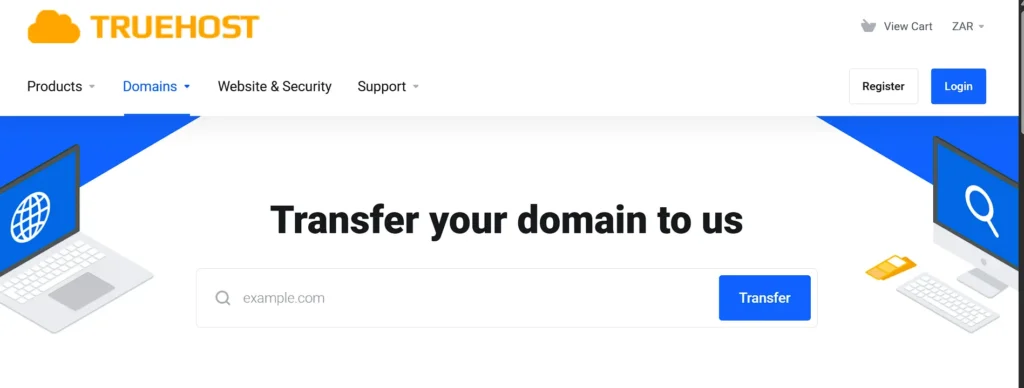
A domain transfer changes who manages your registration. It moves the record from your old registrar to your new one. That part sounds simple, and often it is.
Still, a transfer does not move your hosting, files, or email on its own. Those need separate steps if you want them to move too.
South Africa adds another layer here. A .co.za or .org.za domain moves through a voting ticket system.
Your current registrar sends a ticket to the email on file for your domain. Only that address can accept the transfer.
A .com or .net domain works differently. Those use an authorisation code, often called an EPP code, entered at the new registrar.
Timelines differ, too. A .co.za transfer usually finishes within 24 to 48 hours after the ticket gets accepted.
A generic domain like .com typically takes 5 to 7 days from start to finish. Knowing which type you hold and which clock you are on saves a lot of guesswork later.
ZARC 2025 Policy Changes
South Africa added a new layer to this picture in 2025. It followed a policy update from ZARC, the .za registry, announced on March 31, 2025.
The change covers .co.za, .org.za, .web.za, and .net.za domains. It brings South African transfer locking closer to how international domains like .com and .net already work.
Before this update, many .co.za transfers skipped the EPP code step entirely. That older behavior still shows up in plenty of guides today. So check first whether your domain now carries a lock under this newer policy.
Pre-Transfer Checklist: What to Confirm Before You Start
1) Check Domain Age and Lock Status
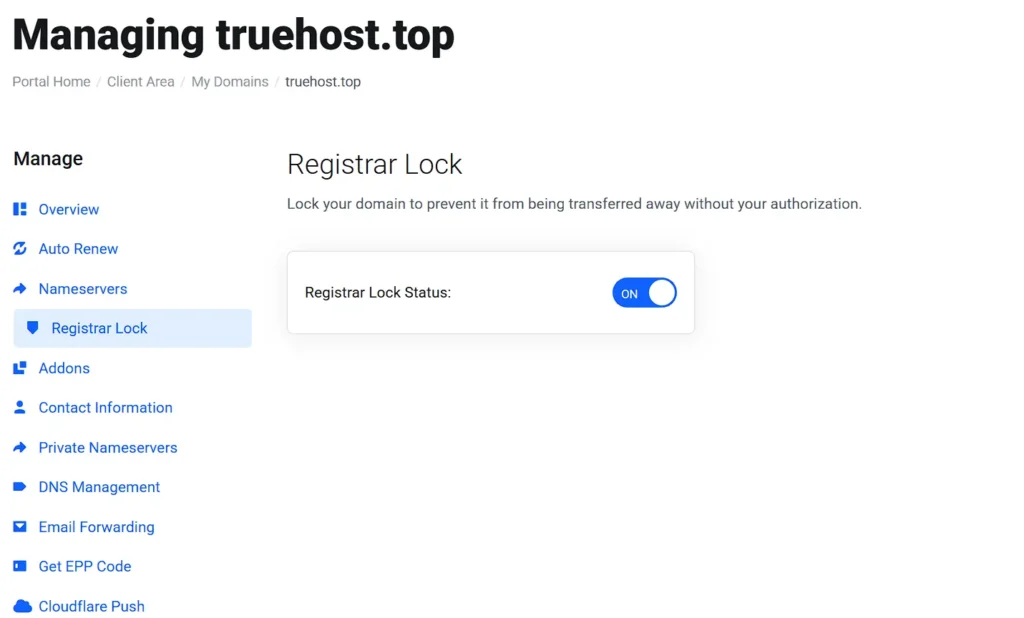
Most registrars set a minimum age before a domain qualifies for transfer. Sixty days from the original registration date is common.
Log in to your current account and confirm your domain meets that mark. From there, check whether a transfer lock or registrar lock is active.
If one is on, turn it off before you begin. A locked domain will reject the transfer request outright.
2) Verify Your Registrant Email
For .co.za domains, the transfer ticket only goes to the registrant’s email on file. If that inbox is old, forgotten, or shared with someone who left the company, the ticket may sit unread.
Log in to your registrar account and check the contact details listed there. Update anything outdated before you start the move.
A missed or bounced ticket is one of the most common reasons a transfer stalls.
3) Back Up DNS Records and Website Data
Before anything else, export or screenshot every DNS record tied to your domain. That includes A records, CNAME records, MX records, and TXT records.
You will need these to rebuild your setup at the new registrar. Alongside that, take a full backup of your website and database.
A domain transfer on its own should not touch your files. Still, a backup gives you a safety net if hosting moves at the same time.
4) Understand the Voting Ticket Process
A .co.za transfer runs through the ZA Central Registry, not through a simple code entry. Once you start the request, your new registrar sends a ticket to your registrant email.
That email includes a link to accept the transfer. If the message shows as plain text, look for a line called the Magic Cookie.
Reply to the email and remove the word Deny from that line to accept. Act on the ticket within the stated window, since an expired one needs to be reissued from scratch.
5) Get and Use the Authorisation (EPP) Code
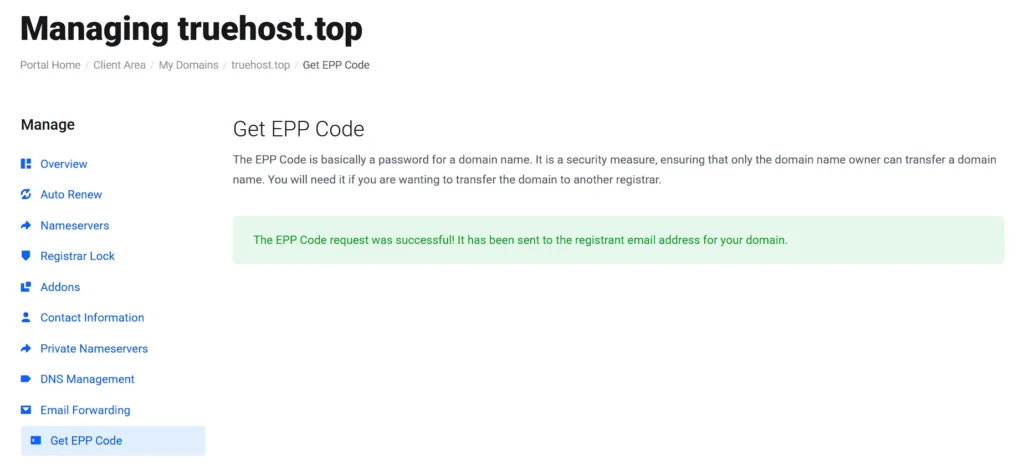
Log in to your current registrar account and request the authorisation code for your domain.
This code, sometimes called an EPP code, proves you own the domain and can move it.
Note that most codes stay valid for a limited window, often 5 to 15 days, depending on the registry.
Enter the code at your new registrar right after you receive it, so it does not expire first.
What to Do If a Domain Transfer Fails or Is Denied
Transfers fail for a handful of predictable reasons, and each one has a fix.
An expired ticket is the most common cause for .co.za domains. If this happens, ask your new registrar to issue a fresh ticket and check your email right away this time.
A mismatched WHOIS contact can also block a transfer. Update your registrant details with your current provider first, then try again.
An active domain lock will reject the request outright. Log in and remove the lock, then restart the process.
Outstanding fees with your current registrar can freeze a transfer, too. Settle any open invoices before you try again, since most registrars will not release a domain with a balance owing.
If a transfer gets denied outright, ask your losing registrar for a written reason. From there, correct the issue and resubmit. Most resubmissions clear within a few days once the original problem is fixed.
Post-Transfer Verification Checklist
Once your transfer completes, run through a short list before you consider the job done.
1) Check DNS propagation using a free lookup tool, and confirm your records match what you set up.
2) Load your site from a few different devices and networks to confirm it opens properly.
3) Test your SSL certificate to confirm it still shows as valid and secure.
4) Send and receive a test email to confirm MX records are working.
5) Log in to your new registrar and turn the domain lock back on to protect against unauthorised changes.
Give the new setup 24 to 48 hours of monitoring before closing out the migration.
An uptime checker can flag problems automatically during that window, so you do not have to watch it manually.
Frequently Asked Questions
How long does a domain transfer take in South Africa?
A .co.za or .org.za domain usually completes within 24 to 48 hours after the ticket is accepted. A .com or other generic domain typically takes 5 to 7 days from start to finish.
Does transferring a .co.za domain affect my website or email?
Not directly. A domain transfer changes who manages the registration, not where your files or inbox live. Downtime usually comes from DNS records that were not backed up or reconfigured properly.
What is an authorisation code, and do I need one for .co.za domains?
An authorisation code, or EPP code, is required for generic domains like .com and .net. .co.za and .org.za domains use a different system instead, a voting ticket sent to your registrant email. No code is needed.
Can I transfer a domain without losing my current hosting?
Yes. A domain transfer and a hosting migration are separate actions. Keep your current hosting active until your new domain setup is fully tested and working.
What happens if a domain transfer fails or is denied?
Most failures come from an expired ticket, an active lock, outdated contact details, or unpaid fees. Fix the specific issue with your current registrar, then resubmit the request.
Transfer Your Domain to Truehost
A domain transfer does not have to be stressful. Prepare early, follow each step, and your site stays online the whole time.
The steps above work with any registrar, but the transfer itself still depends on the provider handling it.
That is where Truehost fits in. Every transfer to Truehost includes a free one-year extension added to your domain, at no extra cost.
South African support is available if a ticket stalls or a lock needs sorting out.
Check your domain transfer eligibility with Truehost and move over with zero downtime.