Web Hosting
 Windows HostingBuilt for Windows apps and websites – stability, speed and flexibility
 Reseller HostingLaunch a hosting business without technical skills or expensive infrastructure
 Affiliate ProgramRefer customers and earn commissions from sales across our platform
 Domain SearchFind and secure a domain name in seconds with our quick lookup tool
 CO ZA Domains
 All DomainsExplore domain names from over 324 TLDs globally – all in one place
 Free Whois Lookup Tool South Africa
 VPS
VPS Website Builder
 Online ShopSet up a sleek eCommerce store with zero coding knowledge
 SSLs
SSLs SupportAccess help articles, how-tos, and everything about our services
 Blog
Blog Contact UsReach our team instantly via live chat or drop us an email
Your .co.za domain is stuck with a registrar that overcharges you. Maybe support tickets go unanswered for days.
Maybe basic settings hide behind a clunky control panel. Every day you wait costs you money and control.
One wrong click during a do-it-yourself transfer can cause real damage.
A wrong contact email or an unpaid invoice can leave your domain stuck for weeks. Your website and email hang in the balance the whole time.
Here’s the good news. A .co.za transfer is a five-day email vote, not a technical ordeal.
.co.za domains run on a different system than .com or .org domains. Instead, the registry ZADNA runs an email voting process for every transfer request for legacy domains and an authorization code for newer domains.
This guide walks through every step. It covers what to check first and how to dodge the two most common failure points. Your domain can land safely at Truehost the first time.
Table of Contents
What to Check Before You Start Your .co.za Domain Transfer
A few checks before you begin will save you time and stress.
First, confirm you still have access to the registrant contact email on file. Only that address can approve the voting ticket. If it’s outdated, update it with your current registrar before requesting the transfer.
Second, settle any outstanding invoices with your current registrar. Domains with unpaid fees cannot move. This is one of the most common reasons a transfer stalls before it even starts.
Third, keep the 2025 ZADNA email verification rule in mind. Registrants now need accurate, verified contact details on file. Incomplete verification can lead to a suspended domain rather than a smooth handover.
Step 1: Create a Truehost Account and Start the Transfer Request
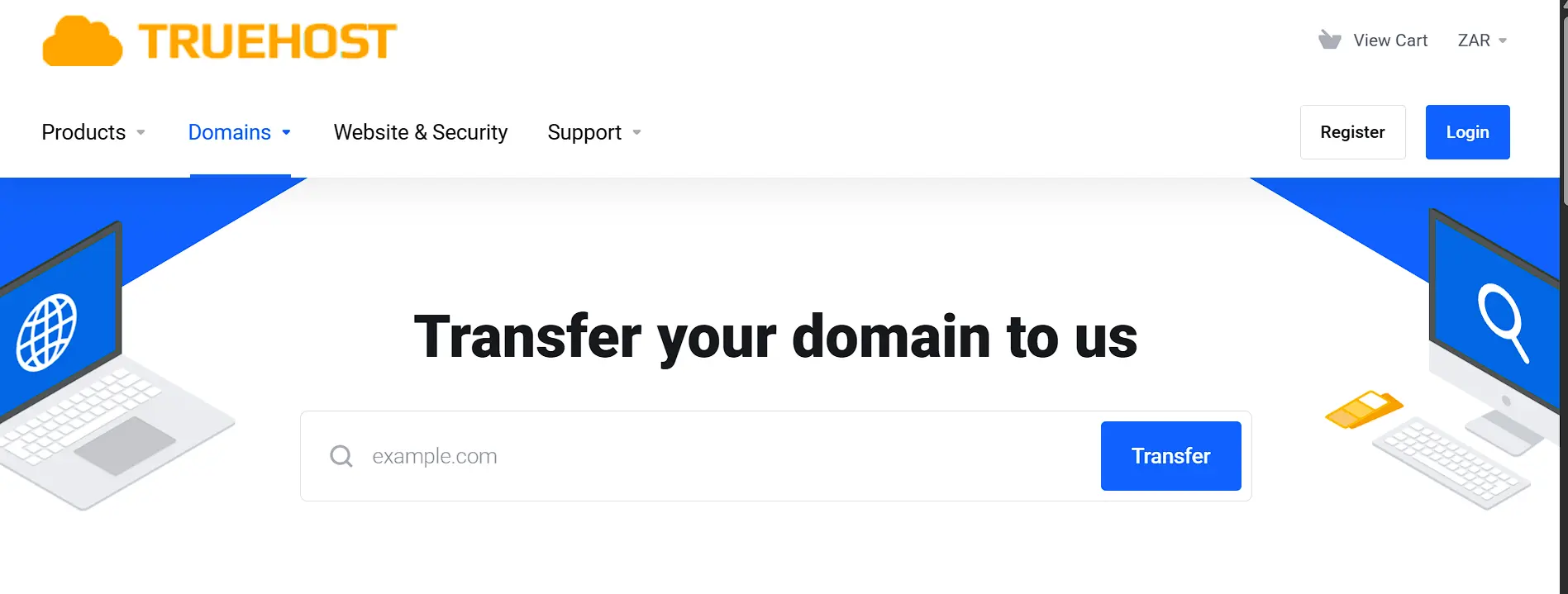
Sign up for a Truehost account if you don’t already have one. From your dashboard, find the domain transfer option. Enter the .co.za domain you want to move, then submit the request.
Once you request a transfer, ZADNA sends a voting ticket by email. That ticket goes to every Whois contact linked to the domain. This includes the owner, admin, tech, and billing contacts.
Step 2: Match Your Registrant Contact Details
Log in to your current registrar and check your registrant contact email. It needs to match what you entered with Truehost exactly. A mismatch here is the fastest way to delay or lose a voting ticket.
Step 3: Approve the Voting Ticket Within 5 Days
Watch your inbox for an email from the ZA Registry Consortium. This ticket asks you to approve or deny the transfer. You have five days to respond, so don’t let it sit.
Click the approval link inside the email. If your email client strips links, reply to the message instead. Remove the word “deny” from the reply as the instructions describe.
At least one contact has to approve the ticket for the transfer to move forward. You also don’t need to unlock the domain first, unlike most other extensions.
If nobody votes, the transfer fails automatically. The same happens if someone denies the request. Knowing this upfront saves you from a frustrating surprise later.
Step 4: Confirm the Transfer Completed
Once approved, the registry updates the domain within 24 to 48 hours. Run a quick Whois lookup afterward to check the result. Your domain is officially transferred once Truehost shows as the registrar.
How Long Does a .co.za Domain Transfer Take?
A clean transfer with no hiccups usually wraps up in 48 hours. Still, the full voting window runs up to five days. Plan around that timeframe rather than the best case alone.
Here’s a rough breakdown of what to expect:
- Day 0: You submit the transfer request through Truehost
- Days 1 to 5: The voting ticket sits open, waiting for approval
- Days 5 to 7: The registry finalizes the update once a vote comes in
If a vote gets denied or nobody responds in time, the request fails. The whole cycle then restarts from scratch. This is why a worst-case transfer can stretch into a few weeks, especially if contact details need fixing along the way.
ZARC 2025 Policy Changes
South Africa added a new layer to this picture in 2025. It followed a policy update from ZARC, the .za registry, announced on March 31, 2025.
The change covers .co.za, .org.za, .web.za, and .net.za domains. It brings South African transfer locking closer to how international domains like .com and .net already work.
Check first whether your domain now carries a lock under this newer policy.
Will My Website and Email Stay Online During the Transfer?
Yes, in most cases, nothing changes for your visitors or your inbox. A registrar transfer moves who manages the domain. It does not move where the domain points.
Your nameservers and DNS records carry over automatically, unless you change them yourself.
If you’re only moving hosting and not the domain itself, a full registrar transfer likely isn’t needed.
Updating your nameservers to point at your new host is enough. This route skips the voting process entirely.
Save the registrar transfer for situations where you actually want to change who manages the domain long term.
Why .co.za Domain Transfers Fail (and How to Fix Them)
Most failed transfers come down to one of three issues.
No vote received. This happens when the registrant contact never sees the email, often because the address on file is outdated. Fix this by updating your contact details with your current registrar before trying again.
A denied vote. This happens when a contact actively rejects the ticket. Sometimes it’s a mistake, and sometimes a losing registrar talks the account holder into canceling. Talk with everyone listed as a contact before you start, so nobody denies the request out of confusion.
An expired window. This happens when five days pass with no response at all. If this happens to you, simply resubmit the transfer request and check your inbox more closely this time.
There’s one more silent blocker worth flagging: outstanding fees at your current registrar. Settle any unpaid invoices first. A domain with a balance due won’t move, no matter how well you handle the voting ticket.
.co.za Domain Transfer Costs at Truehost
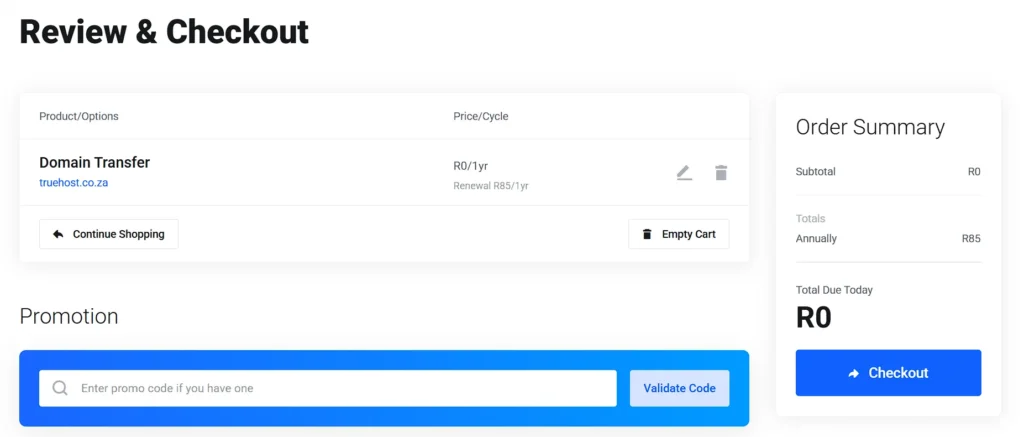
Transferring a .co.za domain to Truehost is free for the first year. After the first year, the standard renewal price kicks in.
Frequently Asked Questions
Do I need an authorization code to transfer a .co.za domain?
No, not for most transfers. .co.za domains use an email voting system instead of an authorization code. However, with the ZARC 2025 Policy Changes, registrars are now requiring EPP codes for domains registered after April 2025.
How long does a .co.za domain transfer take?
A smooth transfer can finish in 48 hours. The full voting window runs up to five days, so give the process a week to be safe.
Will my website or email go down during the transfer?
No, a registrar transfer doesn’t touch your nameservers or DNS records. Your site and inbox keep running, as long as you don’t change those settings yourself.
Why did my .co.za domain transfer fail?
The most common reasons are a missed vote, a denied vote, or a five-day window that expired with no response. Outstanding fees at your old registrar can also block the move.
Can I transfer a .co.za domain with outstanding fees or a lock on it?
Outstanding fees will block a transfer, so clear those first. A lock generally isn’t a problem for .co.za domains, since most transfers don’t require the domain to be unlocked at all.
Transfer Your .co.za Domain To Truehost Today
A .co.za transfer doesn’t need to feel risky. Match your contact details, watch for the voting ticket, and approve it within five days. That’s the entire process.
Truehost handles the registry side once you submit the request. Your part comes down to one email and a few minutes of your time.
The .co.za domain transfers to Truehost are also free, meaning you get an entire year of free domain registration.
Start your transfer today and get your domain off a registrar that isn’t working for you.