Web Hosting
 Windows HostingBuilt for Windows apps and websites – stability, speed and flexibility
 Reseller HostingLaunch a hosting business without technical skills or expensive infrastructure
 Affiliate ProgramRefer customers and earn commissions from sales across our platform
 Domain SearchFind and secure a domain name in seconds with our quick lookup tool
 CO ZA Domains
 All DomainsExplore domain names from over 324 TLDs globally – all in one place
 Free Whois Lookup Tool South Africa
 VPS
VPS Website Builder
 Online ShopSet up a sleek eCommerce store with zero coding knowledge
 SSLs
SSLs SupportAccess help articles, how-tos, and everything about our services
 Blog
Blog Contact UsReach our team instantly via live chat or drop us an email
Choosing between n8n and Power Automate comes down to one core question: do you prioritize open-source flexibility and full data control, or deep Microsoft ecosystem integration and low-code accessibility?
The honest answer looks completely different depending on who’s asking. A developer building custom AI-powered pipelines will reach for n8n almost by instinct. A business team already living inside Microsoft 365, Teams, and SharePoint will find Power Automate is simply the path of least resistance.
Neither tool is objectively “better”; they’re built for different people solving different problems.
We’ll compare both platforms across the features that matter most, making it easier to choose the right one for your team.
Quick Comparison Table
| Feature | n8n | Power Automate |
| Ease of Use | Steep learning curve; requires comfort with APIs and JSON | Wins, designed for non-technical users; AI Copilot generates flows from plain English |
| Workflow Flexibility | Wins, no limits on branching, loops, or nesting; handles deeply complex logic | Good for linear flows; gets unwieldy with many conditional branches |
| AI Capabilities | Wins, Native AI Agent node, multi-agent workflows, MCP support, vector DBs, flexible LLM choice | Tied to Copilot, Azure OpenAI, and AI Builder, built for the Microsoft ecosystem |
| Integrations | 500+ native nodes, any REST API free via HTTP node, community nodes on self-hosted | Wins, 1,000+ pre-built connectors, best-in-class M365 and Dynamics coverage (HTTP requires Premium) |
| Hosting Options | Wins, Self-host on Docker, Kubernetes, or VPS for full data control; cloud option available | Cloud only; on-premises gateway available, but the engine always runs on Azure |
| RPA / Desktop Automation | Not supported, strictly an API-first backend tool | Wins, Power Automate Desktop handles attended and unattended UI automation for legacy software |
| Security & Compliance | SOC 2 aligned; RBAC on paid tiers; SSO and audit logs locked behind Enterprise | Wins, Inherits Microsoft’s full compliance portfolio (HIPAA, FedRAMP, GDPR) with audit logs on standard paid plans |
| Performance | Unlimited executions when self-hosted; scales horizontally via queue mode and Redis | Auto-scales instantly on Microsoft’s cloud with no configuration, though large flows can lag |
| Pricing | Free self-hosted (unlimited executions); cloud from €20/mo, billed per workflow run | Free with M365 for standard connectors; Premium from $15/user/month; unattended RPA bots from $150/bot/month |
Table of Contents
1) Ease of Use
Learning curve. If you’re new to automation, Power Automate is the easier on-ramp. It’s built for business users and doesn’t assume any coding background. n8n has a steeper curve; you’ll get further, faster, if you’re comfortable with APIs, JSON, or a little JavaScript.
Interface. n8n uses a visual, node-based canvas where every step is explicitly wired together. It’s excellent for advanced workflows but can feel dense the first time you open it. Power Automate’s guided interface is friendlier for beginners, and its AI Copilot can generate a working flow from a plain-English prompt.
Workflow builder. In n8n, each action is a node you connect visually, so it’s easy to trace exactly how data moves through the workflow. Power Automate uses a step-by-step builder with menus and dropdowns, great for simple automations, but long workflows can become hard to manage.
Documentation. Both platforms are well documented. Power Automate benefits from Microsoft’s enormous support ecosystem and learning resources; n8n’s documentation is more developer-oriented, backed by an active community sharing tutorials, templates, and troubleshooting tips.
2) Workflow Flexibility
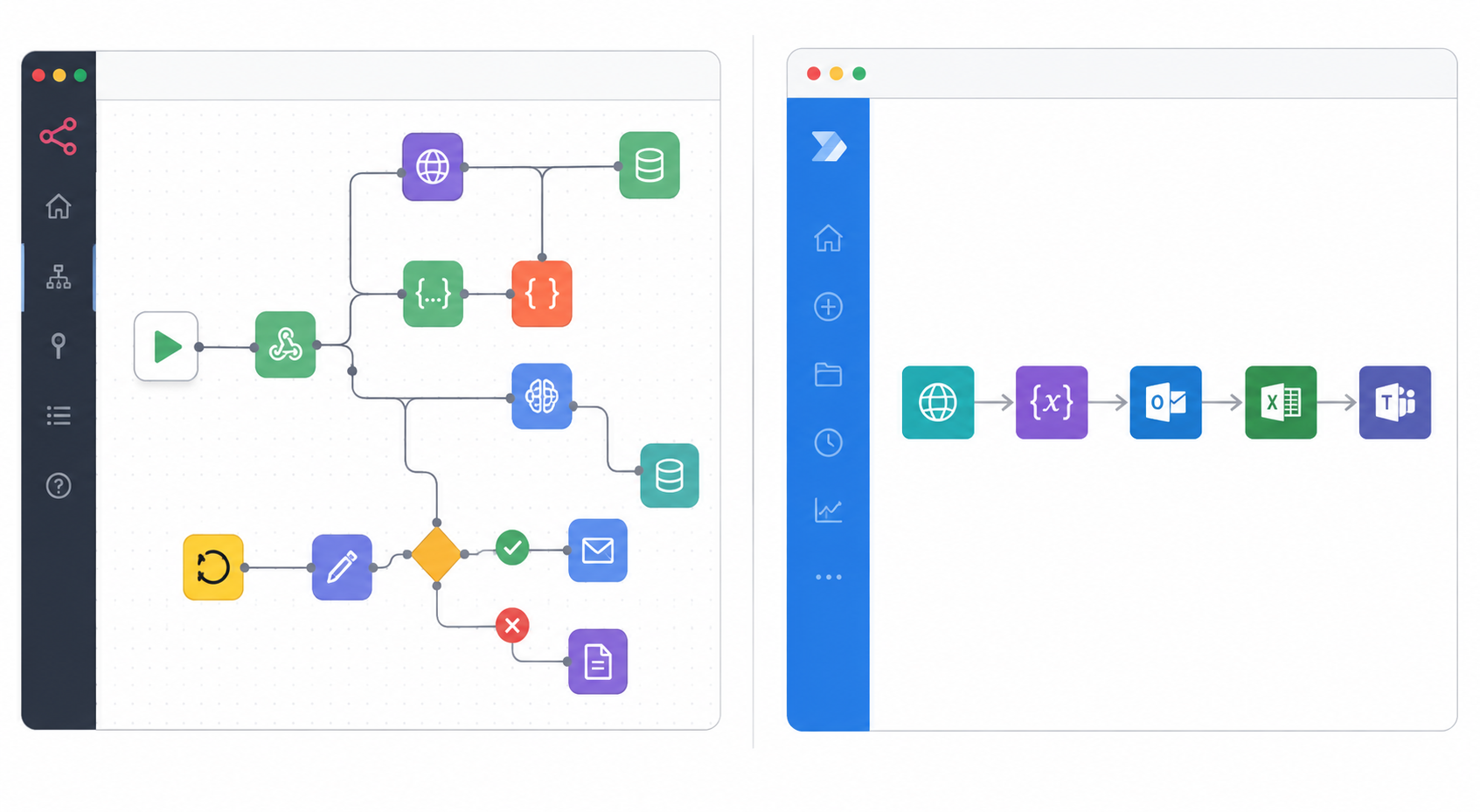
Branching. Both tools support multi-path workflows based on conditions. n8n handles complex branching far more gracefully, making it well suited to advanced automations with many decision points. Power Automate supports branching too, but large workflows with many conditions can get cluttered quickly.
Loops. n8n processes loops efficiently even at scale. Power Automate supports loops as well, but performance can degrade in larger workflows with many actions inside the loop.
Error handling. Power Automate has the edge here; built-in retry logic and error notifications make failure handling fairly turnkey. n8n generally requires you to configure error handling yourself, which means more setup but more control.
Variables and expressions. n8n uses JavaScript-style expressions, which most developers find intuitive. Power Automate has its own expression language, fine for simple tasks, but it can become unwieldy as logic grows more complex.
Custom logic. This is where n8n pulls ahead decisively: you can write JavaScript directly inside a workflow and work with APIs or custom data structures freely. Power Automate leans on built-in expressions, which cover most business use cases but hit a ceiling for advanced customization.
3) Pricing Comparison
Since cost is usually the deciding factor once the feature comparison is done, it’s worth looking at the numbers before anything else.
n8n Pricing (verified June 2026)
| Plan | Price (Annual / Monthly) | Executions/mo | Concurrent Executions | Hosting | Key Inclusions |
| Community Edition | Free | Unlimited | Server-dependent | Self-hosted only | All integrations, all core features, unlimited users & workflows |
| Starter | €20/mo / €24/mo | 2,500 | 5 | Hosted by n8n | 1 shared project, 50 AI Workflow Builder credits, forum support |
| Pro | €50/mo / €60/mo | 10,000 | 20 | Hosted by n8n | 3 shared projects, workflow history, global variables, admin roles, 150 AI credits |
| Business | €667/mo / €800/mo | 40,000 | Scaling options included | Self-hosted only | SSO/SAML/LDAP, Git version control, multi-environments, 6 shared projects (companies < 100 employees) |
| Enterprise | Custom | Custom | 200+ | Hosted or self-hosted | Log streaming, external secret store, extended data retention, dedicated SLA support, invoice billing |
Power Automate Pricing (verified June 2026)
| Plan | Price | What It Covers | RPA Type | Key Inclusions |
| Free Trial | Free (30 days) | Cloud flows, standard connectors only | None | Trial access to experiment with UI-based flows |
| Premium | $15.00/user/month | Cloud flows + attended desktop RPA | Attended only | All standard, premium, and custom connectors; attended desktop flows; process/task mining (50 MB); 250 MB Dataverse database; 2 GB Dataverse file storage |
| Process | $150.00/bot/month | Unattended RPA bot | Unattended | Cloud flows; unattended desktop flows; 50 MB Dataverse database; 200 MB file storage; one bot runs one flow at a time |
| Hosted Process | $215.00/bot/month | Unattended RPA bot + Azure-hosted VM | Unattended | Everything in Process, plus Microsoft provisions and manages the VM, no on-prem machine needed |
| Process Mining Add-on | $5,000.00/tenant/month | Process discovery and analysis | N/A | 100 GB data stored; add-on for Premium only |
4) AI Capabilities
n8n was built with AI workflows in mind from the ground up. It includes native AI Agent nodes, supports leading language models, OpenAI, Anthropic, and local LLMs, and integrates with vector databases and memory stores for building genuinely intelligent agents. It also supports Model Context Protocol (MCP) and multi-agent orchestration.
Power Automate takes a different approach: it adds AI to existing business processes, working closely with Microsoft’s own AI stack, Copilot, AI Builder, and Azure OpenAI Service. That makes it a strong choice for organizations already standardized on Microsoft 365.
The biggest difference: Power Automate helps you bolt AI features onto a workflow. n8n gives you the raw tools to build AI-powered agents and full multi-agent automation systems. If advanced AI automation is the goal, n8n offers considerably more headroom.
5) Integrations
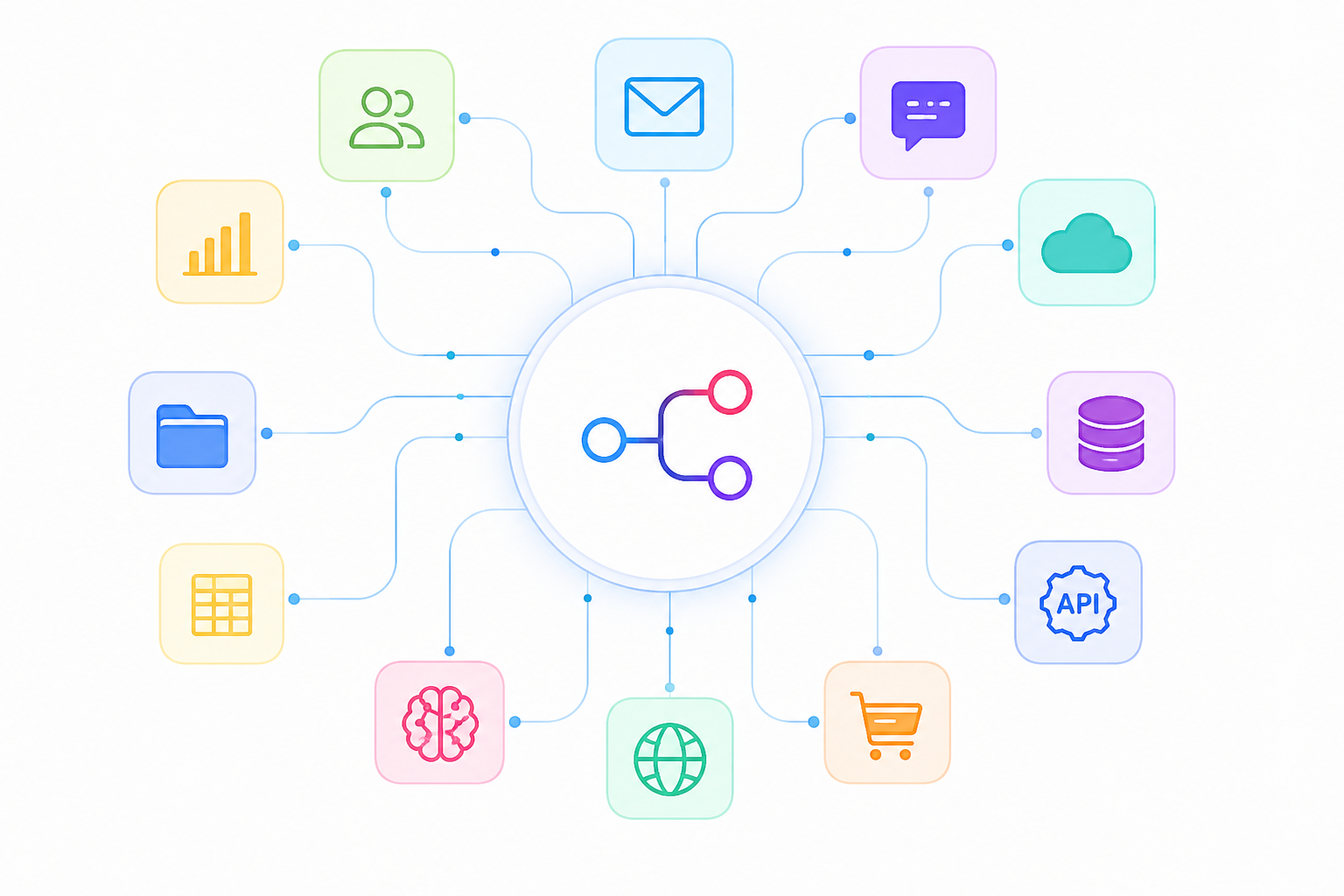
Number of integrations. Power Automate ships with 1,000+ connectors, with especially strong coverage of Microsoft products and mainstream business apps. n8n includes 500+ native integrations, extended further by community-built nodes.
API support. n8n makes connecting to almost any REST API simple through its HTTP Request node, at no extra licensing cost. Power Automate also supports APIs, but HTTP requests require a Premium plan.
Webhooks. Both platforms support webhooks; n8n is generally more flexible and developer-friendly here, while Power Automate requires a bit more configuration.
Custom integrations. Because n8n isn’t tied to any single ecosystem, it can integrate with virtually any service that exposes an API. Power Automate supports custom connectors too, but building them is more involved and requires a Premium license.
Community extensions. n8n’s growing library of community-built nodes (available to self-hosted users) is a real strength. Power Automate has no comparable community extension ecosystem.
6) Hosting Options
n8n gives you two paths: self-host for free on your own VPS, Docker server, or Kubernetes cluster, or use n8n Cloud for a fully managed experience. Self-hosting means complete control over your infrastructure and data.
Power Automate is cloud-only, running entirely on Microsoft’s Azure infrastructure. It can connect to on-premises systems through a data gateway, but the automation engine itself always executes in Microsoft’s cloud.
Control and maintenance. Self-hosted n8n offers maximum flexibility and data ownership, but you own the updates, security patching, backups, and uptime. Power Automate removes that burden entirely, since Microsoft manages the platform end-to-end.
Data sovereignty and compliance (e.g., POPIA). For businesses that must comply with regional data privacy laws, South Africa’s POPIA is a good example, where your data physically sits counts. With self-hosted n8n, you choose the server location yourself, so data stays exactly where you put it unless you move it.
Power Automate runs on Azure, and Microsoft does operate data centers in many regions (including South Africa), but staying compliant depends on correctly configuring Azure’s data residency settings rather than controlling the servers directly. If your organization has strict data-locality requirements, this distinction is worth taking seriously.
7) Customization
JavaScript and Python. n8n lets you write JavaScript or Python directly inside workflows, with full npm library support, ideal for advanced data processing or bespoke logic. Power Automate has no native code execution and relies mainly on its expression language.
Custom nodes. Developers can build custom nodes in n8n using its SDK and share them with the community. Power Automate allows custom connectors, but they’re more complex to build and gated behind a Premium plan.
API calls. Making API requests in n8n is straightforward and doesn’t require extra licensing. In Power Automate, HTTP connector calls are a Premium feature.
8) Security & Compliance
Authentication. Both platforms support secure sign-in. n8n offers SSO via SAML and OIDC on its Enterprise plan; Power Automate uses Microsoft Entra ID, included with Microsoft 365.
Access control. Both provide role-based access control. Power Automate offers more advanced tenant-wide management; n8n includes RBAC across its paid tiers.
Encryption. Both encrypt data at rest and in transit using modern standards.
Audit logs. Power Automate includes audit logs through Microsoft 365 compliance tooling. In n8n, audit logging is available only on the Enterprise plan.
Data residency and compliance. Self-hosted n8n lets you decide exactly where your data lives. Power Automate benefits from Microsoft’s global infrastructure and a broader set of enterprise compliance certifications, making it the stronger default for heavily regulated industries.
POPIA and data location, specifically. POPIA requires organizations handling South Africans’ personal data to know precisely where it’s stored and processed, and restricts transferring it to countries without comparable protections. Self-hosted n8n gives you direct control over server location.
Power Automate can also be run in a POPIA-compliant way, but it requires selecting the correct Azure region and Dataverse storage location, and your workflows still execute on Microsoft’s cloud infrastructure rather than servers you own.
For finance, healthcare, or government use cases where data location is non-negotiable, this is often the deciding factor: choose n8n if you need direct control over storage location, or Power Automate if you’re comfortable relying on Microsoft’s regional compliance guarantees.
9) Performance & Scalability
Workflow execution. n8n counts one execution per completed workflow, regardless of step count, which makes cost forecasting simpler for complex automations. Power Automate meters usage by API requests, with limits tied to your subscription tier.
Parallel processing. Both platforms can run multiple tasks concurrently. n8n also lets self-hosted users scale horizontally by adding worker nodes for higher throughput.
Large workflows. n8n’s visual canvas stays manageable even as workflows grow into dozens of nodes. Power Automate can become harder to navigate once a flow contains dozens or hundreds of actions.
Enterprise scalability. Power Automate scales automatically within Microsoft’s cloud, with zero infrastructure to manage. n8n’s self-hosted deployments offer virtually unlimited scalability, but realizing that requires the in-house expertise to manage and tune the infrastructure.
High-volume automation. For organizations running thousands of automations a month, self-hosted n8n is typically far more cost-effective, since it carries no execution limits. Power Automate can absolutely handle large workloads too, but costs tend to rise in step with API usage.
Choose n8n When…
- You have a technical team. n8n is ideal for developers who work with APIs, JSON, and code.
- You want full control of your data. Self-host it on Docker, Kubernetes, or a VPS and keep your data on your own infrastructure.
- You use tools outside Microsoft. Connect to almost any REST API without paying for premium connectors.
- You’re building AI workflows. Create AI agents and connect to models like OpenAI, Anthropic, local LLMs, and more.
- You run lots of automations. Self-hosting gives you unlimited workflow executions with predictable costs.
- You need advanced customization. Use JavaScript, Python, Git, and CI/CD to build and manage complex workflows.
Choose Power Automate When…
- Your business uses Microsoft 365. It integrates smoothly with Outlook, Teams, SharePoint, and other Microsoft services.
- Your team isn’t technical. Its drag-and-drop builder, templates, and AI Copilot make automation easy.
- You need desktop automation (RPA). Automate legacy desktop applications and systems without APIs.
- You rely on Dynamics 365 or Azure. Native integrations make Microsoft-based workflows much easier.
- You need built-in enterprise compliance. It includes Microsoft’s security, compliance, and governance features.
- You want to deploy quickly. Templates and ready-made connectors help you automate business processes in less time.
Which Is Better?
The best choice depends on your business, your team, and the type of automations you want to build.
Choose n8n if you need advanced workflow flexibility, AI-powered automation, self-hosting, and complete control over your data. It’s especially well suited to developers, growing businesses, and organizations that want to automate beyond the Microsoft ecosystem.
Choose Power Automate if your business already relies on Microsoft 365, Dynamics 365, or Azure, and you want an easy-to-use platform with built-in Microsoft integrations and desktop automation capabilities.
If you’re planning to use n8n, having the right hosting environment is just as important as choosing the platform itself. A reliable VPS gives you the performance, security, and scalability needed to run workflows smoothly, whether you’re automating simple business tasks or building complex AI-powered agents.
With Truehost n8n hosting solutions, you can deploy n8n on a high-performance VPS that’s optimized for self-hosting, giving you full control over your automation environment while keeping your costs predictable as your workflows grow.
n8n vs Power Automate FAQs
Which is better for small businesses: n8n or Power Automate?
It depends on your team. Power Automate is a strong fit if you already use Microsoft 365 and don’t have technical staff. n8n is better if someone on your team can manage a server, since the self-hosted version is free with unlimited workflow runs.
Can I use n8n and Power Automate together?
Yes. Many businesses use n8n for advanced automations and AI, while relying on Power Automate for Microsoft tools like Teams, Outlook, and SharePoint. The two connect easily via webhooks or APIs.
Which platform is more affordable?
For large volumes of workflow runs, self-hosted n8n is usually cheaper since there are no per-user fees. Power Automate costs tend to rise as you add users or premium features.
Do I need coding skills to use Power Automate?
No. Power Automate is designed for beginners with a drag-and-drop builder. Basic coding knowledge helps with advanced workflows but isn’t required.
Do I need coding skills to use n8n?
Not always, many workflows can be built visually, but knowing JavaScript, APIs, or JSON makes advanced automations much easier to create.
Which platform is better for AI workflows?
n8n is the stronger choice for building AI agents or advanced AI workflows. Power Automate is better suited to adding AI features to existing Microsoft-based business processes.
Can I self-host Power Automate?
No. Power Automate always runs on Microsoft’s cloud. n8n can be fully self-hosted on your own server or used as a managed cloud service.
Which is better for automating desktop apps?
Power Automate. It can automate desktop applications and older software without APIs. n8n is designed primarily for web services and API-based automation.