Web Hosting
 Windows HostingBuilt for Windows apps and websites – stability, speed and flexibility
 Reseller HostingLaunch a hosting business without technical skills or expensive infrastructure
 Affiliate ProgramRefer customers and earn commissions from sales across our platform
 Domain SearchFind and secure a domain name in seconds with our quick lookup tool
 CO ZA Domains
 All DomainsExplore domain names from over 324 TLDs globally – all in one place
 Free Whois Lookup Tool South Africa
 VPS
VPS Website Builder
 Online ShopSet up a sleek eCommerce store with zero coding knowledge
 SSLs
SSLs SupportAccess help articles, how-tos, and everything about our services
 Blog
Blog Contact UsReach our team instantly via live chat or drop us an email
Think about owning a clothing boutique or a plumbing office where the front door never actually locks. A customer could walk in at 2 AM while you’re fast asleep, browse your stock, ask a question, and leave their payment on the counter before quietly letting themselves out.
That sounds impossible for a physical shop, but it’s exactly what a website does for your South African business every single day. It’s a storefront that genuinely never sleeps, never closes for lunch, and never puts up a sign saying “back in five minutes.”
For beginners, though, this raises a fair and very logical question. If your website somehow lives on your own computer, what happens the moment you switch your laptop off at night, does the whole thing just vanish?
Learning how to keep website online 24 7 doesn’t require leaving a laptop running in the corner of your bedroom, and it definitely doesn’t mean a terrifying electricity bill at the end of the month. The answer is a lot simpler than most beginners expect, and it starts with a small shift in how you think about your website.
This confusion is more common than most people admit, especially for entrepreneurs who never touched server technology before launching their first online shop. Once you see the picture clearly, the whole idea of “always open” stops feeling like magic and starts making complete sense.
Table of Contents
Your Website Needs a Digital House
Forget the confusing jargon for a moment, things like DNS propagation, data centres, and IP routing. None of that needs to make sense yet, because a simple property comparison explains the whole idea perfectly well.
Your domain name works like your business’s street address, something like www.yourshop.co.za. It tells people exactly where to find you, but on its own, it’s really just a signpost pointing toward an empty plot of land.
Your website files are like your furniture and stock, the actual photos, text, and product pages that make your shop worth visiting. Without them, that street address just points to nothing at all.
Web hosting is the physical building you rent to store all of that stock safely. A web host provides a powerful, specialised computer called a server, and that server is where your website files actually live, day and night, whether you’re awake or not.
Put those three pieces together, and you’ve got a complete business address with a real building behind it, fully stocked and ready for visitors at any hour. None of these three pieces work alone, which is exactly why people sometimes buy a domain name and then feel confused when nothing appears when they visit it.
A domain without hosting is like printing business cards with an address for a shop that hasn’t been built yet. People can find the address, but there’s nothing there for them to actually walk into.
Why Your Home Computer or Phone Can’t Host Your Website
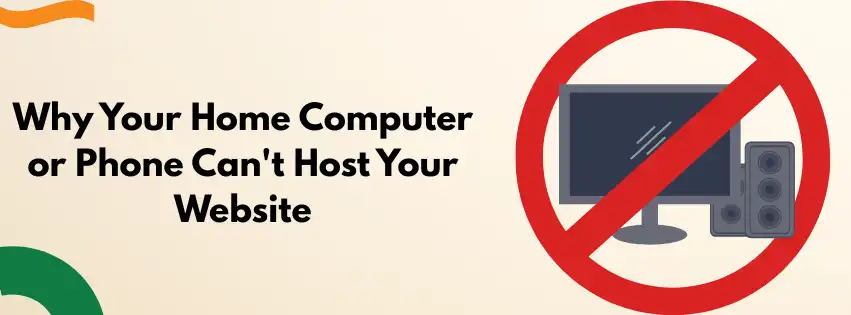
It’s a fair question to ask why you can’t just run everything from your own laptop and skip paying for hosting altogether. Once you walk through what that would actually involve, the reasons become obvious fairly quickly.
The Load Shedding Factor
If a power cut hits your suburb and your home Wi-Fi drops, your website disappears with it instantly. A customer trying to find your business in that exact moment sees nothing but a blank error screen.
Think of a boutique owner in Stellenbosch running her shop’s website from her own laptop at home. The moment her area loses power for a scheduled outage, her entire online store vanishes for everyone, everywhere, even shoppers in places that still have electricity.
Internet Speed Traffic Jams
Home internet packages are built around streaming a show or downloading a few photos, not handling dozens of strangers clicking around your website at the exact same moment. Your home connection simply wasn’t designed to carry that kind of traffic.
If even ten customers tried browsing your site at once, your home Wi-Fi would likely slow to a crawl or freeze entirely. That’s a frustrating way for anyone to discover your business for the first time.
A caterer in George once posted her menu to a popular local Facebook group running her site from a home router, expecting a handful of curious clicks. Within twenty minutes, dozens of people tried to view her page at once, her connection buckled under the pressure, and most visitors saw nothing but a spinning loading icon.
Wear and Tear
A normal home laptop simply isn’t built to run nonstop, twenty four hours a day, three hundred and sixty five days a year. Leaving it switched on permanently puts real strain on the hardware, and most machines start overheating or failing within months under that kind of pressure.
A driving school owner in Rustenburg once tried exactly this, leaving an old laptop running in his office as a makeshift server. Within four months the fan had burned out, and his website disappeared along with it, right in the middle of his busiest enrolment season.
How to Keep Website Online 24 7
This is where a proper hosting provider earns its monthly fee, doing the heavy lifting your home setup never could. Here’s what’s actually happening inside a secure facility like ours, explained without the technical noise.
Giant Backup Generators
Professional servers live inside highly secure, temperature-controlled buildings fitted with serious industrial backup power systems. Even if an entire city loses electricity for hours, the servers inside that facility carry on running without missing a beat.
This is the real foundation behind reliable web hosting south africa businesses actually depend on. Your website stays online through outages that would completely shut down a website running from someone’s spare bedroom.
Super-Fast, Unbreakable Internet
These facilities connect directly into the backbone of South Africa’s internet infrastructure, the same high-capacity lines that carry traffic for major banks and big retailers. That means your website loads almost instantly for a customer browsing on their phone in a queue at the shops.
A guesthouse owner in Knysna noticed the difference the moment she switched from a budget overseas host to a properly hosted local setup. Her booking page, which used to take several seconds to load on a customer’s phone, started appearing almost the instant someone tapped the link.
Constant Digital Security Guards
A good hosting setup is monitored around the clock by security software built to block hackers, filter out spam, and keep customer data safe. You don’t see any of this happening, which is exactly the point, since it’s meant to work quietly in the background while you get on with your day.
This kind of around-the-clock protection is part of what’s often called truehost uptime, the simple promise that your site stays accessible almost every minute of every day. We back this with a 99.99% uptime guarantee, which translates into less than an hour of unplanned downtime across an entire year.
Quick Questions About Keeping a Website Online
Does my business still need internet at home if my website is hosted elsewhere?
Yes, you’ll still need internet to update your site, answer emails, or check orders. The difference is that your customers’ ability to visit your website no longer depends on your home connection staying up.
What happens to my website if there’s load shedding at the hosting facility’s location?
Reputable hosting facilities run on industrial backup power specifically built to handle extended outages without interruption. Your site continues running normally even during a stage that would knock out an entire suburb’s home Wi-Fi.
Can I switch hosting providers later if I start small?
Yes, moving your website to a different host is a normal part of growing a business and doesn’t mean losing your domain name or your existing content. Most providers, including us, can help guide you through that transfer with minimal disruption to your customers.
What This Looks Like for Your Business Day to Day
It’s worth picturing the practical version of all this rather than just the technical explanation. Once your site is properly hosted, you stop thinking about it almost entirely, which is the whole goal.
A spaza shop owner in Mahikeng with a simple product catalogue website doesn’t need to check if her laptop is charged before customers can browse her stock. Her site sits quietly on a server hundreds of kilometres away, working exactly the same at 3 PM as it does at 3 AM.
If she travels, loses signal, or her own phone battery dies completely, none of that affects her website in the slightest. The two are simply no longer connected to each other once proper hosting takes over.
This separation is really the entire answer to what is web hosting simple explanation guides are trying to get across. Your business and your laptop are no longer the same fragile thing, and that distinction alone removes an enormous amount of daily stress.
True Freedom for Small Business Owners
Investing in a simple, affordable hosting plan is really about buying peace of mind more than anything else. You stop worrying about power cuts, laptop crashes, or whether you remembered to leave your computer plugged in overnight before bed.
Your digital storefront simply works, whether you’re asleep, at the shops, or sitting through a long taxi ride with no signal at all. That kind of reliability is hard to put a price on once you’ve experienced what it’s actually worth.
Our own Starter hosting plan begins at around R35 a month, or R400 for the full year, which works out to less than the price of a takeaway coffee each week. For that small, predictable cost, your business stays open to the entire country, every hour of every day, without you having to think about it once.
If you’re ready for a reliable, local partner to keep your business running smoothly, explore Truehost SA’s budget-friendly hosting packages today. Your customers are out there browsing right now, even if it’s the middle of the night, and your website should be ready to greet them either way.