Web Hosting
 Windows HostingBuilt for Windows apps and websites – stability, speed and flexibility
 Reseller HostingLaunch a hosting business without technical skills or expensive infrastructure
 Affiliate ProgramRefer customers and earn commissions from sales across our platform
 Domain SearchFind and secure a domain name in seconds with our quick lookup tool
 CO ZA Domains
 All DomainsExplore domain names from over 324 TLDs globally – all in one place
 Free Whois Lookup Tool South Africa
 VPS
VPS Website Builder
 Online ShopSet up a sleek eCommerce store with zero coding knowledge
 SSLs
SSLs SupportAccess help articles, how-tos, and everything about our services
 Blog
Blog Contact UsReach our team instantly via live chat or drop us an email
You open your laptop in the morning, coffee still in hand, ready to get into your actual work. Before you even get there, 45 unread emails are already staring back at you.
Most of them ask the exact same three questions. What’s your price list? Are you open today? Can I book an appointment for next week?
You type out the same answers you typed yesterday, and the day before that. Two to three hours disappear before lunch, and your real work hasn’t even started.
This is what we call inbox jail, and almost every South African business owner has lived in it at some point. The good news is that learning how to reply to business emails automatically can hand you those hours back without making your business feel cold or distant.
There’s a way to answer these everyday questions immediately, professionally, and without you lifting a finger. Let’s walk through exactly how it works.
Think about what those two to three hours are actually costing you over a month. That’s roughly the same as losing a full extra working day every week, time you could spend on stock, marketing, or simply closing more sales.
Table of Contents
Why Standard “Out of Office” Auto-Replies Don’t Work Anymore

You’ve probably set up a basic auto-reply before. Something like, “Thanks for your email, we’ll get back to you within 24 hours.”
It feels like it’s doing something, but it really isn’t. A generic message like that doesn’t answer the customer’s actual question, it just confirms that their email landed somewhere.
In 2026, that gap is costing you sales. If a local customer doesn’t get a real answer within a few minutes, they’ll simply scroll to your competitor’s page and try again there.
The old idea of email automation was about managing expectations. The new idea is about actually solving the problem on the spot.
Instead of just telling a customer that you received their message, a proper system can now read what they’re asking and give them the real answer straight away. That’s the shift that makes small business email automation worth setting up this year, not just talking about.
Think about the difference from the customer’s side. A generic “we got your email” message means they still have to wait and wonder. A real answer, even a short one, means they can make a decision right then and there, whether that’s booking, ordering, or simply deciding to trust your business.
How to Reply to Business Emails Automatically in 3 Simple Steps
Setting this up sounds technical, but it really isn’t once you break it into stages. Here’s exactly how it works, step by step.
Step 1: Find Your “Frequent Flyer” Questions
Open your sent folder and scroll back through the last month or two. You’ll quickly notice a pattern of three to five emails you’ve written over and over.
Maybe it’s sending your PDF catalogue, explaining delivery rates to a new area, or sharing a payment link for a deposit. Write these down, because they form the backbone of your automated email responder SA setup.
These repeat questions are exactly what take up your two to three hours a day. Once you know what they are, you can hand every single one of them off.
It helps to group them loosely by type, like pricing questions, availability questions, and logistics questions. This small bit of sorting makes the next step far easier, since you’ll already know what information your assistant needs to have on hand.
Step 2: Put a Smart AI Assistant in Charge
This is where a tool like the OpenClaw AI assistant comes in. Instead of firing off a robotic template, it reads the actual email a customer sent, works out what they want, and matches that to your business information.
The result reads like something a real person typed, not a copy-pasted form letter. It can pull product details, attach the right document, or quote your current pricing, all without you opening your inbox.
You stay in control the whole time. Most owners start by reviewing drafts before they go out, then switch to fully automatic replies once they trust how the assistant writes.
An assistant like OpenClaw needs somewhere to run around the clock, since it can’t work from a laptop that gets closed at the end of the day. A small VPS, like our OpenClaw hosting plans starting at R285 a month, keeps it switched on permanently so no email ever waits until you’re back at your desk.
Step 3: Connect It to Your Domain Email Account
The last step is linking the assistant to your official business mailbox, something like [email protected] rather than a free Gmail address. This keeps everything looking seamless and professional from the client’s side of the conversation.
With Truehost email hosting, this connection is straightforward because your mailbox already runs on reliable, locally hosted infrastructure. Your assistant reads and replies from the same trusted address your customers already know.
Our Workplace email plans start from R8 a month per mailbox on the annual plan, so adding a proper @yourbusiness.co.za address doesn’t need to be a big expense before you even get to the automation part. Everything sits on Johannesburg-based servers, which also means your email keeps working through load shedding.
Once these three steps are in place, your inbox runs quietly in the background. You only step in for the messages that genuinely need your personal touch.
Keeping It Sounding Like You, Not a Robot
The title of this guide makes a promise, so let’s keep it. The trick to natural-sounding replies isn’t really about the AI itself, it’s about what you feed it first.
Give your assistant a short brief on how you actually talk to clients. Maybe you sign off with “Cheers” instead of “Regards,” or you always thank people for their patience during load shedding.
Feed it your real pricing, your real delivery zones, and your real return policy, not vague summaries. The more accurate and specific your business information is, the less generic the replies will sound.
It also helps to read through the first week of replies before switching to fully automatic mode. Small tweaks early on, like adjusting how formal the tone is, make a big difference to how natural the system sounds later.
What Small Business Email Automation Looks Like in Real Life
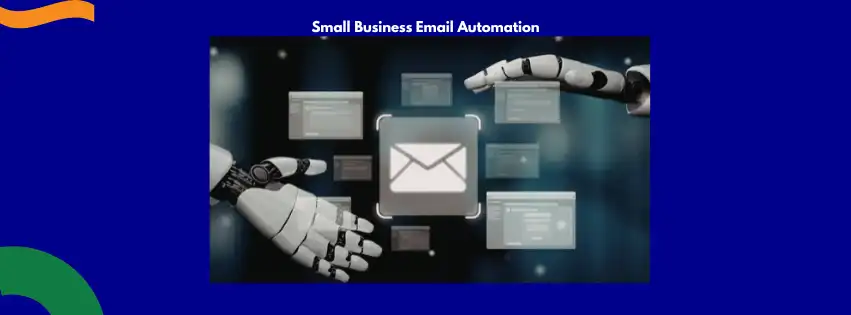
It’s easier to see this working once you watch it play out in everyday situations. Here are a few scenarios that show exactly what changes once you switch this on.
The Quote Request
A customer named Sipho emails asking for your latest price list. Within seconds, the assistant attaches your current catalogue and replies, “Hi Sipho, here is our latest pricing for June, let us know if you have any questions.”
He gets his answer before he’s even closed the email tab. You only hear about it later if he wants to negotiate or place an order.
The Load Shedding and Operating Hours Question
A customer asks if you’re open during a power cut, which happens more often than any of us would like. The assistant instantly replies with your current operating hours, your backup generator status, and a note about expected delays if there are any.
No one is left guessing whether to drive across town for nothing. Your business looks organised even when the lights are off.
The Booking Follow-Up
Someone emails wanting to book a consultation for the following week. The assistant checks your calendar, offers two open slots, and confirms the appointment the moment the customer picks one.
There’s no back and forth, and no double booking to untangle later. The whole exchange happens before you’ve even seen the original email.
The Refund or Return Question
A customer emails asking how to return a faulty item they bought last week. The assistant pulls up your return policy, explains the steps clearly, and asks for the order number so the case is ready for you to review.
By the time you open your laptop, the awkward first reply is already handled with patience and the right information. You step in only to approve the refund itself.
Take Back Your Mornings
Automating your replies isn’t about ignoring your customers or replacing the personal touch that built your business. It’s about giving people instant, useful answers while you spend your morning doing the work that actually makes your business money.
The three to five questions you answer every single day don’t need your personal attention anymore. They need a system that’s paying attention for you, day and night, even on weekends.
Quick Questions Business Owners Ask About Email Automation
Will this replace my receptionist or sound robotic to clients?
No, the assistant writes in a natural, human tone based on your own business information, not a stiff template. Most clients won’t realise a person didn’t type the reply themselves.
Is automated email replying safe for client information?
Yes, as long as your mailbox and assistant run on a secure, properly hosted setup. Keeping everything on local, encrypted servers also makes things easier under South Africa’s POPIA rules.
Does this work with the email I already have?
In most cases, yes. The assistant connects to your existing domain mailbox through standard, secure settings, so you don’t need to change your email address to start using it.
If you’re ready to set this up, Truehost makes it simple to put the pieces together. Start with affordable Truehost email hosting for your branded business address, then add a pre-configured AI hosting package to put a smart assistant in charge of the inbox.
Your customers get fast, professional answers around the clock. You get your mornings back, one quiet inbox at a time.