Web Hosting
 Windows HostingBuilt for Windows apps and websites – stability, speed and flexibility
 Reseller HostingLaunch a hosting business without technical skills or expensive infrastructure
 Affiliate ProgramRefer customers and earn commissions from sales across our platform
 Domain SearchFind and secure a domain name in seconds with our quick lookup tool
 CO ZA Domains
 All DomainsExplore domain names from over 324 TLDs globally – all in one place
 Free Whois Lookup Tool South Africa
 VPS
VPS Website Builder
 Online ShopSet up a sleek eCommerce store with zero coding knowledge
 SSLs
SSLs SupportAccess help articles, how-tos, and everything about our services
 Blog
Blog Contact UsReach our team instantly via live chat or drop us an email
We all know the feeling. You are out and about, your data runs out, and you need to get back online fast. So how do you buy data with MTN quickly? This knowledge can save you a lot of frustration.
Do not worry, we have got you covered. In this guide, we will show you every single way to buy data on MTN in South Africa. We will also tell you how you can get a free Cloudoon Vault Backup from Truehost.
Table of Contents
Quick Ways to Buy Data on MTN
Let us get straight to the point. Here are the main methods to buy data on MTN.
| Method | How to Do It | Best For |
| USSD Code | Dial *136*10# and follow the prompts. | Any phone, no internet needed. |
| MTN App | Download the MTN App, log in, and tap “Buy Data”. | Smartphone users who want app-only deals. |
| MoMo App | Open the MTN MoMo App, log in, and select “Buy Airtime/Data”. | Anyone with a MoMo wallet. |
| Banking App | Use your bank’s app (like Capitec or TymeBank) to buy data. | Banking app users. |
| 1Voucher | Dial *130*362*3*YourPIN#. | Buying data with a voucher. |
| MTN Store | Visit any MTN store and ask the staff to help you. | People who prefer face-to-face help. |
Now, let us break down each method step by step.
I) Buy MTN Data Using USSD Codes
USSD codes are the fastest way to buy data. You do not need the internet. Just your phone’s dialer.
Step-by-Step Guide
- Open the phone dialer on your mobile.
- Dial *136*10# and press call. You can also dial *138# for other options.
- A menu will pop up. Select the option for Buy Data or Data Bundles.
- Choose the data bundle you want.
- Confirm your purchase.
That is it. You will get an SMS confirming your new data bundle.
More Useful USSD Codes
| Service | USSD Code |
| Buy MTN Data | *136*10# |
| Buy Prepaid Bundles | *138# |
| Check Data Balance | *136# |
| Check Airtime Balance | *136*1# |
| Buy Night Data | *406# |
| Share or Gift Data | *321# |
These codes work on any phone. They are free to use. Always keep them saved in your phone for quick access.
II) Buy MTN Data on the MTN App
If you have a smartphone, the MTN App is a great choice. You get access to special app-only deals that can save you up to 70% on data bundles. Plus, you can use the app for free without using your data or airtime.
Step-by-Step Guide
- Download the MTN App from the Google Play Store or Apple App Store.
- Open the app and log in with your MTN number.
- On the home screen, tap on Buy Airtime or Buy Data.
- Pick the data bundle you want.
- Pay using your bank card, airtime, or YelloBucks.
The app also lets you check your balance, track your usage, and share data with friends and family.
III) Buy MTN Data Using the MoMo App
MTN Mobile Money (MoMo) is another easy way to buy data. You can use it even if you are not on the MTN network. The MoMo app lets you buy airtime, data, voice, and SMS bundles at no extra cost.
Step-by-Step Guide
- Download the MTN MoMo App from your app store.
- Register or log in with your MoMo number and PIN.
- Tap on Buy Airtime/Data.
- Select Data and choose your bundle.
- Confirm the purchase.
Your data will be added to your phone instantly.
IV) Buy MTN Data Using Banking Apps
Most South African banks let you buy data directly from their apps. This is handy because you do not need to switch between apps.
How to Buy MTN Data on Capitec
- Open the Capitec App.
- Go to Payments or Buy Airtime & Data.
- Select MTN as your provider.
- Pick the data bundle you want.
- Confirm the purchase.
Other banks like TymeBank also offer this service. Check your bank’s app for the Buy Data option.
V) Buy MTN Data Using a 1Voucher
A 1Voucher is a scratch card you can buy at shops like Spar, Checkers, or Pick n Pay. You use it to buy data or airtime.
Step-by-Step Guide
- Buy a 1Voucher from any retail store.
- Scratch the back to reveal the PIN.
- Dial *130*362*3*Your1VoucherPIN# on your phone.
- Follow the prompts to buy data or airtime.
This method is great if you do not have a bank account or prefer using cash.
VI) Buy MTN Data at an MTN Store
If you are not comfortable with apps or USSD codes, you can always visit an MTN store. The staff there will help you choose a bundle and add it to your phone.
MTN Data Bundle Prices in South Africa
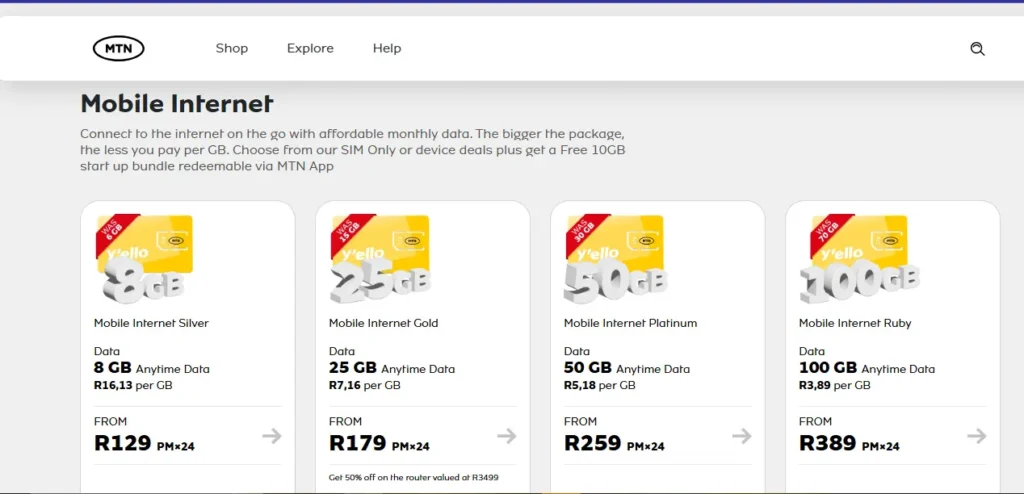
Knowing how do you buy data with MTN is one thing. Knowing what to buy is another. Here are some popular MTN data bundles and their prices.
| Bundle Name | Data Amount | Price | Validity |
| Social Pass | 1GB (for social media) | R15 | 3 days |
| WhatsApp Bundle | 1.5GB (for WhatsApp) | R35 | 7 days |
| MoMo Eazi Special | 5GB + 5GB + 30 minutes | R49 | 7 days |
| Bozzagigs | 7.5GB + 7.5GB | R129 | 30 days |
| MTN Pulse Student Bundle | 50GB | R209 | 30 days |
| Do Not Disturb Summer Deal | 30GB Super Data | R269 | 30 days |
Note: Prices and bundles change often. Always check the MTN App or dial *136*10# for the latest deals.
Special Deals for Students and Youth
If you are under 25, MTN Pulse has some amazing offers. You can get 50GB of data for just R209 a month. That is a great deal for students who need internet for assignments, research, and online classes.
To join MTN Pulse, dial *411# or download the MTN App.
Out-of-Bundle Data Rates
Buying data without a bundle is very expensive. MTN charges up to R0.32 per MB if you do not have a data bundle. That means 1GB would cost you around R320. Always buy a data bundle first.
Free Cloudoon Vault Backup from Truehost
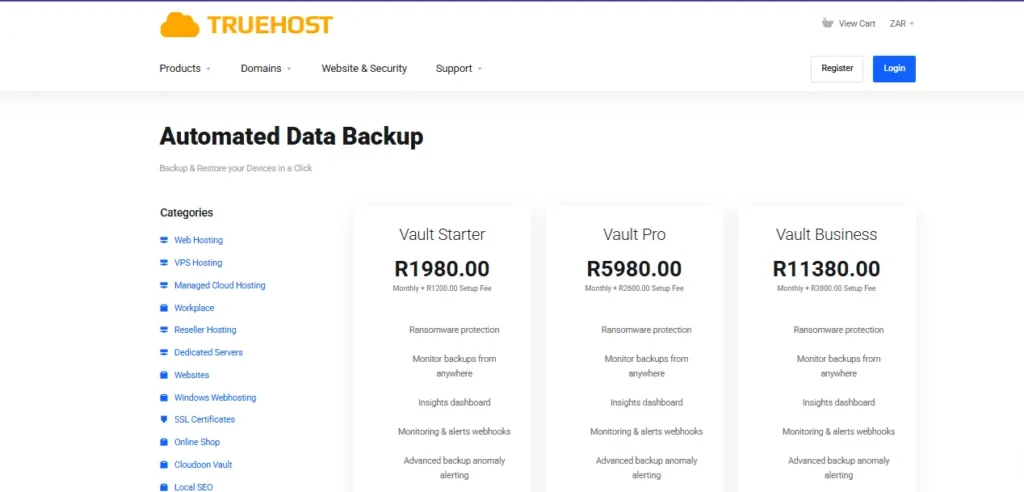
Now, here is something special. When you learn how do you buy data with MTN, you can also get a free Cloudoon Vault Backup from Truehost. We at Truehost want to help South Africans stay safe online.
a) What is Cloudoon Vault?
Cloudoon Vault is a cloud backup service. It automatically saves your files and data to secure cloud storage. Every backup is protected by AES-256 encryption, which is military-grade security.
b) Why You Need Cloud Backup
Losing your phone or laptop is bad. Losing your photos, documents, and files is worse. A cloud backup keeps your data safe. If your device breaks or gets stolen, you can still get your files back.
c) How to Get Your Free Cloudoon Vault Backup
We make it simple. When you sign up for any of our web hosting plans at Truehost.co.za, you get free access to Cloudoon Vault. Our hosting plans start from as low as R35 per month.
Here is what you get with our hosting plans:
- Free .co.za domain (on annual plans)
- Free SSL certificate
- Daily data backups
- 24/7 customer support
Your website and data will be safe with us. Head over to Truehost.co.za to claim your free backup today.
Frequently Asked Questions
Can I buy MTN data for someone else?
Yes. You can buy data for another MTN user. Use the USSD code *321# and select the option to gift data. You can also use the MTN App.
What is the cheapest way to buy MTN data?
The cheapest way is to use the MTN App. The app has special deals that are not available anywhere else. You can save up to 70% on data bundles.
How do I check my MTN data balance?
Dial *136# on your phone. You will get an SMS with your remaining data and airtime balance.
Can I buy MTN data without airtime?
Yes. You can use the MTN App and pay with your bank card. You can also use the MoMo App or a 1Voucher.
What happens if I run out of data?
If you run out of data, MTN will start charging you out-of-bundle rates. These rates are very expensive. It is better to buy a new data bundle before your current one runs out.
What is the difference between night data and regular data on MTN?
Night data works only between 12 AM and 5 AM. You can use it for large downloads, updates, or streaming while you sleep. Regular data works any time of the day. To buy MTN night data, dial *406#. A 1GB night bundle costs around R15. Regular data costs more but works when you need it most. Use night data for heavy tasks and regular data for daytime browsing.
Can I buy MTN data using my Truehost hosting account?
No, you cannot buy MTN data directly from your Truehost account. We focus on web hosting, domains, and cloud backup services. But here is the good news. When you buy a hosting plan from us at Truehost.co.za, you get free Cloudoon Vault Backup. That backup keeps your phone and website files safe. So while we do not sell MTN data, we do protect the data you already have.
How do I stop MTN from eating my data without asking?
Turn off background data on your phone. Go to Settings, then Data Usage, and restrict background data for apps you do not use often. Also, dial *136*10# and check if you have any auto-renew bundles active. Cancel them if you do not want automatic purchases. Finally, always buy a bundle before you browse. Out-of-bundle rates are very expensive. One more tip – use the free MTN App to monitor your usage daily.
Can I share my MTN data with family members in South Africa?
Yes, you can share data with any MTN user in South Africa. Dial *321# and select “Share or Gift Data”. You will need the person’s MTN number. You can also set up a data group on the MTN App. Each member can pull from a shared pool of data. This works well for families. Just remember that only the main account holder can buy the data bundle. Then everyone else can use it.
Final Thoughts
Knowing how do you buy data with MTN gives you power. You never have to be offline when you need to be online. Use USSD codes for speed, the MTN App for savings, or banking apps for convenience.
And remember, we at Truehost have your back. Protect your files with a free Cloudoon Vault Backup when you sign up for our hosting plans. Visit Truehost.co.za today.
Stay connected. Stay safe.