 Web Hosting
 Windows HostingBuilt for Windows apps and websites – stability, speed and flexibility
 Reseller HostingLaunch a hosting business without technical skills or expensive infrastructure
 Affiliate ProgramRefer customers and earn commissions from sales across our platform
 Domain SearchFind and secure a domain name in seconds with our quick lookup tool
 CO ZA Domains
 All DomainsExplore domain names from over 324 TLDs globally – all in one place
 Free Whois Lookup Tool South Africa
 VPS
 Website Builder
 Online ShopSet up a sleek eCommerce store with zero coding knowledge
 SSLs
 SupportAccess help articles, how-tos, and everything about our services
 Blog
 Contact UsReach our team instantly via live chat or drop us an email

You found Zoho Mail, and the price looks tempting. Then you spot the dollar signs and wonder what that means in rand. Zoho Mail pricing in South Africa should not need a calculator and a strong coffee.
Maybe you run a small agency in Johannesburg. Maybe you sell candles from Cape Town and still send invoices from a Gmail address. Either way, you want clients to see a real business behind your name.
A branded address like [email protected] builds trust before you say a word. It also tells every supplier and customer that your emails are genuine. This guide shows what each Zoho plan costs in rand, so you can decide in minutes.
Table of Contents
Zoho Mail Pricing in Rand at a Glance
Zoho lists its prices in US dollars, so every rand figure below is an estimate. We converted each plan at R17 to the dollar, which sits inside this year’s trading range. Your real cost moves with the exchange rate, so treat these numbers as a close guide.
| Plan | Dollars per user, per month | Rand per user, per month | Mail storage | Built for |
|---|---|---|---|---|
| Mail Free | $0 | R0 | 5 GB | Up to 5 users, web and app only |
| Mail Lite | $1 or $1.25 | About R17 or R21 | 5 GB or 10 GB | Small teams that want email only |
| Mail Premium | $4 | About R68 | 50 GB plus 50 GB retention | Client records and compliance |
| Workplace Standard | $3 | About R51 | 30 GB | Email plus documents and chat |
| Workplace Professional | $6 | About R102 | 100 GB plus 100 GB retention | Large mailboxes and full archives |
All of these figures assume you pay for the full year upfront. Month-to-month billing costs more where Zoho offers it, and Mail Lite has no monthly option at all. Remember that a user in Zoho means one mailbox. Five staff members need five licences on any paid plan, and the free plan’s five users do not carry over.
A table tells you the cost, but it cannot tell you which row fits your business. So let us walk through each plan and what it does for you.
Is Zoho Mail Cheap Compared to the Big Names?
Yes, and it wins by a very wide margin. Google Workspace and Microsoft 365 both start near $6 per user each month, according to current listings. Zoho Mail Lite costs a fraction of that, and Workplace Standard still comes in at half.
Cheap only helps if the plan fits your work, though. A low price on the wrong plan still wastes money. Let us match each plan to a real situation.
Which Plan Lets You Stop Worrying About Email?
Mail Free: a branded address at no charge
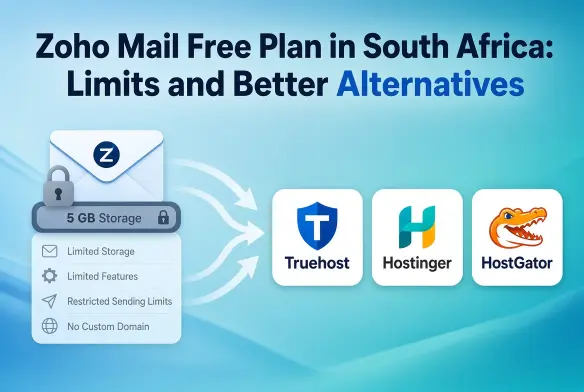
Start here if you work alone or run a team of up to five. You get a custom domain address and 5 GB per user. The catch is that it works only through webmail and the mobile app, with no IMAP or POP for Outlook.
Zoho also offers this plan only in select regions, so check at signup. Once you add a sixth user, everyone moves to a paid plan.
Mail Lite: the sweet spot for most small businesses
This plan covers what most owners actually need. You get a custom domain address, a calendar, and the freedom to connect Outlook or Apple Mail. Storage comes as 5 GB or 10 GB per user, so pick the larger one if you send many attachments.
If you feel unsure about your needs, start here. Zoho lets you add storage later, so you never need to guess your future size on day one. That freedom removes the fear of picking the wrong plan.
Mail Premium: safety nets for sensitive work
Choose this plan when client records and contracts live in your inbox. It adds 50 GB of mail storage, another 50 GB of retention storage, eDiscovery, and S/MIME encryption. Accountants, clinics, and law firms often need those safeguards.
The real benefit here is peace of mind. An accidental delete no longer becomes a crisis on a Monday morning.
Workplace Standard: one login for the whole team
This plan suits teams that want email and documents in the same place. Each user gets 30 GB of mail, plus Writer, Sheet, Show, Cliq chat, and Meeting. A shared WorkDrive gives teams of three to ten people 100 GB of file storage. If your staff currently juggle five different apps, this plan trims that down to one.
Workplace Professional: only if you truly need it
Pick this plan when you need huge mailboxes and a deep archive. It offers 100 GB of mail per user and 1 TB of shared storage for teams of three to ten. Most small businesses never come close to that ceiling.
Skip it unless a regulator or a major client demands it. Otherwise, you pay for space you will never fill.
Short on time and need a quick answer? Solo owners and small teams should pick Mail Lite first. Teams that share files and run meetings should pick Workplace Standard. Anyone handling regulated client data should look at Mail Premium instead.
Plans make more sense once you see a full year of costs. That brings us to the real yearly numbers you will pay.
What Every Paid Plan Quietly Covers
Prices change by plan, but the safety net stays the same. Every paid plan includes round-the-clock support by email, chat, and phone. Zoho also promises 99.9% uptime, so your inbox rarely goes dark during a client deadline.
Your messages travel with TLS encryption, and Zoho states that it never serves ads or sells your data. Mobile apps and an admin console come standard too. You get this protection without hiring an IT person.
Moving From Gmail Without Losing a Message
Worried that switching means losing years of emails? Zoho provides a migration tool that copies mail from other services into your new mailbox. Dedicated hands-on migration help applies only to companies above 50 users, so small teams use the self-service tool.
Setup follows three simple steps that anyone can complete. You add your domain, verify that you own it, and point your MX records to Zoho. Your domain provider’s DNS panel handles the last two, and the change can take a few hours to spread.
What a Real Team Pays in a Year
Per-user prices look tiny until you multiply them. This table shows yearly totals in rand, using the same R17 rate and annual billing.
| Team size | Mail Lite (5 GB) | Workplace Standard |
|---|---|---|
| 3 users | About R612 | About R1,836 |
| 5 users | About R1,020 | About R3,060 |
| 10 users | About R2,040 | About R6,120 |
| 25 users | About R5,100 | About R15,300 |
Notice how the gap widens with every hire. A ten-person team pays about R4,000 more each year for Workplace Standard than for Mail Lite. Ask whether every person needs the office apps, or only a few.
Zoho lets you mix Mail and Workplace plans inside one organisation on yearly subscriptions. That way, only the people who need the extras pay for them.
The Costs Hiding Behind the Dollar Sign
The rand moved between roughly R15.70 and R17.20 to the dollar earlier this year. That swing looks small when you only count one user. It repeats across every seat and every renewal, so a growing team feels it.
South Africa also charges 15% VAT, and it may appear at checkout depending on how you are billed. Your bank may add a foreign transaction fee on dollar charges as well. Ask both questions before you commit, so nothing surprises your bookkeeper later.
Extra mailbox storage also costs extra money on top, because Zoho sells storage add-ons yearly. A heavy sender can outgrow a cheap plan without noticing. Check your current mailbox size before you choose.
Finally, the lowest rates need annual payment, not monthly. You pay for the full year upfront, which matters if cash flow is tight in January.
Why Other Pages Quote Different Rand Prices
You may have seen Zoho Mail listed at R15 per user on some local pages. Those figures trace back to older reseller posts, written when the dollar cost far less in rand. Today’s rate adds a couple of rand for every dollar of the plan price.
That gap compounds across a team and across a year. Rebuild any quoted price from the dollar figure and today’s rate before you budget.
What About Zoho One?
Zoho One is not a bigger email plan. It is a bundle of more than 45 business apps, including CRM, Books, and Projects. Buy it only when you want those tools, not just mailboxes.
The all-employee option costs $37 per employee each month on annual billing, which is roughly R630. It requires a licence for every person on your payroll. The flexible option licenses only chosen users at $90, or about R1,530 each.
Monthly billing raises those figures to $45 and $105. If you only need email, Zoho One costs far more than you need to spend.
When a Fixed Rand Bill Beats the Dollar Price Tag
Zoho shines when you want the office suite, retention tools, and round-the-clock support. Some owners simply want something much simpler than that. They want a branded inbox and a bill that never changes.
Truehost Workplace email starts from R8 per mailbox each month on its three-year plan. It bills in rand from Johannesburg servers, so exchange rate swings never touch your invoice. You can register a .co.za domain and set up your first mailbox in one sitting, with no coding.
Adding a teammate later means adding a mailbox in the admin panel at the same per-mailbox price. Because billing stays in rand, your accountant can budget the same figure every year.
Choose Zoho if you need eDiscovery, S/MIME, or a full document suite. Choose Truehost Workplace if a fixed rand bill and a clean inbox matter most.
Pick Your Plan and Get Your Address Live
Remember that Gmail address you were sending invoices from? You now know what it takes to replace it with something clients trust. Zoho Mail pricing in South Africa comes down to three questions.
How many people on your team need a mailbox? Do those people also need documents and chat apps? Can your budget handle a moving exchange rate? Answer those, and the right plan becomes obvious.
Zoho offers a 15-day free trial of its top edition with no card required. Start there, then step down to the plan you actually need. If you would rather have a fixed rand bill, set up a Truehost Workplace mailbox beside your domain today.
Either route gives your clients an address they can trust at first glance. That is what you were really shopping for all along.