 Web Hosting
 Windows HostingBuilt for Windows apps and websites – stability, speed and flexibility
 Reseller HostingLaunch a hosting business without technical skills or expensive infrastructure
 Affiliate ProgramRefer customers and earn commissions from sales across our platform
 Domain SearchFind and secure a domain name in seconds with our quick lookup tool
 CO ZA Domains
 All DomainsExplore domain names from over 324 TLDs globally – all in one place
 Free Whois Lookup Tool South Africa
 VPS
 Website Builder
 Online ShopSet up a sleek eCommerce store with zero coding knowledge
 SSLs
 SupportAccess help articles, how-tos, and everything about our services
 Blog
 Contact UsReach our team instantly via live chat or drop us an email

You found a cheap email plan, and now a small voice asks if it is too good to be true. That question deserves a straight answer. This Truehost email hosting review shows what you get in South Africa, what real customers report, and who should buy.
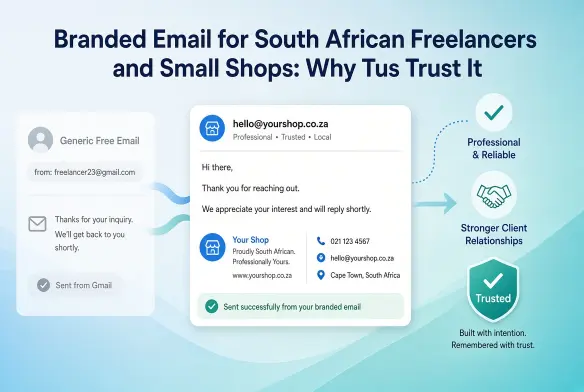
Maybe you are tired of sending quotes from a free Gmail address. Maybe a client hesitated because your email looked temporary. A branded address fixes that first impression fast, as long as the service behind it stays online.
Table of Contents
The Short Answer: Is It Worth It?
Yes, it is worth it for the right kind of buyer. Truehost Workplace email gives small teams a branded inbox at a rand price that is hard to beat. It suits freelancers, startups, and small offices that value low cost and simple setup.
It is a weaker fit when email downtime would cost you real money. Customer reviews split sharply on support and reliability, and we cover that openly below. Read on, and you can decide with your eyes open.
What You Get for Your Rand
Truehost sells email under the name Workplace, with three plans. The prices below use the longest billing term, which gives the lowest monthly rate.
| Plan | Per month (long billing term) | Mailboxes | Storage | Aliases |
|---|---|---|---|---|
| Workplace Starter | R8 | 1 | 3 GB | 10 |
| Workplace Pro | R21 | 3 | 5 GB each, 15 GB total | 30 |
| Workplace Business | R37 | Check plan page | 10 GB each, 50 GB total | 50 |
Every plan includes two-factor protection, antivirus checks, and spam filtering. You also get forwarding rules, plus Docs, Sheets, and Presentations for light office work. That means one subscription covers your inbox and your everyday documents.
Shorter billing terms cost more each month, so check the cart before you pay. Your domain is a separate purchase from the email plan itself. A .co.za domain starts around R50 for the first year on current offers, then renews at a higher rate.
Storage deserves a quick thought before you choose. Attachments fill a mailbox faster than most people expect, so a heavy sender should look past the Starter plan.
How Easy Is It to Set Up?
You do not need to code anything to get started. You pick a plan, connect your domain, and create your mailboxes in the admin panel. Truehost’s own guides put the process at around 15 minutes, though DNS changes can take a few hours to spread.
Once your mailbox is live, you can read mail in a browser, in Outlook, or on your phone. Adding a teammate later means adding another mailbox in the same panel. Nothing about the process requires any technical background at all.
The real win here is professionalism in front of every client. Clients see your business name on every message, so you stop explaining why you use a free account.
Is Your Email Protected?
Security is what most buyers quietly worry about. Truehost lists two-factor sign-in, anti-phishing filters, and encryption for mail in transit and at rest. Spam and virus checks run before messages reach your inbox.
Those are solid basics for a small business. They are not the advanced compliance tools you would find on a premium plan elsewhere. If you need legal hold or eDiscovery, you should look at a larger suite.
What Customers Actually Say
Review sites tell a mixed story, so the numbers help. On WHTop, Truehost South Africa scores 7.2 out of 10 from 13 reviews, and nine reviewers recommend it. On Hellopeter, the TrustIndex sits at 4.1 out of 10 across 50 reviews from the past year.
Those Hellopeter reviews split almost down the middle. About half give five stars, and nearly half give one star. Very few reviewers land in the comfortable middle ground.
What people praise
Happy customers name individual support agents and praise quick answers on domain, hosting, and cPanel questions. Others like the low prices and the smooth setup. Several describe getting help at odd hours of the day.
What people complain about
The complaints cluster around a few clear and repeated themes. Some customers report email going down repeatedly, with slow fixes. Others describe loops with the Zola AI chatbot, tickets closed without a solution, and slow refunds.
A few also mention billing surprises and suspensions after payment. We include these points because you should hear them before you pay, not after. Reviews only capture people who felt strongly enough to write one, yet a pattern repeated across sites deserves your attention.
Here is a simple way to read them. One angry post tells you little, but the same complaint appearing again and again tells you a lot. Check the dates, and note whether the problem involves email, billing, or support, because each one affects you differently.
How the Price Compares
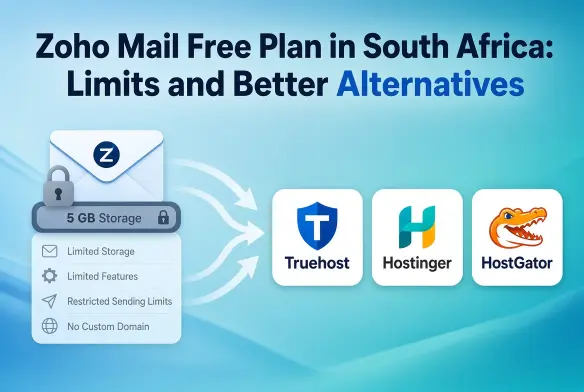
Price is where Truehost wins most clearly against bigger names. Google Workspace costs well over R100 per user each month in South Africa, and it bills in dollars. Zoho Mail Lite costs roughly R17 per user, but it also bills in dollars and moves with the exchange rate.
Truehost bills in rand, so your cost stays predictable year after year. That helps when you budget for a small team. The trade-off is that bigger names offer larger mailboxes and longer track records. Here is the same comparison at a glance, using one mailbox on each service.
| Provider | Starting price per mailbox | Billed in | Best known for |
|---|---|---|---|
| Truehost Workplace | From R8 per month | Rand | Low cost and simple setup |
| Zoho Mail Lite | About R17 per month | Dollars | Cheap plans with extras |
| Google Workspace | Well over R100 per month | Dollars | Gmail and a deep app suite |
Notice how the gap in price comes with a gap in maturity. Larger suites cost more because they bundle bigger storage, deeper admin tools, and established support teams. You decide which of those you actually need.
Which Plan Fits Which Business?
A solo freelancer can start on Workplace Starter. One mailbox covers proposals, invoices, and client replies. It gives you a professional address without paying for seats you do not use.
A small agency or shop with two or three people should look at Workplace Pro. It bundles three mailboxes together, and each one gets more room than Starter. That keeps shared addresses like sales and accounts tidy and separate.
A growing team with heavy attachments should look at Workplace Business. It offers 10 GB per mailbox and more aliases, so you can route mail from several addresses. Confirm the mailbox count on the plan page before you order.
Getting Help Faster When Something Breaks
Support quality decides whether a cheap plan feels like a bargain. Truehost lists phone, live chat, email, tickets, and WhatsApp, so you have several doors to knock on. Use the one that matches the urgency of your problem.
For a full outage, call or message on WhatsApp, and quote your domain name and the time it started. For billing questions, open a ticket and keep the number. A written trail helps you if you ever need to escalate.
If the chatbot cannot solve your issue, ask politely for a human agent. Many happy reviewers name the agent who helped them, which suggests that reaching the right person matters. Patience on the first contact often saves days later.
Five Checks to Make Before You Pay
Treat these steps as a small insurance policy. They protect you no matter which provider you eventually choose.
Start with just one mailbox before anything else. Run it for a few weeks before you move your whole team or your main business address.
Keep a local copy of all your mail. Connect your mailbox to Outlook or Thunderbird, so your message history also sits on your own device.
Read the refund terms carefully before you pay. Truehost’s refund page offers a 30-day money-back guarantee on web hosting plans, and it excludes domains and SSL certificates. The page does not name Workplace email, so ask support to confirm your coverage in writing before you commit to a long term.
Watch your invoices closely for unexpected extra charges. The policy asks you to report billing disputes within 15 days, so check each charge for add-ons you did not choose.
Finally, ask exactly where your mailboxes are hosted. Server locations vary across Truehost products, so confirm the region if POPIA matters to your clients. For urgent faults, use the phone, WhatsApp, or live chat, and save every ticket number.
Who Should Buy, and Who Should Skip
Buy it if
- You are a freelancer or small team that wants a branded address on a tight budget.
- You value rand billing and a price that does not move with the dollar.
- You are comfortable raising a ticket or phoning support when something needs attention.
Think twice if
- A few hours of email downtime would cost you a client or a contract.
- You need guaranteed rapid engineering support around the clock.
- You need advanced compliance tools such as eDiscovery or long retention.
In those cases, a larger provider such as Google Workspace, Microsoft 365, or Zoho Mail may suit you better. Choosing them is not a failure of budgeting. It is simply matching the tool to the risk.
Can You Leave Easily Later?
Good providers let you walk away without drama. Truehost’s refund page says a registered domain still belongs to you, and it works with any other host once you update the nameservers. That means your business address is never held hostage.
Email is simple to move when you plan ahead. Point your domain’s mail records to the new provider, and copy your old messages across using Outlook or Thunderbird. Keep both services active for a few days, so no message gets lost during the switch.
Long billing terms deserve one more look before you commit. A multi-year price saves money each month, yet it ties up cash and makes leaving costlier. If you feel unsure, pay for a shorter term first and upgrade once you trust the service.
The Verdict
Remember that small voice asking if cheap means risky? For a branded inbox, Truehost delivers real value at an honest price. The risk sits mainly in support speed, and in how carefully you set things up.
So start small and keep the first step simple. Register your .co.za domain, set up one mailbox, and test it with real clients for a few weeks. Confirm your refund coverage first, and then add your team once it earns your trust.
Either way, you will stop sending proposals from a free address. That change alone shifts how clients see you.