 Web Hosting
 Windows HostingBuilt for Windows apps and websites – stability, speed and flexibility
 Reseller HostingLaunch a hosting business without technical skills or expensive infrastructure
 Affiliate ProgramRefer customers and earn commissions from sales across our platform
 Domain SearchFind and secure a domain name in seconds with our quick lookup tool
 CO ZA Domains
 All DomainsExplore domain names from over 324 TLDs globally – all in one place
 Free Whois Lookup Tool South Africa
 VPS
 Website Builder
 Online ShopSet up a sleek eCommerce store with zero coding knowledge
 SSLs
 SupportAccess help articles, how-tos, and everything about our services
 Blog
 Contact UsReach our team instantly via live chat or drop us an email

You set up Zoho Mail on your domain this morning, and it felt like a win. Then you tried to add the mailbox to Outlook, and it refused to connect. Now you are wondering whether you did something wrong.
You did nothing wrong, and the fix is easier than you think. The Zoho Mail free plan blocks desktop mail apps by design, whether you live in Durban or Dublin.
This guide explains every limit of the free plan, including one catch that can lock you out. It then shows better alternatives for South African owners who need email that works every day.
Table of Contents
What the Zoho Mail Free Plan Gives You
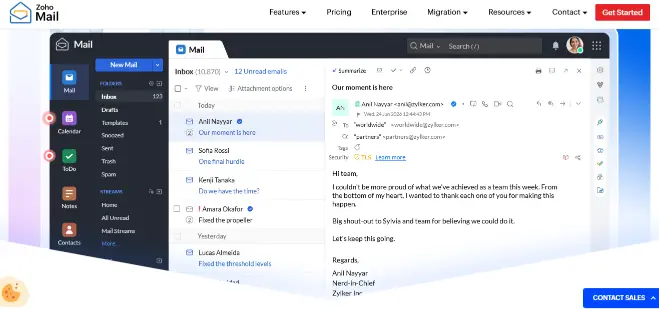
Zoho’s free plan is generous for a price tag of zero. It suits a tiny team that only needs a branded address in a browser. Here is what the plan includes when you sign up:
- Up to five users. Each person gets a mailbox on your domain.
- One custom domain. You cannot add a second domain or brand.
- 5 GB per user. That is enough for light email use.
- Web access and mobile apps. You read and send mail from a browser or the Zoho app.
- A 25 MB attachment limit. Large design files and videos need another route.
On paper, that sounds like plenty for a small start. The trouble begins when daily work meets the limits.
The Limits That Trip Up South African Owners
Most owners find these limits one at a time, usually at a bad moment. Here they sit together, with what each one costs you in practice.
- No Outlook, Apple Mail or Thunderbird. The free plan excludes IMAP, POP and ActiveSync. Your inbox lives in a browser or the Zoho app, so desk routines and shared phone setups break.
- A five-user ceiling. Hire a sixth person and you must upgrade, or leave someone without an address.
- One domain only. A second business or brand needs a different plan.
- No email forwarding. Zoho lists forwarding as a paid feature, so you cannot send info@ mail to a colleague automatically.
- Sending limits. Zoho also caps recipients and message volumes, so newsletters belong in a proper marketing tool.
Each limit looks small when you view it on its own. Together, they decide whether the free plan fits your business or only a test run.
The Catch Nobody Warns You About: Free Plan Availability
Zoho’s own subscription page says the free plan is available only in selected data centres. It adds that some regions may not get it at all.
That detail changes what happens after your trial. If your region has no free plan, Zoho disables mail for every user once the 15-day trial ends. You then have 30 days to upgrade before your account and data are scheduled for deletion.
The same rule applies if you cancel a paid plan later. In a region without a free plan, the organisation gets locked until you subscribe again. Check that your admin console offers the Free plan before you move client mail into it, and back up your messages before you test anything important.
Signs You Have Outgrown the Free Plan
You do not need every sign on this list. Two or three are enough to start planning a move.
- You want your phone’s built-in mail app or Outlook. The free plan will not connect to either.
- Your team passed five people. Every new hire adds a decision about who gets left out.
- Clients say your attachments bounce. The 25 MB cap bites quickly with quotes and artwork.
- You run a second brand. It needs its own domain and its own setup.
- You worry about a plan change. A locked account stops quotes and invoices at once.
If two of these sound familiar, move before a client notices. A planned move takes an afternoon, while a lockout can take your whole week.
When the Zoho Free Plan Is Still Fine
The free plan still has honest uses for some owners. A solo owner who tests an idea and works only in a browser can stay on it. That holds only if your account shows the Free plan and nobody needs Outlook.
Once clients pay you, or staff need phones and desktops connected, you need more than a test setup. At that point, a paid plan protects your income instead of adding a cost.
Better Alternatives for South African Businesses
Better means three clear things in this guide. You keep desktop access, you pay in a way that suits your budget, and you get help when something breaks. The five options below cover most South African owners.
| Option | Billed in | Outlook and phone mail apps | Mailbox storage | Entry price |
|---|---|---|---|---|
| Zoho Mail Free | US dollars | No | 5 GB | $0 for up to 5 users |
| Zoho Mail Lite | US dollars | Yes | 5 GB or 10 GB | From $1 per user a month, annual billing only |
| Truehost Workplace | Rands | Yes | 10 GB | From R8 a month on the 3-year plan, R35 on monthly billing |
| HostAfrica | Rands | Yes | 10 GB or 50 GB | R36 or R54 a month |
| Namecheap Private Email | US dollars | Yes | 5 GB and up | About $15 a year for one mailbox |
| Hostinger Business Email | US dollars | Yes | 10 GB or 50 GB | Under $1 a month on a 48-month term |
Prices were checked in November 2026 and can change. Confirm the current rate at checkout.
Zoho Mail Lite
If you like Zoho, the simplest fix is its paid Mail Lite plan. It adds IMAP and POP access, so Outlook and phone apps connect. It bills in dollars and annually only, so the exchange rate affects your yearly cost. Zoho has said it wants a South African data centre, so check where your data sits today.
Truehost Workplace
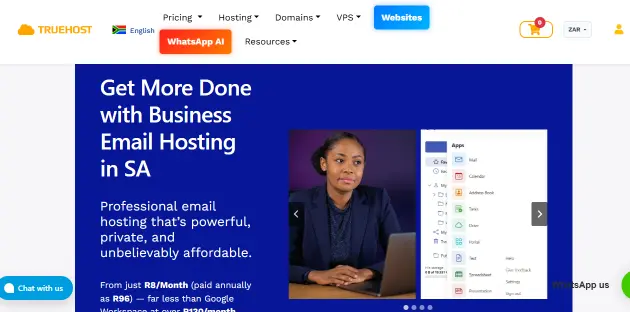
Truehost Workplace removes the main frustrations in one move. You get desktop and phone access, billing in rands and 10 GB per mailbox. Every plan also includes two-factor protection, anti-spam and antivirus scanning, a calendar, drive storage, and document, spreadsheet and presentation tools.
Hosting sits in Johannesburg, so your client data stays close to home. Support runs around the clock, which helps when a mailbox breaks at night. You pay per mailbox, so your costs stay easy to predict as the team grows.
HostAfrica
HostAfrica suits teams that want much bigger mailboxes. Its workspace tier gives 50 GB, AI tools that summarise and draft replies, a 99.9% uptime guarantee and free migration. It costs more per mailbox than Truehost, so it fits growing teams better than solo owners.
Namecheap Private Email
Namecheap works with desktop mail apps and costs little per year for one mailbox. It bills in dollars, so card fees and exchange rates add to the final cost. It suits solo owners who already pay for tools in dollars.
Hostinger Business Email
Hostinger shows the lowest headline price, but that rate depends on a 48-month commitment. Renewal rates rise after the first term, and billing is in dollars. Read the renewal terms carefully before you commit to it.
Which Option Fits Which Owner?
Pick the option that matches how you work today, not how you hope to work next year. A few quick matches help you decide faster.
- You are a solo freelancer who wants Outlook and a phone app. Truehost Workplace or Namecheap gives you desktop access with one mailbox.
- You run a small shop with three to ten staff. Truehost Workplace keeps rand billing and per-mailbox costs simple.
- You lead a growing team that shares large files. HostAfrica offers the biggest mailboxes and an AI-assisted inbox.
- You already live inside Zoho apps. Zoho Mail Lite keeps everything under one login.
- You can commit for years and accept dollar billing. Hostinger may fit, if the renewal price still works for you.
None of these choices locks you in forever. Your domain stays yours, so you can move again if your needs change.
What About Bitrix24 and Frappe?
Some search results point to Bitrix24 or Frappe CRM as Zoho alternatives. Those are business suites and CRM tools, not mailbox hosting for your domain. They help when you need customer tracking, tasks and team chat. They will not replace the inbox you need today.
How to Move From Zoho Free Without Losing Mail
The move is a small project when you follow a clear order. You need access to your domain’s DNS settings, and nothing more.
- Export your Zoho mailboxes before you change anything. The free plan blocks IMAP, so ask your new provider how to load exported messages.
- Create the same mailboxes and aliases at your new provider.
- Switch your domain’s MX records to the new provider once the mailboxes are ready.
- Add or confirm SPF and DKIM records so your mail lands in the inbox.
- Send test messages in both directions, then keep Zoho for a few days before you close it.
Do not delete your Zoho organisation until your old mail appears in the new inbox. Deleting too early cannot be undone, and Zoho may not recover it.
Switch Before the Free Plan Locks You Out at the Worst Moment
The Zoho free plan works well as a trial run. It becomes a risk once clients, deadlines and phones depend on it. Moving early costs an afternoon, while moving late can cost a client.
If you want email that works in Outlook and on your phone, Truehost Workplace lets you start with one mailbox on your own domain. It bills in rands and comes with support whenever something breaks. Set it up this week, and stop worrying about what the free plan will block next.