Web Hosting
 Windows HostingBuilt for Windows apps and websites – stability, speed and flexibility
 Reseller HostingLaunch a hosting business without technical skills or expensive infrastructure
 Affiliate ProgramRefer customers and earn commissions from sales across our platform
 Domain SearchFind and secure a domain name in seconds with our quick lookup tool
 CO ZA Domains
 All DomainsExplore domain names from over 324 TLDs globally – all in one place
 Free Whois Lookup Tool South Africa
 VPS
VPS Website Builder
 Online ShopSet up a sleek eCommerce store with zero coding knowledge
 SSLs
SSLs SupportAccess help articles, how-tos, and everything about our services
 Blog
Blog Contact UsReach our team instantly via live chat or drop us an email
If you love the node-based, self-hostable power of n8n but want to explore other options, you’ll be glad to know there are plenty of excellent workflow automation tools available.
While n8n remains a favorite for many users, it’s far from the only platform capable of building powerful automated workflows. Depending on your goals, you may prefer a tool with a simpler interface, more built-in integrations, stronger developer features, or AI-powered automation.
Several workflow automation platforms offer equally impressive features, intuitive visual builders, or great coding environments.
Some make it easy to create workflows with drag-and-drop visual scenarios, while others take a code-first approach that gives developers greater flexibility and control.
You’ll also find newer AI-native platforms designed to automate modern business processes with minimal effort.
The top free alternatives to try range from visual scenario builders to code-first and AI-native platforms. Each one brings its own strengths, making it easier to find a solution that fits your workflow, technical experience, and automation needs.
Let’s look at seven free workflow automation tools like n8n and highlight what makes each one worth considering.
Table of Contents
The 7 Free Workflow Automation Alternatives
Quick Comparison Table
| Tool | Best For | Self-Hosted? | Free Tier Limits | Key Strengths | Skill Level |
|---|---|---|---|---|---|
| Activepieces | Startups/creators | Yes (MIT) | 1,000 tasks/month, 2 flows (cloud) | Visual builder, AI steps, Tables | Beginner–Intermediate |
| Node-RED | Developers, IoT | Yes (open-source) | None | Hardware/protocol support, JavaScript | Developer |
| Pipedream | Software engineers | No | Daily credit limit, capped flows | Code + no-code, GitHub sync | Developer |
| Make | Non-technical users | No | 1,000 credits/month, 2 scenarios | Visual branching, 3,000+ apps | Beginner–Intermediate |
| Windmill | Engineering/ops teams | Yes | Unlimited (self-hosted) | Script-to-UI, 4 languages | Developer |
| Gumloop | AI builders | No | 5,000 credits/month, 1 seat | LLM-native, AI orchestration | Intermediate |
| Zapier | Everyday users | No | 100 tasks/month, 2-step Zaps | 8,000+ apps, easiest to use | Beginner |
1) Activepieces
Best for: Startups and creators looking for a lightweight open-source automation platform.
Activepieces is one of the closest alternatives to n8n if you want a familiar workflow-building experience without unnecessary complexity.
It keeps the visual approach that makes automation easy to follow while remaining lightweight and flexible.
Since it’s released under the MIT license, you can self-host the Community Edition for free, giving you unlimited task execution as long as it’s running on your own server.
What You’ll Get
Activepieces includes a clean step-based workflow builder that remains easy to navigate, even as your automations become more advanced.
It also comes with native AI steps for models like OpenAI and Claude, making it simple to add AI capabilities without relying on third-party extensions.
For workflows that need human oversight, you can insert approval steps before the automation continues.
There’s also a built-in lightweight database called Tables, allowing you to store workflow data without setting up a separate database for smaller projects.
Integration Library
Activepieces supports more than 700 integrations, including popular services such as Gmail, Slack, OpenAI, Notion, HubSpot, and many other CRM, productivity, and business applications.
Since the integration catalog is community-driven, new connectors are added regularly instead of waiting for official vendor releases.
Where It Works Well
Activepieces is a great choice for automating everyday business tasks, including:
- Sending new website leads directly into your CRM while notifying your sales team on Slack.
- Drafting initial customer support responses with AI before pausing for human approval.
- Syncing online store orders into spreadsheets for daily reconciliation and reporting.
Whhat Stands Out
- Clean visual builder that’s easier for beginners to follow than n8n.
- Self-hosted Community Edition removes task limits completely.
- AI steps and human approval workflows are built in from the start.
Limitations
- The integration catalog is much smaller than Zapier’s library of 8,000+ apps.
- The cloud free plan is limited to 1,000 tasks per month and only two active flows.
- Self-hosting gives you full freedom, but you’ll also be responsible for managing your own server.
2) Node-RED
Best for: Developers and IoT teams building hardware or event-driven automations.
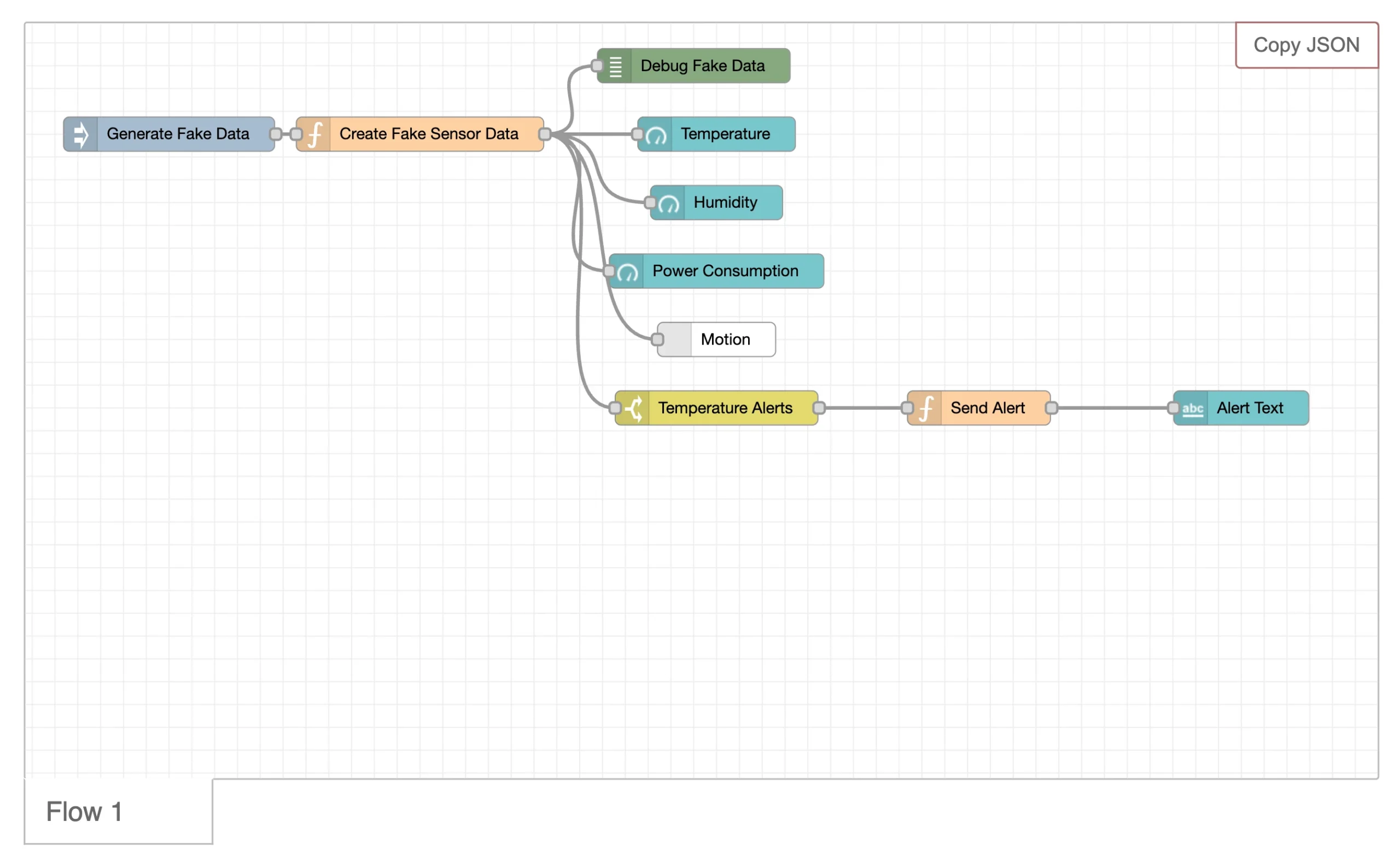
Node-RED takes a different approach to workflow automation.
Originally created by IBM and now maintained as a Linux Foundation project, it runs on Node.js and lets you connect services, devices, and applications through a visual node-on-canvas editor.
Building workflows often feels more like connecting electronic components than using a traditional automation platform.
Highlights
One of Node-RED’s biggest strengths is its enormous collection of community-built nodes.
These cover APIs, databases, messaging platforms, and hardware protocols such as MQTT and Modbus. The browser-based editor runs locally, and whenever built-in nodes aren’t enough, you can extend your workflows with custom JavaScript.
App Integrations
Node-RED shines when working with hardware, IoT devices, Raspberry Pi projects, MQTT brokers, databases, and developer-focused APIs.
If your work revolves around marketing tools or CRM platforms, however, you’ll find fewer ready-to-use integrations than many other automation platforms on this list.
Common Automation Ideas
Common Node-RED projects include:
- Monitoring factory or IoT sensors and sending alerts when readings cross predefined thresholds.
- Collecting information from multiple APIs before transforming and sending it to dashboards.
- Building lightweight event-driven automations without depending on a cloud-based SaaS platform.
Why Developers Love It
- Completely free with no task limits or subscription tiers.
- Excellent support for IoT devices, industrial hardware, and communication protocols.
- Huge ecosystem of community-created nodes and extensions.
Drawbacks
- You’ll need to install, host, and maintain the platform yourself.
- Initial setup can be challenging if you’re unfamiliar with Linux servers.
- Ready-made integrations for common business applications aren’t as extensive as competing tools.
3) Pipedream
Best for: Software engineers who prefer writing code alongside visual automation.
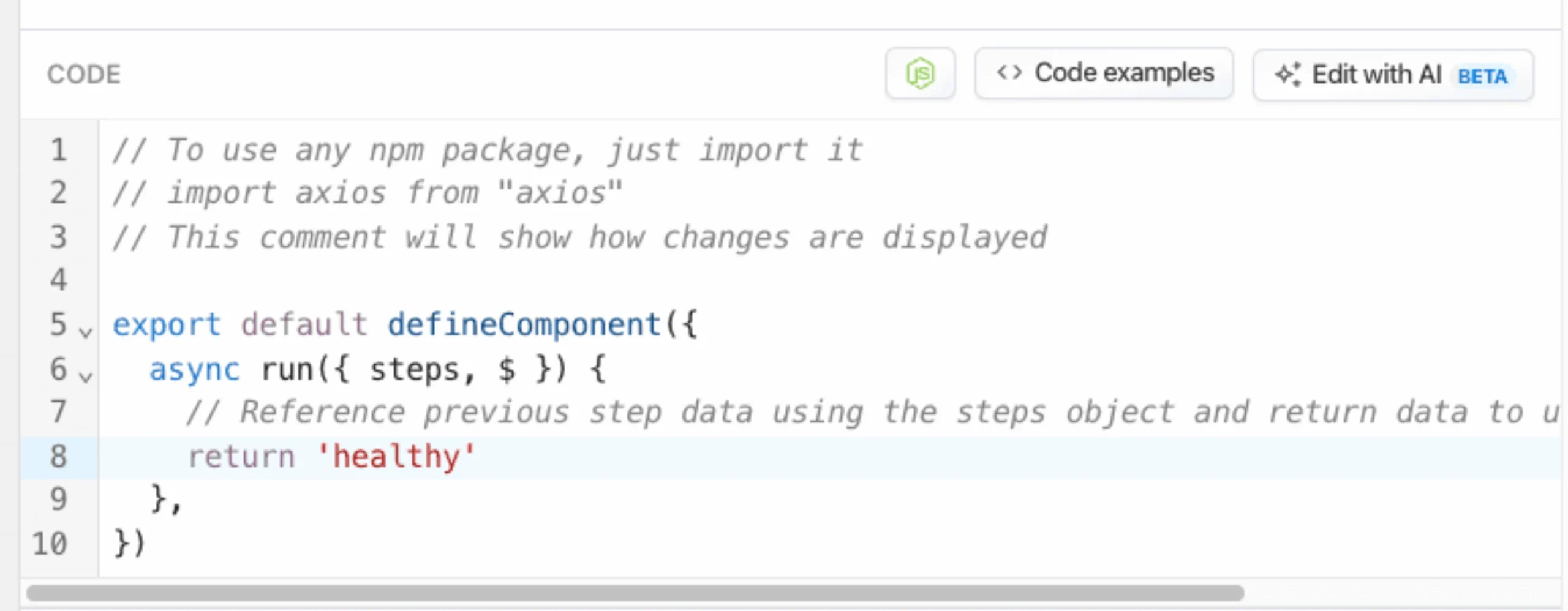
Pipedream is built with developers in mind. Instead of managing servers, you run workflows on serverless infrastructure while combining pre-built triggers with real code whenever your automation needs additional logic.
You can write in Node.js, Python, Go, or Bash, making it a flexible choice for engineering teams.
Key Capabilities
Pipedream lets you mix no-code actions with custom code steps inside the same workflow.
It also includes built-in event inspection and replay tools, making it much easier to troubleshoot failed workflow runs.
For teams that treat automations like software projects, GitHub synchronization allows workflows to be version-controlled alongside application code.
Supported Integrations
The platform connects to thousands of applications through its public component registry.
It also includes an MCP Server that exposes those integrations to AI agents and assistants, making Pipedream particularly appealing for developers building AI-powered automation systems.
Use Cases
Pipedream is commonly used for tasks such as:
- Receiving webhook data, transforming it with custom code, and sending it to a CRM.
- Running scheduled API calls that require business logic beyond simple trigger-and-action workflows.
- Building and testing integrations before committing to a full in-house implementation.
Advantages
- Fully serverless, so there’s no infrastructure to maintain.
- Supports multiple programming languages within the same workflow.
- GitHub synchronization fits naturally into modern developer workflows.
Trade-offs
- The free plan resets usage daily instead of monthly, which surprises many first-time users.
- Free accounts have limits on active workflows and connected applications.
- Teams looking for a purely visual automation platform may find it more technical than alternatives like Activepieces or Make.
4) Make (formerly Integromat)
Best for: Non-technical users who want to build advanced workflows without writing code.
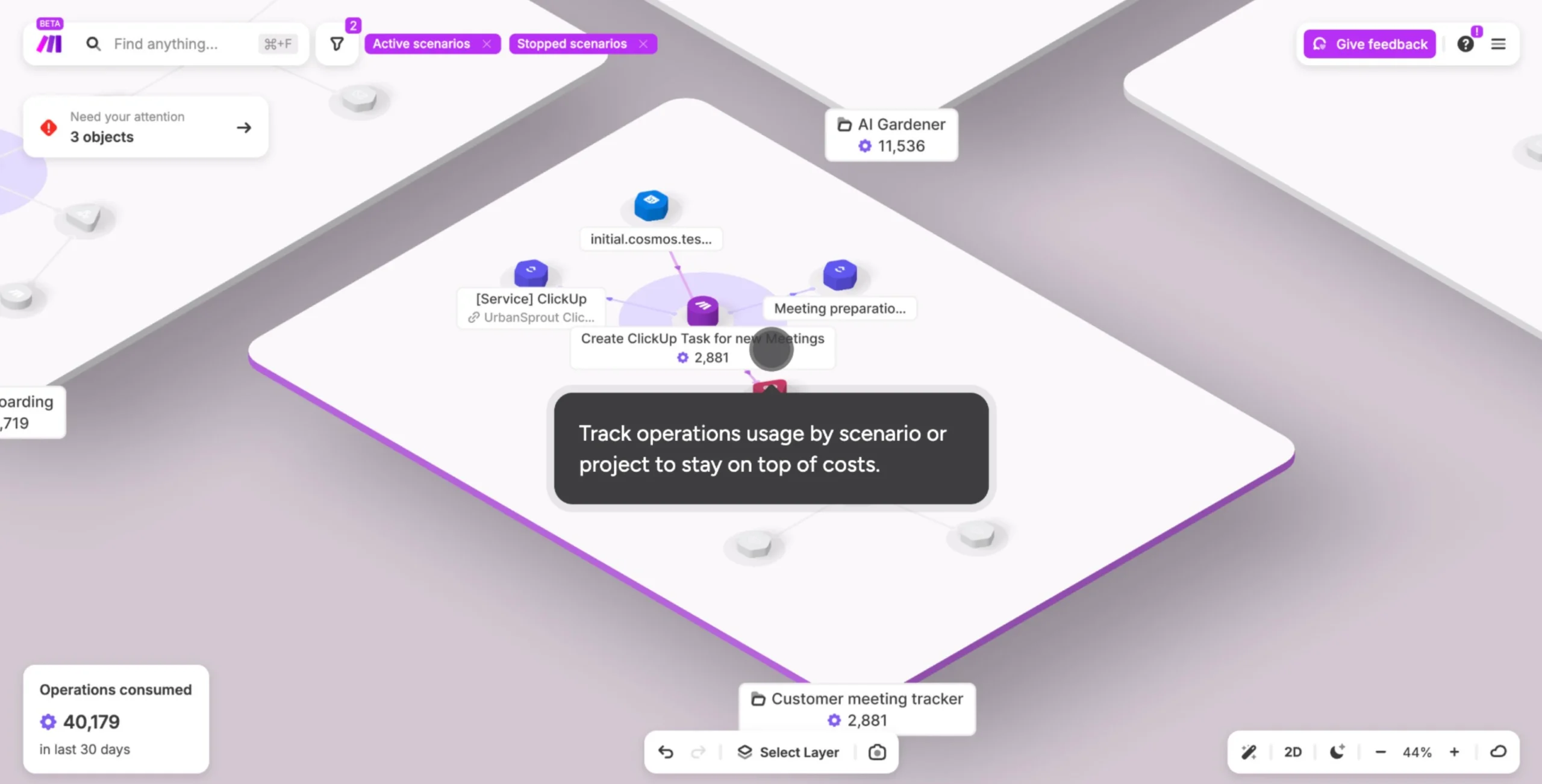
If you enjoy building automations visually, Make is one of the most polished platforms available.
Formerly known as Integromat, it uses a mind map-style canvas where you connect modules with routers, filters, and aggregators to create sophisticated workflows.
Despite its powerful capabilities, the interface remains approachable, making it a popular choice for users who want complex automation without touching code. As your needs grow, its paid plans also tend to be more affordable than many competing hosted platforms.
Core Features
Make gives you plenty of flexibility for designing advanced workflows.
Visual routers and filters let you create multiple paths based on conditions, while its powerful data mapping and transformation tools make it easy to move information between apps in the right format.
Instead of relying heavily on generic webhooks, many integrations include dedicated modules with configurable actions and settings.
Connected Apps
With support for 3,000+ applications, Make has one of the largest integration libraries in this comparison.
Even users on entry-level plans have access to this extensive catalog, making it easier to connect business, productivity, marketing, and customer management tools without extra work.
Great Automation Ideas
Make works especially well for workflows that involve multiple conditions or data transformations, such as:
- Routing e-commerce orders through different paths based on product type, customer location, or order value.
- Cleaning, reformatting, and syncing data between spreadsheets and CRM systems.
- Creating approval workflows with multiple review stages and decision points.
Strengths
- One of the most intuitive visual builders available for creating advanced workflow logic.
- More than 3,000 app integrations with highly configurable modules.
- Paid plans are generally more affordable than Zapier as automation needs increase.
Keep in Mind
- Self-hosting isn’t available, so your workflows and data remain on Make’s infrastructure.
- The free plan checks for new events every 15 minutes, making it unsuitable for real-time automation.
- The monthly allowance of 1,000 credits can disappear quickly when workflows contain several steps.
5) Windmill
Best for: Engineering and operations teams building internal tools alongside workflow automation.
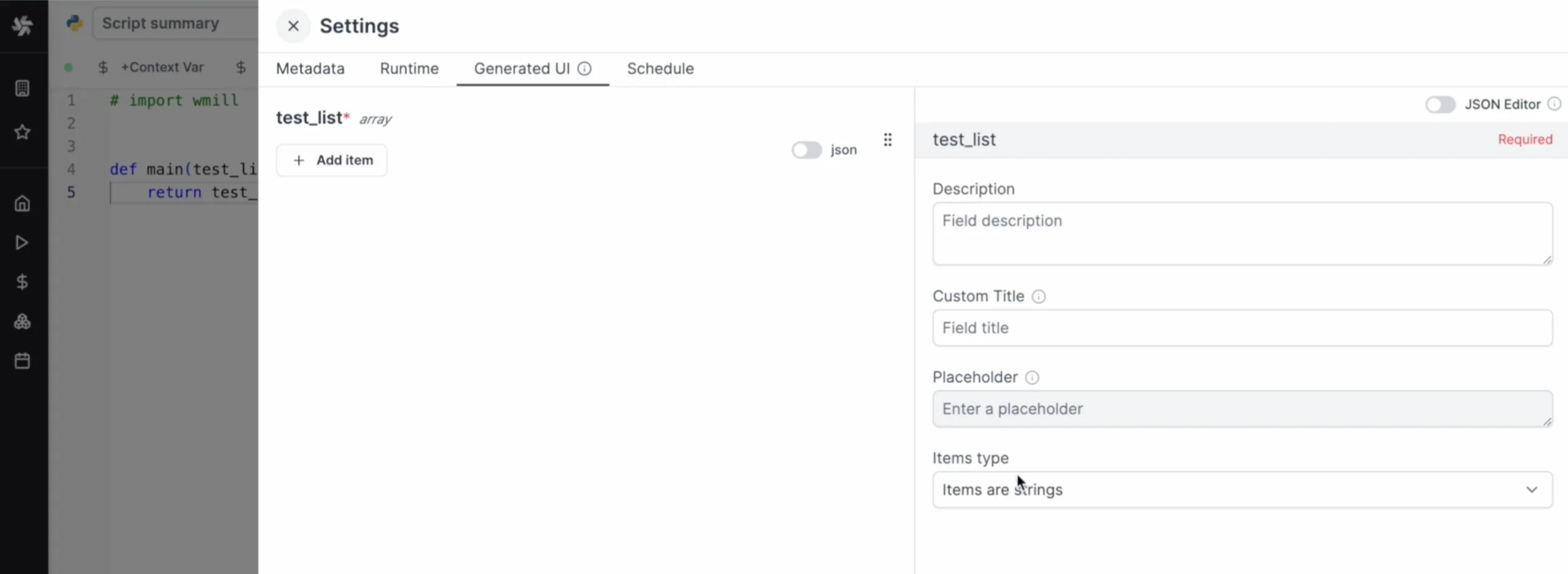
Windmill goes beyond connecting apps together. It’s designed for teams that build internal business tools and automate technical processes using code.
You write scripts in Python, TypeScript, Go, or Bash, combine them into workflows, and Windmill automatically creates a user-friendly interface that allows non-technical colleagues to run those scripts without editing a single line of code.
Highlights
One of Windmill’s standout capabilities is its automatic UI generation.
Scripts instantly become usable forms or dashboards, making them accessible across the organization.
The platform also includes credential management, permission controls suited for business environments, and robust workflow features such as branching, scheduling, and error handling across four supported scripting languages.
Integration Approach
Instead of maintaining a massive directory of ready-made app connectors, Windmill gives developers direct access to APIs, databases, and external services through code.
This provides tremendous flexibility for custom business workflows, although it requires more setup than platforms focused on plug-and-play integrations.
Ideal Projects
Windmill is particularly effective for technical operations, including:
- Creating internal tools that allow support teams to process refunds or reset accounts without developer assistance.
- Scheduling and chaining data pipeline scripts with built-in error handling.
- Giving non-technical employees simple form-based interfaces for backend business processes.
Key Advantages
- Self-hosted deployments are completely free with no usage limits.
- Automatically generated interfaces allow business teams to use scripts without coding knowledge.
- Strong credential management and permission controls make it well suited for organizations.
Potential Downsides
- The platform is built with developers in mind, so it has a steeper learning curve for non-technical users.
- It doesn’t provide the extensive library of pre-built app integrations available in Make or Zapier.
- Running your own instance still means maintaining the underlying infrastructure.
6) Gumloop
Best for: Teams building AI-powered workflows instead of traditional app-to-app automation.
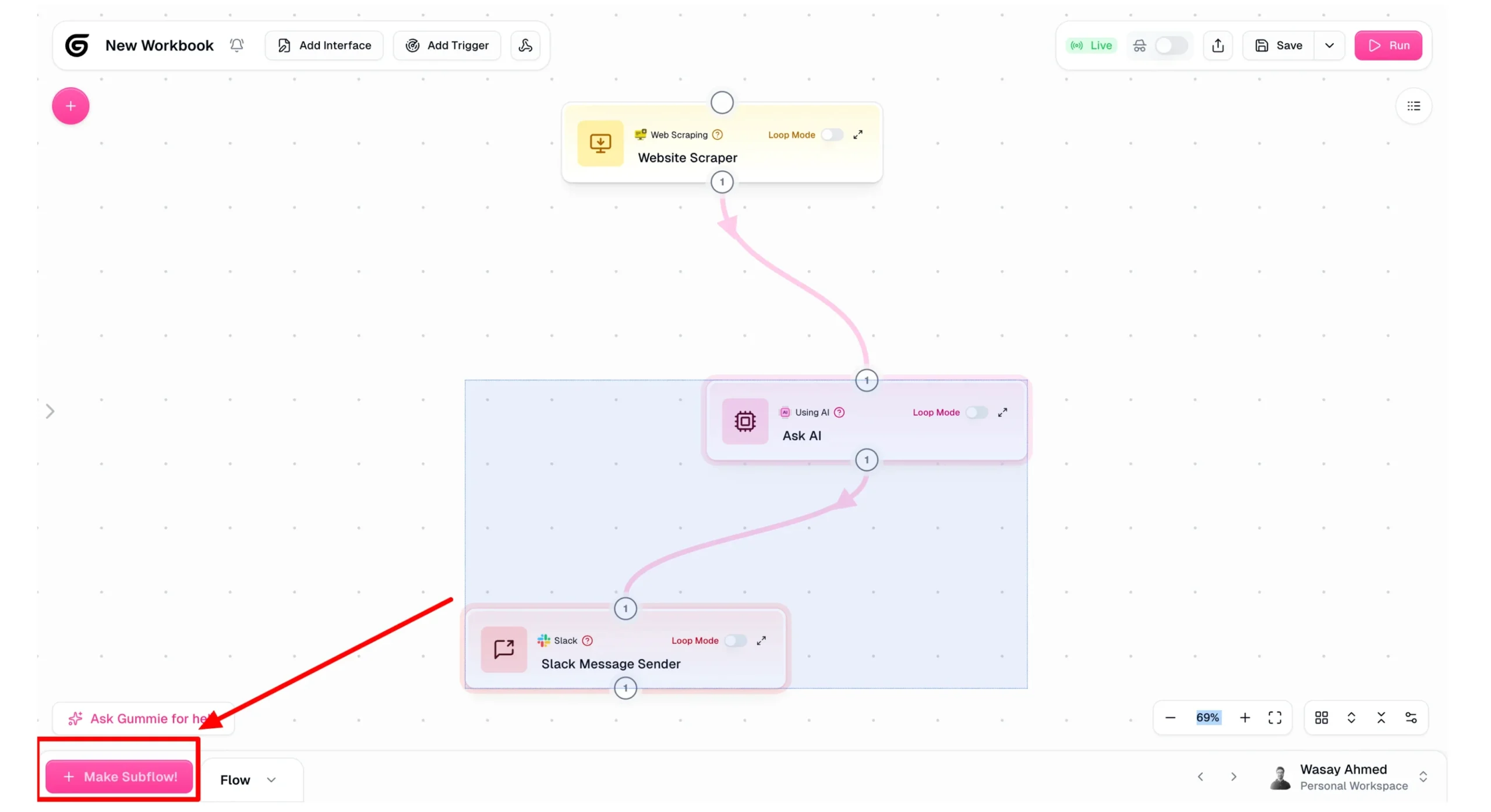
Gumloop was built for the growing wave of AI-driven automation.
Rather than treating AI as an optional add-on, it places large language models at the center of every workflow.
You can connect GPT, Claude, Gemini, and other models into visual workflows, then package them as autonomous AI agents capable of completing multi-step tasks with minimal manual intervention.
AI-Powered Features
The platform includes dedicated AI nodes for everything from simple text classification to advanced reasoning tasks.
Visual branching and looping make it easier to process large batches of content, while the Bring Your Own Key (BYOK) option lets you use your own API credentials to reduce AI usage costs.
Connected Services
Gumloop integrates with business tools such as Slack, Gmail, HubSpot, Airtable, and Salesforce alongside its native AI model support.
While its app catalog is smaller than those of Zapier or Make, its primary focus is orchestrating AI workflows rather than connecting thousands of general-purpose applications.
Popular Workflows
Gumloop is well suited for AI-focused projects such as:
- Scraping competitor websites and generating concise summaries for marketing teams.
- Qualifying sales leads with AI before handing them to a salesperson.
- Producing first drafts of articles, emails, or reports that are later reviewed and refined by a human editor.
Why It’s Worth Considering
- One of the strongest AI-first visual workflow builders currently available.
- The BYOK option can significantly reduce AI processing costs.
- Supports visual branching and batch processing for sophisticated AI workflows.
Where It Falls Short
- Advanced AI models such as GPT-4 and Claude can consume the free monthly credit allocation very quickly.
- The general integration library is much smaller than what Zapier or Make offers.
- The free plan includes only one user seat, making collaboration difficult for larger teams.
7) Zapier
Best for: Everyday users who want the broadest app compatibility with the simplest setup.
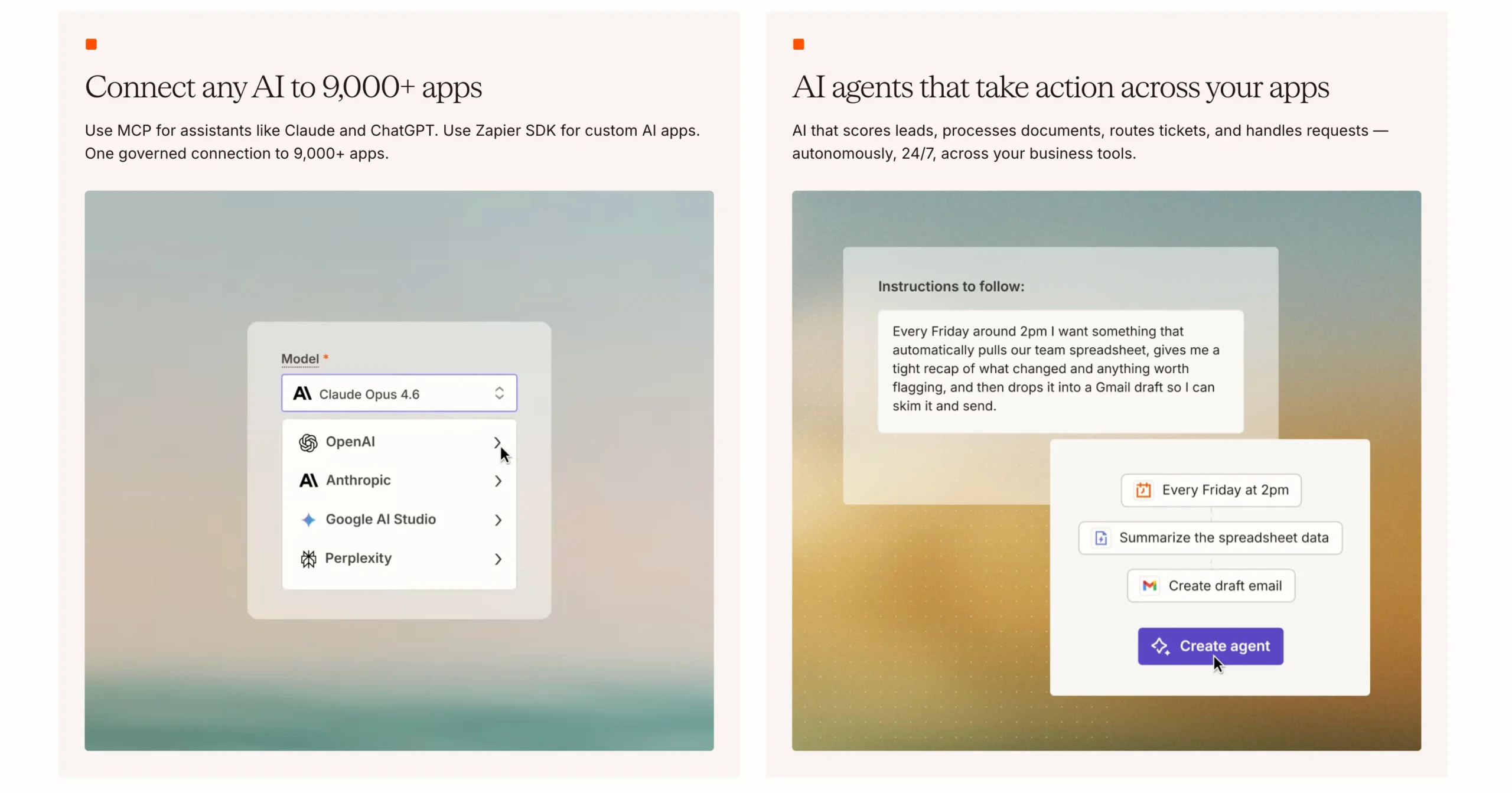
Zapier has become one of the most recognizable names in workflow automation, and it’s easy to see why.
It focuses on making automation accessible, allowing you to connect popular business apps with very little setup.
If your business already relies on widely used SaaS tools, there’s a good chance Zapier already supports them. Its clean interface also makes it one of the easiest platforms for beginners to learn.
Main Features
Zapier includes an AI-powered Copilot that can generate workflows from a simple text description, helping you get started faster.
It also comes with built-in Tables and Forms for collecting and storing data without relying on additional services.
Behind the scenes, Zapier offers one of the most mature error-handling and automatic retry systems among no-code automation platforms, helping workflows recover from temporary failures.
App Ecosystem
With support for 9,000+ applications, Zapier offers the largest integration library in this comparison by a considerable margin.
From CRM and marketing platforms to accounting, communication, and productivity tools, it connects with almost every mainstream SaaS application businesses use today.
Everyday Uses
Zapier is an excellent choice for automating routine business tasks, such as:
- Sending new website enquiries to both your email platform and CRM without manual work.
- Posting Slack notifications whenever a high-value sales opportunity is marked as won.
- Building straightforward two-step automations for freelancers, consultants, and small teams.
Biggest Advantages
- The widest app ecosystem on this list, with more than 8,000 integrations.
- Extremely beginner-friendly, with no servers, coding, or complicated configuration required.
- AI Copilot speeds up workflow creation and lowers the learning curve for new users.
Limitations
- The free plan is the most restrictive in this comparison, allowing only 100 tasks per month and single-step Zaps.
- Even simple business workflows often require more than two steps, pushing many users toward a paid subscription.
- Self-hosting isn’t available, so your workflows run entirely on Zapier’s infrastructure.
How These 7 Compare to n8n
Each platform on this list brings something different to the table, but none of them completely replaces n8n.
Some outperform it in specific areas, while others focus on simplicity, AI, or developer flexibility.
The best choice comes down to how you build workflows, where you want your data stored, and how much control you need.
Where n8n Still Leads
n8n continues to stand out for organizations that want complete ownership of their automation platform.
A self-hosted deployment gives you unlimited workflows and executions without task limits. Among the alternatives we have covered, only Activepieces, Node-RED, and Windmill offer a similar self-hosted experience without usage caps.
Even then, n8n maintains an advantage with its extensive community node library and built-in queue mode for handling high volumes of webhook traffic efficiently.
Areas Where Other Tools Pull Ahead
- Zapier offers an unmatched catalog of more than 9,000 app integrations, making it the easiest choice for connecting mainstream SaaS applications.
- Gumloop is purpose-built for AI-native automation, making it a stronger option when large language models are at the center of your workflows.
- Make provides one of the most intuitive visual builders available, especially for users who want sophisticated workflow logic without writing code.
Choosing the Right Platform
Your decision will largely come down to a few key factors:
- Self-hosting: If you want complete control over your infrastructure, n8n, Activepieces, Node-RED, and Windmill are strong choices. Cloud platforms handle the infrastructure for you but keep your workflows on the provider’s servers.
- Technical skills: Make and Zapier are the easiest to get started with, while Windmill and Node-RED are geared toward developers. n8n and Activepieces offer a middle ground.
- Scale and budget: Self-hosted platforms eliminate task limits and provide predictable monthly costs. Usage-based cloud pricing can become expensive as automation grows.
- AI workflows: Gumloop is the strongest option if your automations rely heavily on large language models.
What South African Businesses Should Consider
For businesses in South Africa, data location, performance, and pricing are just as important as features.
Cloud platforms like Make, Zapier, Gumloop, and Pipedream store workflow data on the provider’s infrastructure, giving you less control over where that data resides.
Self-hosting makes it easier to manage data locally and align with POPIA requirements.
Performance is another consideration. Hosting n8n on a South African server reduces latency for local webhook requests compared to routing traffic through overseas data centres.
There’s also the cost factor. Since most cloud platforms charge in US dollars and bill based on usage, monthly expenses can fluctuate as exchange rates and workflow volume change.
A fixed hosting fee in South African Rand offers more predictable budgeting as your automations grow.
Self-Hosting n8n with Truehost South Africa
If your workflows have outgrown free plans or you’re looking for complete control over your automation environment, self-hosting n8n with us gives you unlimited usage without worrying about task limits or usage-based billing.
Here’s what you get with our managed n8n hosting:
- Unlimited workflows and executions with no task caps, credit system, or surprise overage charges.
- Queue mode pre-configured with Redis for handling high webhook volumes.
- A dedicated PostgreSQL database automatically provisioned during deployment.
- Full root access on an isolated KVM virtual server, allowing you to install community nodes, add npm modules, and run background scripts freely.
- One-click deployment with more than 100 pre-built workflows included.
- Free SSL, automatic configuration, and a deployment time of less than 45 seconds after checkout.
- Plans starting from R171.53/month on a server with 1 vCPU, 2 GB RAM, and 50 GB NVMe storage, purpose-built for running n8n instead of requiring you to configure a generic VPS yourself.
Ready to take full control of your workflow automation? Start with Truehost’s n8n Self Hosting or get in touch with our team if you’d like help choosing the right plan.