Web Hosting
 Windows HostingBuilt for Windows apps and websites – stability, speed and flexibility
 Reseller HostingLaunch a hosting business without technical skills or expensive infrastructure
 Affiliate ProgramRefer customers and earn commissions from sales across our platform
 Domain SearchFind and secure a domain name in seconds with our quick lookup tool
 CO ZA Domains
 All DomainsExplore domain names from over 324 TLDs globally – all in one place
 Free Whois Lookup Tool South Africa
 VPS
VPS Website Builder
 Online ShopSet up a sleek eCommerce store with zero coding knowledge
 SSLs
SSLs SupportAccess help articles, how-tos, and everything about our services
 Blog
Blog Contact UsReach our team instantly via live chat or drop us an email
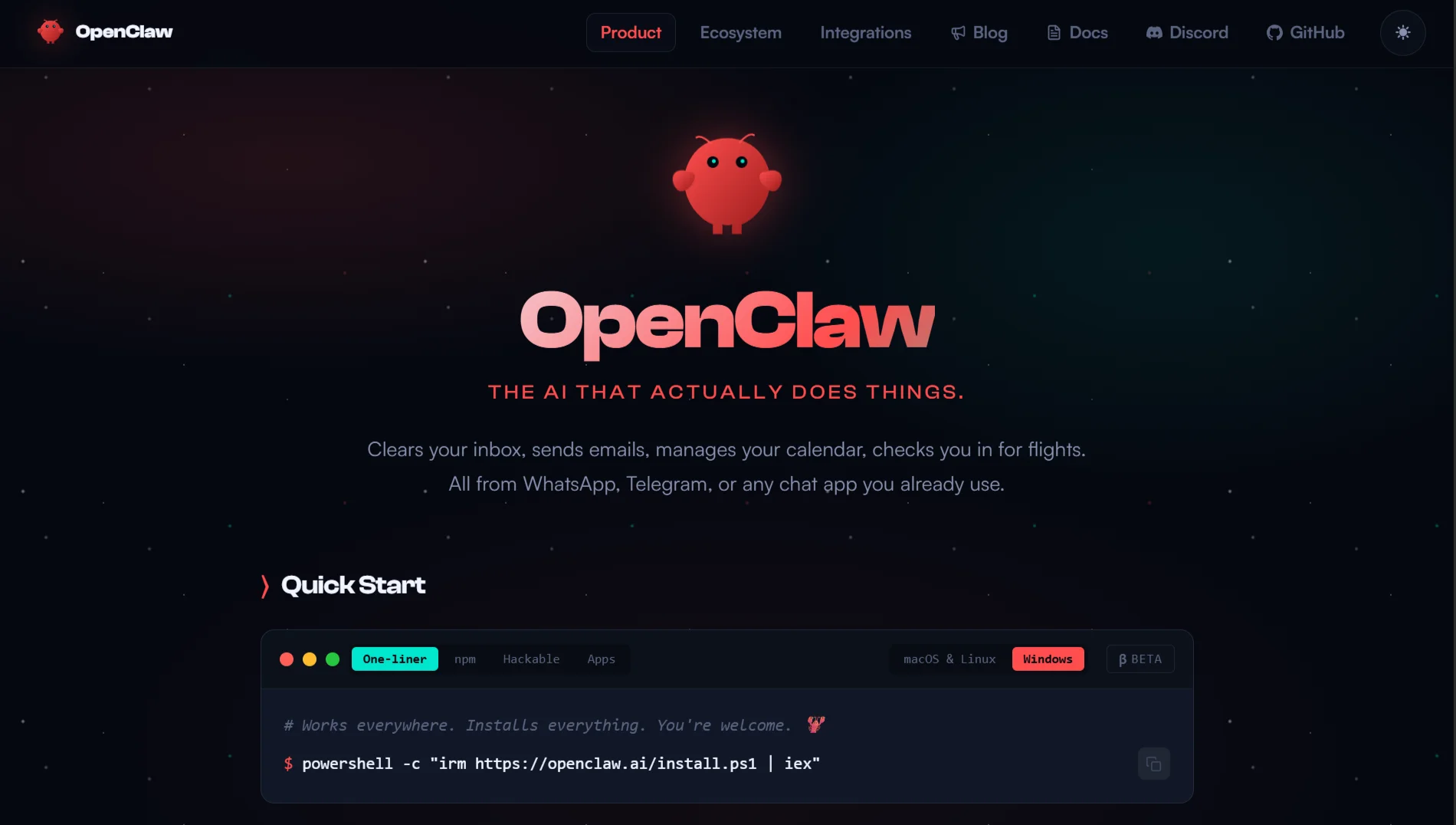
You have probably heard about OpenClaw and what it can do: autonomous AI interactions, message processing and workflow automation.
But before you set it up on your own computer, there are some things to consider.
Many people assume local hosting is the easiest route. Download, install, tweak a few settings, and you are done. However, sometimes that’s not the reality.
When you host OpenClaw locally, your machine handles everything: processing, memory, storage, and your internet connection.
You also manage the full environment: dependencies, configuration, databases, and updates. No third party steps in when something goes wrong.
That control sounds good, but it comes with serious responsibility. Cloud hosting, by contrast, puts a provider in charge of hardware, network, and infrastructure.
They handle failures, outages, and support. With local hosting, you are your own support team.
For testing or personal projects, local hosting can work. But for anything critical, customer interactions, business workflows, or team access, the challenges mount quickly. Hardware limits, maintenance, security, and reliability all become issues.
This article covers ten key limitations of running OpenClaw locally. By the end, you will know if local hosting fits your needs or if another option makes more sense.
Before the limitation lets compare local hosting to cloud/VPS hosting:
| Aspect | Local hosting | Cloud/VPS hosting |
| Initial cost | High hardware purchase | Low monthly subscription |
| Ongoing costs | Electricity, internet, hardware replacement | Fixed monthly fee |
| Uptime | Depends on your home network and power | 99.9%+ guaranteed |
| Maintenance | You handle everything | Provider handles hardware and network |
| Scalability | Hardware upgrades required | Instant resource adjustment |
| Security | Your responsibility | The provider offers managed security |
| Technical support | Self-support | Professional support available |
| Backup | Manual setup required | Often included automatically |
| Accessibility | Limited to your network | Accessible from anywhere |
| Hardware Failure | Downtime until replacement | Automatic failover |
Table of Contents
10 Limitations of Local Hosting For OpenClaw
1) Hardware Resource Bottlenecks (Compute & Memory)
OpenClaw requires substantial system resources to function properly. AI model inference, message processing, and automation workflows all demand CPU power and RAM.
Local machines don’t have the dedicated resources that OpenClaw needs for consistent performance.
When your system runs other applications alongside OpenClaw, resource contention becomes inevitable. Your browser, email client, and background processes compete for the same CPU cycles and memory.
So, you get slow response times, delayed message processing, and timeouts. Also, OpenClaw might fail to complete workflows because your system cannot allocate enough memory.
Disk I/O bottlenecks further slow operations when OpenClaw reads and writes data.
Even high-end consumer hardware struggles with sustained OpenClaw workloads. Laptops throttle performance due to thermal limits, and desktop systems reach resource ceilings quickly.
Unfortunately, upgrading components only provides temporary relief, as OpenClaw’s requirements grow with new features.
2) Limited Uptime and Reliability
Your local machine stays online only as long as everything works perfectly. Power outages, internet disconnections, system crashes, and hardware failures all cause downtime.
Consumer internet connections don’t have the reliability of enterprise-grade networks.
Your ISP might experience outages, bandwidth fluctuations, or latency spikes that affect OpenClaw’s availability. Also, home routers reset, Wi-Fi signals drop, and network configurations change without warning.
Another issue is that operating system updates require restarts. Your machine might reboot automatically, taking OpenClaw offline until you manually restart the service.
So, scheduled maintenance becomes unplanned downtime when Windows or macOS decides to install updates.
Each incident means OpenClaw stops working until you notice and intervene.
3) Complicated, Ongoing Maintenance
Keeping OpenClaw running smoothly is not a set-it-and-forget-it situation. Regular updates are necessary to keep the software functional and secure.
Each new version brings features, bug fixes, and security patches, but every single one requires your time and technical know-how.
Then there is dependency management. OpenClaw relies on Python packages, Node modules, database systems, and various other components.
These all need to play nicely together. When version conflicts crop up, and they will, OpenClaw can break entirely, leaving you to spend hours untangling the mess.
Configuration files also need attention as OpenClaw evolves. New settings appear, old ones get removed, and default behaviors shift.
You have to read through the release notes carefully and test everything to understand how each change affects your setup.
And do not forget database maintenance; logs pile up and need to be rotated. Indexes require rebuilding.
Database engines need vacuuming or optimization to keep performance from sliding. Ignore these tasks, and you will notice gradual slowdowns until things eventually grind to a halt
4) Significant Upfront and Ongoing Costs
The hardware side of things gets expensive quickly. A system with enough RAM, fast storage, and adequate CPU power to run OpenClaw properly costs real money.
And if your current laptop or desktop does not cut it, you are looking at upgrades or a whole new machine.
Electricity bills add up, too. Running a computer nonstop, day after day, month after month, takes a noticeable bite out of your utility costs. If you need a dedicated server, that dent gets bigger.
In addition, consumer connections usually block incoming traffic, so you might need a static IP address or a business-grade line. VPNs or tunneling services that get around these restrictions come with their own monthly fees.
Hardware replacement is another cost you cannot avoid. OpenClaw’s requirements keep increasing, and the system you buy today might need to be replaced within 2 or 3 years.
5) Security Risks: Data Exposure and Plaintext Credentials
Local hosting exposes your OpenClaw instance to security threats you might not have considered.
Your home network simply does not have the sophisticated protections that professional data centers offer.
API keys, access tokens, and credentials for external services are sensitive pieces of information that often sit in plaintext configuration files on your local machine.
If malware infects your system or someone gains unauthorized access, everything is exposed.
Your OpenClaw instance also processes potentially sensitive data. Customer conversations, internal communications, and business information flow through it.
Without proper encryption and strict access controls, that data becomes vulnerable to prying eyes.
Also, home networks usually run with minimal security. Default router passwords, open Wi-Fi, and unpatched smart devices create easy entry points.
An attacker who gains access to your network can compromise your entire OpenClaw setup.
6) Unpatched Vulnerabilities Become Your Responsibility
Security researchers are constantly finding vulnerabilities in software. When OpenClaw or any of its dependencies have known exploits, you are the one who has to apply the patches.
The OpenClaw team releases security updates, but they do not install themselves. Many users put off updates because they require downtime or risk breaking things.
But that delay leaves your system exposed to attacks that are already public knowledge.
Dependency vulnerabilities add another layer of concern. A flaw in a library or framework that OpenClaw uses can affect you even if OpenClaw itself is fine.
You have to monitor security announcements across multiple projects and apply fixes throughout the entire stack.
Zero-day exploits are the worst. When attackers discover unpatched vulnerabilities, you have no defense until the vendor releases a fix.
Without professional security monitoring, you might never even know your system was compromised.
7) Skill/Supply-Chain Risk
Running OpenClaw locally demands technical expertise that not everyone has. You need solid Linux or Windows administration skills, networking knowledge, and the ability to troubleshoot complex issues.
Even the initial setup is challenging. Installing dependencies, configuring databases, and setting up SSL certificates all require experience. One mistake during installation can break the system.
When problems arise, troubleshooting involves digging through logs, debugging errors, and identifying root causes.
Without this skill, you are left relying on community forums and documentation, meaning your system stays broken until you stumble upon the right solution.
There is also the risk of losing knowledge when technical team members leave; their expertise leaves with them.
The next person has to learn everything from scratch, which often leads to misconfigurations and downtime.
Documentation never covers everything, and valuable tribal knowledge disappears.
8) Lack of Built-in Backup and Disaster Recovery
Local hosting gives you no automatic protection for your OpenClaw data. Configuration files, databases, and message histories exist solely on your physical hardware.
If your hard drive fails, your data is gone unless you have been maintaining backups. Accidental deletion, file corruption, or ransomware attacks can destroy everything just as easily. Without backups, recovery is simply not possible.
Even with backups, restoration takes time and skill. You have to reinstall OpenClaw, restore your data, and verify that everything works correctly.
During this process, your instance remains offline, disrupting any workflows that depend on it.
Off-site backup strategies add their own complications and costs. Cloud backup services charge for storage and bandwidth. Every approach introduces new potential failure points.
9) Resource Risk from Misconfiguration
How you configure OpenClaw directly affects system stability and performance. Get the settings wrong, and you could end up with excessive resource consumption or complete failure.
API rate limits are a common stumbling block. When you set them too high, you hit throttling. Too low, and you limit functionality. Finding the sweet spot takes testing and careful monitoring.
Memory limits also need precision, or else OpenClaw crashes with out-of-memory errors. Too high, and your entire system becomes sluggish.
In addition, log rotation misconfiguration can fill your hard drive without warning. Leaving debug logging enabled eats up disk space and slows performance.
Incorrect file permissions stop OpenClaw from accessing the resources it needs to function.
10) No Vendor SLA or Failover for Critical Use
Local hosting comes with no guarantees whatsoever. When things go wrong, there is no vendor to call, no support ticket to submit, and no service level agreement to enforce.
Failover protection simply does not exist. If your hardware dies, OpenClaw stays offline until you replace components or restore from backups. That downtime can stretch from hours to days.
Service level agreements give you uptime guarantees, response times, and even compensation for outages. Local hosting offers none of these protections. Your operations depend entirely on your hardware and your skills.
Scalability is also limited. When your needs grow, you cannot just click a button to add more resources. Each expansion means new hardware purchases, installation, and configuration work. Everything takes time and money.
So, is Local Hosting for OpenClaw Worth It?
Local hosting works well for learning, testing, or development. The complete control helps you understand OpenClaw’s functionality without monthly fees. Personal projects with minimal uptime requirements also fit this model.
However, production workloads demand reliability, security, and performance that local hosting rarely provides. Business operations, customer-facing applications, and automated workflows need professional infrastructure.
Consider your technical skills honestly. If you cannot troubleshoot complex issues or maintain server security, local hosting creates a significant risk. The time spent managing your instance often exceeds subscription costs.
Also, remember that hardware expenses accumulate over time. A cloud subscription might cost less than electricity, internet upgrades, and hardware replacement combined. The predictable monthly fee simplifies budgeting.
Your data’s sensitivity is also important. Professional hosting providers offer security monitoring, encryption, and compliance that exceed the capabilities of a home setup. The peace of mind alone justifies the cost.
Host OpenClaw On Truehost Instead
Given the limitations of local hosting, we offer an alternative that addresses each concern we’ve discussed. Our OpenClaw hosting plans come pre-configured and ready to use.
The OpenClaw KVM1 plan includes 1 vCPU core, 2 GB of RAM, 50 GB of NVMe storage, and 4 TB of bandwidth for R285 monthly.
This configuration handles development projects and moderate workloads without the resource bottlenecks common to local hosting.
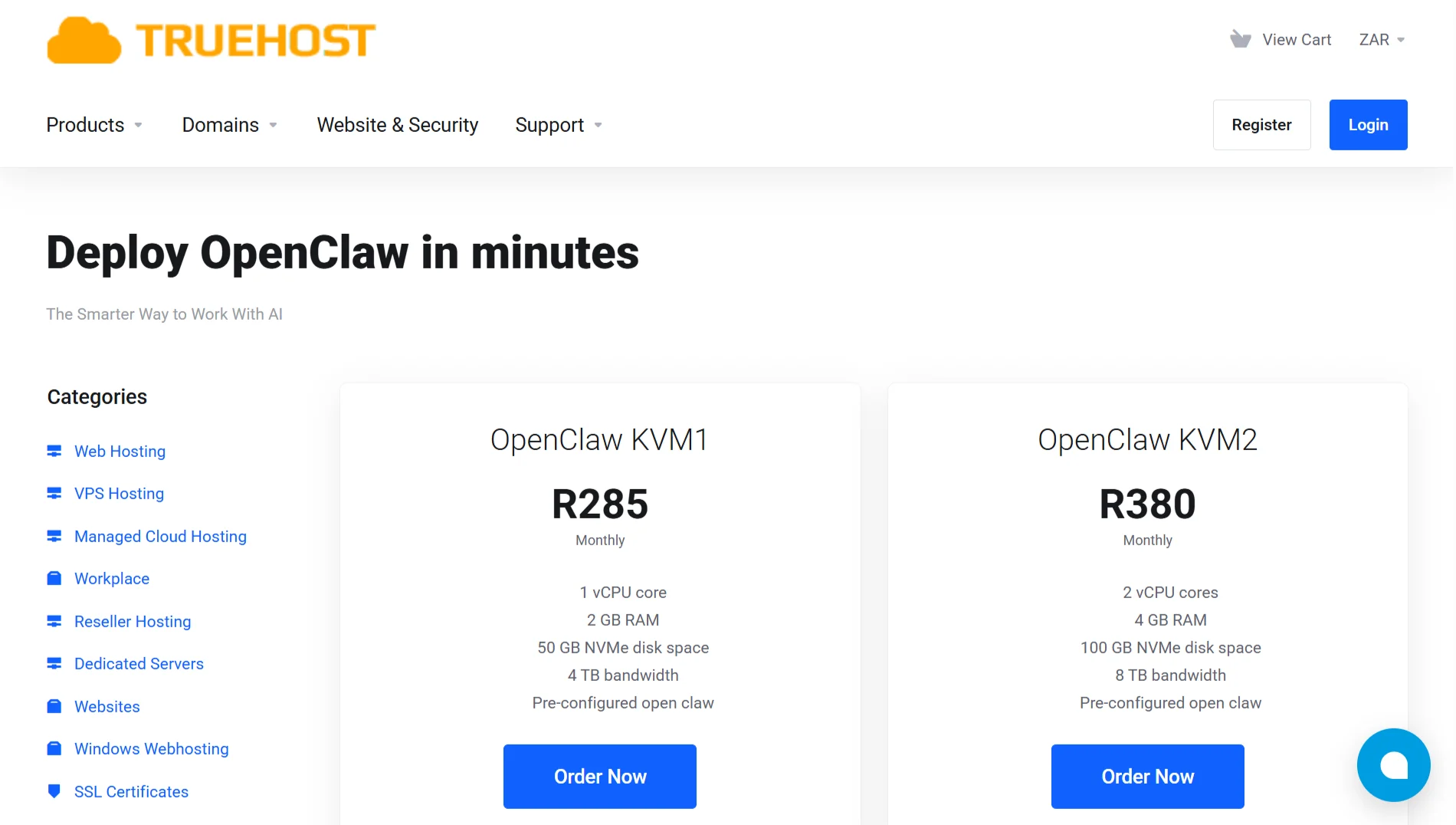
For more demanding requirements, the OpenClaw KVM2 plan provides 2 vCPU cores, 4 GB RAM, 100 GB of NVMe storage, and 8 TB of bandwidth at R380 per month.
The additional resources support production deployments with multiple concurrent users.
Our plans include pre-configured OpenClaw installations. You skip the complicated setup process entirely and start using OpenClaw immediately.
The configuration handles dependency management, database setup, and security defaults.
We maintain the underlying hardware, network infrastructure, and power systems.
Your OpenClaw instance runs in a professional data center with redundant power, cooling, and internet connectivity. We monitor systems and address issues promptly.
Security updates and patches are applied by our team. You benefit from professional vulnerability management without the technical overhead. Our infrastructure includes firewalls, intrusion detection, and regular security audits.
Backups and disaster recovery protect your data. We maintain automated backups and can restore your instance quickly if needed. This protection eliminates the risk of data loss inherent in local hosting.
Our support team helps with technical issues. When you encounter problems, we assist with troubleshooting and resolution.
You get professional assistance without having to be your own support department.
Choosing our hosting means you focus on using OpenClaw rather than managing infrastructure. The predictable monthly fee covers all the maintenance, security, and reliability challenges we’ve discussed.
So now, pick an Openclaw plan with us and avoid all the limitations of local hosting.