Web Hosting
 Windows HostingBuilt for Windows apps and websites – stability, speed and flexibility
 Reseller HostingLaunch a hosting business without technical skills or expensive infrastructure
 Affiliate ProgramRefer customers and earn commissions from sales across our platform
 Domain SearchFind and secure a domain name in seconds with our quick lookup tool
 CO ZA Domains
 All DomainsExplore domain names from over 324 TLDs globally – all in one place
 Free Whois Lookup Tool South Africa
 VPS
VPS Website Builder
 Online ShopSet up a sleek eCommerce store with zero coding knowledge
 SSLs
SSLs SupportAccess help articles, how-tos, and everything about our services
 Blog
Blog Contact UsReach our team instantly via live chat or drop us an email
Choosing between OpenClaw and ChatGPT depends on the role you want AI to play in your daily work. Although both use advanced language models, they are designed for different kinds of tasks.
OpenClaw is an open-source AI agent platform that goes beyond conversation. It can run in the background, connect to external tools, execute workflows, and handle tasks with minimal supervision. This makes it a strong option for users who want automation, integrations, and ongoing task management.
ChatGPT, on the other hand, is a fully managed AI assistant built for immediate interaction. It excels at writing, coding, research, brainstorming, and everyday productivity without requiring setup or maintenance.
If your goal is to build AI-powered workflows that can operate with minimal input, OpenClaw is the better choice. If you need a polished, ready-to-use AI assistant for interactive tasks, ChatGPT is the stronger option.
Table of Contents
How They Compare in Everyday Use
Here’s a quick side-by-side summary:
| ChatGPT | OpenClaw | |
| Type | Managed AI assistant | Self-hosted AI agent |
| Cost | $0–$200+/month subscription | Free software + API usage ($10–150+/month) |
| Setup | Instant, no config | Command-line install, ongoing maintenance |
| Runs on | OpenAI’s servers | Your own machine/VPS |
| Behavior | Reactive (you prompt, it answers) | Proactive (runs 24/7, messages you first) |
| Model choice | Locked to OpenAI models | Any model, Claude, GPT, Gemini, DeepSeek, local |
| Access to your system | Sandboxed | Real file/shell/account access |
| Where do you use it | Dedicated app/web | WhatsApp, Telegram, Slack, Discord, etc. |
| Best for | Fast, safe, no-setup help | Background automation, self-hosted control |
| Key risk | Data used for training (unless opted out) | Security, patch regularly, vet skills carefully |
1) Pricing model
This is where the two diverge most structurally.
ChatGPT now spans seven tiers rather than the three or four people remember from a couple of years ago:
| Plan | Price | Notes |
| Free | $0/month | Ad-supported in some regions; limited messages, context, and Deep Research |
| Go | $8/month | Budget tier, ~10x Free’s limits, ad-supported in the US |
| Plus | $20/month | The mainstream tier: full model access, Deep Research, Sora, Codex, Agent Mode |
| Pro | $100/month | ~5x Plus usage, launched as a mid-tier option |
| Pro (top) | $200/month | ~20x Plus usage, 1M-token context, priority access to the newest models |
| Business | $20–25/user/month | 2-seat minimum; shared workspaces, admin tools, no training on data by default |
| Enterprise | Custom (sales-negotiated) | Data residency, compliance features, typically 150+ seats |
Exact regional pricing (especially in euros) varies with local taxes and promotions, so treat the table above as the US baseline and check OpenAI’s pricing page for your country.
OpenClaw works completely differently:
- The software itself is free and open-source (MIT-licensed), with no subscription fee
- Your real cost is whichever LLM API you connect it to (Claude, GPT, Gemini, DeepSeek, or a local model), plus optional hosting if you’re not running it on a spare machine
- Typical bands run roughly $10–30/month for light use, $30–70/month for daily use, and $100–150+/month for heavy automation
- Costs can be pushed toward zero using local models via Ollama or free-tier tools like Brave Search, at the cost of some capability
2) Proactive vs. reactive
OpenClaw is designed to run on a schedule and message you first, morning briefings, reminders, monitoring tasks, and overnight research reports waiting in your inbox when you wake up.
ChatGPT waits for a prompt, finishes within a session, and goes idle until you return; its “Agent Mode” and scheduled tasks add some proactivity, but they still run inside OpenAI’s managed environment rather than as an always-on presence on your own machine.
3) Where it runs, and who owns the data
OpenClaw keeps memory, logs, and context on infrastructure you control, your laptop, a homelab box, or a cheap VPS. ChatGPT sends your prompts to OpenAI’s servers; on the Free Plus tiers, conversations may be used to train OpenAI’s models unless you manually opt out, while Business and Enterprise plans exclude training by default.
For sensitive or regulated data, that distinction counts, though it cuts both ways: OpenClaw keeping everything local also means you are the one responsible for securing it, and 2026’s security research shows plenty of people didn’t.
4) Tool access and its consequences
ChatGPT’s tool use, Agent Mode, Codex, and Deep Research run inside OpenAI’s sandboxed, guardrailed cloud environment.
OpenClaw can touch the real system it’s installed on: your files, your shell, your connected accounts.
That’s exactly what makes it powerful, and exactly why security researchers have flagged it repeatedly: malicious third-party skills, exposed gateways, and prompt-injection attacks have all been documented in the wild.
OpenClaw needs to be treated like software with genuine permissions over your digital life, not a toy you install and forget about.
5) Memory and long context
ChatGPT’s memory is mostly session- and account-based, and context windows expand with each paid tier (up to roughly 1 million tokens on the top $200 Pro plan).
OpenClaw’s memory is file-based and refreshingly simple; you can open the file and read exactly what your agent remembers, but left unmanaged, it grows indefinitely, which eventually costs you in latency and token spend.
6) Setup effort
ChatGPT is an instant sign-in with nothing to configure.
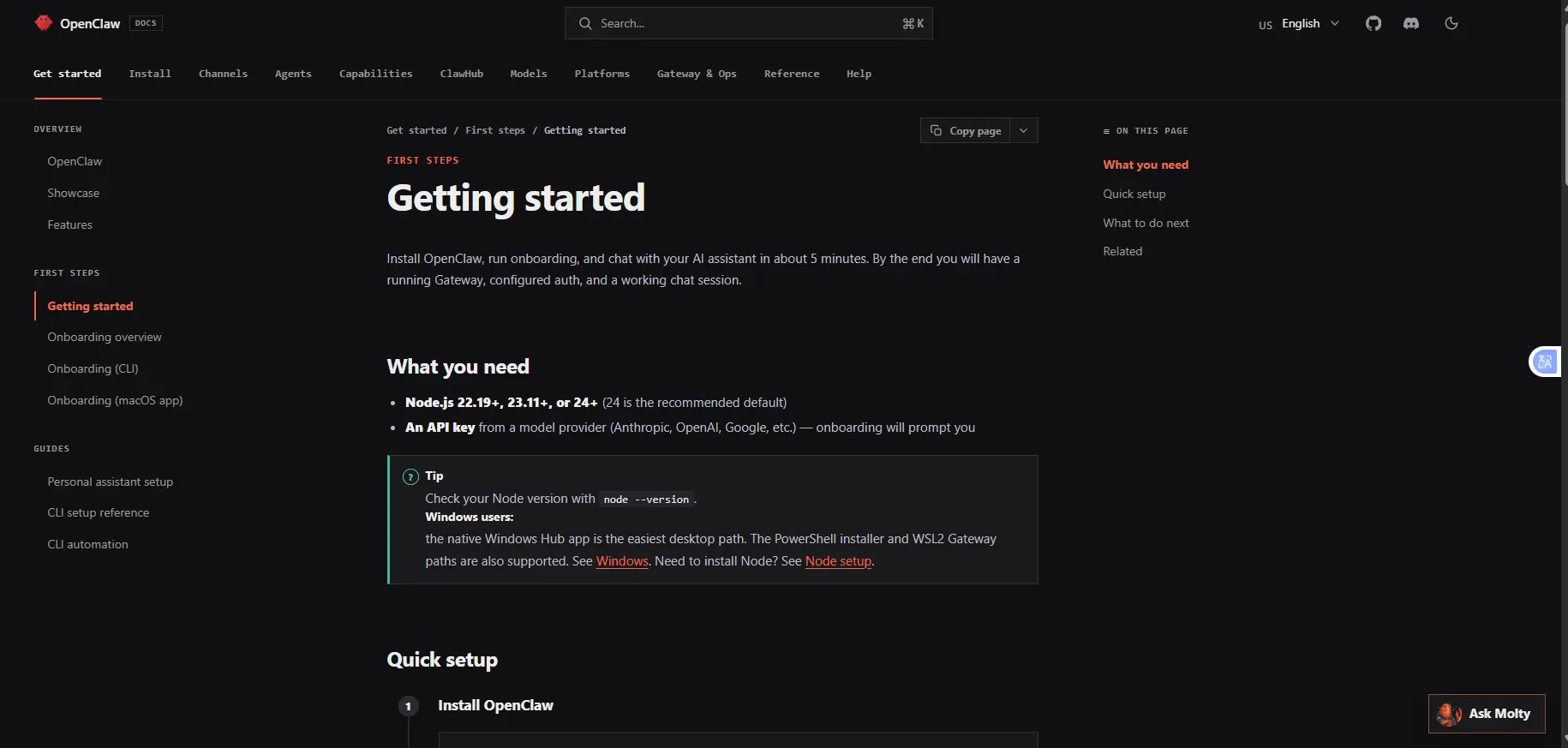
OpenClaw is a project: you install a Node.js gateway process, connect API keys, configure channels and permissions, and decide what the agent is and isn’t allowed to touch before it pays off.
It clearly favors people who are comfortable with a command line, and its own maintainers have been blunt that it’s “far too dangerous” for people who aren’t.
7) Model flexibility
ChatGPT locks you into OpenAI’s own models; model choice isn’t really a decision you make, only a tier you pay for.
OpenClaw is model-agnostic and can be pointed at Claude, GPT, Gemini, DeepSeek, or fully local models through Ollama, so quality, reliability, and cost all shift depending on what you plug in.
8) Where you talk to it
ChatGPT lives in its own dedicated app and web interface. OpenClaw meets you inside the chat apps you already use, WhatsApp, Telegram, Discord, Slack, Signal, iMessage, and 15+ others, so there’s no separate destination to check.
9) Extensibility and ecosystem
ChatGPT extends through OpenAI’s GPT Store and Business-tier connectors, curated within OpenAI’s own platform. OpenClaw extends through ClawHub, a community skills marketplace of Markdown/TypeScript “skills” that anyone can write, install, or have the agent generate for itself.
That openness is also its biggest liability: multiple 2026 security audits found hundreds to well over a thousand malicious skills circulating on ClawHub, some bundling real infostealer malware disguised as productivity integrations.
If you use OpenClaw’s skill ecosystem, only install skills from verified publishers or ones you’ve personally reviewed; download counts and star ratings aren’t a reliable safety signal.
When to Choose Which
Choose ChatGPT if:
- You want high-quality answers, drafts, or coding help with no setup required
- You don’t need the assistant to perform tasks automatically inside your business systems
- You prefer a simple monthly subscription instead of managing your own infrastructure
- You want a tool with built-in safety guardrails that non-technical teammates can use confidently
Choose OpenClaw if:
- You want something running 24/7, monitoring, reminding, following up, without you opening an app
- You want the assistant to live close to your actual files, repos, or internal tools
- You’re comfortable with (or genuinely want) command-line setup and ongoing security maintenance
- Privacy or data residency counts enough that self-hosting is worth the effort, and you’re prepared to lock the gateway down properly
- You want the flexibility to swap in different underlying models over time
Which AI Tool Should You Use and When?
The choice comes down to convenience versus control. ChatGPT gets you working in seconds with nothing to manage. OpenClaw gets you an always-on agent living in your own systems, but only pays off if it’s hosted and secured properly.
If you’re leaning toward OpenClaw, Truehost Cloud offers pre-configured OpenClaw hosting plans starting at R285/month, so you can skip the server setup and get straight to configuring your agent.
OpenClaw vs ChatGPT FAQ
Can I use ChatGPT Plus with OpenClaw?
No. ChatGPT Plus is a consumer subscription and doesn’t include API access. OpenClaw requires separate API keys from providers like OpenAI, Anthropic, Google, or DeepSeek, billed by usage.
Is OpenClaw safe to use?
It can be, but it requires real diligence. Its first year in the wild produced a critical remote-code-execution vulnerability, a large-scale campaign of malicious marketplace skills, and warnings from Microsoft and multiple security vendors against running it on ordinary personal or work machines. If you use it, keep it updated to the latest version, restrict its permissions to what it actually needs, avoid exposing the gateway to the open internet, and vet any third-party skills before installing them.
Can I use OpenClaw and ChatGPT together?
Yes, and many people do. It’s common to use ChatGPT for writing and research while OpenClaw handles background automation, and OpenClaw is model-agnostic enough that you can point it at OpenAI’s own models via API if you want ChatGPT-quality output inside an automated workflow.
Is OpenClaw free?
The software itself is free and open-source. What you’ll pay for is the AI model API it calls (and, optionally, hosting if you don’t run it on hardware you already own).
How is OpenClaw different from ChatGPT’s Agent Mode?
OpenClaw runs continuously on your own system with direct access to your local files, shell, and accounts. ChatGPT’s Agent Mode runs inside a managed cloud sandbox with considerably more restrictions, less powerful, but far less of your own infrastructure to secure.