Web Hosting
 Windows HostingBuilt for Windows apps and websites – stability, speed and flexibility
 Reseller HostingLaunch a hosting business without technical skills or expensive infrastructure
 Affiliate ProgramRefer customers and earn commissions from sales across our platform
 Domain SearchFind and secure a domain name in seconds with our quick lookup tool
 CO ZA Domains
 All DomainsExplore domain names from over 324 TLDs globally – all in one place
 Free Whois Lookup Tool South Africa
 VPS
VPS Website Builder
 Online ShopSet up a sleek eCommerce store with zero coding knowledge
 SSLs
SSLs SupportAccess help articles, how-tos, and everything about our services
 Blog
Blog Contact UsReach our team instantly via live chat or drop us an email
You know that feeling when your phone buzzes and you hope it is good news?
Last week, I ordered a pizza. The restaurant sent me an SMS. Then another SMS. Then a third one. By the time the pizza arrived, my phone was full of boring text messages.
But my bank? They send me a WhatsApp message the second I swipe my card. It shows my balance, the shop name, and even a little receipt. That feels personal. That feels helpful.
That is the difference between old-school messaging and the new way of doing business.

I am part of the team at Truehost. We help South African businesses send those smart WhatsApp messages. We are an official WhatsApp API provider South Africa companies trust. And today, I want to walk you through how it works – in plain English, no fancy tech talk.
Table of Contents
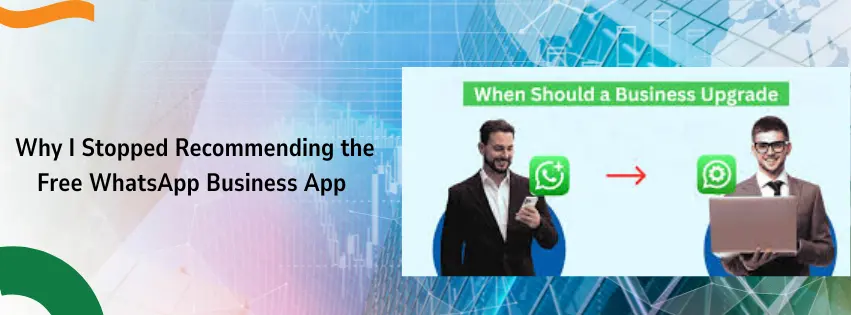
Why I Stopped Recommending the Free WhatsApp Business App
A few months ago, a customer named Thabo called me. He runs a small clothing brand in Soweto. He was using the free WhatsApp Business app on his phone.
“It worked fine when I had ten customers a day,” he told me. “But now I have a hundred. My phone is burning hot. My assistant cannot log in. And I keep missing messages.”
I hear this story all the time.

The free app is great for a side hustle. But for a real business? It breaks. Here is a quick look at why.
| Feature | Free App | Truehost API |
| How many people can reply? | Only one person | Your whole team |
| Can you send order updates automatically? | No, you type each one | Yes, fully automatic |
| Does it show a green verified badge? | No | Yes, if you qualify |
| Can you connect it to your website? | No | Yes, easily |
You see the problem. The free app is like using a taxi for a cross-country delivery. It works, but slowly.
What Does “Transactional” Even Mean?
Let me explain this word because it is the heart of what we do.
Transactional messages are not “Buy one get one free!” or “Check out our sale!”. Those are marketing messages.
Transactional messages are the boring, useful, necessary ones.
- “Your order #456 has shipped.”
- “Your one-time password is 123456.”
- “Your appointment with Dr. Nkosi is tomorrow at 9 AM.”
These messages do not try to sell you anything. They just give you information you need.
And here is the thing. South Africans love getting these on WhatsApp. Why? Because we already use WhatsApp for everything. Our families, our friends, our church groups. Adding business messages just feels natural.
Big companies know this. Absa does it. FNB does it. SARS does it. Checkers Sixty60 does it.
Now, small and medium businesses can do it too. With Truehost.
Truehost: We Are Your Local Partner
I do not want you to think of us as some big, faceless company. We are real people.
We have an office. We answer the phone in English, Afrikaans, isiZulu, and isiXhosa. When you email us, a human writes back. Usually within an hour.
We became a WhatsApp API provider South Africa because we saw how hard it was for local businesses to get connected. Other providers made you sign long contracts. They charged you for things you did not understand. They took weeks to set up a simple thing.
We said no to all that.
What You Get When You Choose Us
Let me list it out for you. No hidden tricks.
- The official Meta API – This is the real thing, straight from WhatsApp’s parent company. No fake copies.
- POPIA compliant – That is the South African privacy law. We build consent tools so you do not get into trouble.
- Focus on transactional – We do not want you to spam people. We want you to send useful messages that customers actually say thank you for.
- Fast setup – Most of our clients go live in 24 to 48 hours. Not weeks.
How We Set You Up (Step by Step)
I do not want you to feel lost. So let me walk you through exactly what happens when you sign up with Truehost.
Step 1: Pick Your Plan
We have simple pricing. Pay for what you use. No monthly fee if you send zero messages. We will look at the costs in a minute.
I assume you already have a domain name.
Step 2: Give Us a Number
You need a phone number that is not already on WhatsApp. Do not worry if you do not have one. We can help you get one.
Step 3: We Verify Your Business
Meta wants to know you are real. We send them your documents. This takes about 24 hours. Once approved, you can apply for the green verification badge. That little green checkmark next to your name? It builds trust instantly.
Step 4: Create Your Message Templates
You cannot just type any message. For transactional things like order updates, you need a template approved by Meta.
We have a library of ready-to-use templates. For example:
- “Hello [name], your order [order_number] has been shipped. Track it here: [link]”
- “Dear [name], your payment of [amount] to [store] was successful.”
We help you get these approved fast.
Step 5: Connect to Your Systems
Do you use a website? An accounting tool? A stock management system? We connect your WhatsApp to them. So when a customer buys something on your site, WhatsApp automatically sends them a receipt.
No copying and pasting. No manual work.
Step 6: Go Live
That is it. You start sending messages. Your customers will be surprised – in a good way.
Ways South African Businesses Use This
Let me give you examples. Real businesses, real use cases.
For Online Shops
When you sell handmade bags on Instagram. A customer orders one.
With Truehost, this happens automatically:

- Instant receipt – They get a PDF on WhatsApp right after paying.
- Shipping update – When you drop the bag at the post office, they get a message: “Your bag is on its way!”
- Delivery confirmation – “Your bag has arrived. Enjoy!”
Your customer feels safe. They do not call you asking “Where is my order?” You save hours on the phone.
For Salons and Clinics
You run a hair salon in Durban. Appointments are your lifeblood.
- Reminders – “Hi Sarah, your braids appointment is tomorrow at 2 PM. Reply CONFIRM.”
- Cancellations – If someone cancels, you open that slot immediately.
- Follow-ups – “How did you like your hair? Send us a photo!”
No more no-shows. No more wasted chairs.
For Delivery Services
You have a courier company with three vans.
- Live tracking – Send a link so the customer sees exactly where their package is.
- Proof of delivery – Your driver takes a photo at the door. WhatsApp sends it instantly.
- ETA alerts – “Your driver is 5 minutes away.”
Your customers stop calling your office. They just watch their phone.
How Much Does This Cost? (The Truth)
Everyone worries about money. I get it.
Meta (the company that owns WhatsApp) charges per “conversation.” A conversation is a 24-hour window of chat.
Here are the prices for South Africa, converted to Rand.
| Type of Message | What It Is | Cost per Conversation |
| Utility (order updates, receipts) | The main one you will use | About 12 cents (R0.12) |
| Authentication (OTPs, login codes) | For security | About 23 cents (R0.23) |
| Marketing (promotions) | Not for you | About 56 cents (R0.56) |
| Service (customer replies) | When they answer you | Free |
Yes, you read that right. When a customer replies to your message, that reply conversation costs you nothing.
So sending 1,000 order updates costs you roughly R120. And much cheaper than SMS, which can cost 30 to 50 cents each.
Why Other Providers Frustrate Me (And You)
I do not like talking badly about competitors. But I want you to know the difference.
Some other WhatsApp API provider South Africa options will:
- Charge you a monthly fee even if you send zero messages.
- Take weeks to verify your number.
- Give you no support when something breaks.
- Ignore POPIA completely.
We do none of that.
| What to look out for | Truehost | Other Providers |
| Monthly fee? | No, pay as you go | Often yes, R500+ per month |
| Setup time | 24-48 hours | 2-4 weeks |
| Local support | Yes, South African team | Usually email only, overseas |
| POPIA help | Yes, built in | You are on your own |
Common Questions I Get Asked
Let me answer the ones people ask me most.
Do I need to be a tech person to use this?
No. I promise. If you can send a normal WhatsApp message, you can use our system. We do the technical work. You just watch your business grow.
Can I keep my existing phone number?
Usually no. If the number is already on the regular WhatsApp or the Business App, Meta says you need a fresh number for the API. But ask us. Sometimes we can migrate it.
Is it safe for banking and passwords?
Usually no. If the number is already on the regular WhatsApp or the Business App, Meta says you need a fresh number for the API. But ask us. Sometimes we can migrate it.
How fast can I start?
If you have all your documents ready, you can send your first transactional message within 48 hours.
What if my customer replies with a question?
Then you reply. Or you set up an auto-reply. And remember – that reply conversation is free. You only pay when you start the chat.
Let Me Tell You a Short Story
A customer of ours runs a small pharmacy in Mamelodi, Pretoria. Her name is Mrs. Moloi.
Before Truehost, she would call each patient to remind them about their medication. That took her three hours every day. She was exhausted.
Now? Her system sends a WhatsApp reminder automatically. “Hi, your prescription is ready for pickup at Mamelodi Pharmacy.”
Her patients love it. They reply “Thanks!” or “Coming now.” Mrs. Moloi saves those three hours. She uses them to help patients in the shop.
That is why we do this work. Not for the technology. For the people.
Ready to Stop Using SMS?
I am not going to give you a long, pushy sales pitch.
The truth is simple. SMS is old. Email is ignored. WhatsApp is where your customers live.
You can keep doing things the hard way. Or you can let Truehost connect you to the official WhatsApp API in a day or two.
We speak your language. We answer your calls. We make the tech invisible.
Your customers are waiting for that friendly, useful WhatsApp message. Let us help you send it.