Web Hosting
 Windows HostingBuilt for Windows apps and websites – stability, speed and flexibility
 Reseller HostingLaunch a hosting business without technical skills or expensive infrastructure
 Affiliate ProgramRefer customers and earn commissions from sales across our platform
 Domain SearchFind and secure a domain name in seconds with our quick lookup tool
 CO ZA Domains
 All DomainsExplore domain names from over 324 TLDs globally – all in one place
 Free Whois Lookup Tool South Africa
 VPS
VPS Website Builder
 Online ShopSet up a sleek eCommerce store with zero coding knowledge
 SSLs
SSLs SupportAccess help articles, how-tos, and everything about our services
 Blog
Blog Contact UsReach our team instantly via live chat or drop us an email
Let us be honest with each other for a sec, you can market all you want, but if your site can’t handle real traffic, it is all wasted effort. Really!
Slow pages, failed payments, and crashed promotions are lost revenue. And trust me, you don’t want to be on the receiving end of these.
Customers bounce, carts get abandoned, and all the time you spend driving traffic goes down the drain.
Ecommerce owners need a way to keep checkout smooth, handle mobile shoppers, and scale during campaigns.

Now, allow me to introduce a better option, ecommerce VPS.
It gives your store dedicated resources, stable performance under load, and the reliability to run promotions without fear, keeping every sale and customer intact.
Still in doubt? Read along to see!
Table of Contents
When Your Store Actually Needs VPS
Before we jump into the when and why you might need VPS, let me clarify what VPS means.
VPS stands for Virtual Private Server, a type of hosting where your store gets dedicated resources such as CPU, memory, and storage.
Unlike regular shared hosting, your store does not share these resources with other websites.
This gives your website more stability, faster responses, and the ability to handle high traffic without slowing down.
You can also configure it to match the exact needs of your ecommerce store.

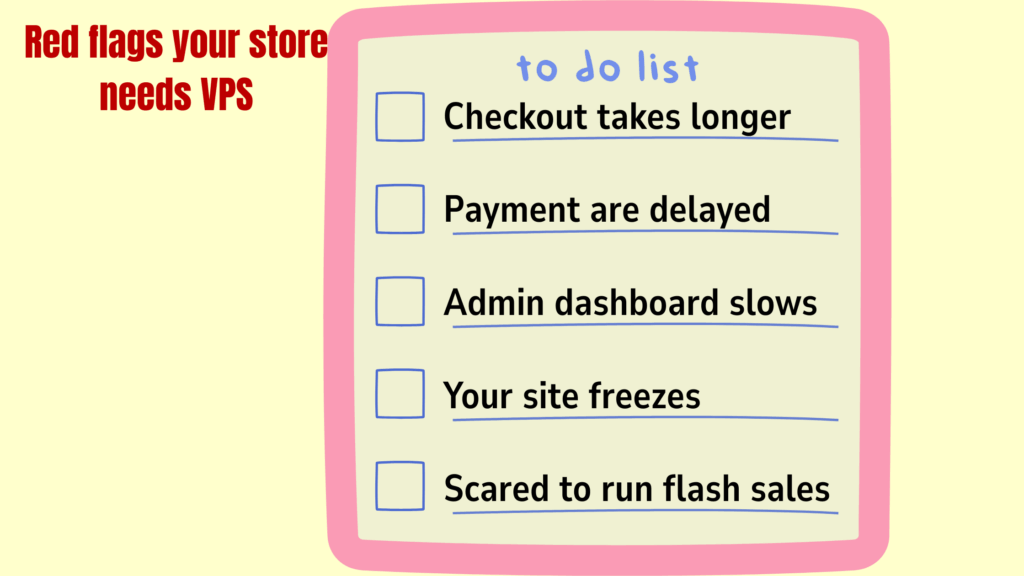
Your store may need ecommerce VPS if you notice these real-world signals:
- Checkout takes longer than product pages
- Payment confirmations are delayed or sometimes fail
- Admin dashboard slows down during promotions or sales
- Your site freezes or becomes unstable during traffic spikes
- You hesitate to run flash sales because hosting may fail
These issues affect sales, customer trust, and the overall success of your store.
When these signs appear, moving to ecommerce VPS becomes a necessary step to protect revenue and provide a smooth experience for every visitor.
Benefits of Ecommerce VPS
Once your store moves to ecommerce VPS, the advantages go far beyond faster pages.
VPS gives your store a stable foundation for smooth operation, reliable checkout, and strong security.
Which if we are being honest, are all essential for growing revenue and maintaining customer trust.
Stable Checkout
One of the most frustrating experiences for an online shopper is a failed or slow checkout.
With ecommerce VPS, your checkout pages have dedicated resources, which means orders complete successfully even when many customers are shopping at the same time.
For store owners, this directly translates into:
- fewer abandoned carts
- higher conversion rates
- and more predictable daily sales
You can run promotions or flash sales without worrying about lost orders because the server handles the load consistently.
Faster Product Pages
Page load speed directly affects how many products a customer will view and purchase.
Slow pages make customers leave before exploring your store.
Ecommerce VPS ensures faster product page loading by allocating dedicated CPU and memory for your website.
This means shoppers spend more time browsing, see more products, and are more likely to complete multiple purchases, which increases average order value.
Predictable Performance

Running a promotion or seasonal sale can be nerve-wracking if the website might slow down or crash.
VPS provides predictable performance, giving store owners confidence to schedule sales or marketing campaigns without interruption.
Customers enjoy a consistent shopping experience, and owners avoid lost revenue from failed transactions or site downtime.
Scalable Resources
Traffic spikes can happen suddenly, whether from influencer promotions, WhatsApp campaigns, or payday shopping.
With ecommerce VPS, you can scale resources like CPU, memory, and storage quickly to handle the surge.
You can expect no downtime, no lost orders, and the ability to capitalize on high-traffic moments, turning temporary spikes into real sales growth.
Enhanced Security and Backups
Protecting customer data is not optional; it is essential. Ecommerce VPS isolates your store from other websites, reducing the risk of security breaches.
It also allows for customized firewalls, regular backups, and monitoring, which protects sensitive customer information.
For you, you can be sure that brand trust stays strong, you avoid data loss, and your store maintains credibility, which keeps customers coming back.
Key Features to Look For in Ecommerce VPS
Choosing the right ecommerce VPS goes beyond looking at big numbers on a pricing page.
What truly matters are features that protect checkout flow, keep pages responsive, and support growth without disruption.
These are the features every ecommerce store owner should pay attention to:
1) Dedicated PHP Workers and CPU Allocation
Every time someone adds a product to cart or completes a payment, the server runs several background processes at once.
These processes handle sessions, inventory updates, and payment confirmations.
Dedicated PHP workers and CPU allocation ensure these actions run smoothly, even when many shoppers are active.
This prevents checkout delays, reduces failed payments, and keeps the buying process smooth during busy periods.
2) Isolated Storage and Database Performance
An ecommerce site constantly writes data to a database, from cart updates to completed orders.
With ecommerce VPS, storage and databases remain isolated from other websites.
This keeps order processing fast and reliable, even during traffic spikes.
Inventory updates happen in real time, orders process correctly, and customer sessions remain stable without slowdowns caused by external activity.
Which Ecommerce Stores Should Use VPS?
Not every online store needs advanced hosting from day one.
A small catalogue with low traffic can survive on basic plans for a while.
But once a store starts growing, adding products, or running consistent campaigns, performance pressure increases quickly.
Here are the types of ecommerce businesses that benefit most from ecommerce VPS:
WooCommerce Stores with Steady or Growing Traffic
WooCommerce runs on WordPress, which means every product page, cart update, and checkout action depends heavily on server resources.
As traffic increases, database requests increase too.
With dozens or hundreds of products, plugins, and payment integrations, the site can slow down under load.
An ecommerce VPS provides the dedicated resources needed to keep product browsing smooth and checkout responsive, even when multiple shoppers are active at the same time.
Magento Stores Managing Large Catalogues
Magento is powerful, but it demands more from hosting.
It processes complex product variations, pricing rules, layered navigation, and promotional logic behind the scenes.

That complexity requires stable processing power and reliable memory allocation.
Without strong infrastructure, Magento stores often experience slow admin dashboards, delayed order processing, or heavy page load times.
Ecommerce VPS gives Magento the breathing room it needs to perform properly without lag.
Custom Ecommerce Websites with Payment Integrations
Many stores use custom-built platforms or unique storefront designs connected to payment gateways such as Paystack, Flutterwave, or PayFast.
These integrations rely on real-time communication between the website and payment provider.
If server performance fluctuates, payment confirmations can delay or fail.
VPS ensures those real-time connections remain stable, which keeps transactions accurate and customer trust intact.
Mobile-First Ecommerce Stores
In South Africa, a large percentage of online shoppers browse and purchase using mobile devices.
Mobile users expect fast responses and simple checkout flows. If pages take too long to load, they leave quickly.
Ecommerce VPS supports faster processing and consistent delivery, which improves the experience for mobile visitors and reduces drop-offs during checkout.
Stores Running Frequent Campaigns or Seasonal Sales
Campaign-driven stores experience uneven traffic.
One day might be quiet, and the next might bring a surge from an email blast, influencer mention, or holiday sale.
Hosting needs to handle those peaks without slowing down.
Ecommerce VPS allows the flexibility and strength required to manage these spikes smoothly, helping campaigns convert traffic into actual revenue instead of server errors.
Cost Comparison of Top VPS Providers in South Africa
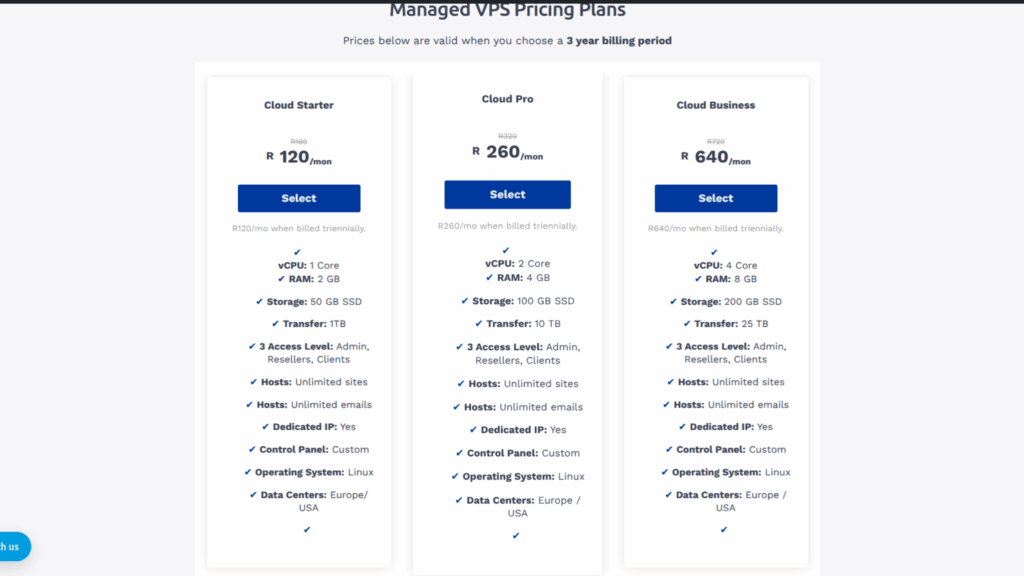
Now, let us go through the ecommerce VPS prices of the top providers in the game in South Africa:
| Provider | Entry Plan | CPU / RAM | Storage | Managed Support | Ecommerce Fit |
| Truehost SA | From R260/month | 2 vCPU / 4GB RAM | NVMe SSD | Yes | Excellent balance of performance, scalability, and managed support; ideal for WooCommerce and growing stores |
| HostAfrica | From R379/month | 2 vCPU / 4GB RAM | SSD | Limited | Reliable performance, but scaling resources can become expensive during high traffic |
| Xneelo | From R495/month | 2 vCPU / 4GB RAM | SSD | Yes | Stable and fully managed, but entry cost is higher, which may not suit smaller or mid-sized stores |
| Web4Africa | From R450/month | 2 vCPU / 4GB RAM | SSD | Limited | Decent performance for moderate traffic, but ecommerce-specific support is limited |
| Afrihost | From R399/month | 2 vCPU / 4GB RAM | SSD | Limited | Reliable for small stores, but scaling options and managed support are restricted |
⚠️ Prices are may vary depending on promotions and packages.
Getting Started with Ecommerce VPS
Moving your online store to a VPS doesn’t have to feel technical or overwhelming. You don’t need to be a server expert.
You just need a clear process and the right provider.
So, let’s get started:
Step 1: Assess Your Store’s Current Performance
Before upgrading, understand why you are upgrading.
Look closely at:
- Checkout response time
- Page load speed during peak hours
- Admin dashboard responsiveness
- Failed or delayed payment confirmations
- Traffic spikes during promotions
If your checkout freezes when traffic increases, or your admin dashboard slows down while processing orders, those are strong signs your current hosting environment is stretched.
A VPS works best when you are:
- seeing steady growth in visitors
- running paid ads or influencer campaigns
- your product catalog is expanding
- processing consistent daily orders
This step ensures you don’t overpay for resources you don’t need, but also don’t stay underpowered.
Step 2: Choose the Right VPS Provider
Not all VPS providers are built with ecommerce in mind.
When selecting a host, prioritize:
- Managed VPS support
- NVMe storage
- Local technical support
- Easy scalability
- Strong uptime guarantees
For South African ecommerce businesses, Truehost is positioned well because it combines managed support with NVMe-powered storage and entry-level pricing that doesn’t feel overwhelming.
Local support also matters more than most people realize.
Payment gateways like PayFast, Paystack, and Flutterwave require proper server configuration.
A local team understands these requirements and resolves issues faster.
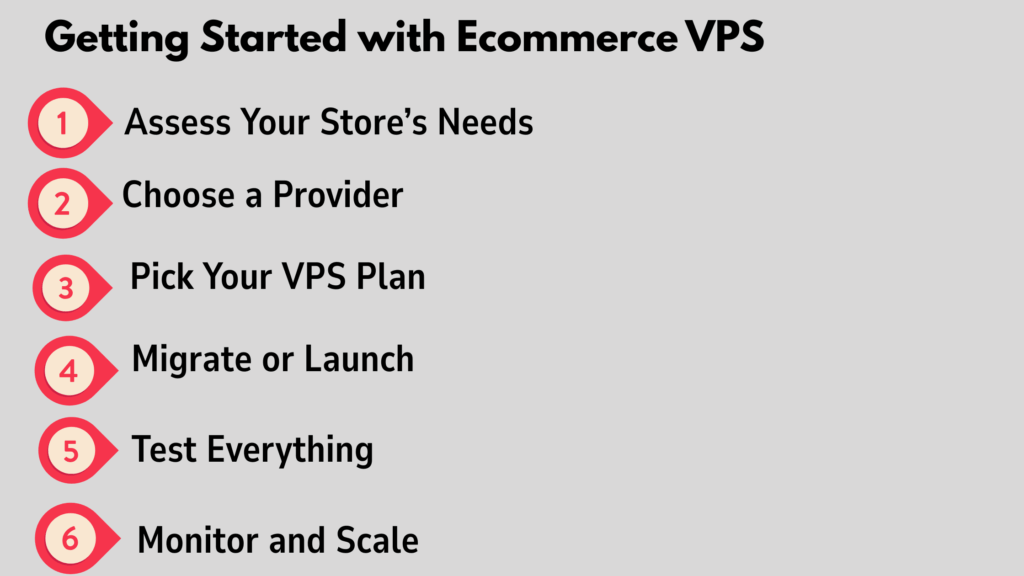
Step 3: Select a VPS Plan That Matches Your Current Demand
You don’t need the biggest plan on day one.
Most growing WooCommerce or Magento stores start comfortably with:
- 2 vCPU
- 4GB RAM
- NVMe storage
- Managed support
This setup handles moderate traffic, multiple products, and regular promotions without performance dips.
The advantage of VPS is flexibility. If traffic increases, you can upgrade CPU, RAM, or storage without rebuilding your store or changing your URL.
Step 4: Migrate or Launch on VPS
You have two options:
Option A: Migrate an Existing Store
This involves:
- Backing up files and databases
- Moving them to the VPS
- Updating DNS settings
- Testing functionality before going live
A managed VPS provider usually assists with migration to reduce downtime and technical errors.
Option B: Launch Fresh on VPS
If you are building a new store, launching directly on VPS saves you from future migration stress. You start with stable infrastructure from day one.
Either way, plan migration during low-traffic hours to minimize disruption.
Step 5: Test Before You Promote
This step is critical.
After moving to VPS:
- Test checkout with real transactions
- Confirm payment callbacks work
- Review page load speeds
- Check admin dashboard responsiveness
- Verify email confirmations and order processing
Do not launch promotions until everything works smoothly.
A VPS gives you more control, but proper testing ensures you fully benefit from it.
Step 6: Monitor Performance and Scale When Necessary
Your job doesn’t end after migration.
Track:
- CPU usage
- RAM usage
- Page load times
- Traffic patterns
When you see consistent resource strain, upgrade before customers notice slowdowns.
The beauty of VPS is scalability without downtime or SEO disruption. Your URL remains the same.
Your rankings stay intact. Your customers don’t notice backend improvements, they just experience faster checkout.
In Conclusion
When all is said and done, your hosting choice shows in your store’s performance.
Fast checkouts, stable payments, and smooth browsing directly affect how much you sell and how much customers trust your brand.
Ecommerce VPS helps you run promotions confidently, handle traffic spikes, and keep orders flowing without interruptions.
At Truehost, we designed our managed VPS for growing ecommerce brands that need speed, stability, and reliable local support.
You get NVMe-powered performance, dedicated resources, and full server management while you focus on scaling your store.
Upgrade to Truehost Managed VPS today and give your ecommerce store the foundation it deserves.